Your Browsing History
Meet Your Seller
Remote KVM Over IP Internet,4K IP KVM Remote Control PC,Server,Remote Power Control, LCD Screen,ZeroTier, TF Card,Webcam,Wake, Install OS Via BIOS, Windows Mac Linux Android
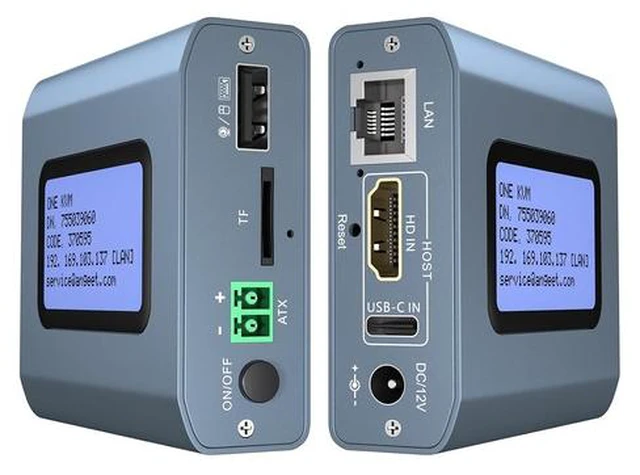
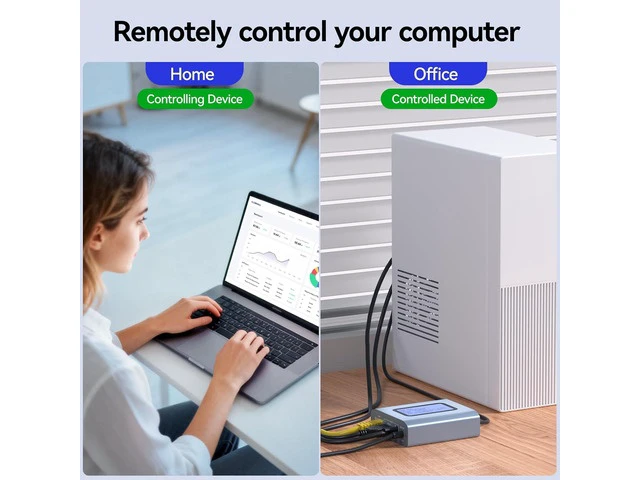
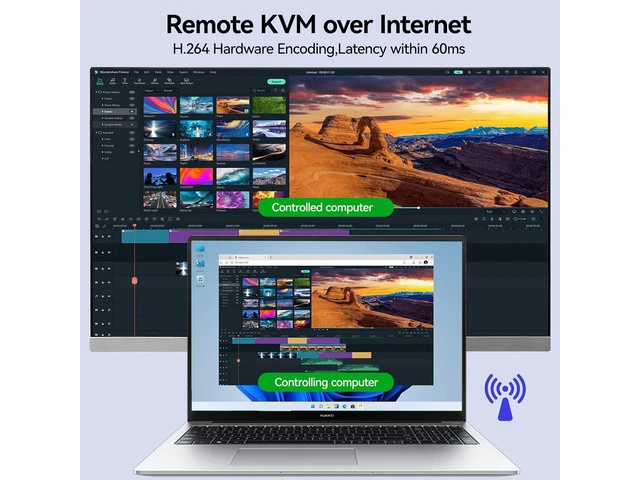
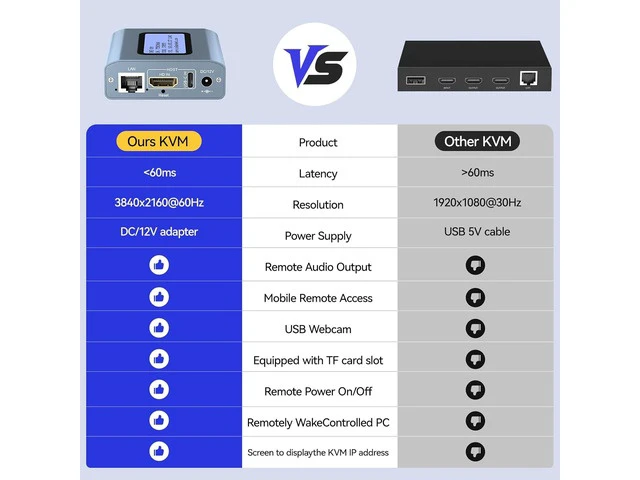
- Remote KVMIP KVM supports remote control of computers and servers without the need for additional software or drivers. Ideal for remote work.
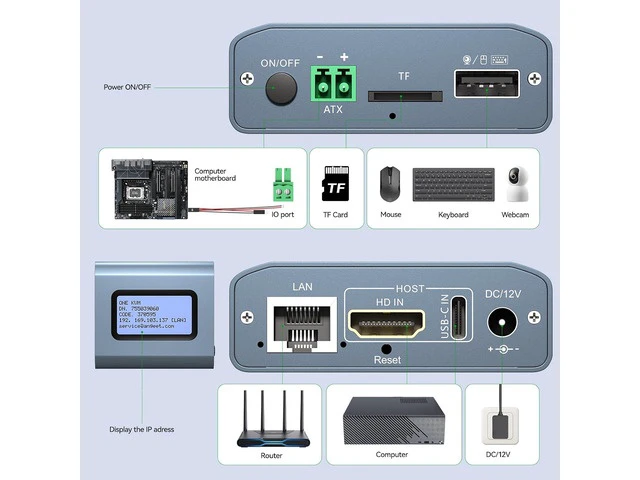
- Easy to UseSimply connect your computers HDMI/USB to the IP KVMs HDMI and USB-C ports, and connect an Ethernet cable to the remote KVM to enable remote control via the app or web interface. This internet-based IP KVM supports PCs, servers, IP cameras, and streaming devices, and is compatible with Windows, macOS, Linux, and Android systems.
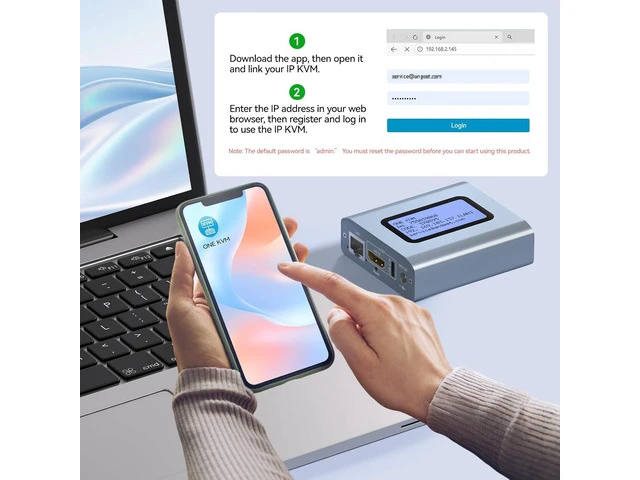
- Web Login and AppYou can access the system remotely via a web-based cloud control platform (which supports custom cloud servers). Additionally, you can access it remotely via the ONE KVM app (which must be downloaded after logging into the IP KVM via a web browser). ONE KVM does not collect any personal information, ensuring your privacy and security.
- Remote Power On/OffConnect the included DuPont cable to the F_PANEL interface on the motherboard and the ATX port on the IP KVM to remotely contro
+
+
Overview
Specs
Reviews
Any questions? Ask CelesteSM will help you find out quickly.
Try me now
Remote KVMIP KVM supports remote control of computers and servers without the need for additional software or drivers. Ideal for remote work.
Easy to UseSimply connect your computers HDMI/USB to the IP KVMs HDMI and USB-C ports, and connect an Ethernet cable to the remote KVM to enable remote control via the app or web interface. This internet-based IP KVM supports PCs, servers, IP cameras, and streaming devices, and is compatible with Windows, macOS, Linux, and Android systems.
Web Login and AppYou can access the system remotely via a web-based cloud control platform (which supports custom cloud servers). Additionally, you can access it remotely via the ONE KVM app (which must be downloaded after logging into the IP KVM via a web browser). ONE KVM does not collect any personal information, ensuring your privacy and security.
Remote Power On/OffConnect the included DuPont cable to the F_PANEL interface on the motherboard and the ATX port on the IP KVM to remotely contro
Warranty & Returns
Warranty, Returns, And Additional Information
Warranty
- Please contact the Seller directly for warranty information. Warranty information may also be found on the Manufacturer's website.
- CONTACT
Return Policies
- Return for refund within: 30 days
- Return for replacement within: 30 days
- This item is covered by TERRA HAVEN Return Policy
Manufacturer Contact Info
- For a directory of all our manufacturers, please click below.
- Manufacturers Directory
LOADING...