




 here!
I’m your shopping assistant for PC builds, upgrades, and everything tech.
Got questions? Ask away!
Start a conversation
here!
I’m your shopping assistant for PC builds, upgrades, and everything tech.
Got questions? Ask away!
Start a conversation



Any questions? Ask CelesteSM will help you find out quickly.
Product Description:
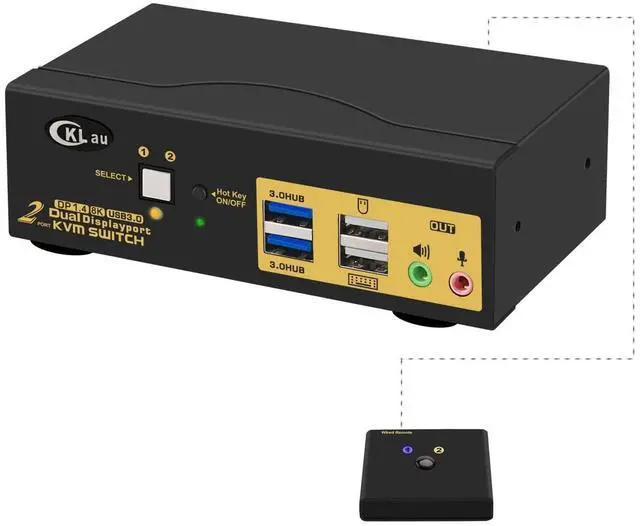
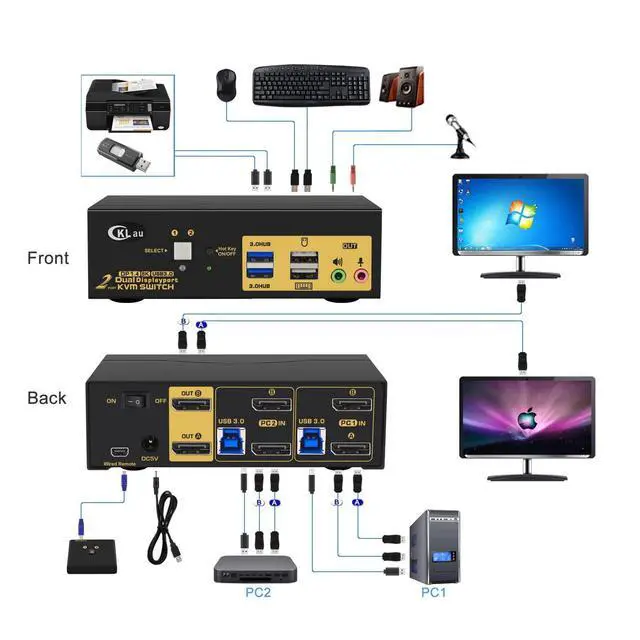
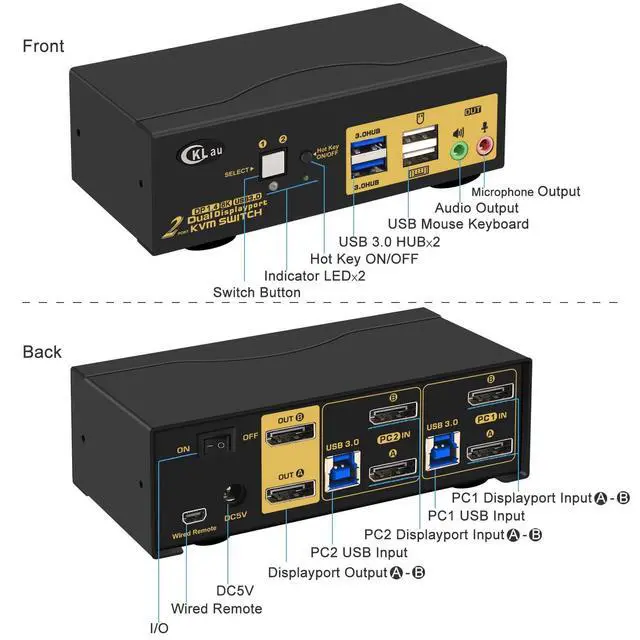
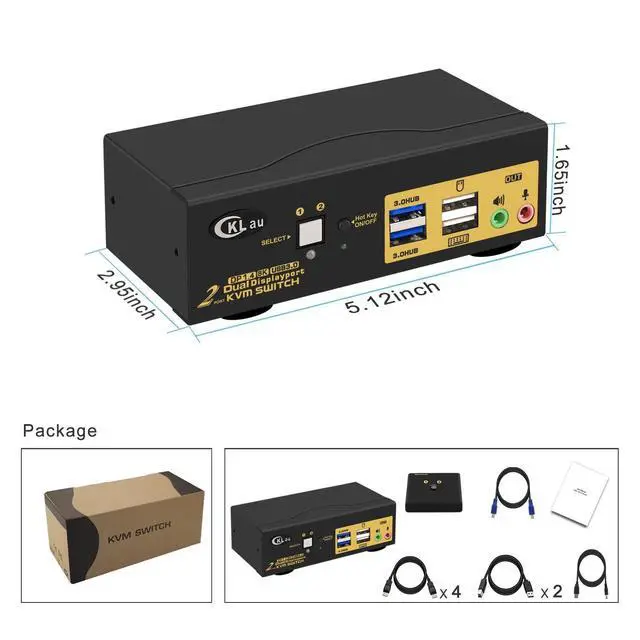
2-port USB 3.0 dual-monitor DisplayPort KVM switch with 2-in-2-out design. It allows 2 PCs to share one keyboard and mouse set, 2 monitors, audio, microphone, and one USB 3.0 peripheral device.
Core Selling Points:
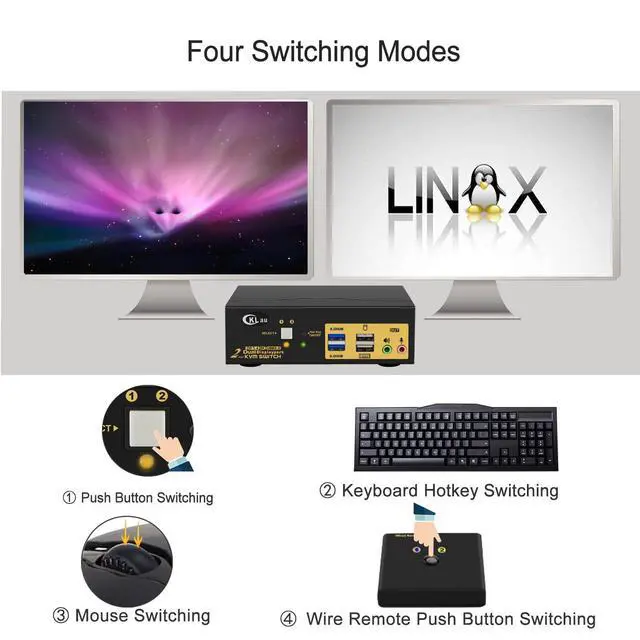
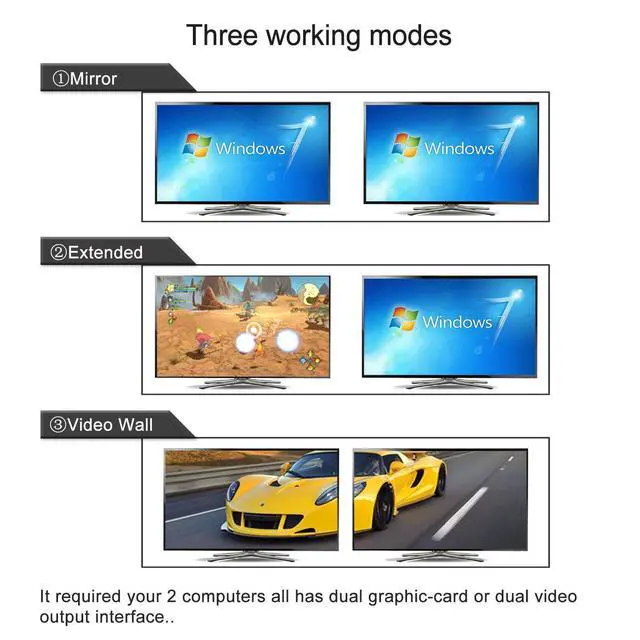
Supports extended, mirror, and spliced display modes. Four switching options are available: hotkey switching, mouse switching, manual button switching, and wired remote push-button switching. Supports wired or wireless keyboards and mice, touch screens, OLED screens, 16:9 widescreen displays, and 21:9 ultra-wide monitors.
Technical Specifications:
DisplayPort 1.4; USB 3.0; 2 ports; dual-monitor support; 2 in 2 out; audio and microphone support. Supported resolutions include 7680 x 4320 @30Hz, 5120 x 2880 @50/60Hz, 3840 x 2160 @60/120/144Hz, 3840 x 1620 @60/120/144Hz, 3440 x 1600 @60/120/144Hz, 3440 x 1440 @60/120/144Hz, and 3840 x 1080 @60/120/144/165/240Hz. Hotkey combinations: Num Lock + Num Lock + 1/2 + Enter, Ctrl + Ctrl + 1/2 + Enter, or Scroll Lock + Scroll Lock + 1/2 + Enter.
Before Purchase:
Drive-free for Windows 10/7/2000/XP/Vista and Linux. Confirm that your computers, displays, and required resolution settings support DisplayPort 1.4 and the listed refresh rates before purchase.


