




 here!
here!
I’m your shopping assistant for PC builds, upgrades, and everything tech.
Got questions? Ask away!
Start a conversation
here!
I’m your shopping assistant for PC builds, upgrades, and everything tech.
Got questions? Ask away!
Start a conversation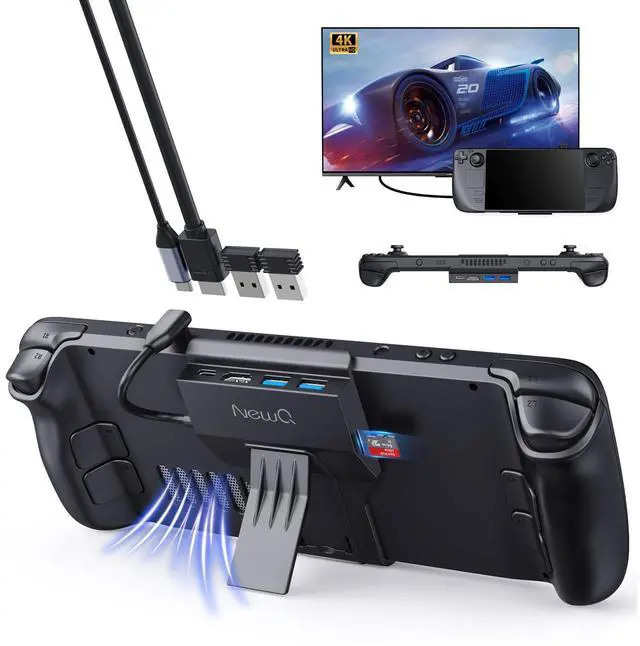




Any questions? Ask CelesteSM will help you find out quickly.
 NQ-HB-09pro |  NQ-HB-09P |  NQ-SD-02 |
|---|---|---|
Style 5 in 1 docking station for the steam deck | Style 4 in 1 docking station for the steam deck | Style 2 in 1 65W laptop power bank |
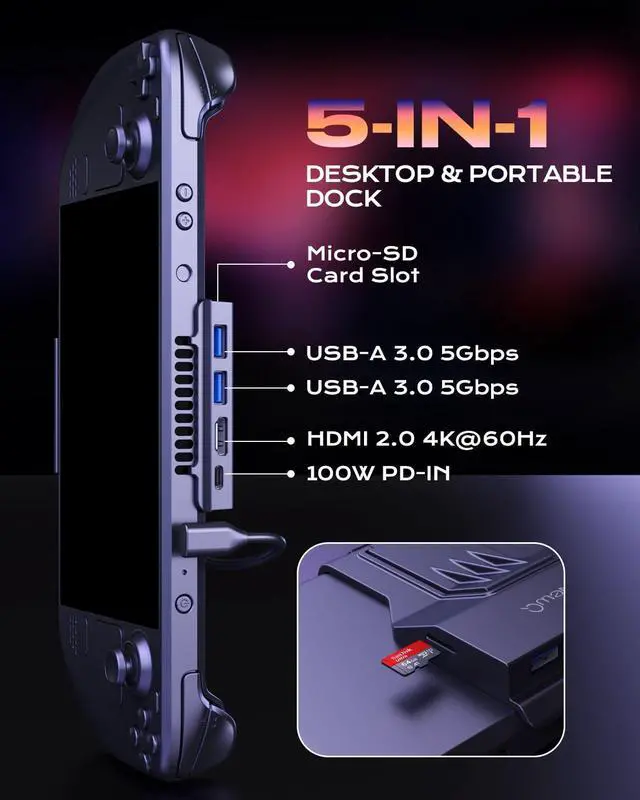
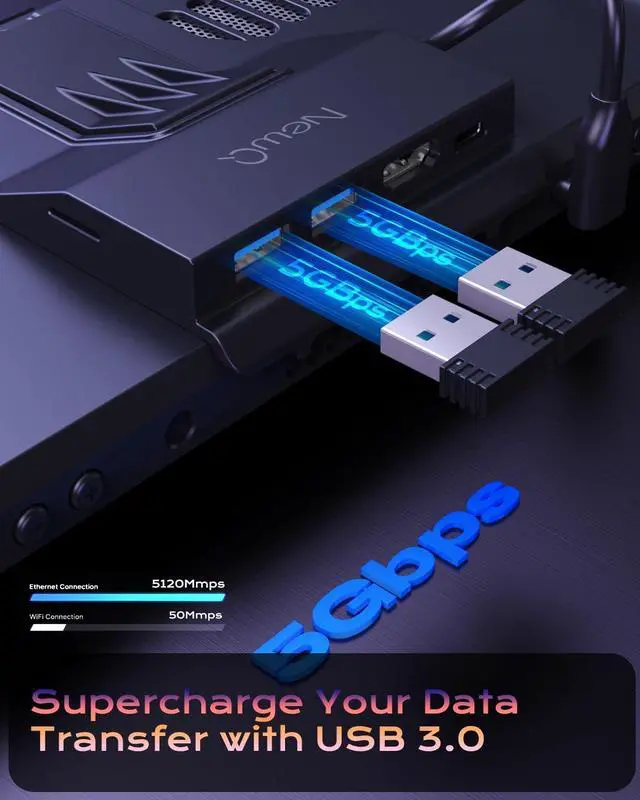
Ports 2*USB A(data), 1*HDMI(display), 1*USB C(charging), 1*TF/SD | Ports 2*USB A(data), 1*HDMI(display), 1*USB C(charging) | Ports 1*USB C(charging), 1*USB A(charging) |
Transfer speed 5Gbps | Transfer speed 5Gbps | Transfer speed / |
Charge 100W PD IN | Charge 100W PD IN | Charge 65W PD 3.0 |


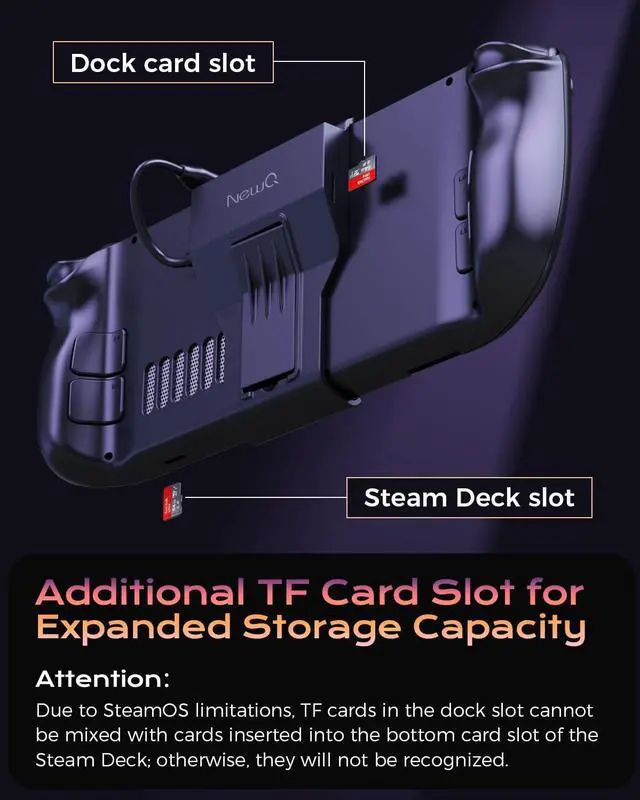
1) Restricted by the path of SteamOS, TF card with games installed in the dock slot cannot be used in steam's own card slot, and vice versa.
2) Restricted to the path of SteamOS, if you insert the card into the dock slot and install the game in Steam's Desktop Mode. After inserting the card into the dock slot again, you cannot open it directly in Game Mode, you need to enter Desktop Mode first and then switch to Game Mode. Also, games installed in Game Mode will not run directly in Desktop Mode.

We suggest equipping the Steam Deck with a dedicated TF card for easier use.
Although setting up a TF card is a bit of a hassle, having an extra TF card is a great addition to the steam deck's memory, and you can install as many big games as you want.

The 4.7 in * 3.26 in steam deck kickstand fits perfectly into the steam. The lightweight and portable steam dock fits directly into the pouch without additional packaging.

The 90° connector is designed for your gaming experience. When you use the steamdeck dock, the connecting cable is no longer a hindrance to you.

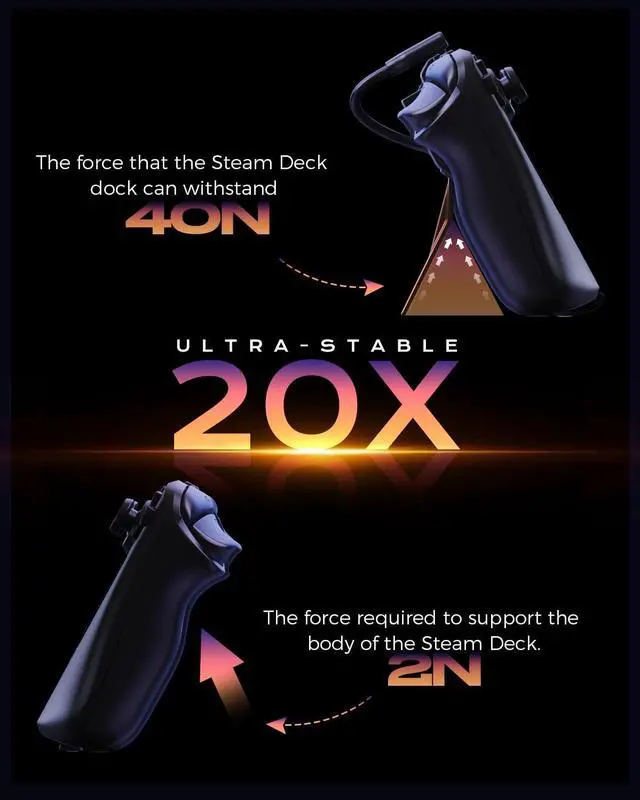
Little body, big energy. The force that the Steam Deck dock can withstand :40N

After installing the game in the dock slot, can I plug it into the steam deck's own slot and use the card?
No, because the installation paths of both are different, so they can't be read after swapping locations.
Is the size of this dock specifically designed for the original pack?
No, it could be shoehorned in but it would keep the steam deck out of place.
Why can't the card be read after I have installed the game and replugged it?
Due to the path of SteamOS, if you install the game in Steam's Desktop Mode via the dock slot, you need to switch from Desktop Mode to Game Mode after inserting the card into the dock slot again (Game Mode will not read it directly)
Is the hub's bracket strong enough?
Don't worry, it can support a force of 40N, while the steam deck is only 2N when it is tilted sideways, no worries at all, we have done the actual test.
Does it support Steam Deck OLED?
Yes, the size of the steam deck and the steam deck OLED are the same.


Enhancing Life and Work with NewQ
Reliable Quality
NewQ products are designed in-house and thoroughly tested to meet the highest standards before they leave our factory.
Trustworthy Support
If an issue arises, we’ll provide a prompt replacement and work with you to find a satisfying solution, without the hassle of immediate returns.


This fingerprint SSD is your best assistant for encrypting and backing up your valuable files.


1) Restricted by the path of SteamOS, TF card with games installed in the dock slot cannot be used in steam's own card slot, and vice versa.
2) Restricted to the path of SteamOS, if you insert the card into the dock slot and install the game in Steam's Desktop Mode. After inserting the card into the dock slot again, you cannot open it directly in Game Mode, you need to enter Desktop Mode first and then switch to Game Mode. Also, games installed in Game Mode will not run directly in Desktop Mode.
We suggest equipping the Steam Deck with a dedicated TF card for easier use.
Although setting up a TF card is a bit of a hassle, having an extra TF card is a great addition to the steam deck's memory, and you can install as many big games as you want.
The 4.7 in * 3.26 in steam deck kickstand fits perfectly into the steam. The lightweight and portable steam dock fits directly into the pouch without additional packaging.
The 90° connector is designed for your gaming experience. When you use the steamdeck dock, the connecting cable is no longer a hindrance to you.
Little body, big energy. The force that the Steam Deck dock can withstand :40N
After installing the game in the dock slot, can I plug it into the steam deck's own slot and use the card?
No, because the installation paths of both are different, so they can't be read after swapping locations.
Is the size of this dock specifically designed for the original pack?
No, it could be shoehorned in but it would keep the steam deck out of place.
Why can't the card be read after I have installed the game and replugged it?
Due to the path of SteamOS, if you install the game in Steam's Desktop Mode via the dock slot, you need to switch from Desktop Mode to Game Mode after inserting the card into the dock slot again (Game Mode will not read it directly)
Is the hub's bracket strong enough?
Don't worry, it can support a force of 40N, while the steam deck is only 2N when it is tilted sideways, no worries at all, we have done the actual test.
Does it support Steam Deck OLED?
Yes, the size of the steam deck and the steam deck OLED are the same.
Enhancing Life and Work with NewQ
Reliable Quality
NewQ products are designed in-house and thoroughly tested to meet the highest standards before they leave our factory.
Trustworthy Support
If an issue arises, we’ll provide a prompt replacement and work with you to find a satisfying solution, without the hassle of immediate returns.
This fingerprint SSD is your best assistant for encrypting and backing up your valuable files.
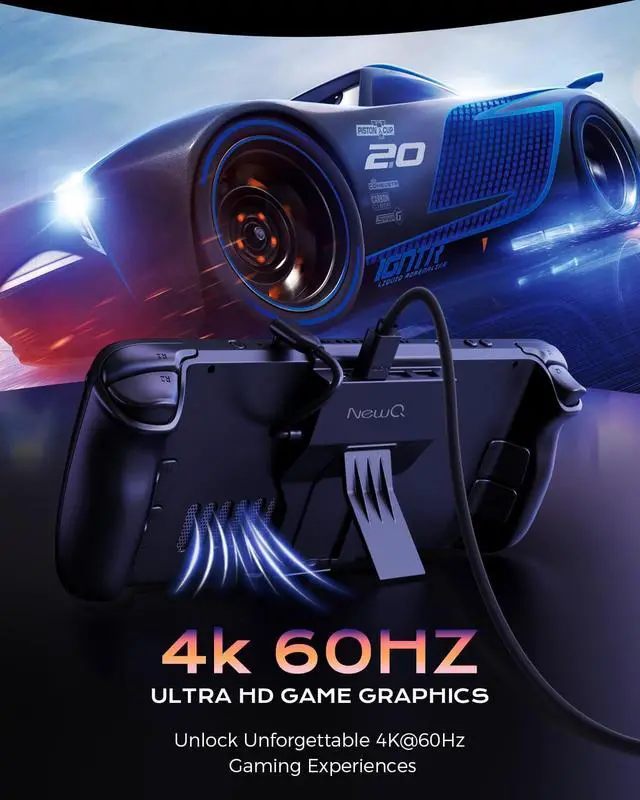
Portable Steam Deck Dock: NewQ 5-in-1 USB C Dock with TF Card Slot, HDMI 2.0 4K@60Hz Display, 2*USB-A 3.0, USB-C PD 100W Max, Steam Deck Stand Base Accessories, Supports Other USB-C Devices and PC
| Brand | NEWQ |
| Color | black |
| Hardware Interface | HDMI, MicroSD, USB 3.0 Type A |
| Compatible Devices | steam deck |
| Total USB Ports | 3 |
| Number of Ports | 5 |
| Item Weight | 70 Grams |
| Total HDMI Ports | 1 |
| Wattage | 1E+2 |
| Manufacturer | NEWQ |
| Product Dimensions | 4.72 x 3.15 x 0.79 inches |
| Date First Available | January 9, 2023 |
| Language | English |





