




 here!
I’m your shopping assistant for PC builds, upgrades, and everything tech.
Got questions? Ask away!
Start a conversation
here!
I’m your shopping assistant for PC builds, upgrades, and everything tech.
Got questions? Ask away!
Start a conversation




Any questions? Ask CelesteSM will help you find out quickly.









Baseus is rooted in our core value, "Based on User." We are dedicated to creating minimalist, easy-to-use products with high-quality textures that cater to all user preferences. With over a decade of experience in consumer electronics, our focus on innovation and creativity has earned us numerous patents, international design awards, and a diverse product range.



 Nomos Air Win 12-in-1 |  Spacemate Plus 14-in-1 |  Spacemate Mini 10-in-1 |  Spacemate Pro 15-in-1 |  Spacemate Win 11-in-1 |  Spacemate Mac 11-in-1 |  Spacemate Mac 12-in-1 | |
|---|---|---|---|---|---|---|---|
Customer Reviews | — | — | — | — | — | — | — |
Price | — | — | — | — | — | — | — |
Main Feature | Slim | Auto-Rotating Screen | Phone size | 2 Modo:HYBRID+CHARGING | Triple Display | Compatible with macOS | Compatible with macOS |
Total Output(Max) | 100W | 120W(3 device) | 100W(2 device) | 160W (4 device) | 100W | 100W | 100W |
Power Adapter | ? | AC: 140W GaN Built-in | 120W GaN | 180W GaN | ? | ? | ? |
USB-C PD Output | ? | 2*45W | 30W | 2*100W | ? | ? | ? |
Video Ports | 2*HDMI | 2*HDMI | 2*HDMI | 2*HDMI | 2*DP+2*HDMI (3 Display) | 3*HDMI | 2*DP+2*HDMI (2 Display) |
Highest Resolution | 4K@60Hz | 4K@120Hz | 4K@60Hz | 4K@120Hz | 4K@60Hz | 4K@60Hz | 2K@60Hz |
macOS Extended Mode | ? | ? | ? | ? | ? | ? | ? |
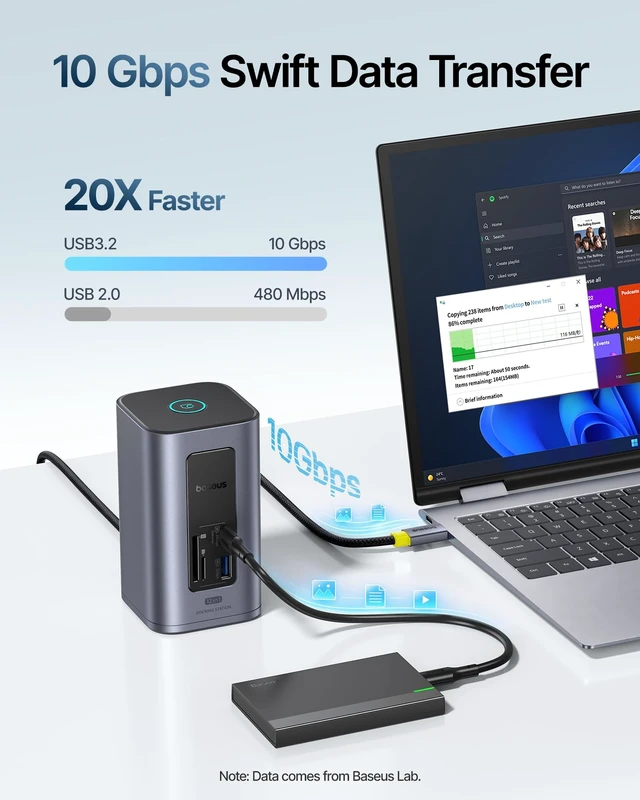
USB-C Data Port | 2*10Gbps | 2*10Gbps | 2*10Gbps | 2*10Gbps | 1*10Gbps | 1*10Gbps | 2*10Gbps |
USB-A Data Port | 4 | 4 | 3 | 4 | 3 | 4 | 4 |
SD/TF Card Reader | ? | ? | ? | ? | ? | ? | ? |
Enthernet | ? | ? | ? | ? | ? | ? | ? |
Audio | ? | ? | ? | ? | 3.5mm | 3.5mm | ? |
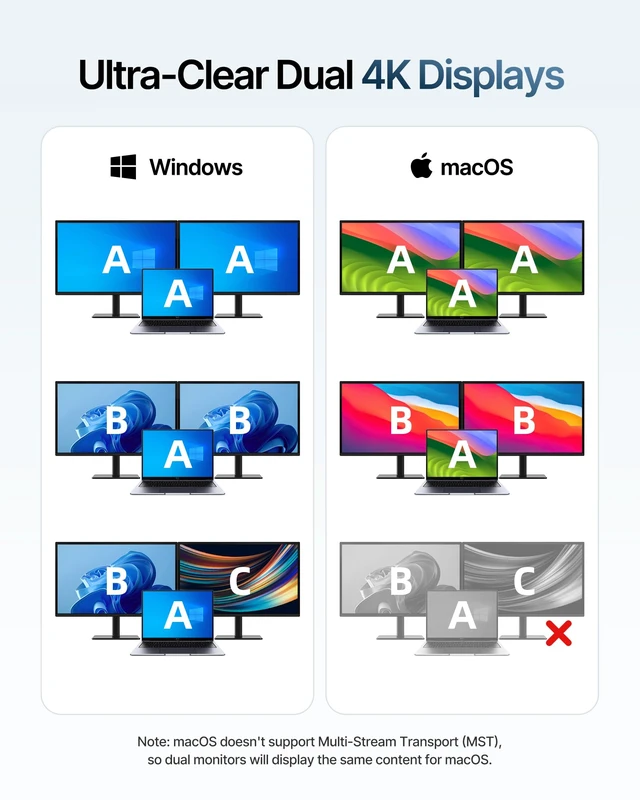
Can two external monitors connected to a Mac display different content?
No. This feature is supported on Windows only. If you need dual-monitor extended display on a Mac, please search for models that supports it: Spacemate 11-in-1 with Triple Display for Mac, Nomos Air 12-in-1 DisplayLink
What specification of HDMI cable is required for stable dual-monitor use?
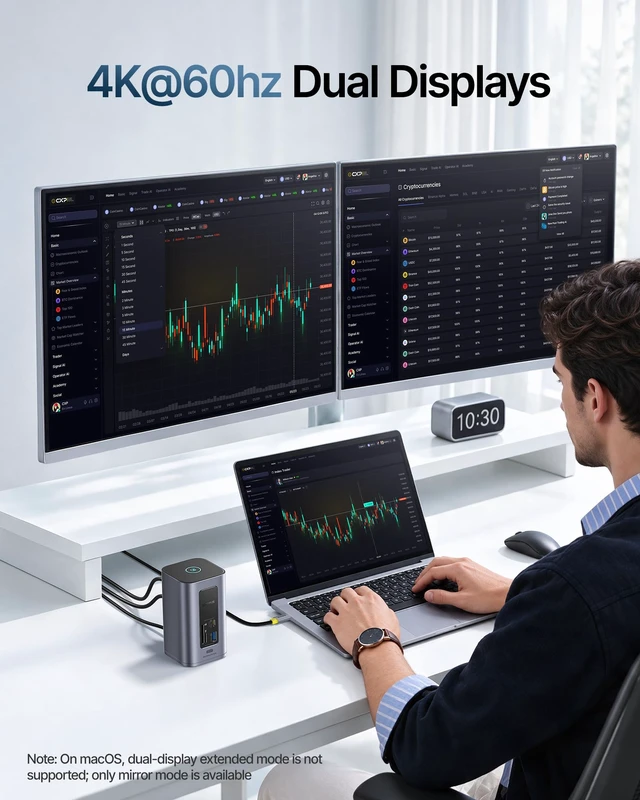
We recommend using an HDMI 2.0 or later cable to connect the monitors to ensure stable dual-monitor video output.
How do I make two monitors display different content on a Windows PC?
Press Windows + P and select "Extend" in the pop-up menu. The two monitors will then show different content, and you can drag windows to the corresponding screen.
What are the requirements for achieving 4K@60Hz on two connected monitors?
The whole chain must meet:
1. PC: the laptop supports DP 1.4 with DSC (Display Stream Compression) enabled;
2. Cables: use HDMI 2.0 or later cables;
3. Monitors: both support 4K@60Hz with DSC enabled.
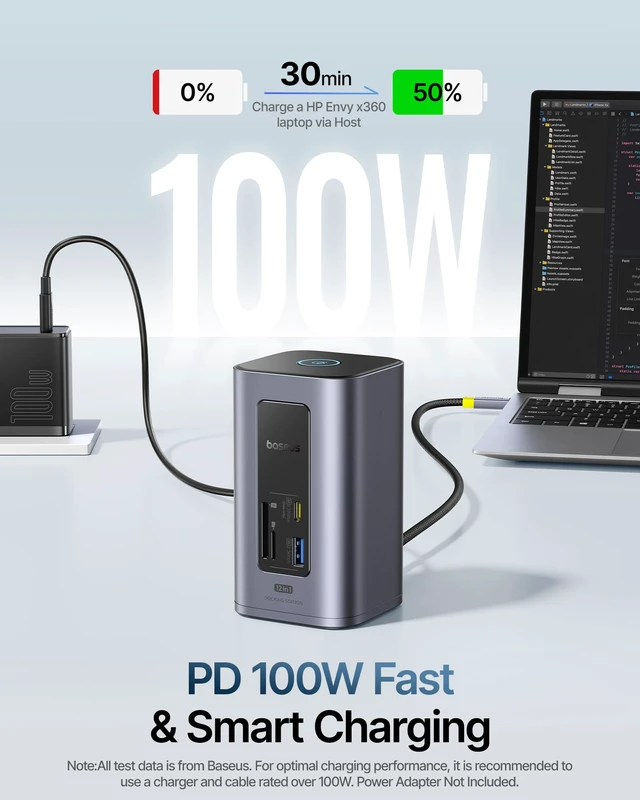
Can I charge my laptop through this docking station? What charger do I need?
Yes, it charges your laptop. We recommend a PD 100W or higher charger. Some HP/Dell models use proprietary protocols and may show a "slow charging" notice; this is a compatibility notice, not a malfunction, and the laptop still charges normally.


Nomos Air Win 12-in-1 | Spacemate Plus 14-in-1 | Spacemate Mini 10-in-1 | Spacemate Pro 15-in-1 | Spacemate Win 11-in-1 | Spacemate Mac 11-in-1 | Spacemate Mac 12-in-1 |
|---|---|---|---|---|---|---|
| Customer Reviews | ||||||
| — | — | — | — | — | — | — |
| Price | ||||||
| — | — | — | — | — | — | — |
| Main Feature | ||||||
| Slim | Auto-Rotating Screen | Phone size | 2 Modo:HYBRID+CHARGING | Triple Display | Compatible with macOS | Compatible with macOS |
| Total Output(Max) | ||||||
| 100W | 120W(3 device) | 100W(2 device) | 160W (4 device) | 100W | 100W | 100W |
| Power Adapter | ||||||
| ? | AC: 140W GaN Built-in | 120W GaN | 180W GaN | ? | ? | ? |
| USB-C PD Output | ||||||
| ? | 2*45W | 30W | 2*100W | ? | ? | ? |
| Video Ports | ||||||
| 2*HDMI | 2*HDMI | 2*HDMI | 2*HDMI | 2*DP+2*HDMI (3 Display) | 3*HDMI | 2*DP+2*HDMI (2 Display) |
| Highest Resolution | ||||||
| 4K@60Hz | 4K@120Hz | 4K@60Hz | 4K@120Hz | 4K@60Hz | 4K@60Hz | 2K@60Hz |
| macOS Extended Mode | ||||||
| ? | ? | ? | ? | ? | ? | ? |
| USB-C Data Port | ||||||
| 2*10Gbps | 2*10Gbps | 2*10Gbps | 2*10Gbps | 1*10Gbps | 1*10Gbps | 2*10Gbps |
| USB-A Data Port | ||||||
| 4 | 4 | 3 | 4 | 3 | 4 | 4 |
| SD/TF Card Reader | ||||||
| ? | ? | ? | ? | ? | ? | ? |
| Enthernet | ||||||
| ? | ? | ? | ? | ? | ? | ? |
| Audio | ||||||
| ? | ? | ? | ? | 3.5mm | 3.5mm | ? |
Can two external monitors connected to a Mac display different content?
No. This feature is supported on Windows only. If you need dual-monitor extended display on a Mac, please search for models that supports it: Spacemate 11-in-1 with Triple Display for Mac, Nomos Air 12-in-1 DisplayLink
What specification of HDMI cable is required for stable dual-monitor use?
We recommend using an HDMI 2.0 or later cable to connect the monitors to ensure stable dual-monitor video output.
How do I make two monitors display different content on a Windows PC?
Press Windows + P and select "Extend" in the pop-up menu. The two monitors will then show different content, and you can drag windows to the corresponding screen.
What are the requirements for achieving 4K@60Hz on two connected monitors?
The whole chain must meet:
1. PC: the laptop supports DP 1.4 with DSC (Display Stream Compression) enabled;
2. Cables: use HDMI 2.0 or later cables;
3. Monitors: both support 4K@60Hz with DSC enabled.
Can I charge my laptop through this docking station? What charger do I need?
Yes, it charges your laptop. We recommend a PD 100W or higher charger. Some HP/Dell models use proprietary protocols and may show a "slow charging" notice; this is a compatibility notice, not a malfunction, and the laptop still charges normally.
Baseus is rooted in our core value, "Based on User." We are dedicated to creating minimalist, easy-to-use products with high-quality textures that cater to all user preferences. With over a decade of experience in consumer electronics, our focus on innovation and creativity has earned us numerous patents, international design awards, and a diverse product range.
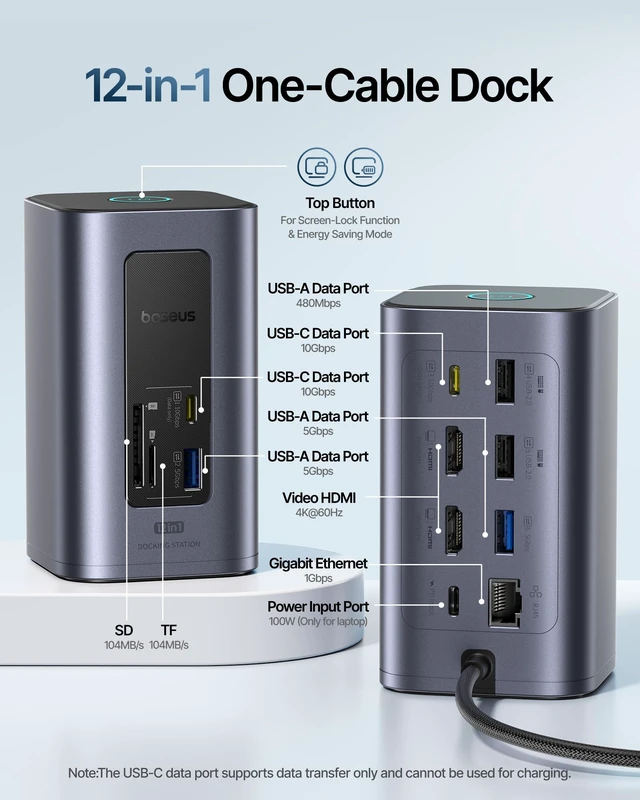
| Brand | Baseus |
| Color | Space Gray |
| Hardware Interface | Ethernet, HDMI, MicroSD, Secure Digital Card, USB 3.2 Gen 1, USB 3.2 Gen 2 |
| Compatible Devices | Windows 10 / 11, MacOS 10.15.x and later. Supports full-featured USB-C, USB4, and Thunderbolt systems, including: M1 / M2 / M3 / M4 (M1 Pro/Max, M2 Pro/Max, M3 Pro/Max, M4 Pro/Max); Dell XPS, Latitude, Precision, Inspiron series, Microsoft Surface / Book / Laptop / Laptop Studio, HP ProBook, EliteBook, Spectre x360 series, Lenovo ThinkPad, X1, T series, IdeaPad, and Yoga, LG Gram, & thousands of other laptops equipped with full-featured, standards-compliant USB-C ports. |
| Total USB Ports | 7 |
| Product Dimensions | 2.58"L x 4.57"W x 2.59"H |
| Number of Ports | 12 |
| Item Weight | 14.72 ounces |
| Total HDMI Ports | 2 |
| Wattage | 100 watts |
| Total Number of HDMI Ports | 2 |
| Input Voltage | 240 volts |
| Minimum Required Operating System Version | Windows 10 |
| Item Dimensions L x W x H | 2.58"L x 4.57"W x 2.59"H |
| EU Spare Part Availability Duration | 2 years |
| Number of Items | 1 |
| Number of Packs | 1 |
| UPC | 810196181373 |
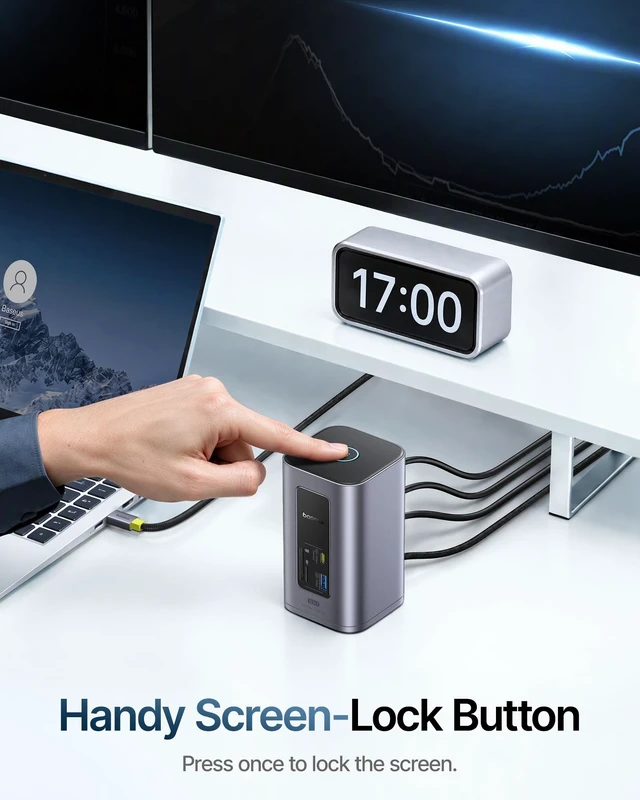
| Item Highlight | 2 HDMI 4K@60Hz, 2 USB-C 10Gbps, 100W Input, Privacy+Power-Saving Button, Ethernet, SD/TF, Compatible with Dell/HP/Mac/Lenovo |
| Manufacturer | Baseus |
| Model Number | 12 in 1 |
| Mfr Part Number | NU1 |
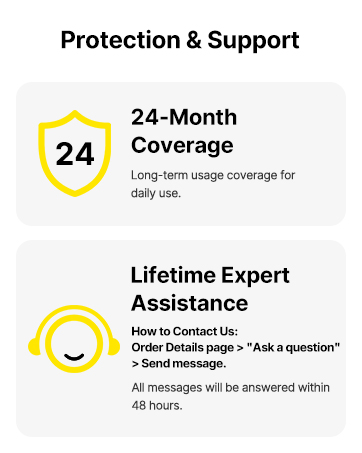
| Warranty Description | 2 Year |


