Laptop Docking Station,16 in 1 USB C Docking Station Triple Monitor | USB C Dock Station with 3HDMI,PD, 7USB,RJ 45 Ethernet,Card Reader,Audio for Dell/HP/LenovoExclude Power Adapter)
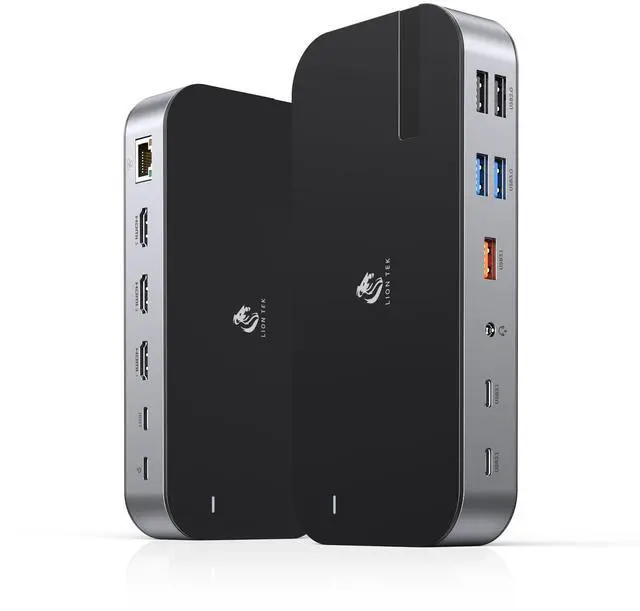
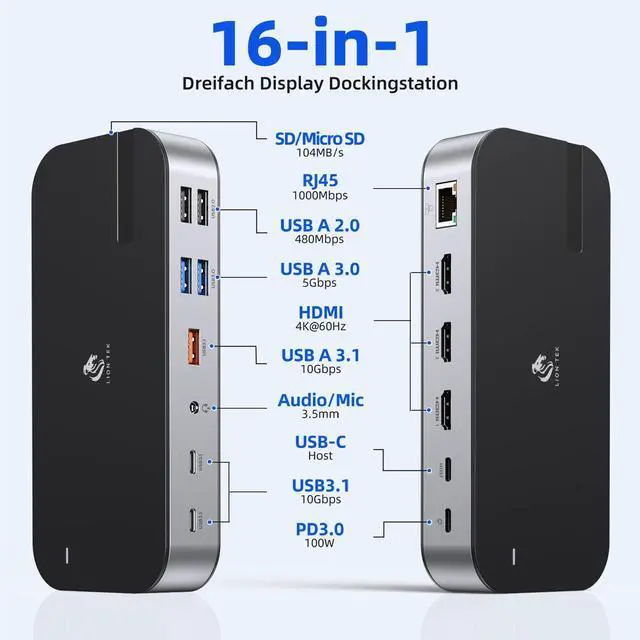
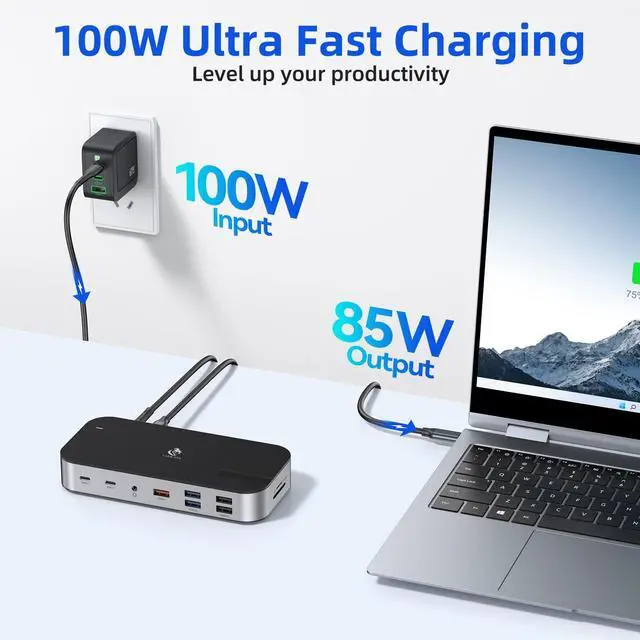
16-IN-1 USB C Docking StationThis 16-in-1 USB C Docking Station supports 3 monitors and includes a 100W PD port (charging only), Gigabit RJ45 port, 34K HDMI ports, microSD/SD Card card slots, 3USB 3.1 ports, 2USB 3.0 ports, 2USB 2.0 ports, and a 3.5mm audio port. With plug-and-play setup, this USB C hub turns any Windows laptop into a mobile workstation. This versatile 16-in-1 laptop docking station meets all your daily needs
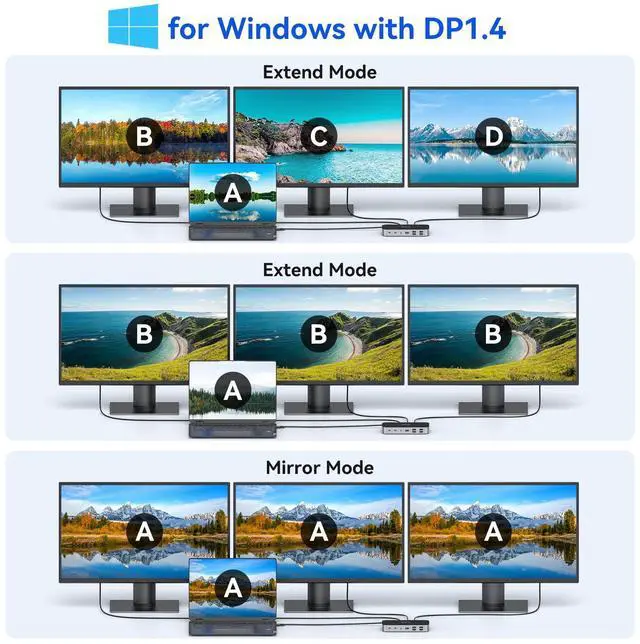
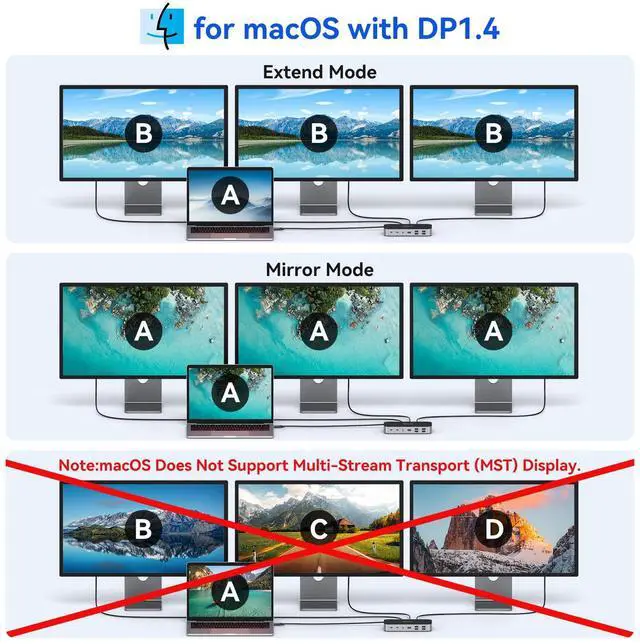
Ultra 4K HD 3 HDMI DockThis laptop docking station supports triple 4K HDMI monitors on Windows OS. Using only HDMI 1, resolution reaches up to 4K@60Hz. When connecting dual monitors, both HDMI ports support 4K@30Hz (depending on your desktop resolution).Note: macOS laptops only support SST mode; all external displays show the same content in mirror or extend mode
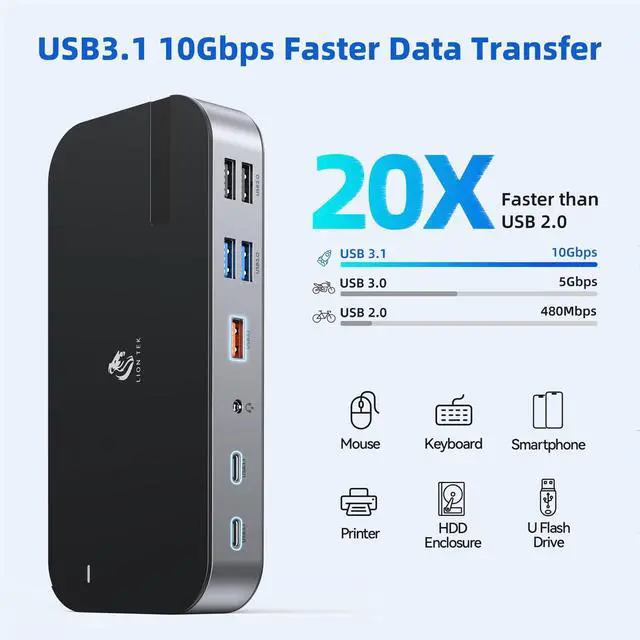
High-Speed Data TransfersThis docking station is equipped with USB-C 3.1 and USB-A 3.1 data ports, supporting transfer speeds up to 10Gbpstwice as fast as USB 3.0. SD and microSD card slots support photo transfers at up to 104MB/s. 2USB-A 3.0 ports are ideal for standard peripherals, and 2USB-A 2.0 ports provide stable connections for wireless mice and keyboards
+
+
Overview
Specs
Reviews
Any questions? Ask CelesteSM will help you find out quickly.
Laptop Docking Station, 16 in 1 USB C Docking Station Triple Monitor | USB C Dock Station with 3HDMI, PD, 7USB, RJ 45 Ethernet, Card Reader, Audio for Dell/HP/LenovoExclude Power Adapter)
Learn more about the Detailed Specifications
Model
Series
LIONWEI
Details
Color
16 in 1
Compatibility
Laptop with Thunderbolt 3/4 or Full Function USB C Port
Ports Spec
ethernet, hdmi, usb2.0, usb3.0, 9, 16
Dimensions & Weight
Weight
7 ounces
Features
Features
Fast Charging
Function
Laptop with Thunderbolt 3/4 or Full Function USB C Port
Additional Information
First Listed on Newegg
November 11, 2026
There are no reviews yet.
Do you own this product?
Warranty & Returns
Warranty, Returns, And Additional Information
Warranty
Please contact the Seller directly for warranty information. Warranty information may also be found on the Manufacturer's website.