Your Browsing History
- Free 30-day Returns
$511.02
Meet Your Seller
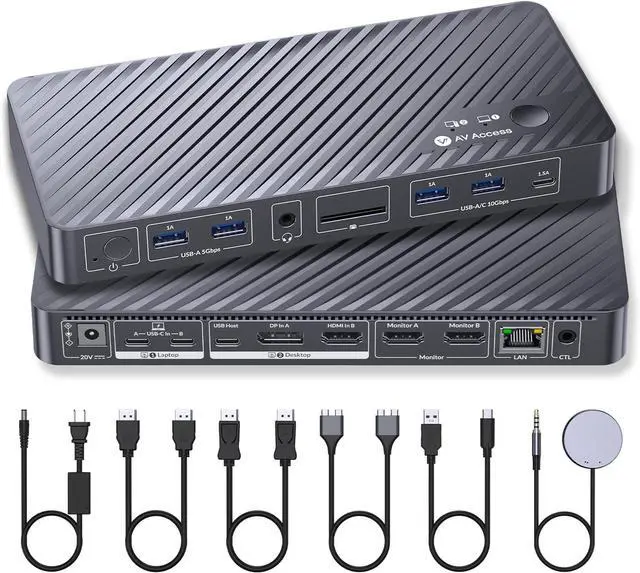
AV Access KVM Switch 2 Monitors 2 Computers, KVM Dock for MacBook & PC
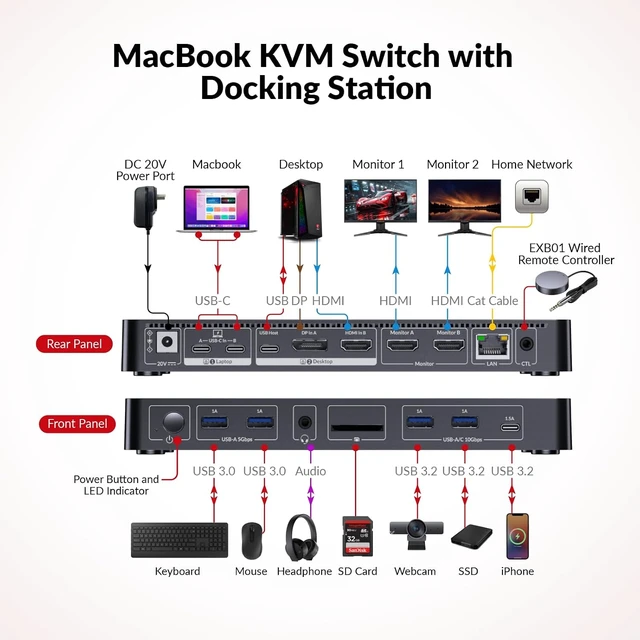
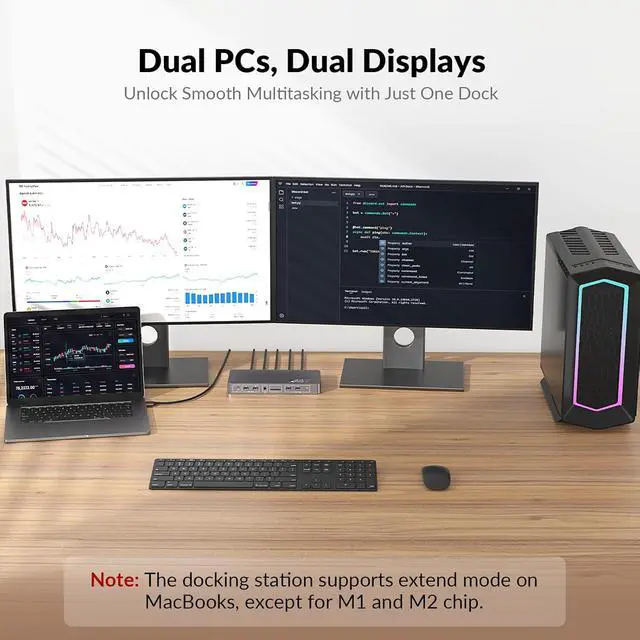
- Run Your MacBook and PC on One Dual-Monitor WorkspaceThis KVM docking station brings one MacBook and one desktop pc into a single dual-monitor workspace. Share two HDMI displays, a keyboard, mouse, network, audio, and other USB peripherals between both computers, then switch the displays and shared peripherals using the top-mounted button or included wired remotewithout repeatedly unplugging cables or maintaining two separate desk setups. For desktop dual-monitor use, HDMI, DisplayPort, and USB Host connections are all required.
- Dual 4K Displays for a More Productive WorkflowExpand your workspace across two 4K HDMI monitors for easier multitasking, sharper visuals, and more room to work. Keep documents, creative tools, communication apps, or reference materials visible across both screensideal for office work, education, design, content creation, and light gaming.
- True Plug-and-PlayNo DisplayLink RequiredThis KVM dock is truly plug and play no DisplayLink software, no d
+
+
Overview
Specs
Reviews
Any questions? Our AI mode will help you find out quickly.
Try me now
Run Your MacBook and PC on One Dual-Monitor WorkspaceThis KVM docking station brings one MacBook and one desktop pc into a single dual-monitor workspace. Share two HDMI displays, a keyboard, mouse, network, audio, and other USB peripherals between both computers, then switch the displays and shared peripherals using the top-mounted button or included wired remotewithout repeatedly unplugging cables or maintaining two separate desk setups. For desktop dual-monitor use, HDMI, DisplayPort, and USB Host connections are all required.
Dual 4K Displays for a More Productive WorkflowExpand your workspace across two 4K HDMI monitors for easier multitasking, sharper visuals, and more room to work. Keep documents, creative tools, communication apps, or reference materials visible across both screensideal for office work, education, design, content creation, and light gaming.
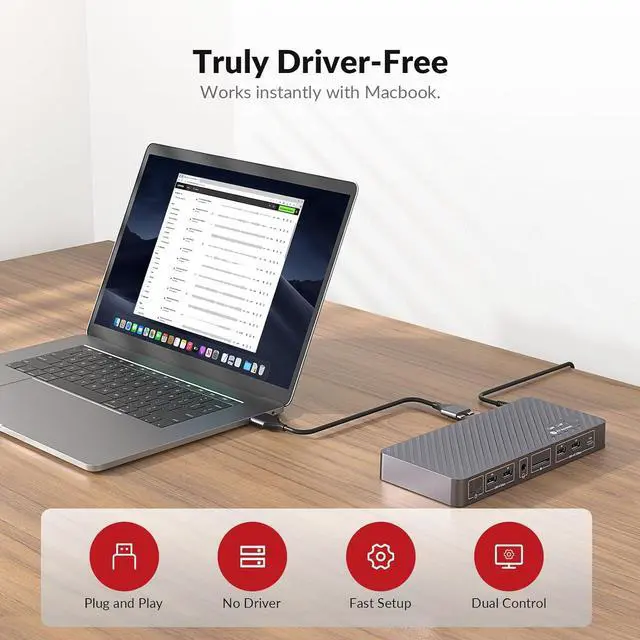
True Plug-and-PlayNo DisplayLink RequiredThis KVM dock is truly plug and play no DisplayLink software, no drivers, no setup required. It eliminates installation hassles and compatibility worries, letting you connect your Macbook and start using dual screens instantly and reliably, saving time and avoiding technical frustration.
More Than a KVM SwitchA Complete Docking SolutionGo beyond basic computer switching with display, peripheral, network, storage, and audio expansion integrated into one device. This USB C KVM docking station combines 2 HDMI ports, 2 USB 3.2 ports, 2 USB 3.0 ports, an SDXC card reader, 3.5 mm audio, USB C host connectivity, and Gigabit Ethernetreplacing the separate KVM switch, docking station, and extra hubs that would otherwise crowd your desk.
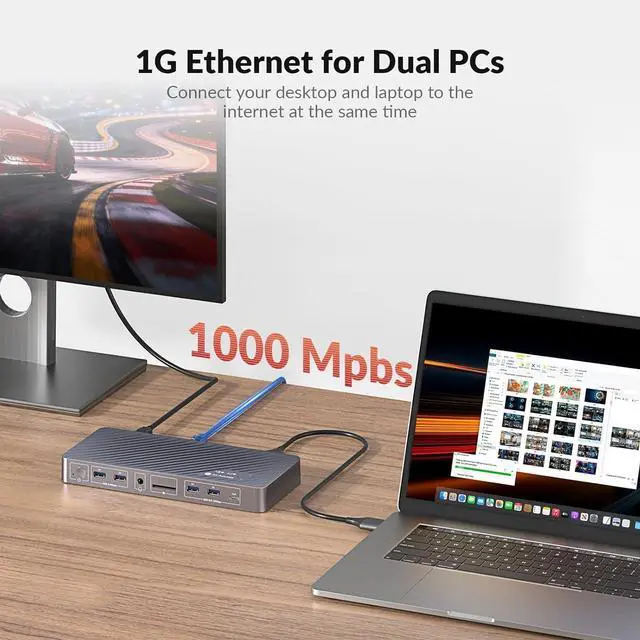
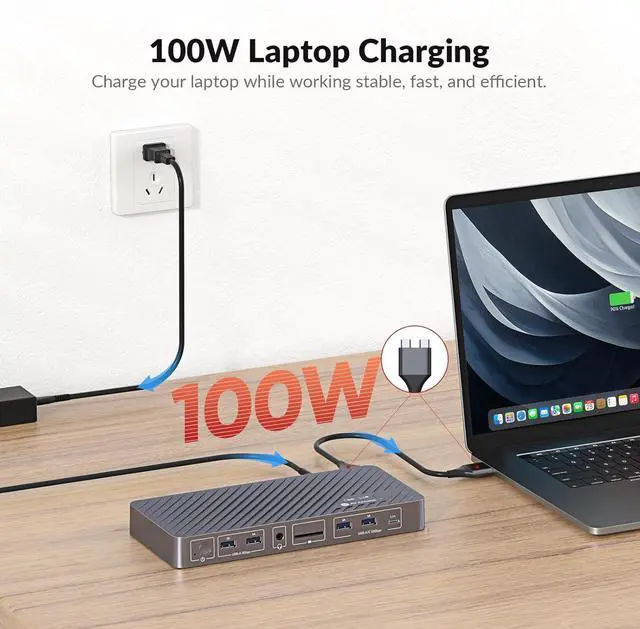
Stay Powered and OnlineEven When You SwitchNo separate MacBook charger and no interrupted background tasks. Up to 100W USB-C Power Delivery keeps your MacBook powered through demanding workdays, while always-on Gigabit Ethernet keeps both computers connectedeven when one is not selectedso downloads, cloud sync, system updates, and remote tasks can continue uninterrupted.
EDID Emulation for Flawless Switching Utilizing advanced EDID emulation technology, this KVM docking maintains consistent monitor resolution and display arrangement when switching between computers. This eliminates screen flicker, black screens, and re-detection, delivering a stable and professional visual experience.
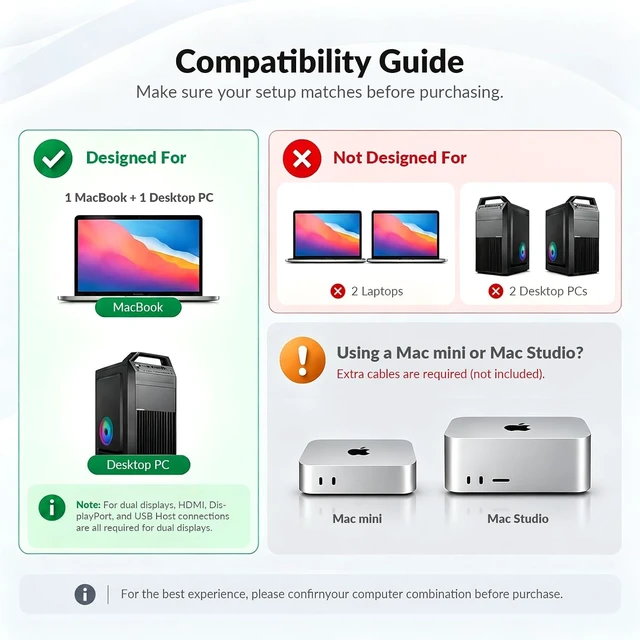
Important Compatibility NotesPlease confirm your computer combination and
Mac chip before purchasing: (1) Designed for one MacBook and one desktop PC only; (2) Not designed for two laptops or a MacBook + Windows laptop setup; (3) dual extended displays on macOS are supported with M1/M2/M3/M4 Pro, M1/M2/M3/M4 Max, and base M3/M4/M5 chips; (4) base M1 and M2 MacBooks support only one external display, while base M3 MacBooks require the laptop lid to be closed when using two external displays. (5) 3440 × 1440 is supported up to 60Hz; 5120 × 1440 monitors output at up to 3840 × 1080.

Dual 4K Displays for a More Productive WorkflowExpand your workspace across two 4K HDMI monitors for easier multitasking, sharper visuals, and more room to work. Keep documents, creative tools, communication apps, or reference materials visible across both screensideal for office work, education, design, content creation, and light gaming.
True Plug-and-PlayNo DisplayLink RequiredThis KVM dock is truly plug and play no DisplayLink software, no drivers, no setup required. It eliminates installation hassles and compatibility worries, letting you connect your Macbook and start using dual screens instantly and reliably, saving time and avoiding technical frustration.
More Than a KVM SwitchA Complete Docking SolutionGo beyond basic computer switching with display, peripheral, network, storage, and audio expansion integrated into one device. This USB C KVM docking station combines 2 HDMI ports, 2 USB 3.2 ports, 2 USB 3.0 ports, an SDXC card reader, 3.5 mm audio, USB C host connectivity, and Gigabit Ethernetreplacing the separate KVM switch, docking station, and extra hubs that would otherwise crowd your desk.
Stay Powered and OnlineEven When You SwitchNo separate MacBook charger and no interrupted background tasks. Up to 100W USB-C Power Delivery keeps your MacBook powered through demanding workdays, while always-on Gigabit Ethernet keeps both computers connectedeven when one is not selectedso downloads, cloud sync, system updates, and remote tasks can continue uninterrupted.
EDID Emulation for Flawless Switching Utilizing advanced EDID emulation technology, this KVM docking maintains consistent monitor resolution and display arrangement when switching between computers. This eliminates screen flicker, black screens, and re-detection, delivering a stable and professional visual experience.
Important Compatibility NotesPlease confirm your computer combination and
Mac chip before purchasing: (1) Designed for one MacBook and one desktop PC only; (2) Not designed for two laptops or a MacBook + Windows laptop setup; (3) dual extended displays on macOS are supported with M1/M2/M3/M4 Pro, M1/M2/M3/M4 Max, and base M3/M4/M5 chips; (4) base M1 and M2 MacBooks support only one external display, while base M3 MacBooks require the laptop lid to be closed when using two external displays. (5) 3440 × 1440 is supported up to 60Hz; 5120 × 1440 monitors output at up to 3840 × 1080.
Warranty & Returns
Warranty, Returns, And Additional Information
Warranty
- Please contact the Seller directly for warranty information. Warranty information may also be found on the Manufacturer's website.
- CONTACT
Return Policies
- Return for refund within: 30 days
- Return for replacement within: 30 days
- This item is covered by KulievFrame Return Policy
Manufacturer Contact Info
- For a directory of all our manufacturers, please click below.
- Manufacturers Directory
LOADING...