




 here!
here!
I’m your shopping assistant for PC builds, upgrades, and everything tech.
Got questions? Ask away!
Start a conversation
here!
I’m your shopping assistant for PC builds, upgrades, and everything tech.
Got questions? Ask away!
Start a conversation



Any questions? Ask CelesteSM will help you find out quickly.


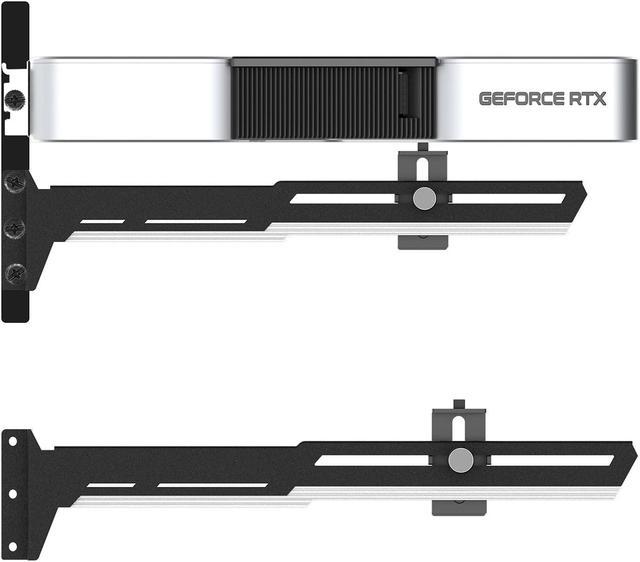
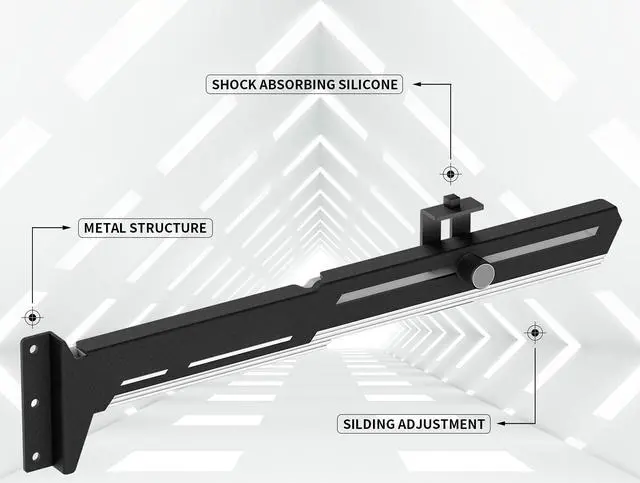
Strong and high quality iron material, not easy to bend. Prevents GPUs from bending and sagging after long period of use.Perfect support for graphics cards.

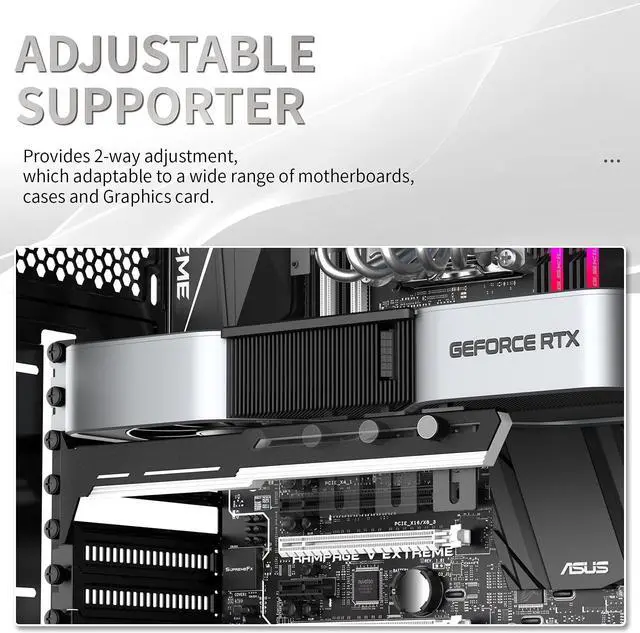
Slide adjustment design-Slide rail for flexible height adjustment, it can be easily adjusted left and right for loading and unloading.

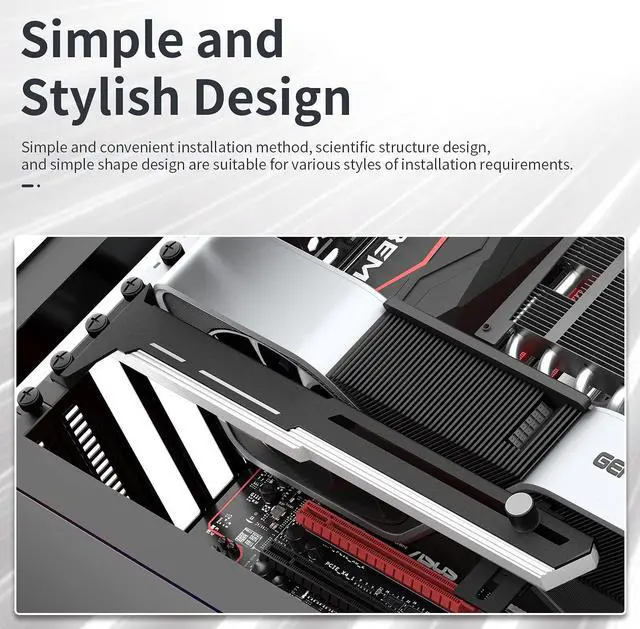
Holding GPU more steady.


The Bailink GPU Brace Support is an adjustable black-and-white iron bracket that helps support graphics cards and reduce bending or sagging in desktop PCs. It suits builders with long or heavy GPUs who want a simple, adjustable support accessory for different graphics card lengths, motherboards, and cases.
| Attribute | Value |
|---|---|
| Best For | Supporting graphics cards in desktop cases to help reduce bending and sagging during extended use |
| Design And Adjustment | Sturdy iron GPU support bracket with a slide-style structure, two-way adjustment, and easy assembly for different card lengths and support positions |
| Compatibility | Designed for a wide range of graphics cards and boards, with compatibility across motherboards and cases |
| Included Support And Warranty | Includes one GPU holder and a 12-month warranty |
| Product Details | Bailink GPU support bracket in black and white, Normal option |
Q: Is the Bailink GPU brace a better choice than a basic fixed support post?
A: Choose the Bailink when you need flexible positioning across different graphics cards or cases. Its slide-style design provides two-way adjustment for length and support height, while the iron structure is intended for long-term GPU sag prevention. A fixed post is suitable when the card and case already have an exact, stable support point and minimum adjustment is preferred.
Q: Should I buy the Bailink GPU brace or the Cooler Master ARGB GPU Support Bracket?
A: Choose Bailink for straightforward GPU support, two-way adjustment, and a black-and-white design without an RGB requirement. Choose the Cooler Master bracket when appearance is part of the build: it adds edge-lit ARGB tempered glass, tool-free adjustment, and multiple mounting orientations. Bailink is the more function-focused option, while Cooler Master adds lighting and display-oriented styling.
Q: Is Bailink or the Lian Li GB-001 better for preventing GPU sag?
A: Choose Bailink when you want a standalone brace that can be positioned for different GPU lengths and case layouts. Choose the Lian Li GB-001 when you prefer a cleaner motherboard-mounted support approach and your system uses a compatible ATX or E-ATX motherboard layout. Check mounting clearance before choosing, because the two products use different installation concepts.
Q: Do I need the Bailink brace for a heavy or long graphics card?
A: A support brace is most useful when a graphics card visibly sags or places sustained weight on the PCIe slot. Bailink is a practical choice when the card needs adjustable support and the case has a suitable contact area beneath the GPU. If the graphics card or case already includes a properly fitting support bracket, use that included solution unless it conflicts with fans, cabling, or case clearance.
Q: Does a large or heavy graphics card need a GPU support bracket?
A: A support bracket is useful when a graphics card visibly sags, is unusually long or heavy, or places noticeable downward pressure on the PCIe slot. It is less necessary for short, lightweight cards that remain level after installation. This Bailink bracket is intended to provide additional support and reduce sag over time.
Q: Will this GPU bracket fit different graphics cards and PC cases?
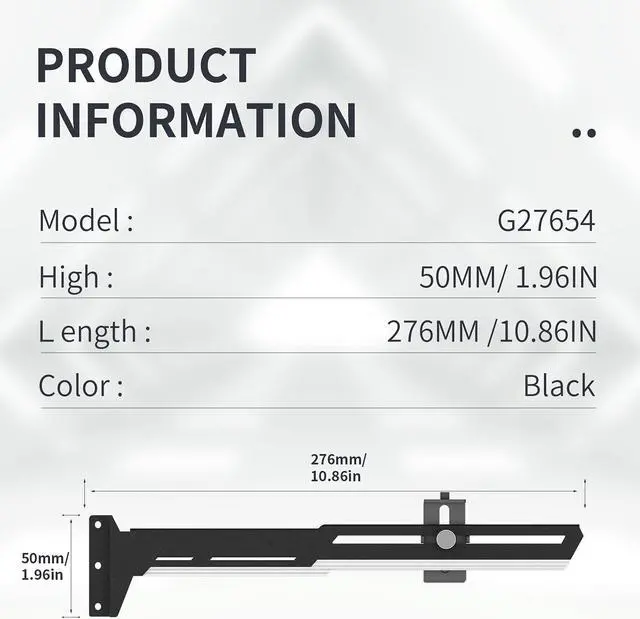
A: The Bailink bracket uses adjustable length and height to support a range of horizontally mounted graphics cards and motherboard layouts. Actual fit depends on the case interior, the card’s position, and whether there is a stable, unobstructed surface beneath the card. The product data does not specify an exact adjustment range, so users should verify available clearance before buying.
Q: How is an adjustable GPU support bracket installed and positioned?
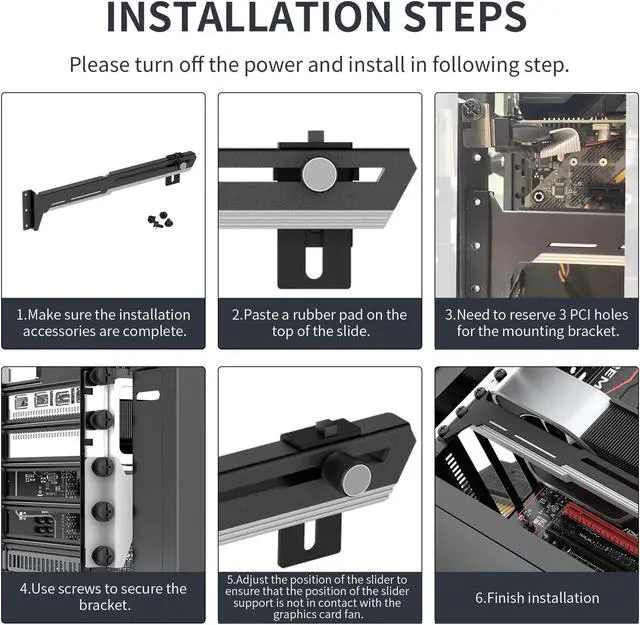
A: Place the bracket on a stable, flat area inside the case beneath the graphics card, then adjust its length and height until it lightly supports the card and keeps it level. It should not press aggressively against the GPU or interfere with fans, cables, or other components. Recheck the card’s position after tightening the bracket.
Q: Can a GPU support bracket damage the graphics card or motherboard?
A: The bracket is designed to reduce sag, but incorrect adjustment can create unnecessary pressure. Set it only high enough to support the card and keep it level; do not lift the GPU above its normal position or place the support against a fan. Proper placement also requires a stable case surface and clearance from cables and other components.
Q: Who is this GPU support bracket best suited for?
A: It is best suited for desktop PC builders using long or heavy graphics cards, especially when the card shows visible sag or the case does not include built-in GPU support. It may offer limited value for compact cards, vertically mounted GPUs, or cases with an integrated support system. The Bailink model is a basic mechanical brace, so it does not add lighting, monitoring, or electrical features.
Q: Is an adjustable GPU brace worth buying if my graphics card is sagging?
A: It can be worthwhile for large or visibly sagging graphics cards because it adds support and helps keep the card level. It is less necessary when the GPU has little or no visible sag or already includes a suitable support.
Q: Will this GPU brace fit a case with bottom-mounted fans?
A: Fit depends on the case layout, GPU length, support height, and clearance above the bottom fans or PSU shroud. The Bailink bracket has adjustable length and height, but users report that some brackets still interfere with fans, shrouds, or case panels, so measurements are necessary before buying.
Q: Is the Bailink GPU brace suitable for different graphics card sizes and PC cases?
A: It is designed for broad compatibility through two-way length and height adjustment, but it is not guaranteed to fit every setup. Compatibility depends on available mounting space, the GPU’s dimensions, nearby fans, the PSU shroud, and the case structure.
Q: How should an adjustable GPU support bracket be installed and adjusted?
A: Install it so the GPU is level, then adjust the height until the support just contacts the card without noticeably lifting it. Place the support near the GPU’s unsupported end, secure it to the case or mounting point, and verify that it does not touch fans or create a loose conductive object inside the case.
Q: What are the main trade-offs of using this type of GPU brace?
A: The main benefits are adjustable positioning, simple installation, and added support for heavy GPUs. The trade-offs are possible clearance problems, visible hardware, and fit limitations in cases with bottom fans or covered mounting points. The metal construction provides rigidity, but exact stability depends on how securely the brace mounts in the case.


