

Your Browsing History
- Free 30-day Returns
$28.37
Ships from China.


Meet Your Seller




Visit EForChina Store
FOLLOW
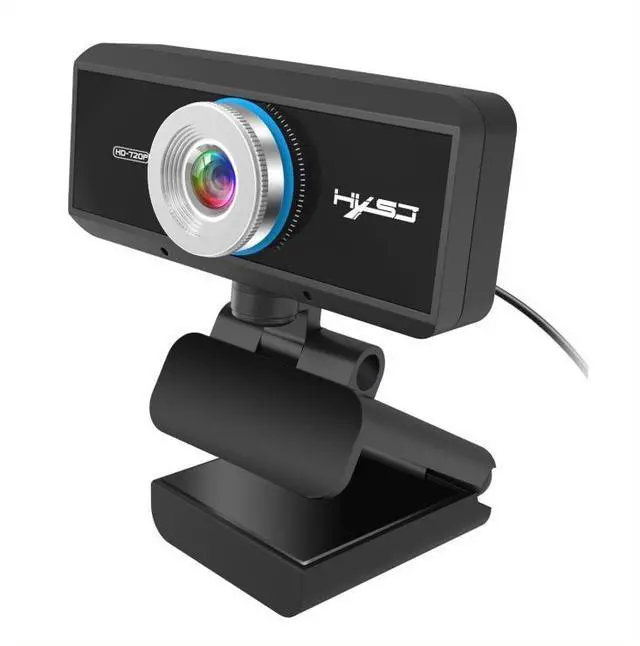
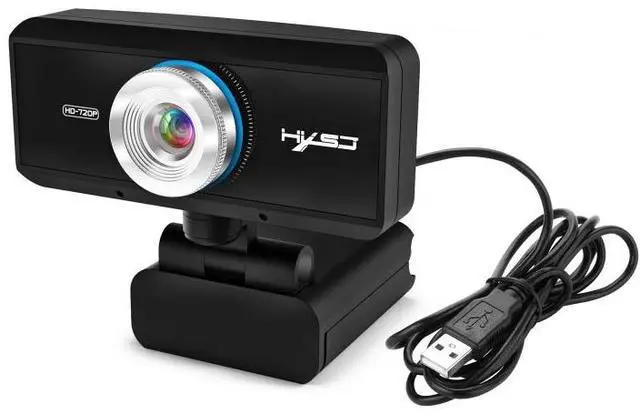
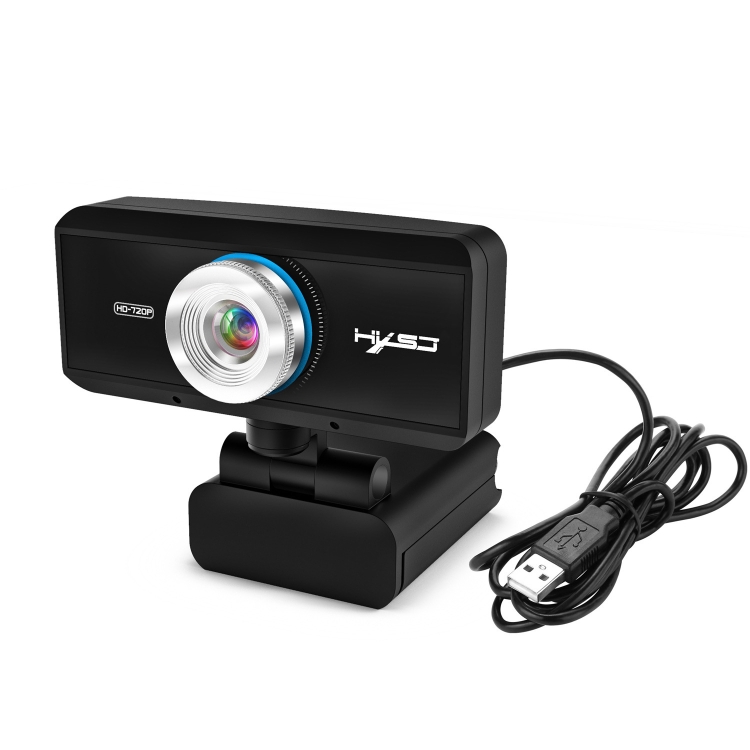
HXSJ S90 30fps 1 Megapixel 720P HD Webcam for Desktop / Laptop / Android TV, with 8m Sound Absorbing Microphone, Cable Length: 1.5m
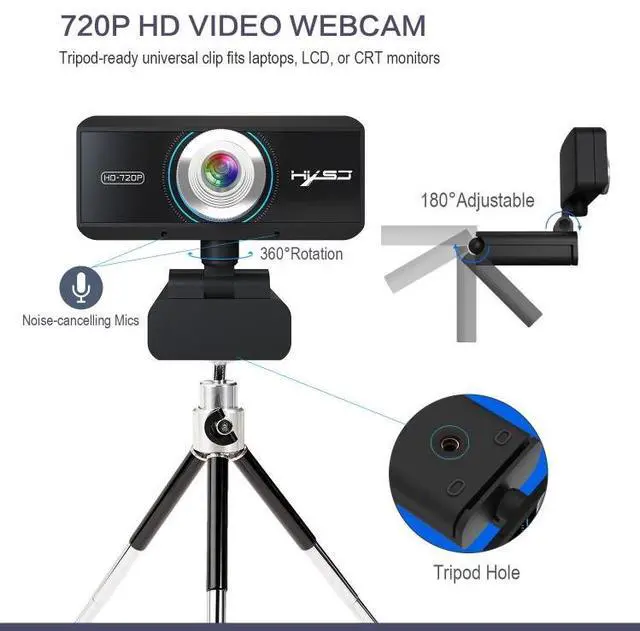
- Built-insound-absorbingmicrophone,canclearlyhearthesoundwithin8meters
- Itcanbebentandlaidflatatwill
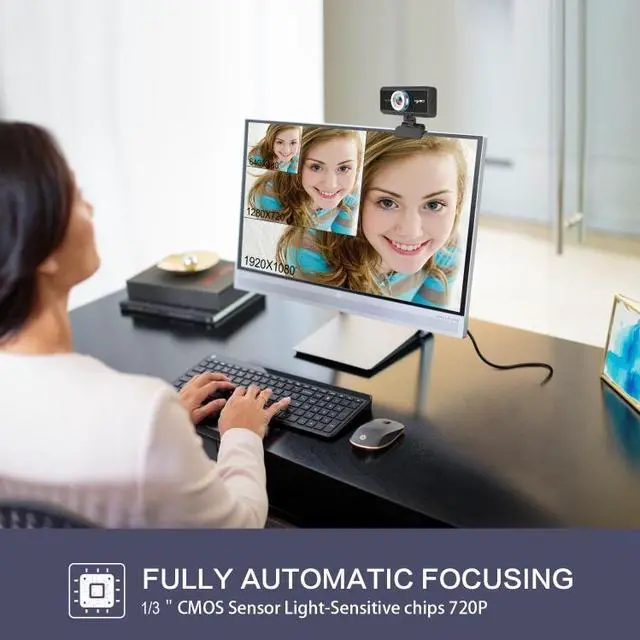
- 720PHDcamera,1millionpixelsandtruecolorimage
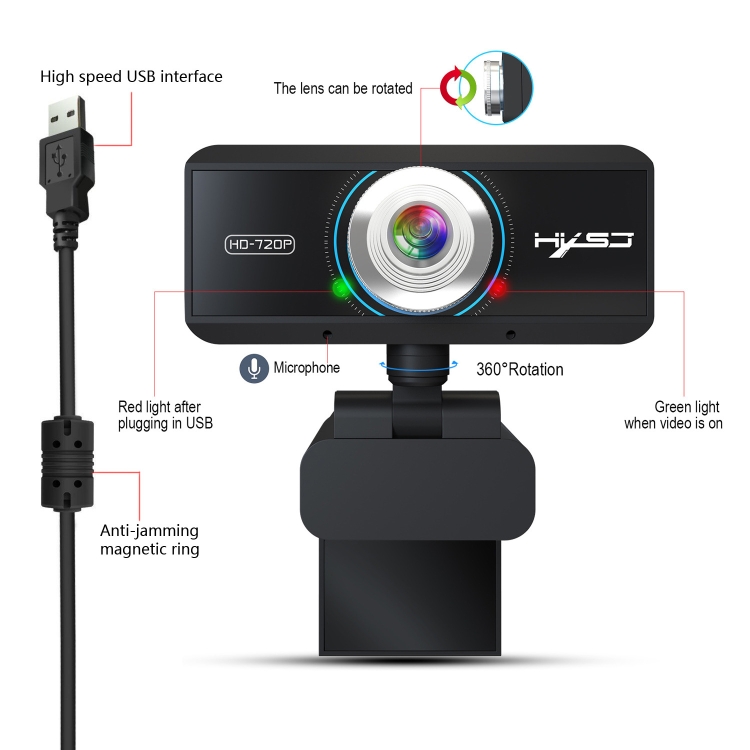
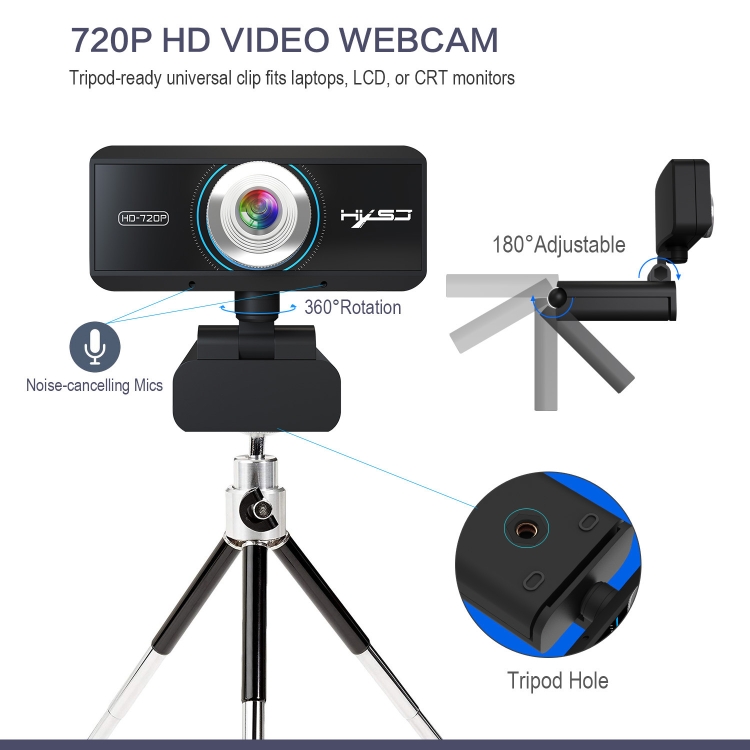
- Upanddown180degreesadjustable,head360degreesrotation,canadjusttheangleasneeded
+
+
Overview
Specs
Reviews

Any questions? Our AI mode will help you find out quickly.
Try me now
1. Built-in sound-absorbing microphone, can clearly hear the sound within 8 meters.
2. It can be bent and laid flat at will.
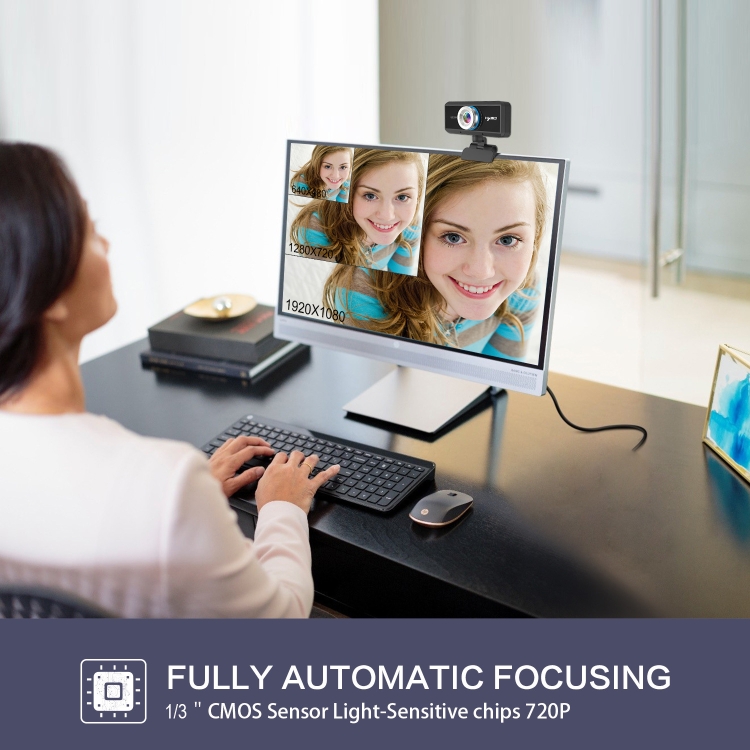
3. 720P HD camera, 1 million pixels and true color image.
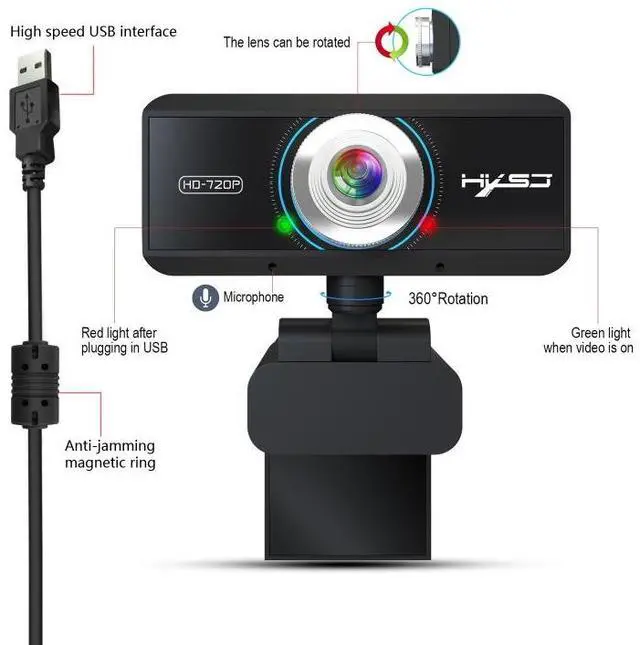
4. Up and down 180 degrees adjustable, head 360 degrees rotation, can adjust the angle as needed.
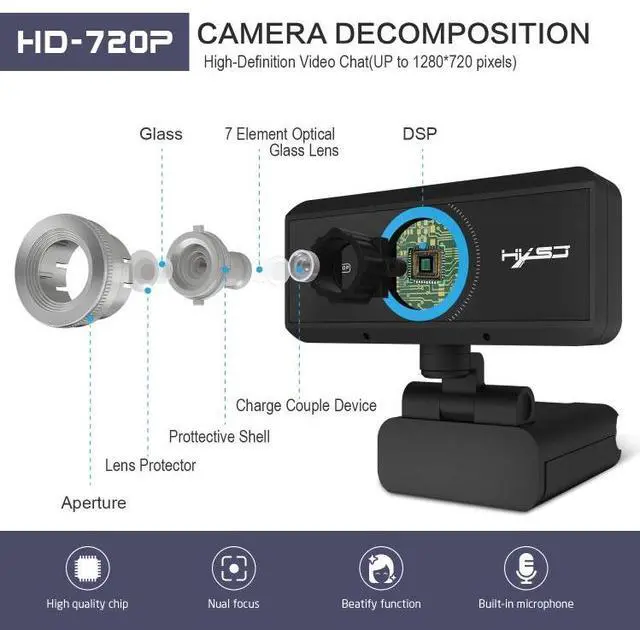
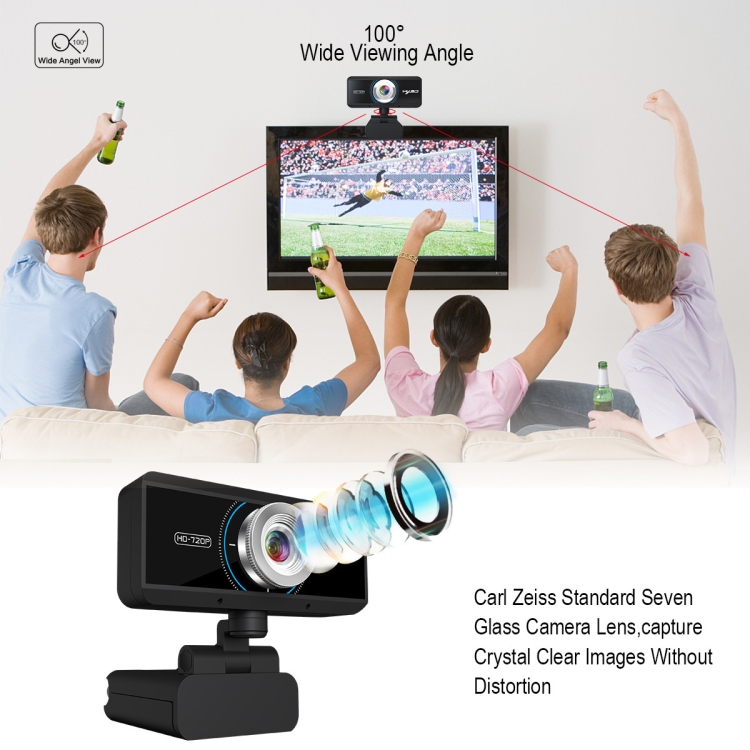
5. Adopt imported optical glass lens, high precision, no picture deformation.
6. Manually rotate the lens circle to freely adjust the focal length.
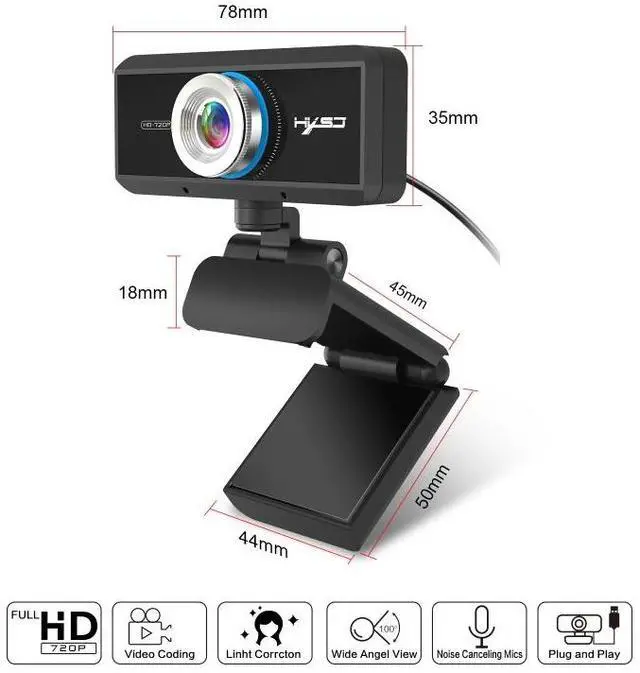
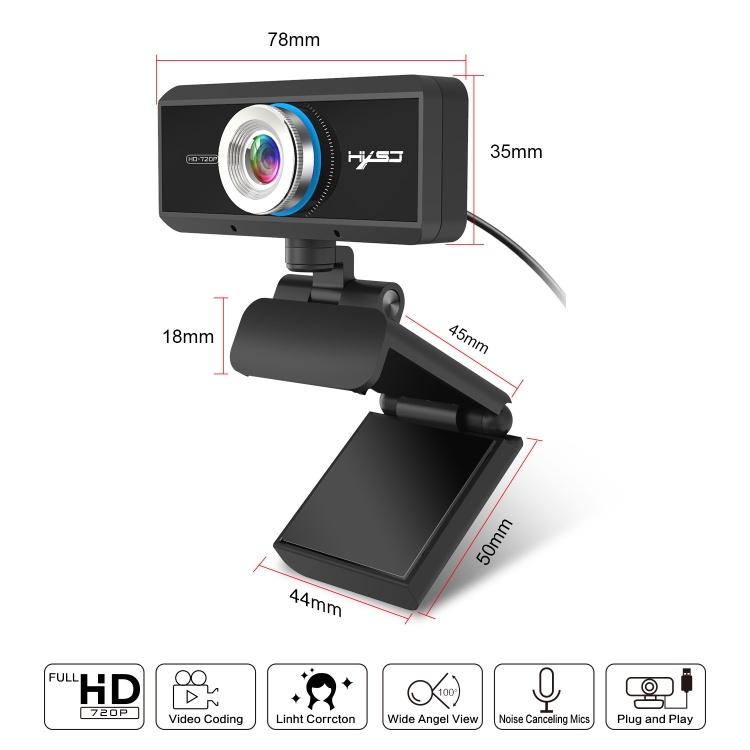
7. Designed for laptops and desktop Android TV, up to 45mm thick display can be used.
8. Compatible with USB 2.0/3.0.
9. Automatic white balance, automatic color correction.
10. Resolution: 1280 x 720/960 x 720/800 x 600/640 x 480, and many more.
11. Support various video conferencing software, Netmeeting, MSN, Yahoo and Skype and other projects, enjoy the big screen visual experience.
Specifications:
1. DSP chip: no driver required.
2. Image sensor: CMOS.
3. Lens: five-layer glass lens.
4. HD: 1 million pixels.
5. Maximum dynamic resolution: 1280 x 720.
6. Frame rate: 30fps.
7. Length: 150cm.
8. Product weight: 126g.
9. Product size: 8 x 3 x 7cm.
Package list:
720P webcam x 1
English user manual x 1
Instructions for use:
1. Insert the USB into the computer or laptop, plug and play.
2. The driver will be automatically installed on the computer.
Warm Tips:
1. If your computer (laptop) has a built-in camera, you need to change the default settings of the camera. For example, change the default camera in the chat software settings or disable the built-in camera in the computer settings.
2. After connecting the camera to the computer, you can use the AMcap software to verify whether the device is working properly. If the screen appears, there is no problem with the camera.
3. When the camera indicator light is red, it means the power is normal. Then when you turn on the video device, the green indicator light will light u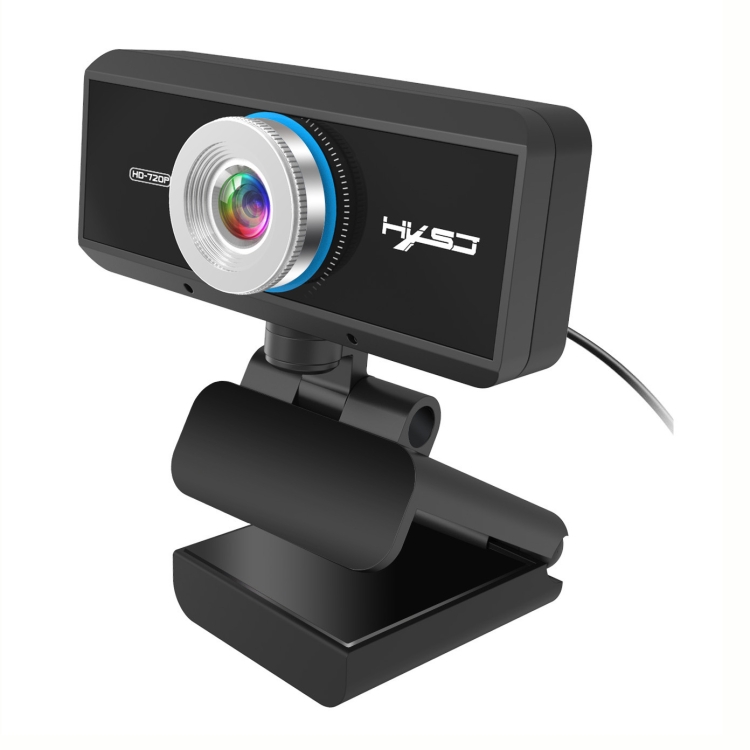

2. It can be bent and laid flat at will.
3. 720P HD camera, 1 million pixels and true color image.
4. Up and down 180 degrees adjustable, head 360 degrees rotation, can adjust the angle as needed.
5. Adopt imported optical glass lens, high precision, no picture deformation.
6. Manually rotate the lens circle to freely adjust the focal length.
7. Designed for laptops and desktop Android TV, up to 45mm thick display can be used.
8. Compatible with USB 2.0/3.0.
9. Automatic white balance, automatic color correction.
10. Resolution: 1280 x 720/960 x 720/800 x 600/640 x 480, and many more.
11. Support various video conferencing software, Netmeeting, MSN, Yahoo and Skype and other projects, enjoy the big screen visual experience.
Specifications:
1. DSP chip: no driver required.
2. Image sensor: CMOS.
3. Lens: five-layer glass lens.
4. HD: 1 million pixels.
5. Maximum dynamic resolution: 1280 x 720.
6. Frame rate: 30fps.
7. Length: 150cm.
8. Product weight: 126g.
9. Product size: 8 x 3 x 7cm.
Package list:
720P webcam x 1
English user manual x 1
Instructions for use:
1. Insert the USB into the computer or laptop, plug and play.
2. The driver will be automatically installed on the computer.
Warm Tips:
1. If your computer (laptop) has a built-in camera, you need to change the default settings of the camera. For example, change the default camera in the chat software settings or disable the built-in camera in the computer settings.
2. After connecting the camera to the computer, you can use the AMcap software to verify whether the device is working properly. If the screen appears, there is no problem with the camera.
3. When the camera indicator light is red, it means the power is normal. Then when you turn on the video device, the green indicator light will light u
Warranty & Returns
Warranty, Returns, And Additional Information
Warranty
- Please contact the Seller directly for warranty information. Warranty information may also be found on the Manufacturer's website.
- CONTACT
Return Policies
- Return for refund within: 30 days
- Return for replacement within: non-replaceable
- This item is covered by eForChina Return Policy
Manufacturer Contact Info
- For a directory of all our manufacturers, please click below.
- Manufacturers Directory
LOADING...