

• $66.66
  • Free 30-day Returns
  • Price alert

    Shipped by DuoDuoShangHang

    Shop it at NeweggBusiness.

    Meet Your Seller

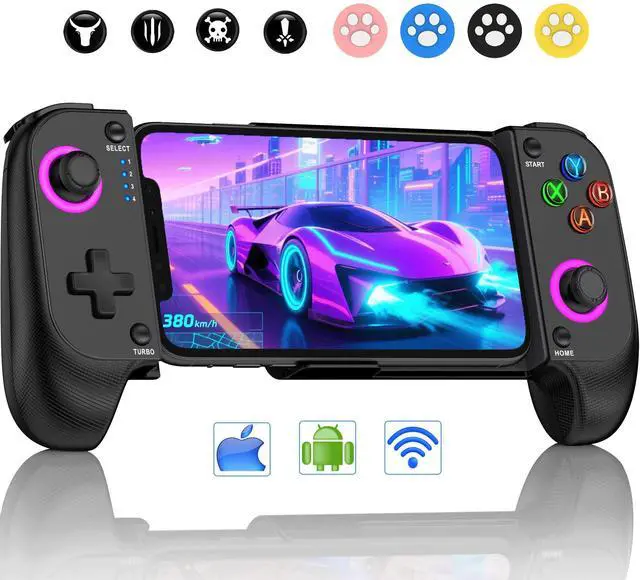
    CYOYPPY Mobile Game Controller for iPhone/Android Wireless gaming controller Support Phone Case - Compatible with Xbox Game Pass, Steam Link, Call of Duty, Roblox & Minecraft

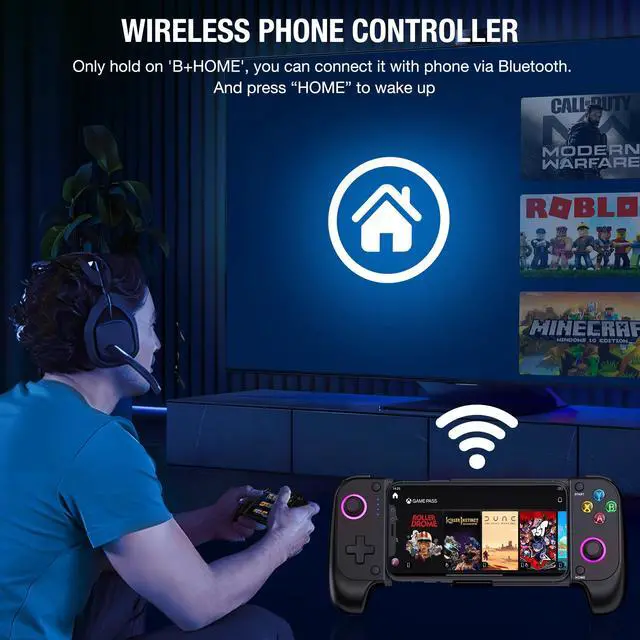
    • USE NOTE : This phone controller supports the free Shanwan controller APP as a hub for all your games, recommending new games for you. But this APP is not necessary, without it CYOYPPY bluetooth phone controller can still be used as a game controller. For first time connection, please follow the steps in the manual or product detail video, pay attention to the bluetooth name and buttons. After the first successful pairing, next time you can reconnect by simply pressing the HOME button
    • Compatible with iphone and Android : The phone game controller adopts wireless Bluetooth connection, game controller for mobile phone is convenient and fast, and is a gaming controller for iPhone and Android, playing any games and gaming platforms that support the controller natively on the phone. For example: PS Remote Play, Xbox Game Pass, Steam Link, GeForce Now, MFi Apple Arcade platform and Call of Duty, Roblox, Minecraft and more( but it doesn't work with PUBG
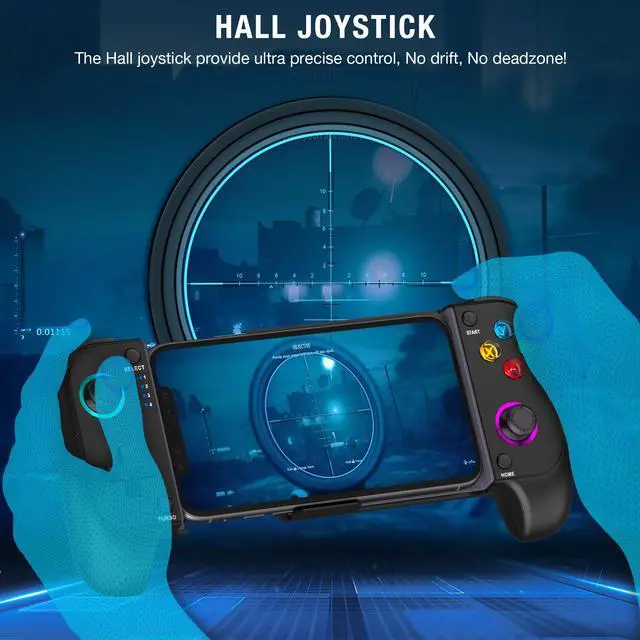
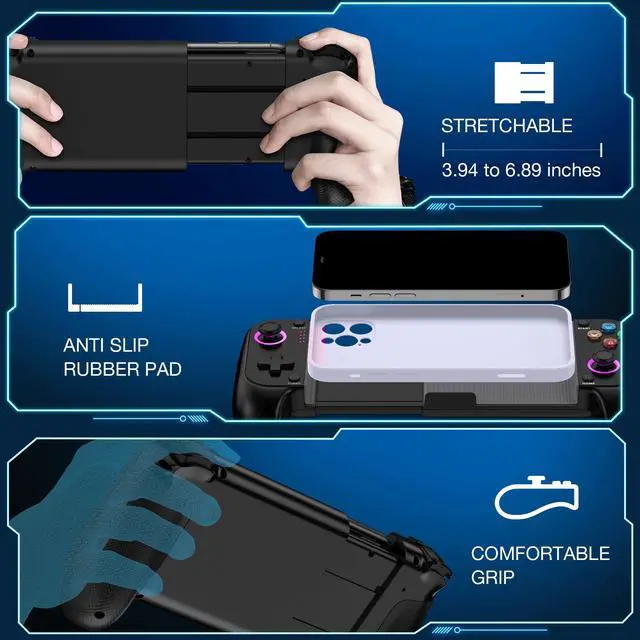
    • Sensitive Rocker & Comfortable Grip : The game controller for android phone adopts newest Hall effect rocker with high precision, stable performance, no drift, no wear, no dead zone, delicate control, instant response and long service life. Let you play the game more pleasantly, the grip of the android game controller with laser engraved texture, delicate feel, ergonomic design, comfortable and firm grip, not tired of playing for a long time, anti-sweat and anti-slip
    +
    +
    Overview
    Specs
    Reviews
    avatar

    Any questions? Our AI beta will help you find out quickly.

    phone controller
    phone game controller
    phone controller for android
    xbox phone controller
    phone controller for iphone
    game controller for android phone
    iphone controller for gaming

    Troubleshooting

    Q:Why won't it reconnect when trying to pair again?

    1. Make sure your phone's Bluetooth is on.

    2. Briefly press the HOME button to connect—holding it will switch to pairing mode.

    3. The controller will connect to the last-used phone.

    Q:Which phones are compatible with the controller? Does it support PS Remote Play?

    A:The controller is compatible with iOS and Android phones measuring between 10cm and 17.5cm in length. It uses the Xbox Controller Input standard protocol and does not support PS Remote Play.

    Q:Why isn't the controller working in-game, with no response from the buttons?

    A:1. Enable controller support in the game settings

    2. Check if the game supports controllers

    3. Some games only allow controller use during actual gameplay, not in menus (e.g,Call of Duty)

    4. Confirm BT is connected to "Xbox Wireless Controller"

    Q:How can I fix controller drift during use?

    A:Hold Select + A, then press HOME. Lights will flash, indicating calibration mode.

    Rotate both thumbsticks fully 3 times.

    Press ''Start'' to finish. Lights will turn off.

    phone controller
    phone game controller
    phone controller for android
    xbox phone controller
    phone controller for iphone
    game controller for android phone
    iphone controller for gaming

    Troubleshooting

    Q:Why won't it reconnect when trying to pair again?

    1. Make sure your phone's Bluetooth is on.

    2. Briefly press the HOME button to connect—holding it will switch to pairing mode.

    3. The controller will connect to the last-used phone.

    Q:Which phones are compatible with the controller? Does it support PS Remote Play?

    A:The controller is compatible with iOS and Android phones measuring between 10cm and 17.5cm in length. It uses the Xbox Controller Input standard protocol and does not support PS Remote Play.

    Q:Why isn't the controller working in-game, with no response from the buttons?

    A:1. Enable controller support in the game settings

    2. Check if the game supports controllers

    3. Some games only allow controller use during actual gameplay, not in menus (e.g,Call of Duty)

    4. Confirm BT is connected to "Xbox Wireless Controller"

    Q:How can I fix controller drift during use?

    A:Hold Select + A, then press HOME. Lights will flash, indicating calibration mode.

    Rotate both thumbsticks fully 3 times.

    Press ''Start'' to finish. Lights will turn off.

    CYOYPPY Mobile Game Controller for iPhone/Android Wireless gaming controller Support Phone Case - Compatible with Xbox Game Pass, Steam Link, Call of Duty, Roblox & Minecraft

    Warranty & Returns

    Warranty, Returns, And Additional Information

    Warranty

    • Please contact the Seller directly for warranty information. Warranty information may also be found on the Manufacturer's website.
    • CONTACT

    Return Policies

    Manufacturer Contact Info

    LOADING...