






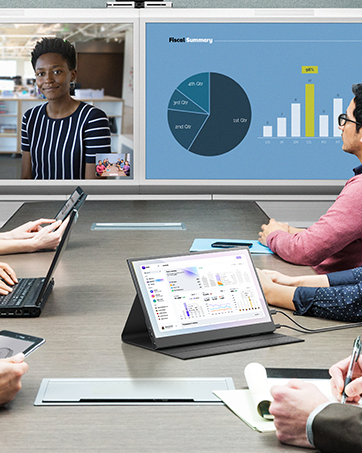


What should I know before buying this monitor?
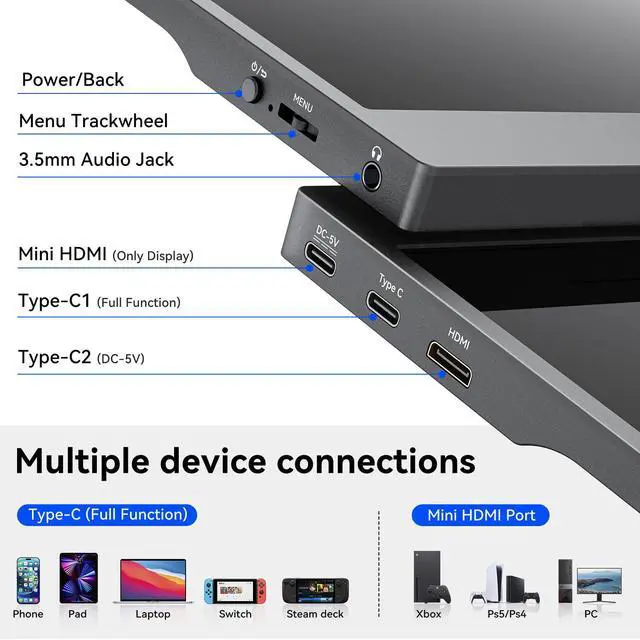
1. Phones without full-featured Type-C port need an adapter to connect.
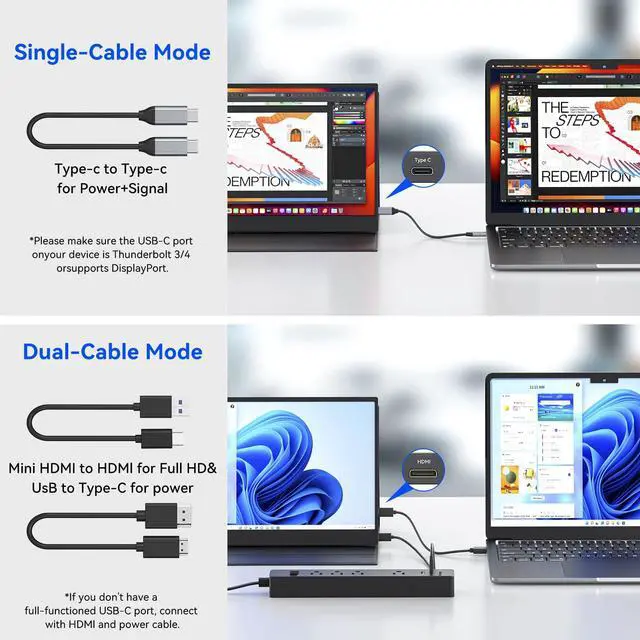
2. Laptops without full-featured Type-C port need connected via HDMl & USB C to USB A cable.
3. Not suppot Bluetooth, Wireless and WlFl connection. No Battery. Not Touchscreen.
What is each cable used for?
1, USB A to USB C cable, only for power supply.
2, USB C to USB C cable, for power supply & video output together.
3,HDMl to MINI HDMI cable, only for video output.
Note: For HDMl connection, pls use USB C to USB A cable to power up the monitor.
How do I know if my laptop is compatible with this screen extender?
Your laptop needs to have a ful-featured UsB-C port (supports video output) or a USB-A/US8-C port plus an HOMl port (supports video output).
How do I connect the monitor to my iPhone?
1.The iPhone 15 and iPhone 16 series can be connected to the monitor.
2.Use the included USB-C to USB-C data cable to connect the phone port and the ful-featured Type-C port in the middle of the monitor
Is the portable monitor not lighting up or flickering after being connected?
This may be caused by insuficient power suppy to the portable monitor Please use an extemal power supply that provides 5V/2A power to power the monitor


What should I know before buying this monitor?
1. Phones without full-featured Type-C port need an adapter to connect.
2. Laptops without full-featured Type-C port need connected via HDMl & USB C to USB A cable.
3. Not suppot Bluetooth, Wireless and WlFl connection. No Battery. Not Touchscreen.
What is each cable used for?
1, USB A to USB C cable, only for power supply.
2, USB C to USB C cable, for power supply & video output together.
3,HDMl to MINI HDMI cable, only for video output.
Note: For HDMl connection, pls use USB C to USB A cable to power up the monitor.
How do I know if my laptop is compatible with this screen extender?
Your laptop needs to have a ful-featured UsB-C port (supports video output) or a USB-A/US8-C port plus an HOMl port (supports video output).
How do I connect the monitor to my iPhone?
1.The iPhone 15 and iPhone 16 series can be connected to the monitor.
2.Use the included USB-C to USB-C data cable to connect the phone port and the ful-featured Type-C port in the middle of the monitor
Is the portable monitor not lighting up or flickering after being connected?
This may be caused by insuficient power suppy to the portable monitor Please use an extemal power supply that provides 5V/2A power to power the monitor
At ZefcS, we envision a world where technology is relevant to your life, not the other way around. We strongly believe that screens should be liberated, not constrained, and we design portable displays that enable people to work, create, and connect without boundaries.
