




 here!
here!
I’m your shopping assistant for PC builds, upgrades, and everything tech.
Got questions? Ask away!
Start a conversation
here!
I’m your shopping assistant for PC builds, upgrades, and everything tech.
Got questions? Ask away!
Start a conversation




Any questions? Ask CelesteSM will help you find out quickly.


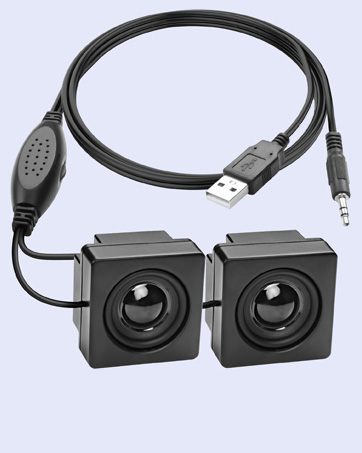
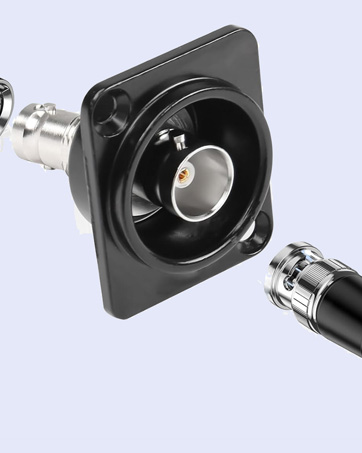
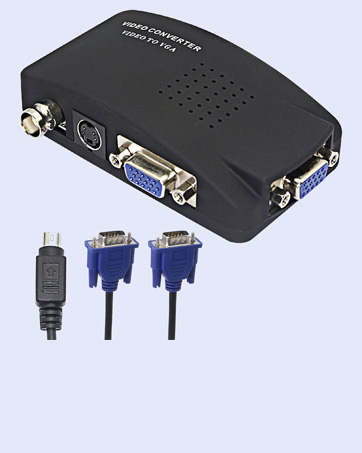
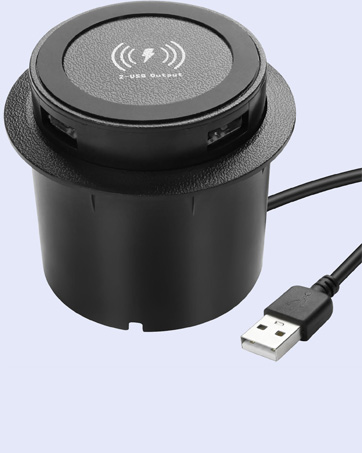
XMSJSIY focuses on your needs, providing high-quality products to solve small troubles in life. There are a variety of products for you to choose from, such as connection conversion between audio devices, power supply for devices, etc., to enhance your experience.
As a small expert in daily life, simplifies complex and messy work steps with professional products, allowing you to enjoy a comfortable, leisurely and happy life.


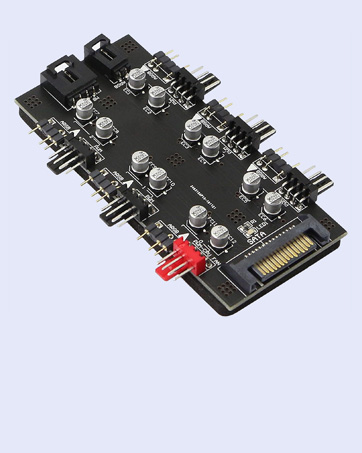


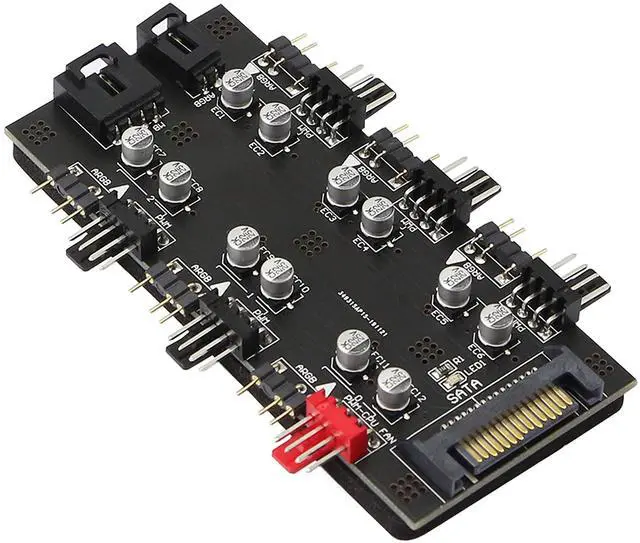
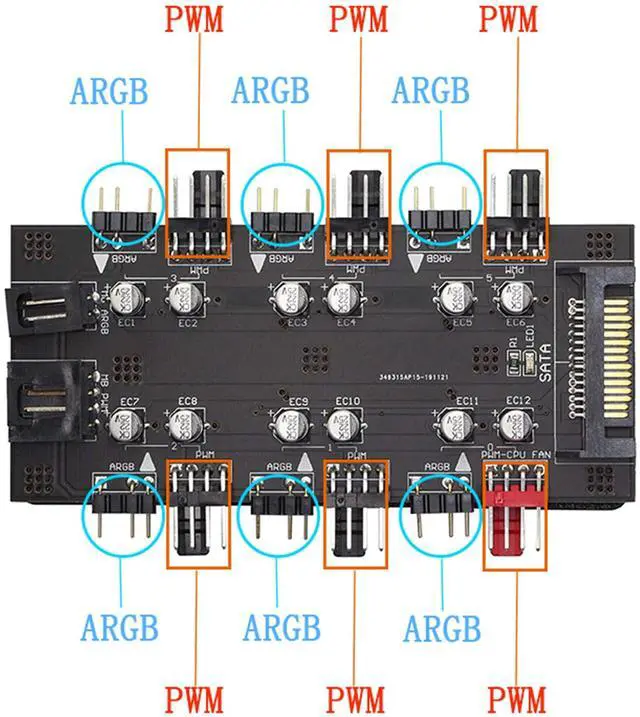
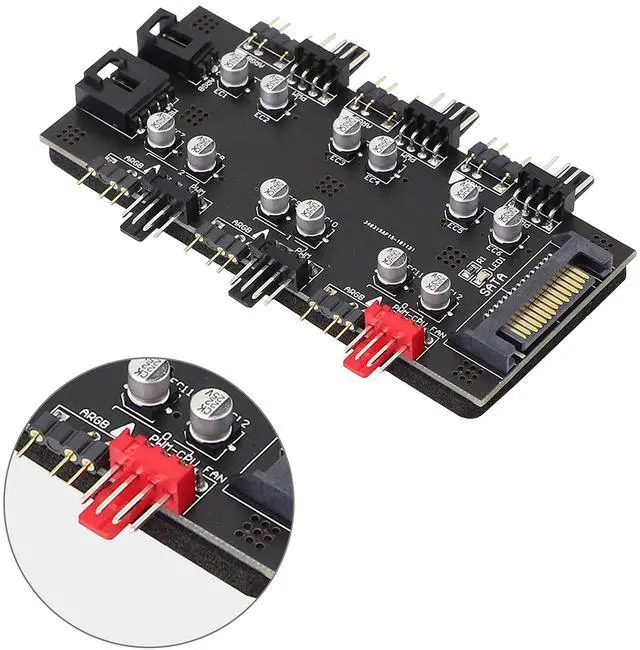
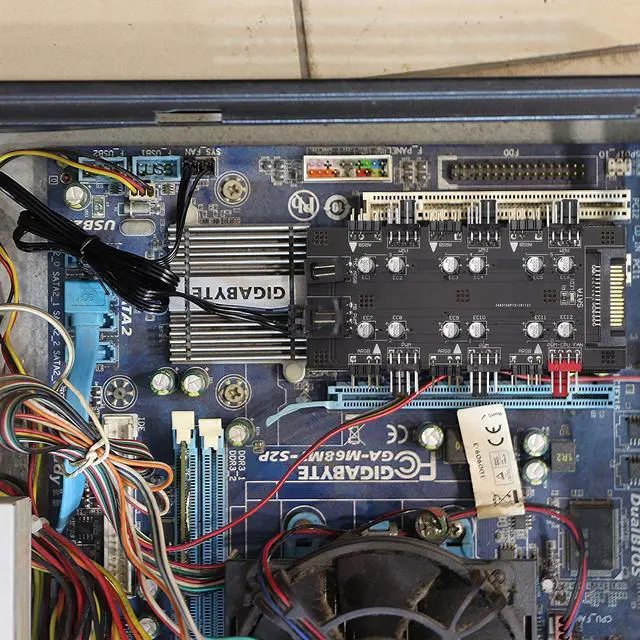
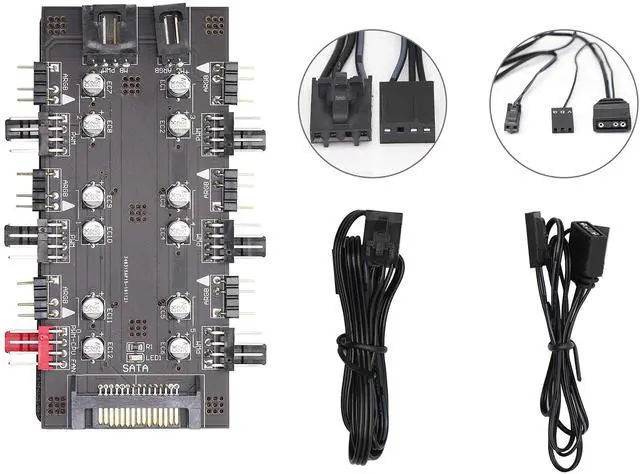
This is a PWM ARGB 2-in-1 6 channel hub with SATA 15Pin power supply that can supply power to the fan and ARGB at the same time. 6-channel 12V 4Pin PWM interface and 6-channel 5V 3Pin ARGB interface start at the same time, centralized control and speed regulation. Extend the motherboard interface of the chassis to solve the problem of insufficient motherboard interfaces. It is widely used in PC computer water cooling systems and multiple RGB lighting controls. Supports PWM function and automatic fan speed adjustment. The package contains 2 connecting wires, both the length of which is 53CM, and the connecting wires are automatically locked with the hub plate socket, so that the connection is tight and does not fall off. This red 4PIN interface is a dedicated interface for the CPU fan, and these black 4PIN interface is a regular PWM fan interface. Make sure that each interface and pin are inserted smoothly when connecting.

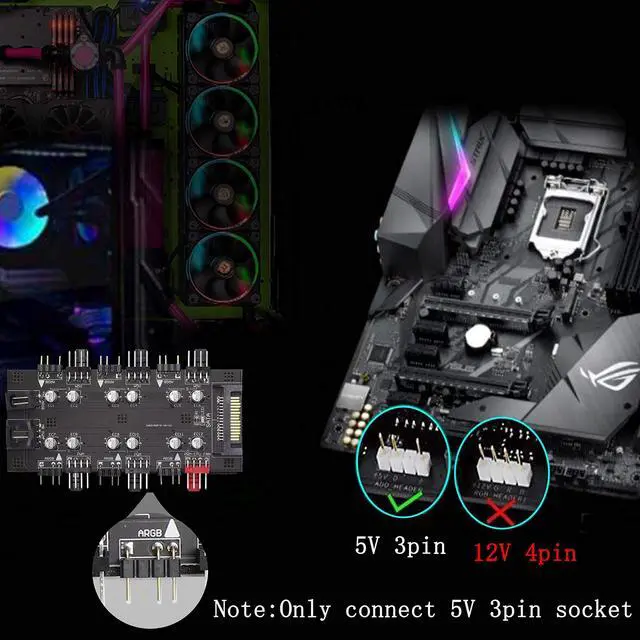
*The main board ARGB (3PIN) lighting control interface can be expanded to 6 to centrally control multiple RGB lighting devices
*The motherboard PWM speed control interface can be expanded to 6, and the PWM speed control of multiple 12V 4PIN fans can be concentrated

Fan PWM ports: 6 (4PIN)
Symphony light control ports: 6 (3PIN ARGB)
Power supply interface: SATA
PWM Rated Voltage: 12V
Rated Light Voltage: 5V
Power Supply Safety Current: 4.5A
Hub size: 99×61×12MM
Package weight: 45g

PWM ARGB 2-in-1 6 Way Hub*1
Cable for Hub*2
English Manual*1

1.Suitable for 12V 4PIN fan PWM speed regulation (3PIN fans can also be connected, but no PWM speed regulation function)
2.Insert the IDE interface of the computer motherboard power supply into the IDE power supply interface of the extender
3.The PWM cable is connected to the CPU fan socket of the motherboard. The computer CPU fan must be connected to the red 4PIN fan socket of the extender
4.Connect the ARGB cable to the motherboard.
5.Fix the extender on the inner wall of the chassis by glue
This is a PWM ARGB 2-in-1 6 channel hub with SATA 15Pin power supply that can supply power to the fan and ARGB at the same time. 6-channel 12V 4Pin PWM interface and 6-channel 5V 3Pin ARGB interface start at the same time, centralized control and speed regulation. Extend the motherboard interface of the chassis to solve the problem of insufficient motherboard interfaces. It is widely used in PC computer water cooling systems and multiple RGB lighting controls. Supports PWM function and automatic fan speed adjustment. The package contains 2 connecting wires, both the length of which is 53CM, and the connecting wires are automatically locked with the hub plate socket, so that the connection is tight and does not fall off. This red 4PIN interface is a dedicated interface for the CPU fan, and these black 4PIN interface is a regular PWM fan interface. Make sure that each interface and pin are inserted smoothly when connecting.
*The main board ARGB (3PIN) lighting control interface can be expanded to 6 to centrally control multiple RGB lighting devices
*The motherboard PWM speed control interface can be expanded to 6, and the PWM speed control of multiple 12V 4PIN fans can be concentrated
Fan PWM ports: 6 (4PIN)
Symphony light control ports: 6 (3PIN ARGB)
Power supply interface: SATA
PWM Rated Voltage: 12V
Rated Light Voltage: 5V
Power Supply Safety Current: 4.5A
Hub size: 99×61×12MM
Package weight: 45g
PWM ARGB 2-in-1 6 Way Hub*1
Cable for Hub*2
English Manual*1

1.Suitable for 12V 4PIN fan PWM speed regulation (3PIN fans can also be connected, but no PWM speed regulation function)
2.Insert the IDE interface of the computer motherboard power supply into the IDE power supply interface of the extender
3.The PWM cable is connected to the CPU fan socket of the motherboard. The computer CPU fan must be connected to the red 4PIN fan socket of the extender
4.Connect the ARGB cable to the motherboard.
5.Fix the extender on the inner wall of the chassis by glue
XMSJSIY focuses on your needs, providing high-quality products to solve small troubles in life. There are a variety of products for you to choose from, such as connection conversion between audio devices, power supply for devices, etc., to enhance your experience.
As a small expert in daily life, simplifies complex and messy work steps with professional products, allowing you to enjoy a comfortable, leisurely and happy life.


