





How do I set the alarm, wake-up/sleep mode and clock on this device?
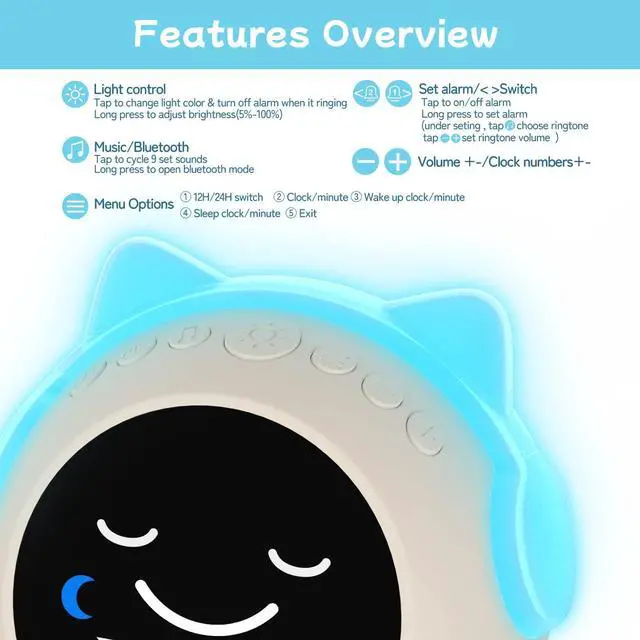
Alarm starts in left/right button, clock & wake-up / sleep mode start from menu button.They display different interfaces under settings. For detailed operation, please refer to our video.
Should I plug into power source for daily use?
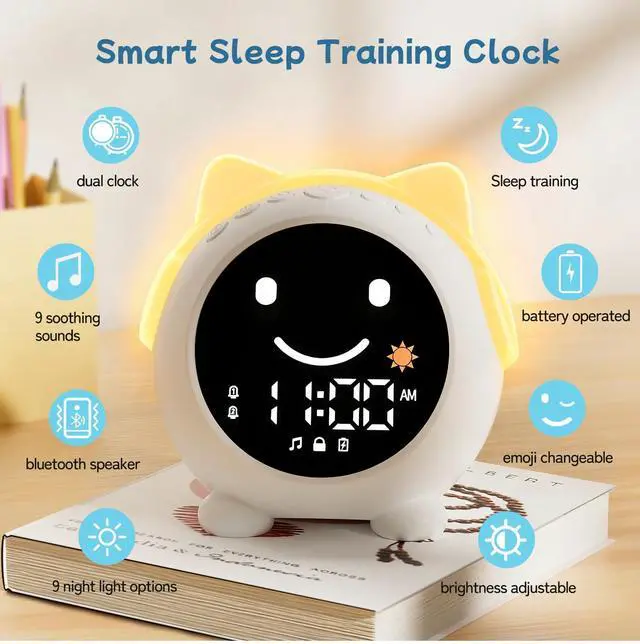
This clock features a 2000mAh rechargeable battery that lasts up to 14 hours when the night light continuously on, and only requires recharging every 2 days with normal use. No time to charge? Just plug into power source.
Does this clock have any hidden features?
1 Only the light button can turn off the alarm
2 While setting wake-up/sleep, light button can customize night light brightness
3 While setting the alarm, tap music button to select alarm sounds
4 Night light will auto-off after 30 mins of inactivity
How can this clock help with children's sleep training?
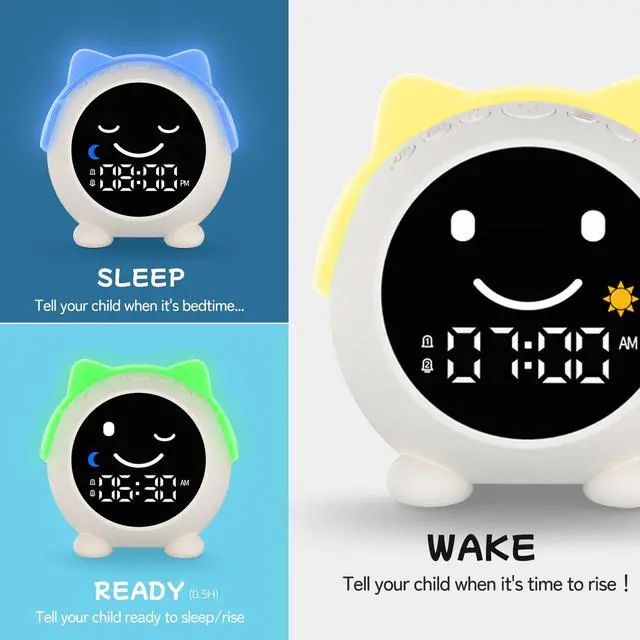
Sleep face+ blue light for sleep time. Smile face+ yellow light for wake-up time. Winking face+ green light for ready time (0.5H before wake/sleep).
Kids can easily know when to sleep or wake up from its expressions and lights.
What should I do if my clock stops working?
Your alarm clock comes with 1-year after-sales service. If you encounter any issues, log into your account, go to "Your Orders" and click "Contact Seller". We'll resolve it within 24 hours, whether it's troubleshooting, or replacement


Clock Time setting
Clock Facial: NO
- Step 1: Hold on Menu button 2s
- Step 2: Enter setting mode, set 12/24 Hour
- Step 3: Tap Menu button, enter clock time setting, +/- set time, left/right choose hour/minute
Wake up setting
Clock Facial: Smile facial with yellow light
- Step 1: Hold on Menu button 2s, then tap Menu button twice enter wake up setting mode
- Step 2: +/- set time, left/right choose hour/minute
- Step 3: Long press light botton adjust brightness for wake up light
Sleep setting
Clock Facial: Sleep facial with blue light
- Step 1: Hold on Menu button 2s, then tap Menu button three times enter sleep setting mode
- Step 2: +/- set time, left/right choose hour/minute
- Step 3: Long press light botton adjust brightness for sleep light
Alarm setting
Clock Facial: NO
- Step 1: Hold on Left/Right button 2s, enter alarm setting mode
- Step 2: +/- set time, left/right choose hour/minute
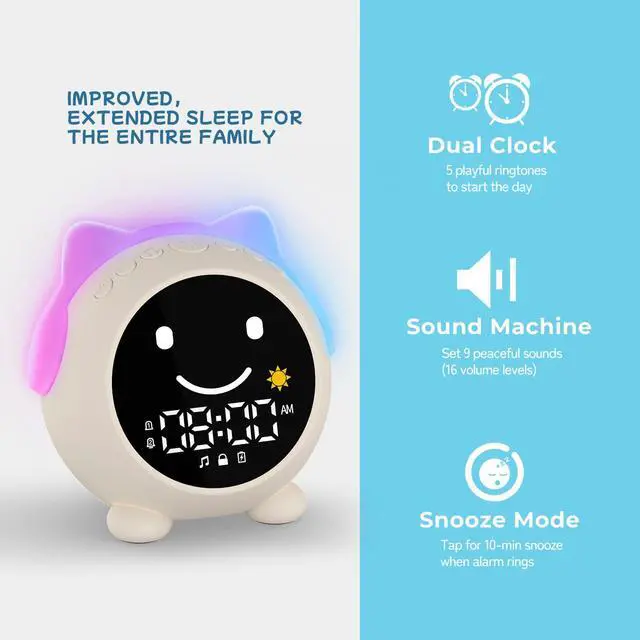
- Step 3: Tap Music button enter alarm sound setting mode, tap Music choose alarm sound, +/- button set alarm volume
Music/Bluetooth Function
Clock Facial: Normal
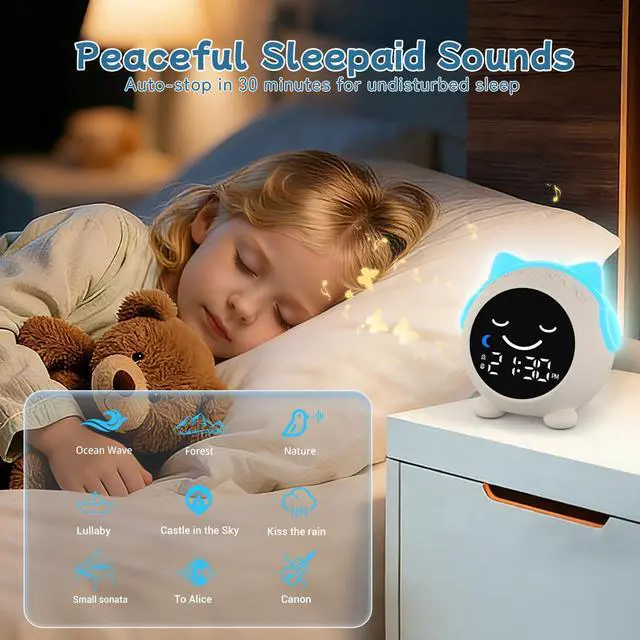
- Step 1: Tap Music button cycle (01-09) sleepaid sounds, +/- set (0-16) volume
- Step 2: Hold Music button 2s enter bluetooth mode. Connect device C1 at phone
- Step 3: Button feature: Music - play/pause, Left/right - previous/next song, +/- adjust volume
Night light
Clock Facial: Normal
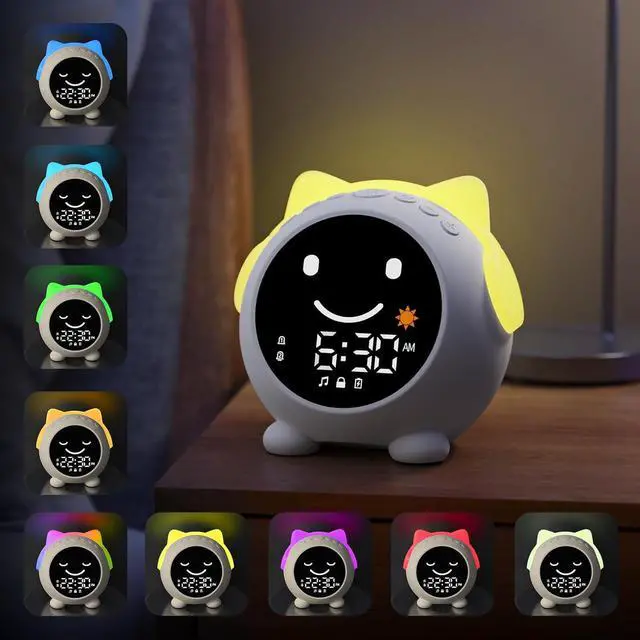
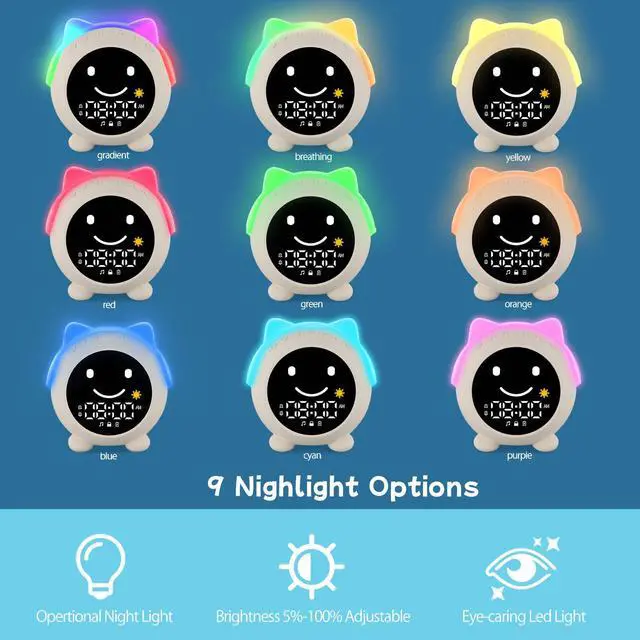
- Step 1: Tap Light button cycle (Gradient--breathing--monochrome--turn off)
- Step 2: Hold Light button to adjust brightness
- Step 3: Night light will auto-off after 30 mins of inactivity


How do I set the alarm, wake-up/sleep mode and clock on this device?
Alarm starts in left/right button, clock & wake-up / sleep mode start from menu button.They display different interfaces under settings. For detailed operation, please refer to our video.
Should I plug into power source for daily use?
This clock features a 2000mAh rechargeable battery that lasts up to 14 hours when the night light continuously on, and only requires recharging every 2 days with normal use. No time to charge? Just plug into power source.
Does this clock have any hidden features?
1 Only the light button can turn off the alarm
2 While setting wake-up/sleep, light button can customize night light brightness
3 While setting the alarm, tap music button to select alarm sounds
4 Night light will auto-off after 30 mins of inactivity
How can this clock help with children's sleep training?
Sleep face+ blue light for sleep time. Smile face+ yellow light for wake-up time. Winking face+ green light for ready time (0.5H before wake/sleep).
Kids can easily know when to sleep or wake up from its expressions and lights.
What should I do if my clock stops working?
Your alarm clock comes with 1-year after-sales service. If you encounter any issues, log into your account, go to "Your Orders" and click "Contact Seller". We'll resolve it within 24 hours, whether it's troubleshooting, or replacement