


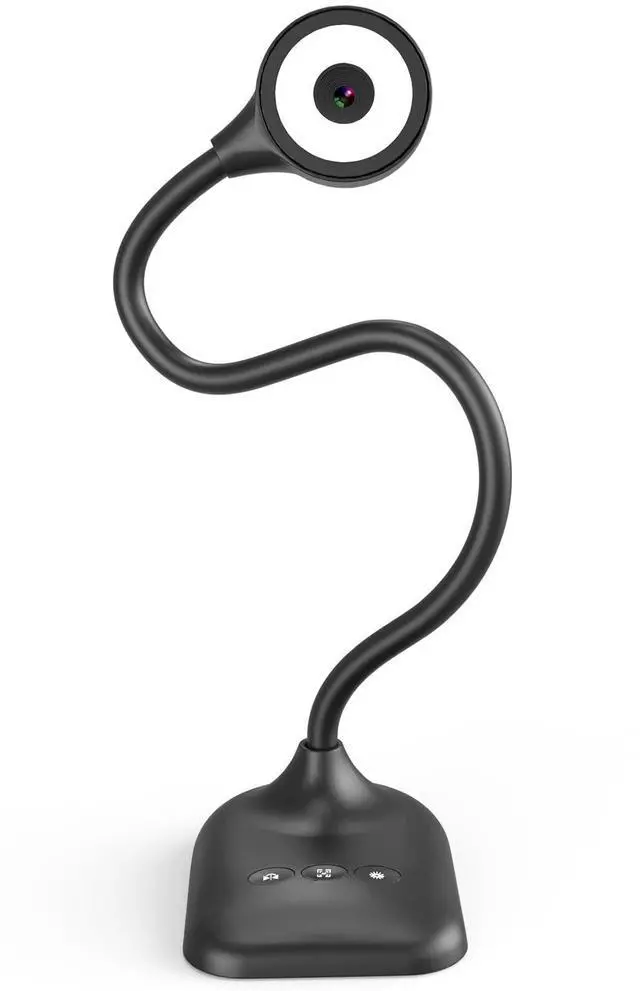
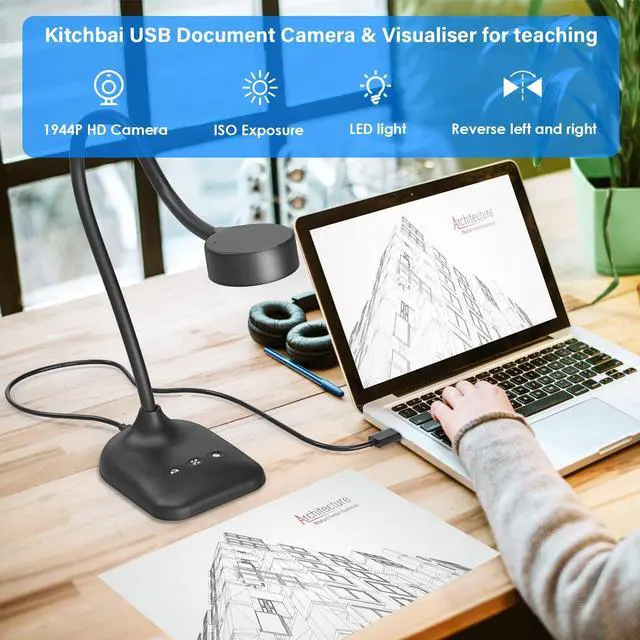


Kitchbai Document Camera is a Presentation Tool for Teachers and Professionals

Document Camera & Webcams for In-Class Teaching With A3 Format, 3-Level LED Lights,5-Level ISO, Image Invert, Fold,microphone,5MP Document camera for teachers, students and workers alike. Teachers can use this as a document camera for remote teaching, distance education, in class demonstration
USB camera for learning
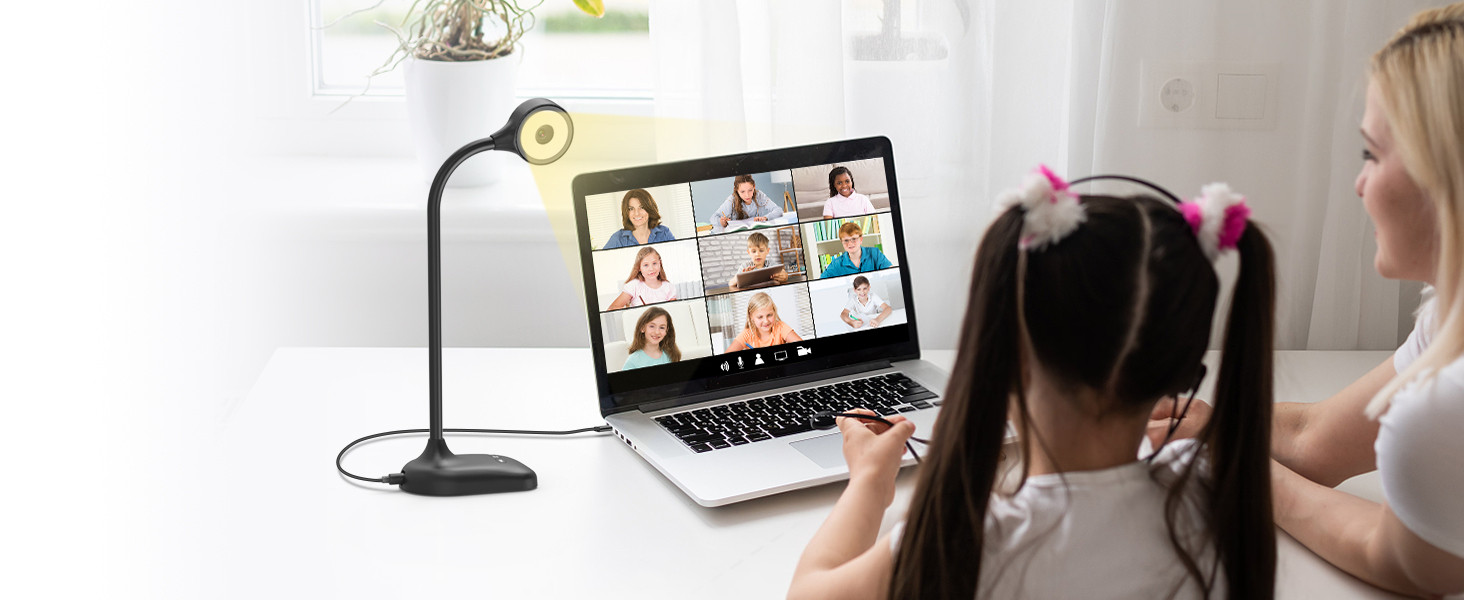
Virtual Schools and Online Learning
Teachers can easily view students’ work and provide live feedback via conferencing
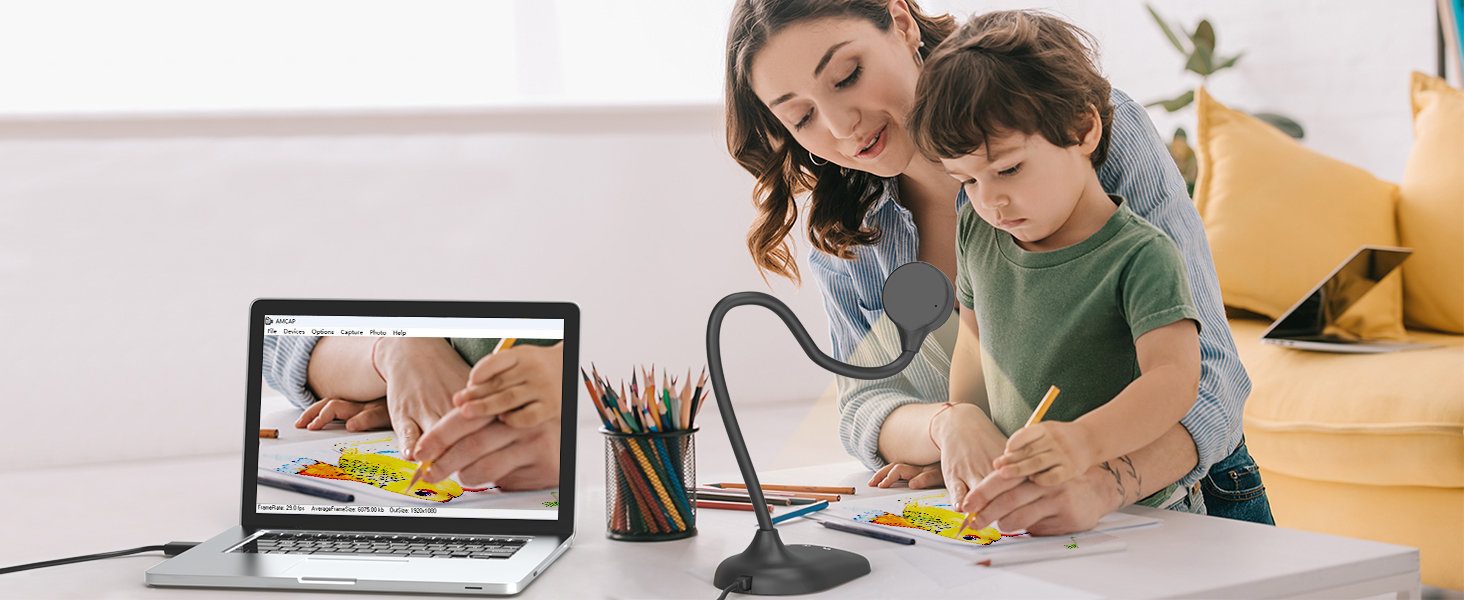
Doc camera for teacher
Great for Online Tutoring Programs
A document camera like the essential for teaching languages, math, and arts
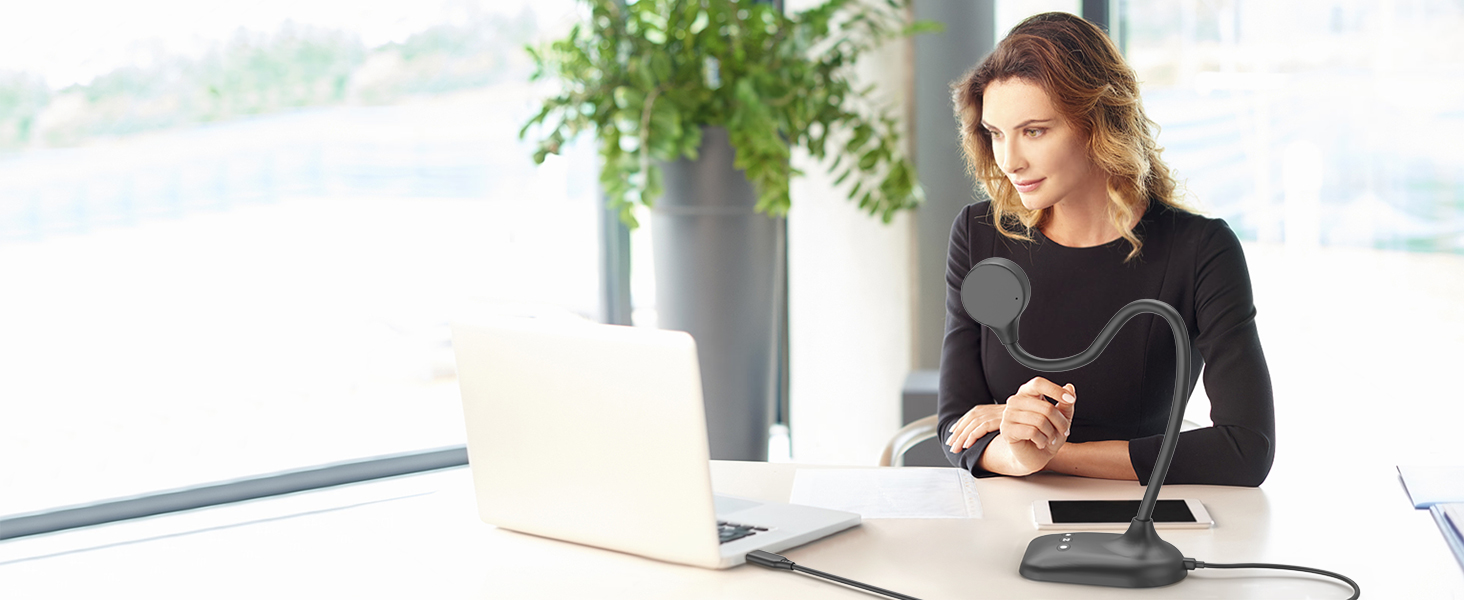
Meeting remotely
Create a relaxing space at home
Workers can also use webcams from home for online video conferencing Communicate & Co-work.
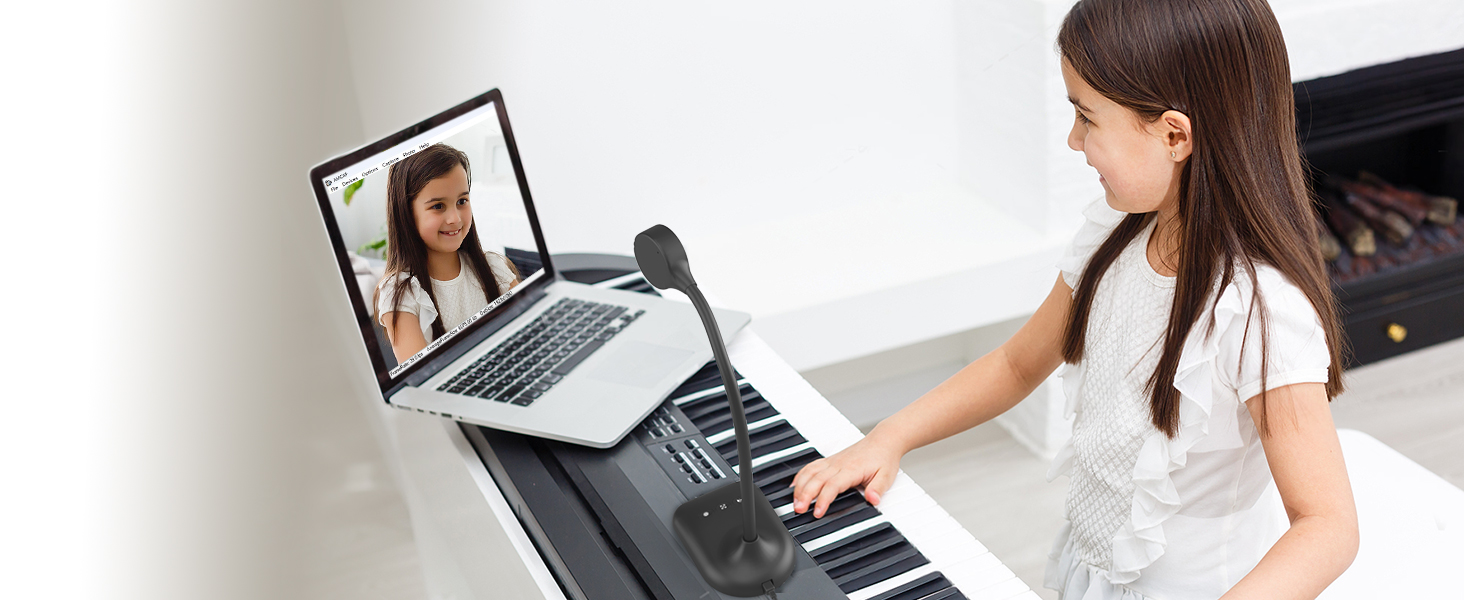
Camera for Record video
Recorded teaching & creation video
Document camera for Recorded video, perfect for sharing your creations.
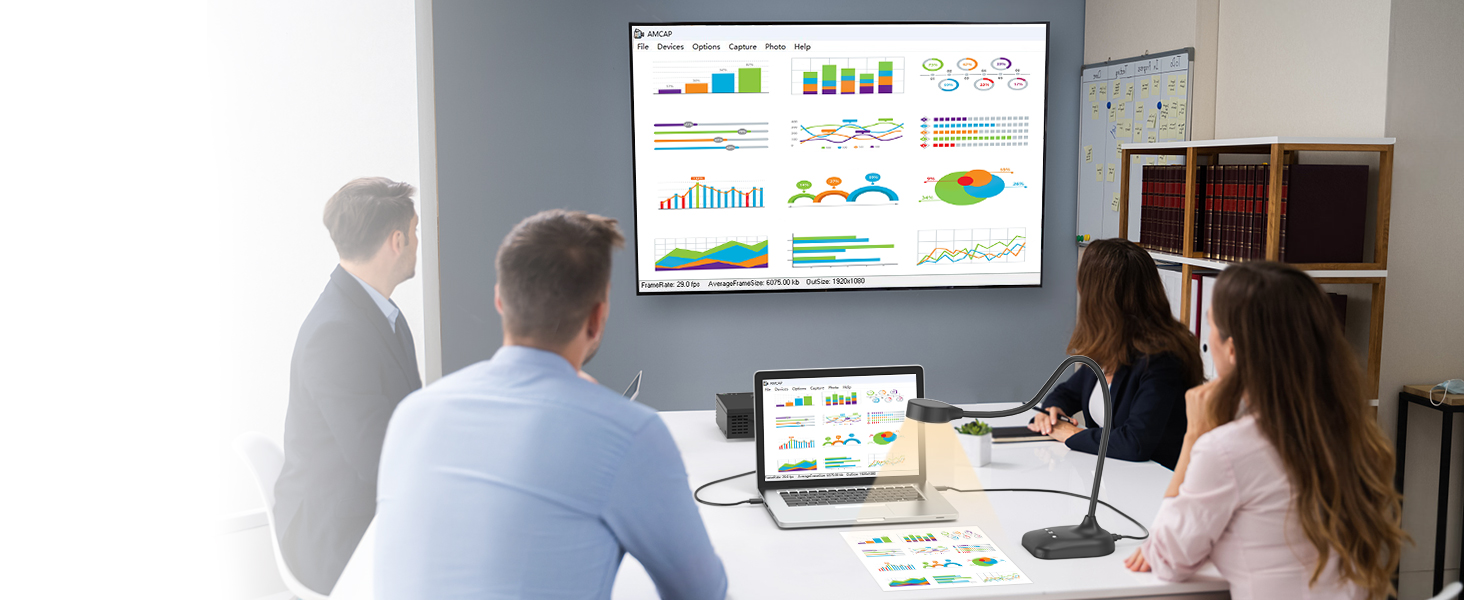
USB camera for business
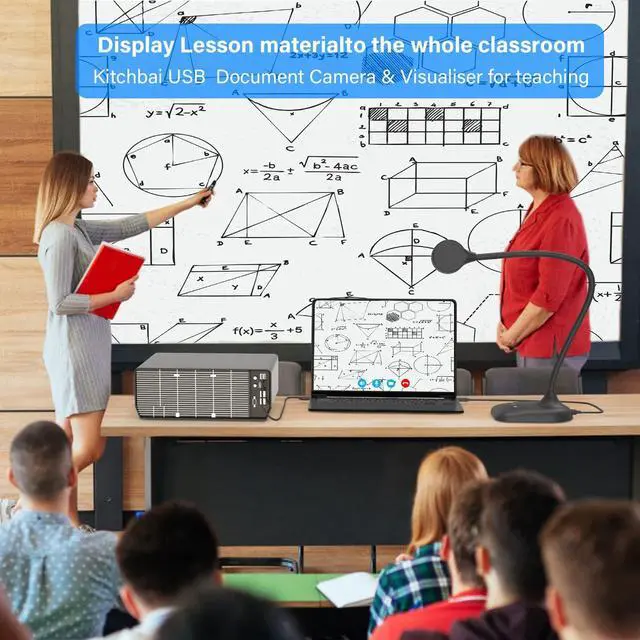
Improve meeting quality with document camera tools
Kitchbai document camera for perfect display of meeting materials on whiteboards
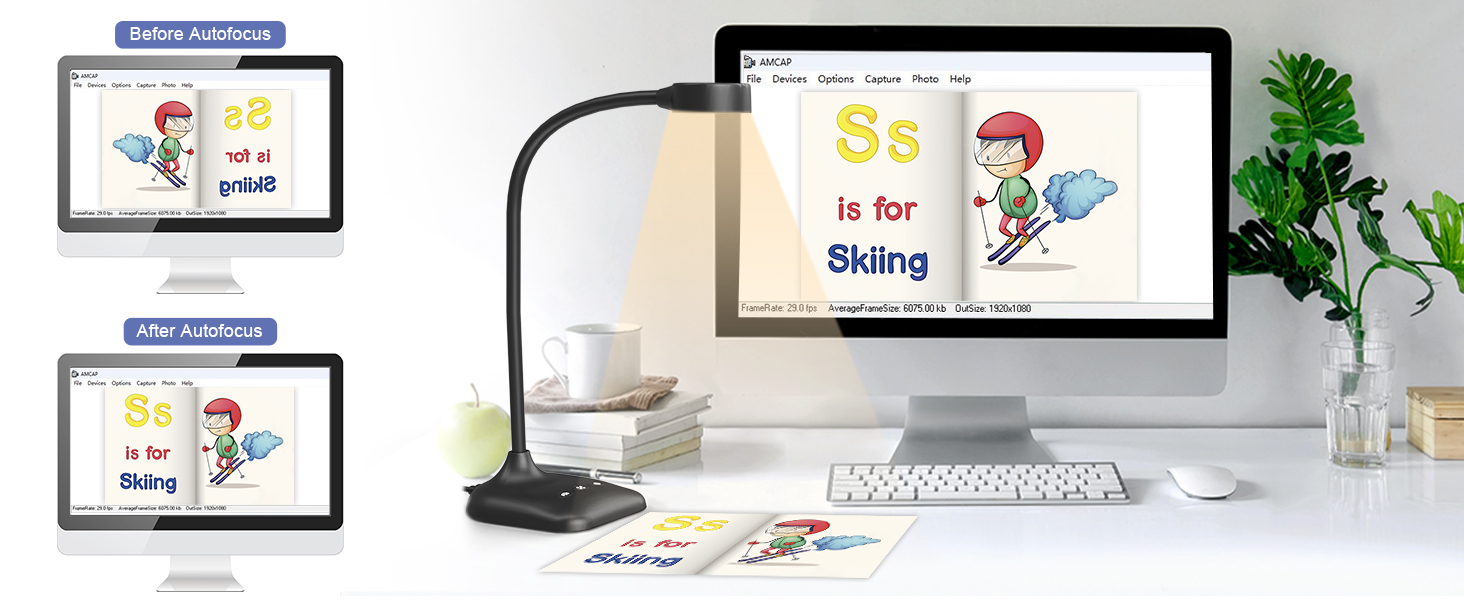
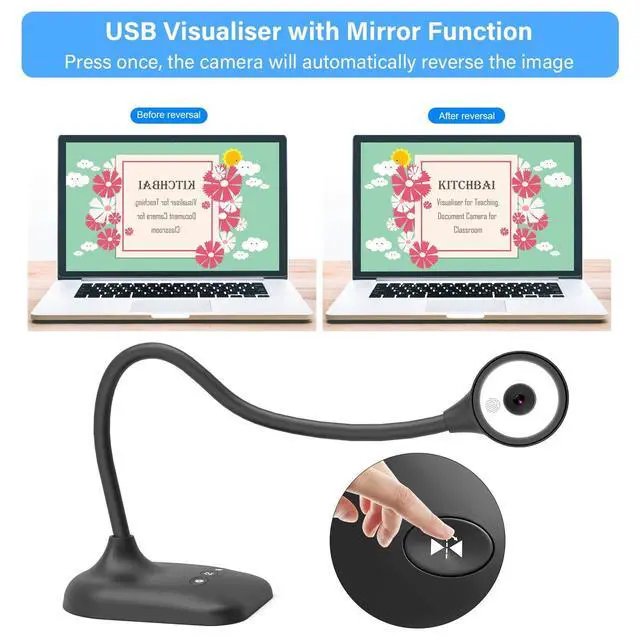
Left and right mirror
When the picture obtained is not normal,turn the button to adjust, and click the button "left and right reverse" to get the image you want.
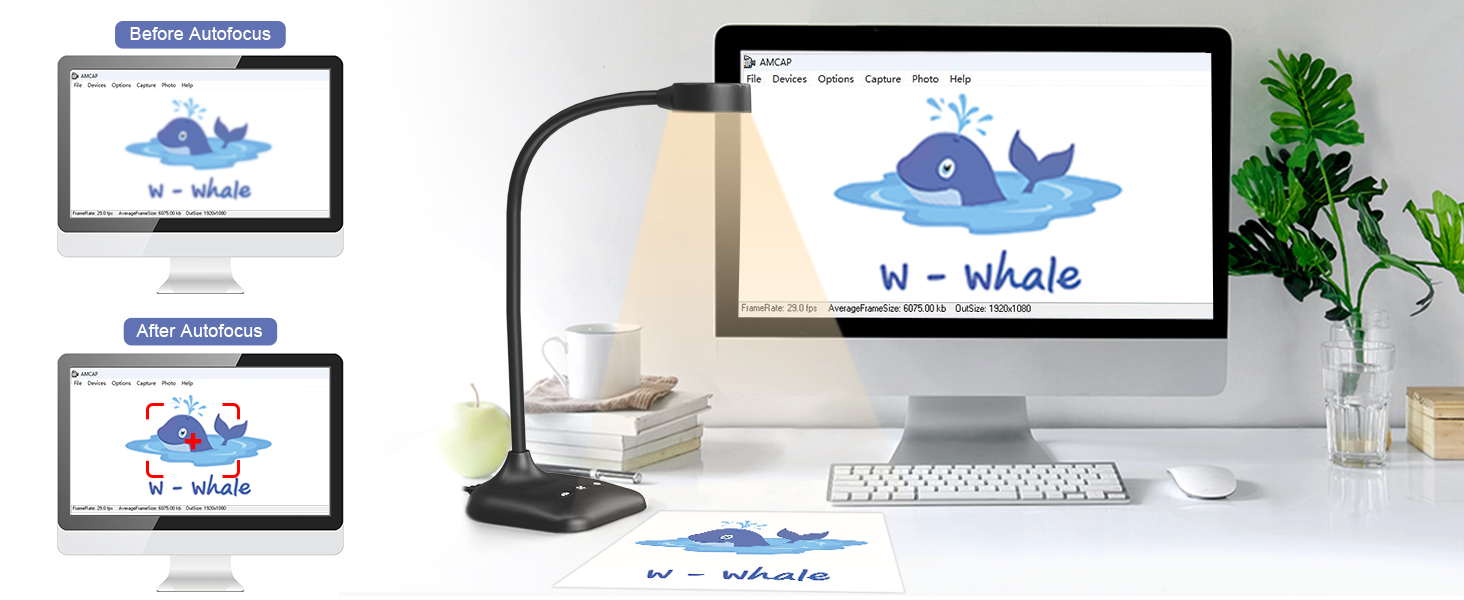
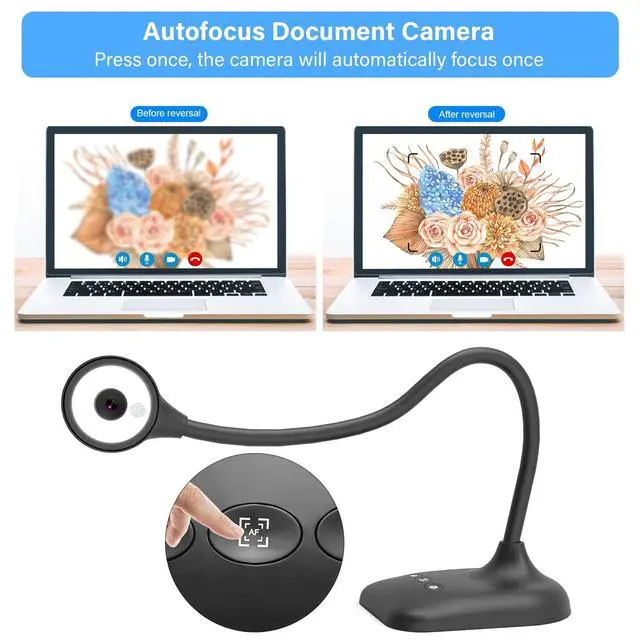
Auto focus with button
When the acquired image is blurry, you can press the "Auto Focus" button to adjust the clarity of the image without using software adjustment.
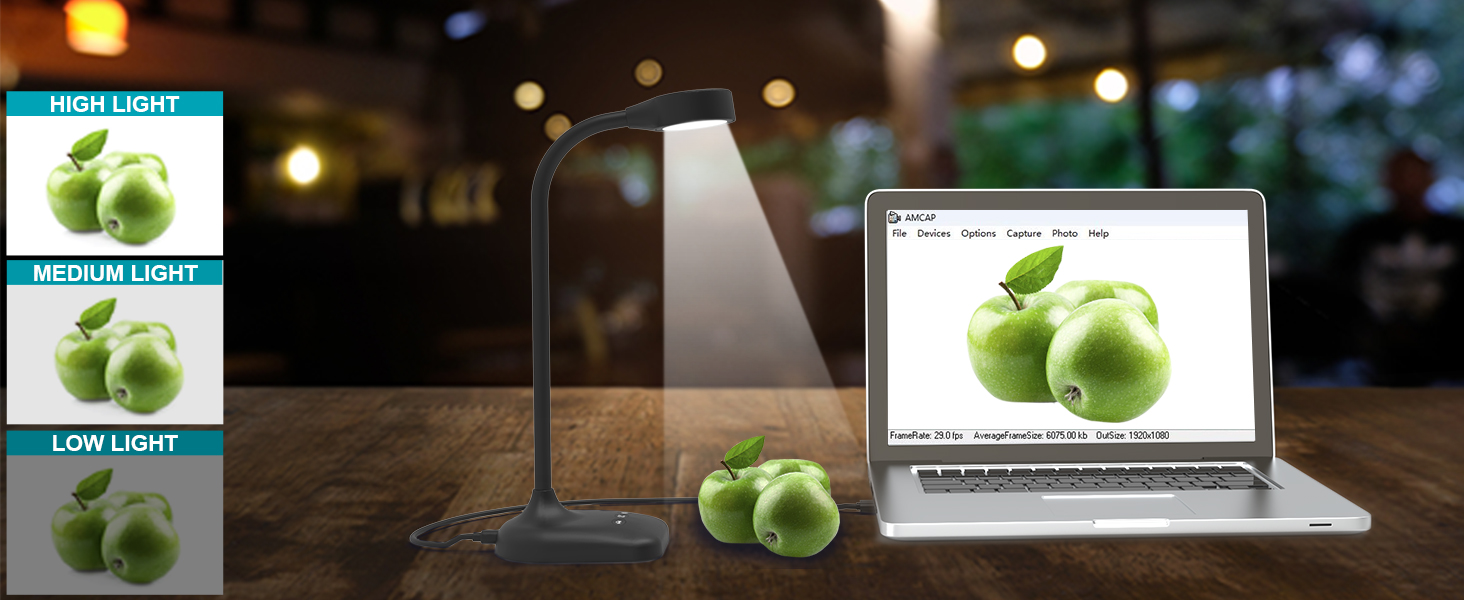
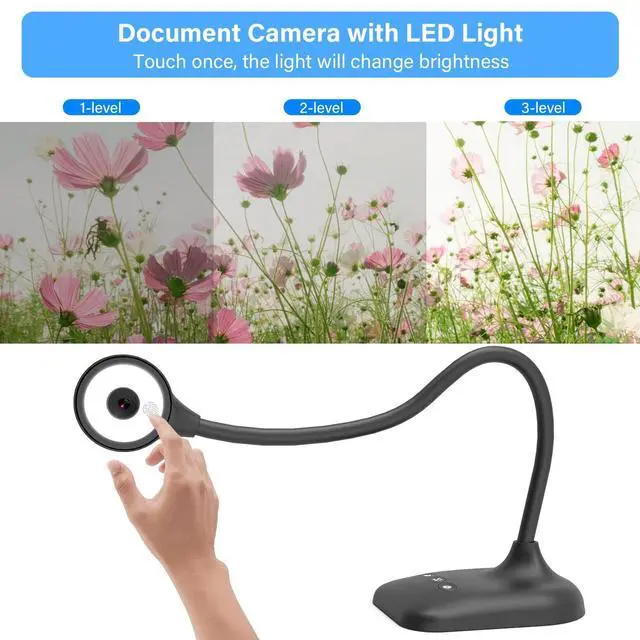
3-Level LED Light
Kitchbai Visualiser 3-levels adjustable brightness, which can eliminate the trouble of shooting in difficult lighting conditions, allowing you to capture objects in dark and bright environments.
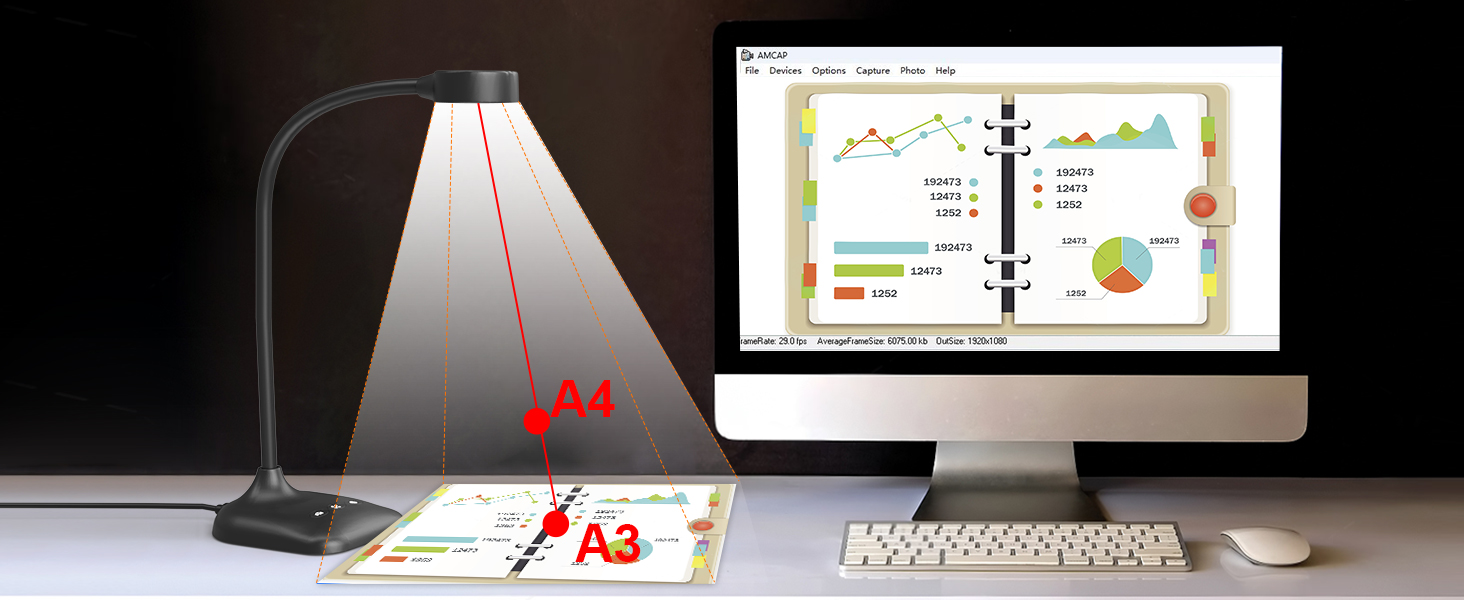
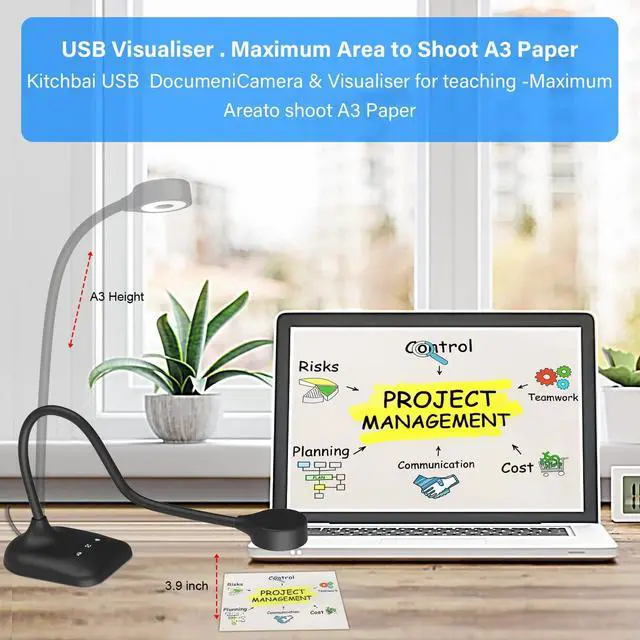
A3 Max capturing Size
The USB camera's flexible tube design allows you to capture images from different angles, capturing areas up to A3 size. (16.5" x 11.6").
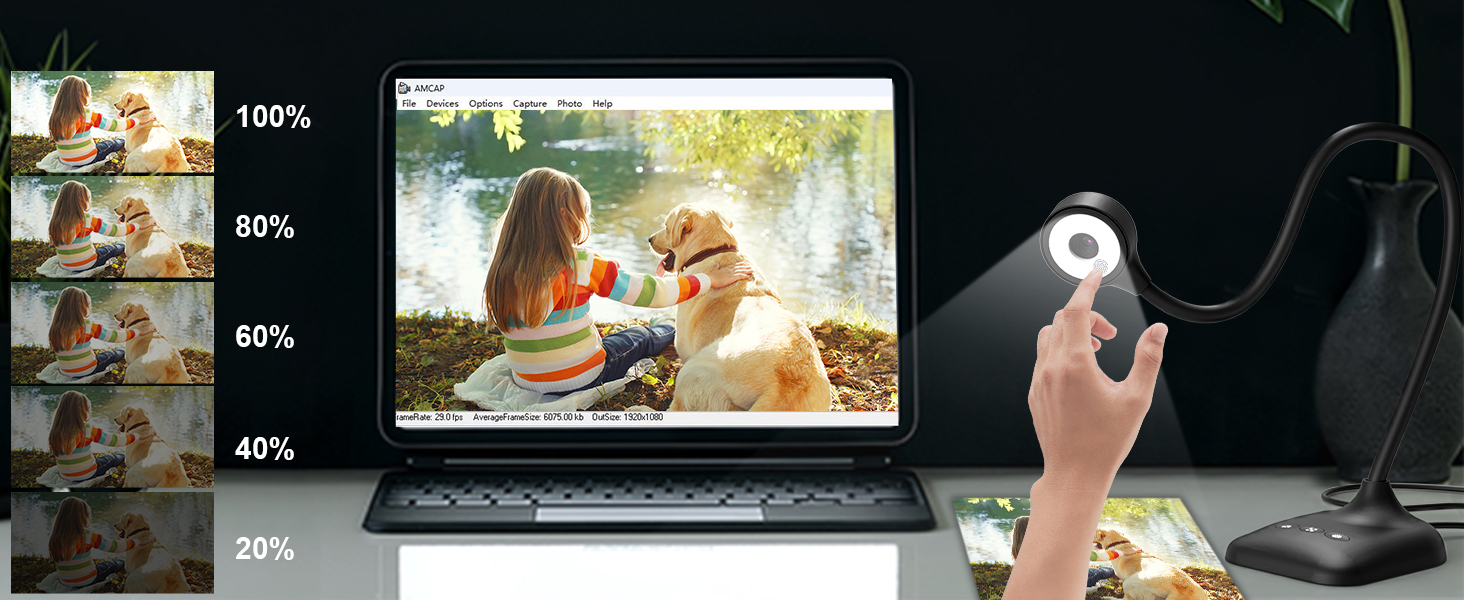
Level 5 exposure
The USB camera has a brightness exposure butto, you can manually adjust the image brightness with 5 degrees, to ensure you get a clear picture Press 5 times in a row (loop), each exposure is different
How to avoid mirroring problems?
- If remote video is required, please place it according to Figure 1 and Figure 2 (left or right)
- If you need to shoot files, please place them according to Figure 2 and Figure 3 (left or right)
- The document camera has a mirroring function, if there is mirroring, just press the "left and right mirroring" button on the camera

Kitchbai Document camera is only for use with desktops or laptops, and it cannot be used with iPads or mobile devices. the item doesn't come with an hdmi connection. Its universal systems compatibility is as follow:
- System supporting Windows PC, Macs,and Chromebooks
- Compatible for E-Learning/Online Lesson App: Tiktok, Google Meet, Skype, Microsoft Teams, Zoom.
The document camera is compatible with Tiktok, Zoom, Skype, Google Meet, Microsoft Teams, FaceTime, etc. ! You can start a video conference with doc cam in 3 steps:
- Step 1: Plug in the computer. It will be automatically detected. No need to install any drivers or other software.
- Step 2: Launch the desired video sharing app.
- Step 3: In the settings menu, change the camera source to ""Stream Camera"" and you can start using it.
- Finally: Image resolution can be adjusted as you need.
Kitchbai Document camera is only for use with desktops or laptops and it cannot be used with iPads or mobile devices.
- The document camera can be connected to a projector,The document camera needs to be connected to the projector through a computer. Please connect the camera to the computer, open the video software, and then connect the projector to the computer.
Kitchbai System supporting Windows 11/10/XP/7/8, Macs, Chromebooks and Linux

Kitchbai Document Camera is a Presentation Tool for Teachers and Professionals

Document Camera & Webcams for In-Class Teaching With A3 Format, 3-Level LED Lights,5-Level ISO, Image Invert, Fold,microphone,5MP Document camera for teachers, students and workers alike. Teachers can use this as a document camera for remote teaching, distance education, in class demonstration
USB camera for learning
Virtual Schools and Online Learning
Teachers can easily view students’ work and provide live feedback via conferencing
Doc camera for teacher
Great for Online Tutoring Programs
A document camera like the essential for teaching languages, math, and arts
Meeting remotely
Create a relaxing space at home
Workers can also use webcams from home for online video conferencing Communicate & Co-work.
Camera for Record video
Recorded teaching & creation video
Document camera for Recorded video, perfect for sharing your creations.
USB camera for business
Improve meeting quality with document camera tools
Kitchbai document camera for perfect display of meeting materials on whiteboards


Left and right mirror
Auto focus with button
3-Level LED Light
A3 Max capturing Size
Level 5 exposure


When the picture obtained is not normal,turn the button to adjust, and click the button "left and right reverse" to get the image you want.
When the acquired image is blurry, you can press the "Auto Focus" button to adjust the clarity of the image without using software adjustment.
Kitchbai Visualiser 3-levels adjustable brightness, which can eliminate the trouble of shooting in difficult lighting conditions, allowing you to capture objects in dark and bright environments.
The USB camera's flexible tube design allows you to capture images from different angles, capturing areas up to A3 size. (16.5" x 11.6").
The USB camera has a brightness exposure butto, you can manually adjust the image brightness with 5 degrees, to ensure you get a clear picture Press 5 times in a row (loop), each exposure is different
Camera Product angle placement schematic
How to avoid mirroring problems?
- If remote video is required, please place it according to Figure 1 and Figure 2 (left or right)
- If you need to shoot files, please place them according to Figure 2 and Figure 3 (left or right)
- The document camera has a mirroring function, if there is mirroring, just press the "left and right mirroring" button on the camera
USB Document camera -using video
Kitchbai Document camera manipulate steps of Windows 10/11 system are as follows
The operating steps of Windows 10/11 system are as follows:
- Please search for the " Camera " program in the system to use this document camera. (If you have a laptop, you also need to select " Change Camera " in the upper right corner of the laptop).
Doc camera manipulate video for MAC system
Kitchbai USB Document camera for teaching manipulate video
The Kitchbai Document camera webcam for classroom, manipulate steps of the Mac system are as follows:
- Shooting video: Please search for "Quick Time Player"in the system.
- Take a photo: Please search for "Photo Booth"on your computer.
Kitchbai Document camera is only for use with desktops or laptops, and it cannot be used with iPads or mobile devices. the item doesn't come with an hdmi connection. Its universal systems compatibility is as follow:
- System supporting Windows PC, Macs,and Chromebooks
- Compatible for E-Learning/Online Lesson App: Tiktok, Google Meet, Skype, Microsoft Teams, Zoom.
The document camera is compatible with Tiktok, Zoom, Skype, Google Meet, Microsoft Teams, FaceTime, etc. ! You can start a video conference with doc cam in 3 steps:
- Step 1: Plug in the computer. It will be automatically detected. No need to install any drivers or other software.
- Step 2: Launch the desired video sharing app.
- Step 3: In the settings menu, change the camera source to ""Stream Camera"" and you can start using it.
- Finally: Image resolution can be adjusted as you need.
Kitchbai Document camera is only for use with desktops or laptops and it cannot be used with iPads or mobile devices.
- The document camera can be connected to a projector,The document camera needs to be connected to the projector through a computer. Please connect the camera to the computer, open the video software, and then connect the projector to the computer.
Kitchbai System supporting Windows 11/10/XP/7/8, Macs, Chromebooks and Linux
