




Effortlessly Master the Art of Crafting!
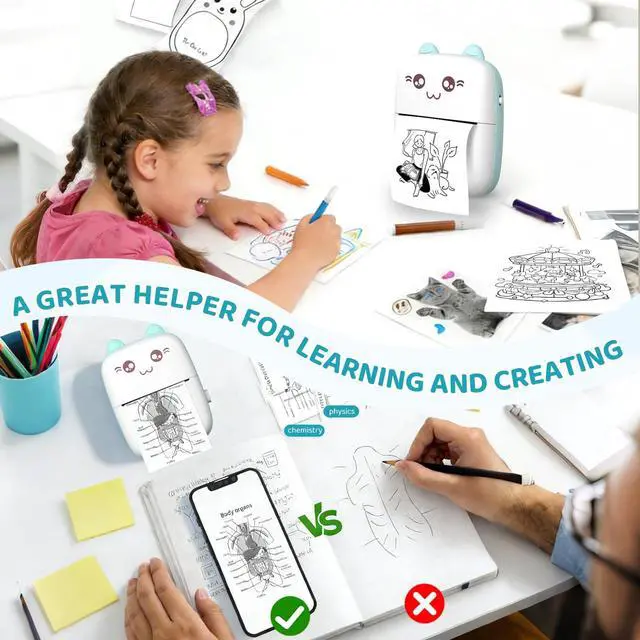
- Engage in delightful activities with your kids, sharing laughter and joy as they craft imaginative and stunning messages.
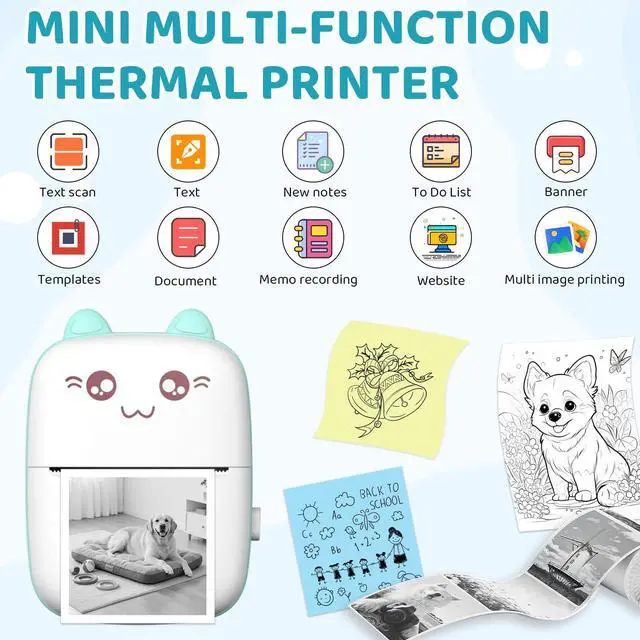
- Experience swift printing on top-notch paper, offering a clear preview of your image's final appearance. And if needed, you can effortlessly tweak the color and saturation to enhance the print's quality.
- Say goodbye to batteries and ink! Simply purchase thermal paper for an incredibly cost-effective printing solution.
- Boasting an ultra-long-lasting 1000mAh battery, this printer saves you time and energy, providing up to 3 hours of uninterrupted printing.
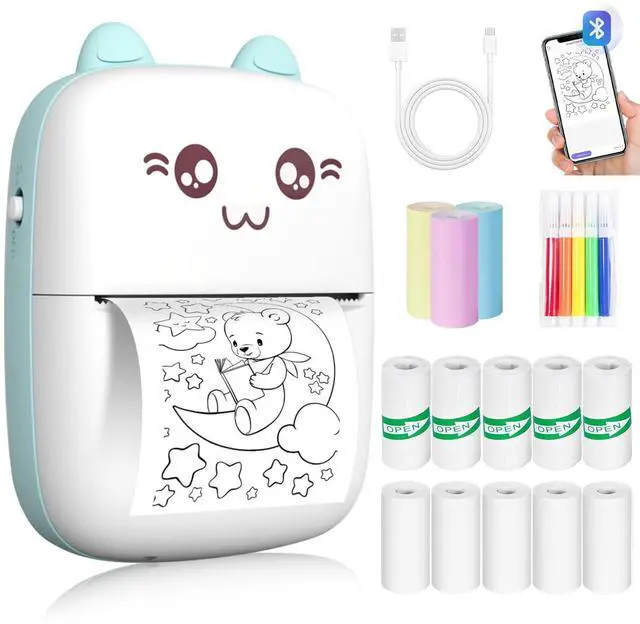
- The printer's design is simply adorable, featuring a white body with pink accents and cute little ears.
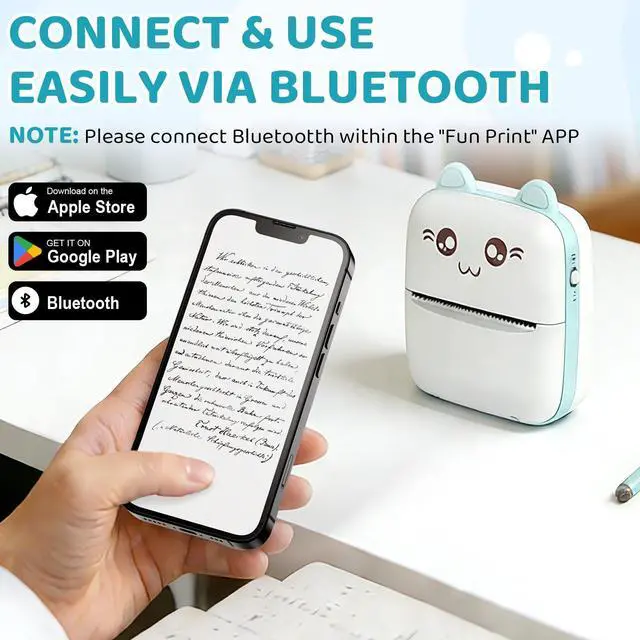
- Connect with ease via Bluetooth (BLE4.0), enjoying a hassle-free setup.
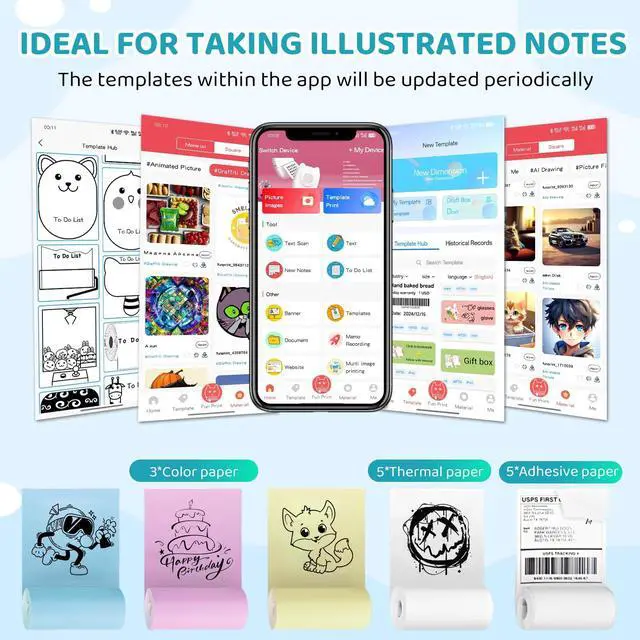
- The accompanying app is incredibly user-friendly and packed with fun features.

Ink-Free Thermal Printing
This compact pocket thermal printer operates by using heat instead of ink, offering unparalleled convenience while being kinder to the environment. Its innovative design makes printing fun, practical, and mess-free—perfect for on-the-go creativity!


Tips:
- Ensure the printer is charged.
- Use thermal paper (ink-free) for best results.
- For troubleshooting, refer to the FAQ section in the app.
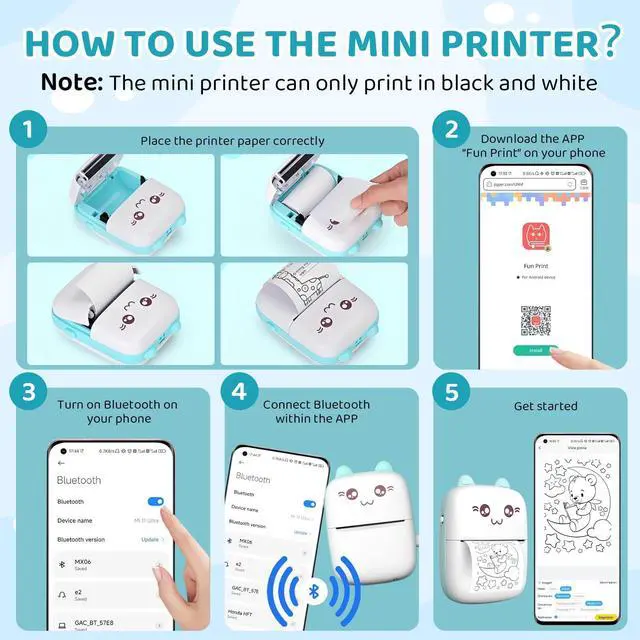
How to Use Your Mini Thermal Printer
- Search for “Fun Print” in the Google Play Store (Android) or Apple App Store (iOS) and install it.
- Power On the Printer.
- Turn on your phone’s Bluetooth.
- Press and hold the power button on the printer until the indicator light turns on (usually 3–5 seconds).
- Connect via Bluetooth
- Open the “Fun Print” app.
- Tap “Connection” (top-right corner) ? Select your printer from the Bluetooth devices list.
- Start Printing!
Effortlessly Master the Art of Crafting!
- Engage in delightful activities with your kids, sharing laughter and joy as they craft imaginative and stunning messages.
- Experience swift printing on top-notch paper, offering a clear preview of your image's final appearance. And if needed, you can effortlessly tweak the color and saturation to enhance the print's quality.
- Say goodbye to batteries and ink! Simply purchase thermal paper for an incredibly cost-effective printing solution.
- Boasting an ultra-long-lasting 1000mAh battery, this printer saves you time and energy, providing up to 3 hours of uninterrupted printing.
- The printer's design is simply adorable, featuring a white body with pink accents and cute little ears.
- Connect with ease via Bluetooth (BLE4.0), enjoying a hassle-free setup.
- The accompanying app is incredibly user-friendly and packed with fun features.
Ink-Free Thermal Printing
This compact pocket thermal printer operates by using heat instead of ink, offering unparalleled convenience while being kinder to the environment. Its innovative design makes printing fun, practical, and mess-free—perfect for on-the-go creativity!
How to Use Your Mini Thermal Printer
Tips:
- Ensure the printer is charged.
- Use thermal paper (ink-free) for best results.
- For troubleshooting, refer to the FAQ section in the app.
- Search for “Fun Print” in the Google Play Store (Android) or Apple App Store (iOS) and install it.
- Power On the Printer.
- Turn on your phone’s Bluetooth.
- Press and hold the power button on the printer until the indicator light turns on (usually 3–5 seconds).
- Connect via Bluetooth
- Open the “Fun Print” app.
- Tap “Connection” (top-right corner) ? Select your printer from the Bluetooth devices list.
- Start Printing!