


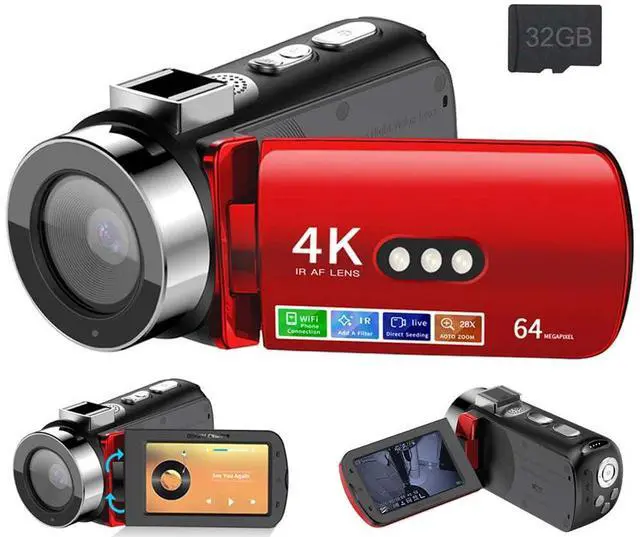
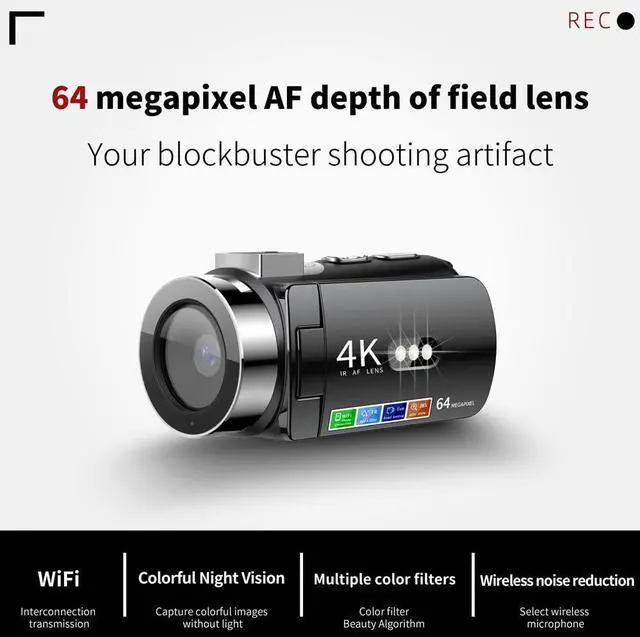
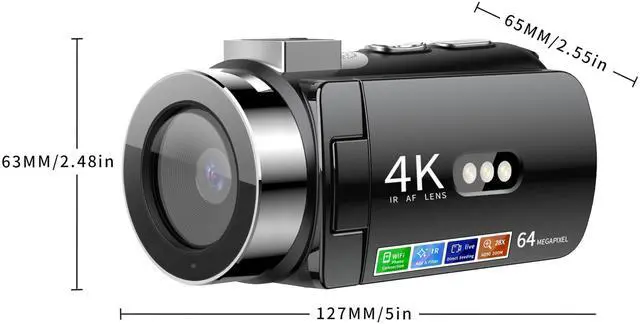


Introduction of Key Button and Interface Functions
1. Power Switch:
1) Long press for opening / shutdown of the equipment
2) Click the screen and click again to light the screen.
2.OK / Shutter Key:
1) Confirmation key:
2)IN photo/video mode short press for focus,long press take photo/video;
3) In the recording interface,click again to start the recording,andclick again to end;
4) When the video is played on the album interface,click click to playor pause;
5) When the music plays in the MP3 interface,click and press to play orpause.
3.W Key:
1) In the photo and video interface,click the image to zoom in on the focallength,and long press to zoom in quickly;
2) When viewing photos in the album,click to zoom in on the photo,andlong press to zoom in quickly.
4.T Key:
1) In the photo and video interface,click the image to narrow the focallength and long press to shrink in quickly;
2) When viewing photos in the album,click to view the photos,and longpress to quickly (when w key zoom in to view).
5. Upper Key:
1) Select the key up;
2) Under the camera and video recording interface,click click to open the night video;
3 ) When the video is played in the photo album interface,click and press to increase the volume;
4) When the music plays in the MP3 interface,click and press to increasethe volume.
6. Down Key:
1) Select the key down;
2) Under the camera and video recording interface, click and press the switch filter;
3) When the video is played in the photo album interface,click and pressto lower the volume;
4) When music plays the MP3 interface,click to lower the volume.
7. Left Key:
1) Select the key to the left;
2) In the photo and video recording interface,click to open / close the fill light;
3) When the video is played on the album interface,click "Go back" quickly;
4) MP3 interface,click and press to switch to the last music.
8. Right Key:
1) Select the key to the right ;
2) Photo and video interface,click to flip the screen display ;
2) When playing the video in the album interface,click fast forward;
3) MP3 interface,click to switch to the next music.
9. Return Key:
Click on this key to return to the previous level.
10. Album Key:
Under the photo / recording / recording / MP3 interface,click this key to jump to the album interface.
11. Single Key:
Click the menu interface to change settings.
D9 DV

Built in Autofocus Sensor
The DV built in autofocus sensor in the lens to detect the distance between the subject and the lens,and automatically adjust the focal length of the lens,allowing the subject to form clear macro and long-range images on the camera sensor

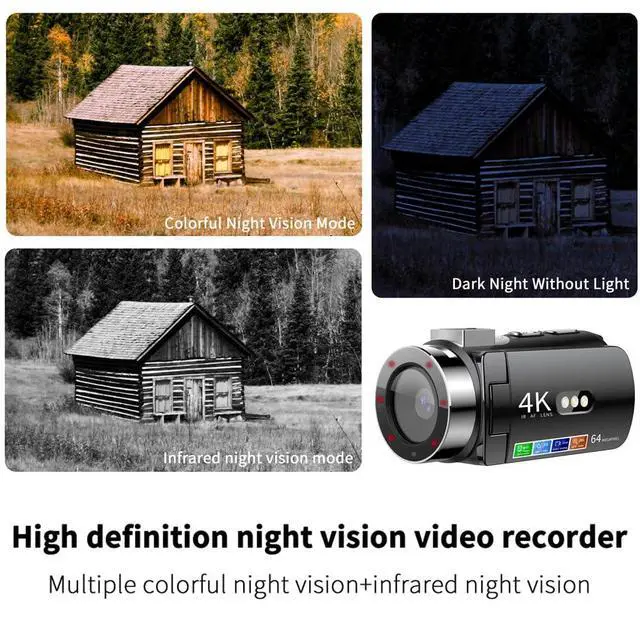
Dark Night IR-CUT Night Vision System
lt refers to a set of filters built into the camera lens group.When the infrared sensing point outside the lens detects changes in the strength of light,the built-in lR-CUT autormatic switching filter can autormatically switch according to the strength of external light,it will making the image achieve the best effect

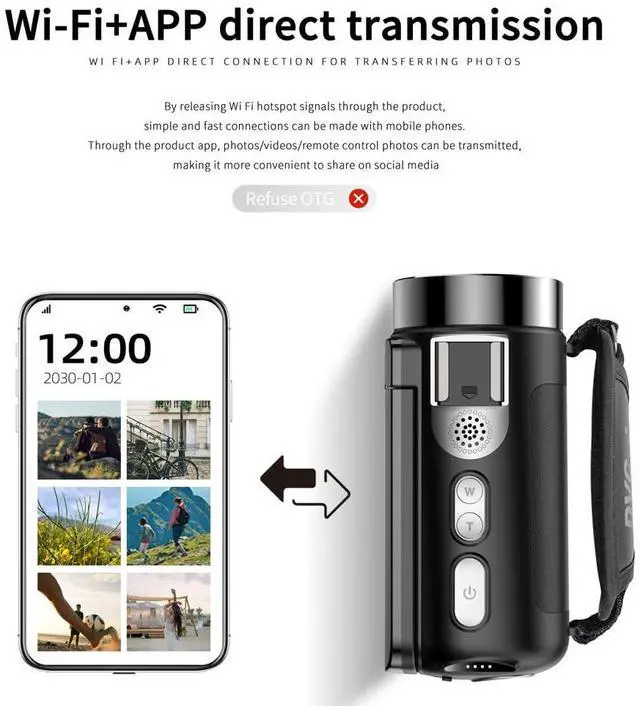
WlFI+APP Direct Connection for Transferring Photos ?
By releasing WiFi signals through the product, a simple and fast connection can be established with the phone.
Through product applications. Can transmit photos/videos/remote control photos,
Make sharing on social media more convenient

Color Night Vision Filter System
Color night vision technology uses white light or other light sources to illuminate the scene,then captures these light rays through inage sensors and converts them into electrical signals,and finally restores the color information through image processing algorithms.This technology can provide color images at night or in low light environments

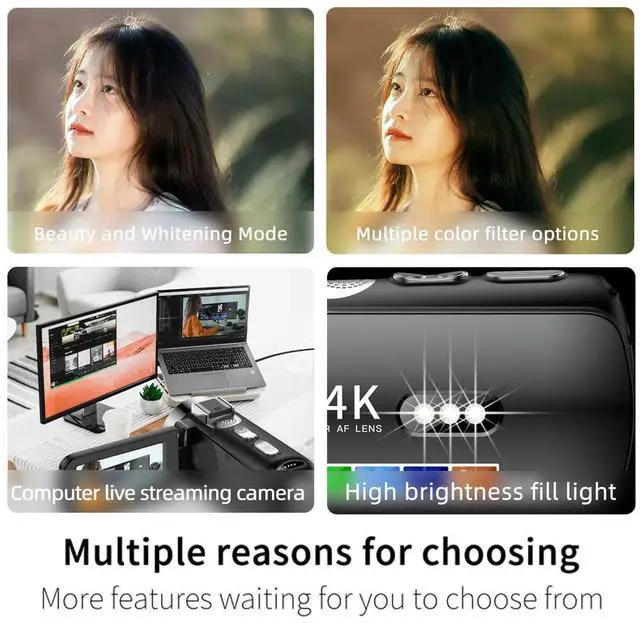
As a Computer Live Streaming Camera
Support data cable connection and transmission,As a viceo input device, a camera er be used to stert live streaming.The advantage of using a camera as a live streaming camera is that its hardware is superior to ordinary network cameras, providing higher image quality and better focusing effects. In addition,the camera also has the advantage of professional parameter adjustment settings allowing for more ideal live sreaming effects in different scenes

Three High Brightness Fill Lights ?
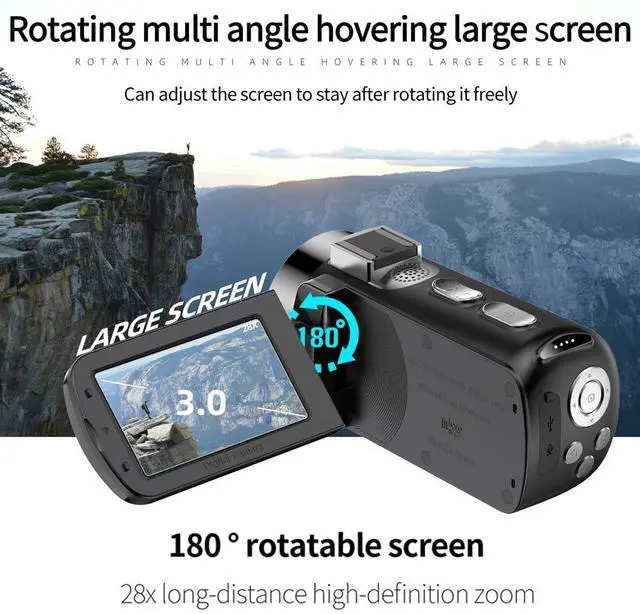
If you don't want color night vision or night time lR mode, you can flip the screen, which has three high brightness light beads built into the back of the screen. By flipping the screen, multiple angles of fill light can be achieved, which can be freely turned on or off for use, solving the problem of inconvenient carrying of peripheral fill lights
Product Parameters ?
Introduction of Key Button and Interface Functions
1. Power Switch:
1) Long press for opening / shutdown of the equipment
2) Click the screen and click again to light the screen.
2.OK / Shutter Key:
1) Confirmation key:
2)IN photo/video mode short press for focus,long press take photo/video;
3) In the recording interface,click again to start the recording,andclick again to end;
4) When the video is played on the album interface,click click to playor pause;
5) When the music plays in the MP3 interface,click and press to play orpause.
3.W Key:
1) In the photo and video interface,click the image to zoom in on the focallength,and long press to zoom in quickly;
2) When viewing photos in the album,click to zoom in on the photo,andlong press to zoom in quickly.
4.T Key:
1) In the photo and video interface,click the image to narrow the focallength and long press to shrink in quickly;
2) When viewing photos in the album,click to view the photos,and longpress to quickly (when w key zoom in to view).
5. Upper Key:
1) Select the key up;
2) Under the camera and video recording interface,click click to open the night video;
3 ) When the video is played in the photo album interface,click and press to increase the volume;
4) When the music plays in the MP3 interface,click and press to increasethe volume.
6. Down Key:
1) Select the key down;
2) Under the camera and video recording interface, click and press the switch filter;
3) When the video is played in the photo album interface,click and pressto lower the volume;
4) When music plays the MP3 interface,click to lower the volume.
7. Left Key:
1) Select the key to the left;
2) In the photo and video recording interface,click to open / close the fill light;
3) When the video is played on the album interface,click "Go back" quickly;
4) MP3 interface,click and press to switch to the last music.
8. Right Key:
1) Select the key to the right ;
2) Photo and video interface,click to flip the screen display ;
2) When playing the video in the album interface,click fast forward;
3) MP3 interface,click to switch to the next music.
9. Return Key:
Click on this key to return to the previous level.
10. Album Key:
Under the photo / recording / recording / MP3 interface,click this key to jump to the album interface.
11. Single Key:
Click the menu interface to change settings.
D9 DV
Built in Autofocus Sensor
The DV built in autofocus sensor in the lens to detect the distance between the subject and the lens,and automatically adjust the focal length of the lens,allowing the subject to form clear macro and long-range images on the camera sensor
Dark Night IR-CUT Night Vision System
lt refers to a set of filters built into the camera lens group.When the infrared sensing point outside the lens detects changes in the strength of light,the built-in lR-CUT autormatic switching filter can autormatically switch according to the strength of external light,it will making the image achieve the best effect
WlFI+APP Direct Connection for Transferring Photos ?
By releasing WiFi signals through the product, a simple and fast connection can be established with the phone.
Through product applications. Can transmit photos/videos/remote control photos,
Make sharing on social media more convenient
Color Night Vision Filter System
Color night vision technology uses white light or other light sources to illuminate the scene,then captures these light rays through inage sensors and converts them into electrical signals,and finally restores the color information through image processing algorithms.This technology can provide color images at night or in low light environments
As a Computer Live Streaming Camera
Support data cable connection and transmission,As a viceo input device, a camera er be used to stert live streaming.The advantage of using a camera as a live streaming camera is that its hardware is superior to ordinary network cameras, providing higher image quality and better focusing effects. In addition,the camera also has the advantage of professional parameter adjustment settings allowing for more ideal live sreaming effects in different scenes
Three High Brightness Fill Lights ?
If you don't want color night vision or night time lR mode, you can flip the screen, which has three high brightness light beads built into the back of the screen. By flipping the screen, multiple angles of fill light can be achieved, which can be freely turned on or off for use, solving the problem of inconvenient carrying of peripheral fill lights
Product Parameters ?
| Photo Resolution | 64M;56M;48M;36M;24M;20M;16M; 12M; 10M; 8M (max) |
| Burst Shot | off or open (default 5) |
| Camera Timer | off,3,5,10 seconds |
| Beauty Level | 0-3 |
| Autofocus | off or open |
| Image Quality | High quality, standard, and economical |
| Sharpness | Strong, standard, and gentle |
| White Balance | Automatic, daylight, cloudy, tungsten filament lamp, fluorescent lamp |
| ISO | Automatic, 100, 200, 400 |
| EV Value | +2.0,+4/3,+1.0,+1/3,+0.0,-1/3,-1.0,-4/3,-2.0 |
| Shake Reduction | off or open |
| Quick Preview | off, 2s, 5s |
| Power Supply | USB 5V, 3.7V replaceable battery |
| Composition Line | off or open |
| Video Resolution | 4K;2K; 1080FHD; 720P; (interpolation) |
| Loop Recording | Off, 1 minute, 2 minutes, 3 minutes, 5 minutes |
| Video Recording | Normal, slow motion, time-lapse photography |
| Protected Mode | Lock current, unlock current, lock all, unlock all |
| Screen Brightness | 1-8 |
| Auto Shutdown | Off, 3 minutes, 5 minutes, 10 minutes |
| Screen Saver | Off, 1 minute, 2 minutes, 3 minutes |
| Power Consumption | BBAT3.7V/in lens = 392mA (far focus)/recording (near focus) = 540mA/= 2.OW; USB5V/video+infrared 3 (telephoto) = 1.82mA/9.1W |
| Language | English, Traditional Chinese, Simplified Chinese, Japanese, French, German, Korean, Indonesian, Portuguese, Russian, Spanish, Arabic |
| Light Source Frequency | 50Hz?60Hz |
| Image Sensor | 1/1.68 |
| LED Display | 3.0-inch IPS (480 * 854) |
| Memory Card | Supports TF cards (8GB to 128GB, FAT32/16 format) |
| Video Format | AVI |
| Image Format | JPG |
| Audio Format | WAV |
| Music Format | MP3 |
| Zoom Factor | Maximum 28X |