





About Us
- SINEFINE was founded in 2018 and we are a factory dedicated to providing our customers with the highest quality products. Sinefine pursues continuous research and development and innovation, suggestions are welcome!
- Our main business: Computer acceessories, PCIe expansion card
- Our concept: Pursuit of quality, friendly after-sales, continuous innovation.
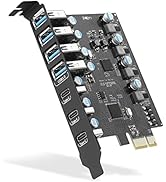
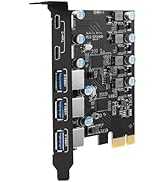
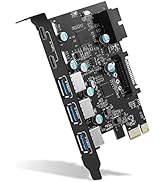
USB 3.0 PCIE CARD
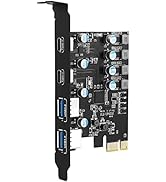
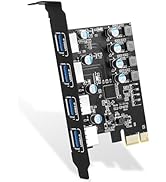
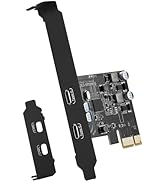
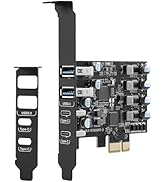
USB 3.0 PCIE CARD
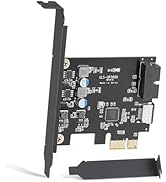
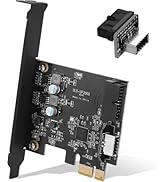
USB 3.0 PCIE CARD
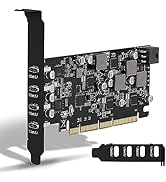
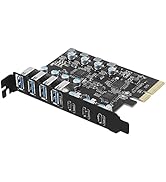
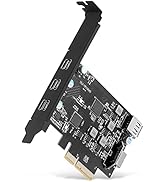
USB 3.2 GEN 2 PCIE CARD
When did we start?
2018
Why do we love what we do?
We believe that computer notebooks are the products that everyone uses everyday, and we are the ones who make the office life hassle-free through well-designed and well-made computer accessory products!
What makes our products unique?
Each SINEFINE product is thoughtfully designed with both functionality and aesthetics in mind. We understand that the right tools can make a significant difference in one's work and personal life. We value innovation and constantly seek ways to improve and evolve our product range.
Product advantages:
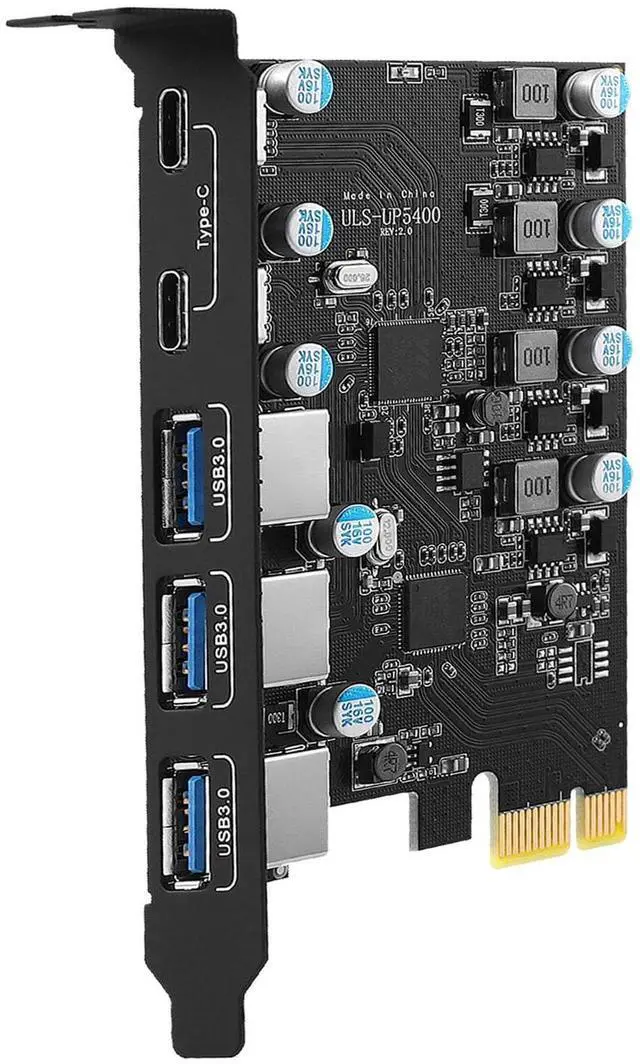
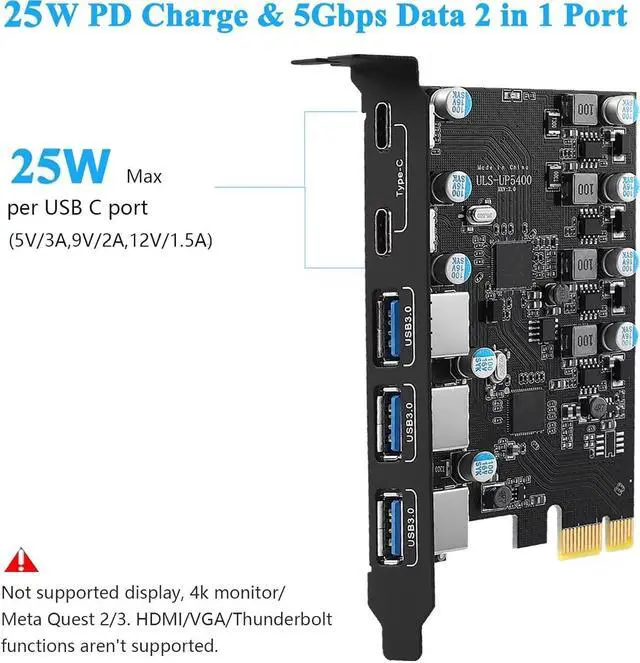
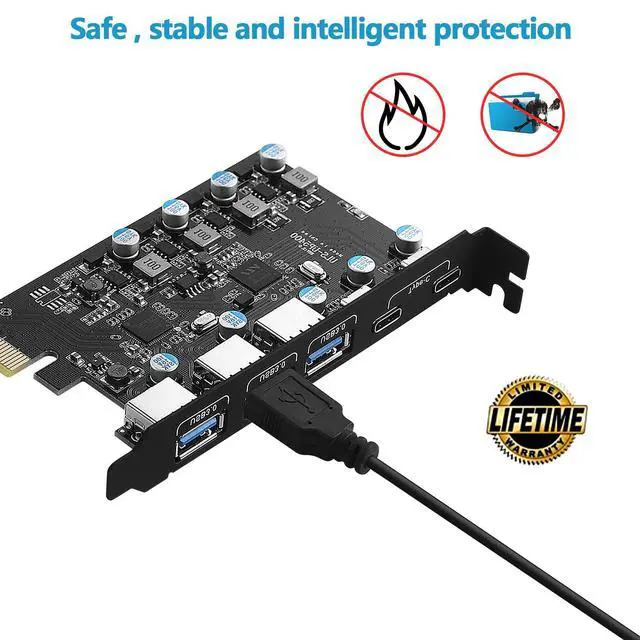
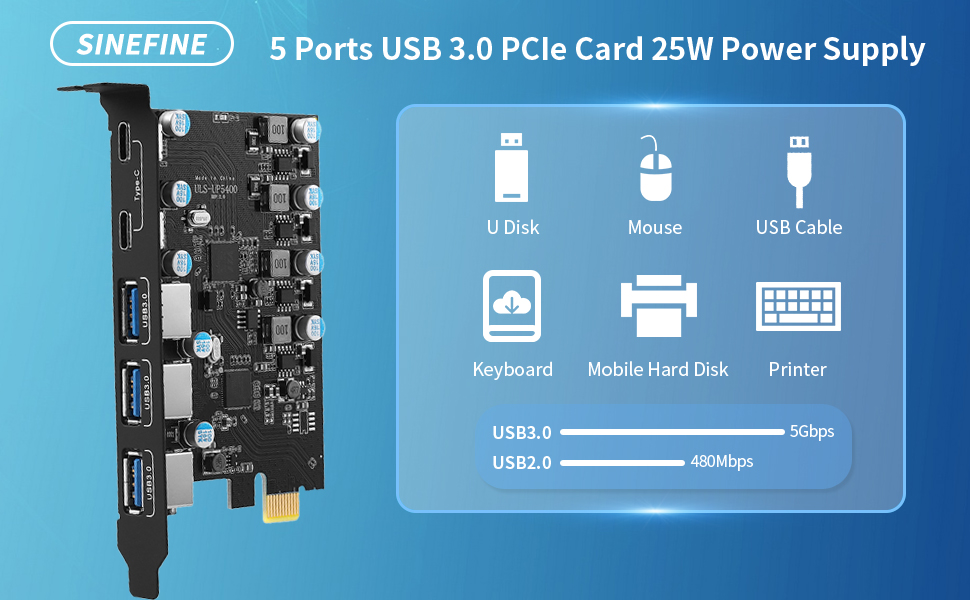
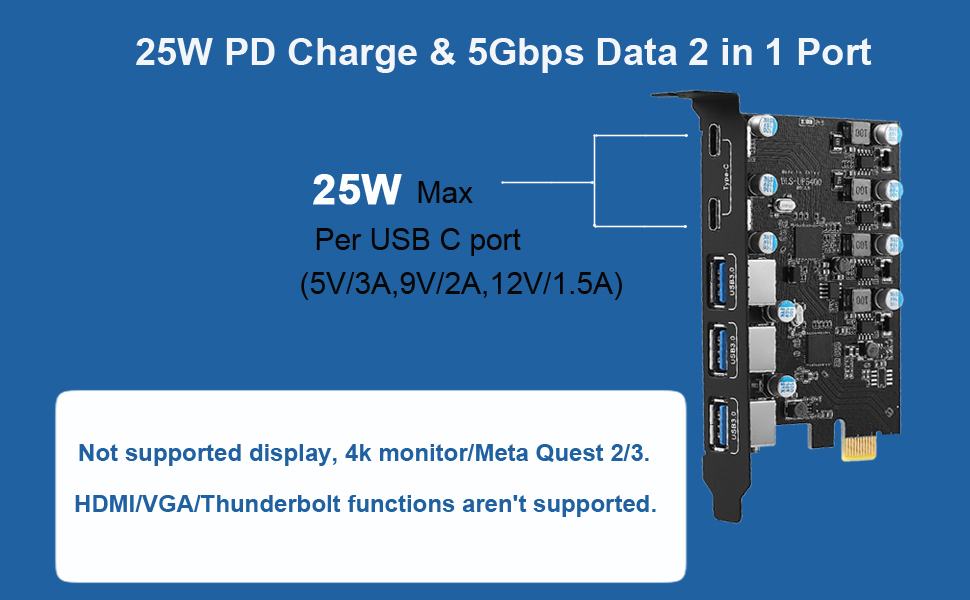
- USB PCIe card has built-in SINEFINE power supply control technology with up to 25W charging power, fast charging for devices that support PD 2.0/3.0, BC 1.2 and AFC charging protocols. (For optimal PD performance, connect an external 6-pin power outlet, which requires a separate power supply .)
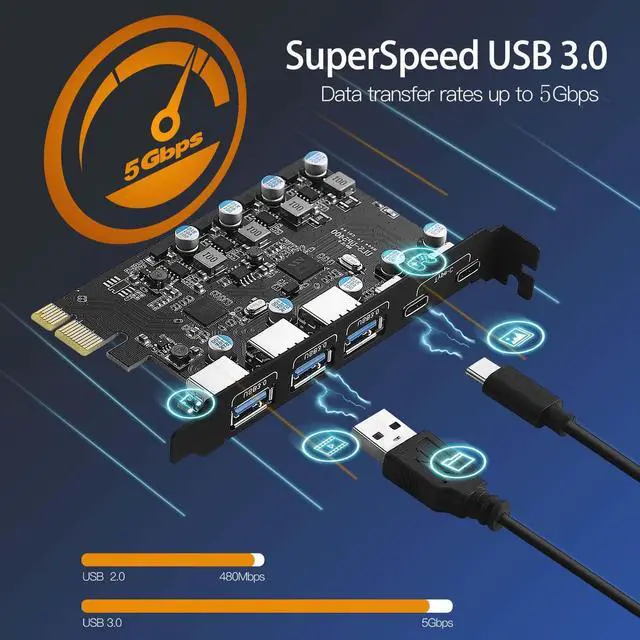
- Add 5 ports on the desktop through the PCI Express slot,-each port has a maximum data transmission speed of 5Gbps to achieve a fast connection.
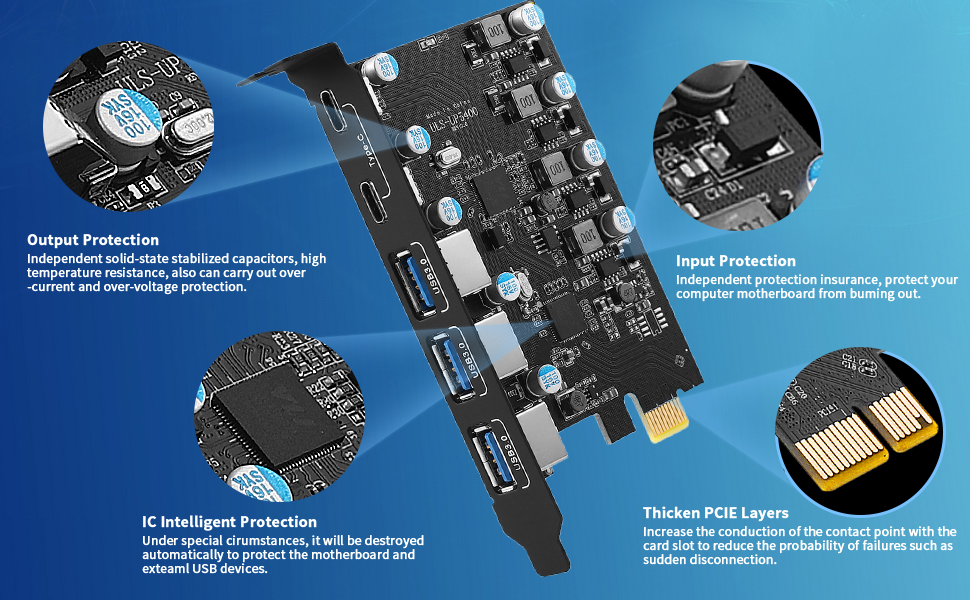
- Internal USB card from mother board though a PCI Express Slot-Ensure stable connection and lost few data transfer speed. Do't have lost device connection issue like external USB HUB does.
- Added on USB 3.0 card will not use CPU USB Main Lan, will just add a 1+ USB 3.0 lane 5Gbps bandwidth on mother board, will not speed down the USB 3.0 main lane.
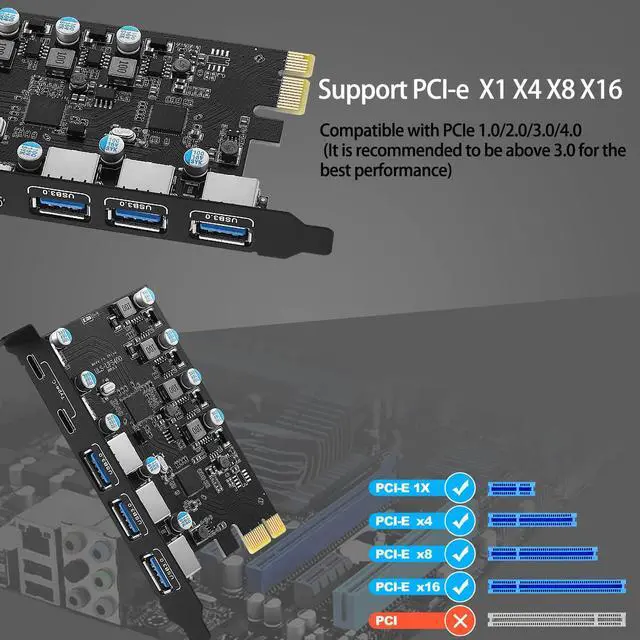
- PCI Express 3.0,2.0,X1 Interface:PCI Express 2.0 standard with PCIE X1 interface will compatible with PCIE 4.0/3.0/2.0/1.1 standard.
- Compatible with PCIE X1,X2,X4,X8,X16 slot.
System Reqiurements:
Windows XP, Vista, 7, 8, 8.1, 10(32/64bit), Windows Server 2003, 2003R2, 2008, 2008R2, 2012, 2012R2, 2016, 2019(32/64bit),
NOTE:
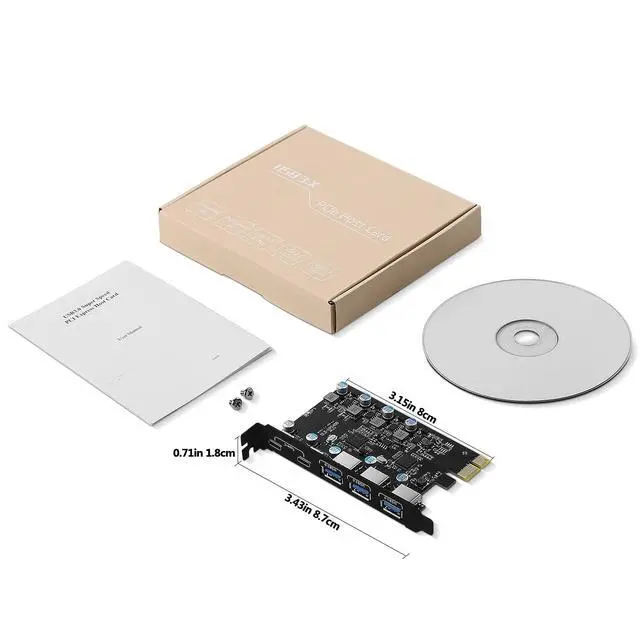
- Not equipped with Low-profile bracket.The overall size of the PCI-E card is 3.43(in) in length and 3.15 (in) in height,The height of the iron sheet is 0.71 (in),It doesn't apply to small computers and server chassis, such as 1U and 2U.
- After reviewing the product details,Please check the port size of the computer chassis baffle to avoid poor installation and excessively small PCI-E expansion cards.
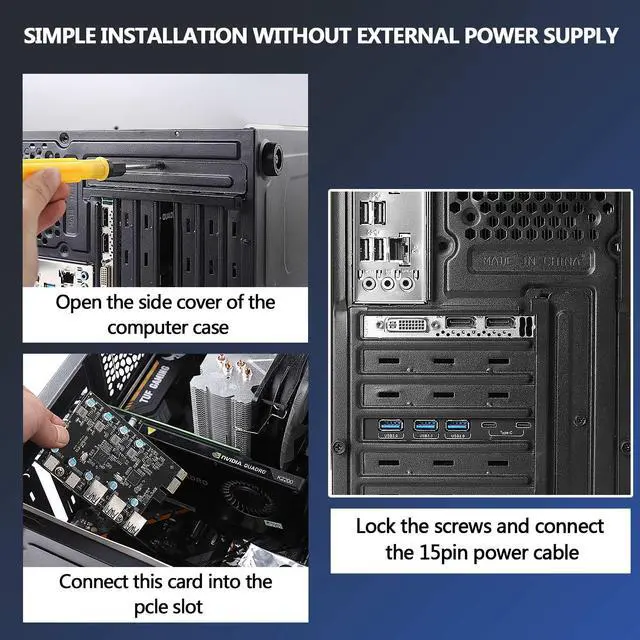
- Please make sure the power has been disconnected before installation
- Do not use in a humid environment, otherwise it will affect the connection of the device.
- If the product itself is damaged, it is still within the 360-day-warrant-y period, you can directly contact our Online support for maintenance.
Technical Specifications:

USB 3.0 5Gbps Max Speed
- USB 3.0 standard, Each USB port will get 5Gbps max speed.
- Backward compatible with USB 2.0 480Mbps and USB 1.1 12Mbps.
- Light up high resolution USB 3.0 graphic adapters, easy stream Pro HD video source.
USB 3.0 5 Ports
- Connect keyboard, mouse, external hard drives, CD/DVD drives, webcams,usb printers, scanners, game controllers,USB VR, digital cameras, etc

Support Windows and Mac OS
- No need to install drivers on Windows 11, 10, 8.x (32/64bit) and Windows Server 2012, 2012R2, 2016, 2019, 2022 systems.
- Need to Install Driver on Windows XP, Vista, 7 (32/64bit) and Windows Server 2003, 2003R2, 2008, 2008R2 (32/64bit) systems.
- Plug and Play on most Linux kernels.
 Sinefine USB PCIe Card 25W Power Supply 5 Ports USB 3.0 Expansion Card (3 USB... |  Sinefine 4 Ports PCI-E to USB 3.0 Expansion Card (2 USB Type-A and 2 USB Type... | 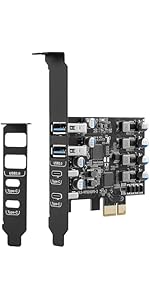 Sinefine USB PCIE Card 25W Power Delivery, PCI Express 4 Port (2 x Type C, 2 ... |  UP7000 |  UP7300 | |
|---|---|---|---|---|---|
| Customer Reviews | — | — | — | — | — |
| Price | — | — | — no data | — | — |
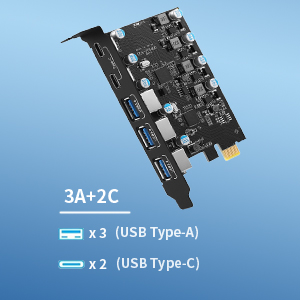
| USB Ports: | 3X USB-A and 2X USB-C | 2X USB-A and 2X USB-C | 2X USB-A and 2X USB-C | 7X USB-A | 4X USB-A and 3X USB-C |
| USB Speed: | USB 3.0 5Gbps | USB 3.0 5Gbps | USB 3.0 5Gbps | USB 3.0 5Gbps | USB 3.0 5Gbps |
| PCIE Interface: | PCIE x1, x4, x8, x16 | PCIE x1, x4, x8, x16 | PCIE x1, x4, x8, x16 | PCIE x1, x4, x8, x16 | PCIE x1, x4, x8, x16 |
| Compatible PC | Standard Size PCs | Standard Size PCs | Standard Size PCs | Standard Size PCs | Standard Size PCs |
| Power delivery | 25W | No | 25W | No | No |
| Video Output | No | No | No | No | No |
Compatible Devices
Support Motherboard:
- Dell Motherboard : Dell Server R710; Dell XPS; Dell T20 multimedia server; Dell OptiPlex 3080; DELL XPS 8930; Dell Precision T3600 Workstation E5-2690;
- HP : Z4 G4 Workstation; HP Reverb G2; HP Z800; HP reverb G2; HP elite 8100; HP N54L Server;
- Asus : Asus Maximus VIII 64 gigs of ram Q7700K CPU EVGA 1000 Gold; Asus Dark Hero VIII AMD 5090x
- Gigabyte : Gigabyte B560M HD2; Gigabyte GA-990FX-Gaming mobo; Gigabyte M68MT-D3 mobo,AMD X4 840 CPU
- MSI: MSI 550; MSI X470 Gaming Plus Max;
- Corsair: Corsair obsidian 5000D; corsair 4000d; Corsair 4000d airflow; Corsair 220t
- Others:SuperMicro edge ; VMware ESXi ; Pop-os 20.10 and 21.04 (Linux) ; Legion Tower 5i; hackintosh; Logitech C920 ; NZXT H510 Elite; MOBO ASRock X370 Taichi ; Intel Ghost Canyon ; Medion MS-7800 ; be quiet! PURE BASE 600; ATX mobo ;Debian Gnu/Linux ; alienware aurora r7
Not Support Motherboard:
- Gigabyte NEW Z690 GAMING X DDR4
- MSI X60E
- Alienware Area-51
- Asus B660
- Asus B350
Frequently Asked Questions (FAQs)
1. Question : I installed the card, but it doesn't show up in device manager. Nor does it work with any of the USB devices I have plugged in. Driver installation claiming device missing?
- the card is not seated correctly, if you remove it and reinstall it so it is seated correctly in the slot, it may correct the problem.
- the card is broken and you will have to return it for a replacement.
- did you turn off your computer when you installed it. If so, try shutting down and restarting your computer.
- The computer motherboard driver is not fully installed, update the driver of the computer motherboard.
- May not be compatible with this motherboard, please provide the motherboard model number to our engineering to facilitate the solution
2. Question: Mouse or keyboard plugged into these ports will go to sleep?
- These devices shut down when the computer goes to sleep, so if your M&K is plugged into these ports, you can't use it to wake up your machine
3. Question: The USB-A slot is too close to the top of the expansion slot. You'll have to make some minor adjustments to get your USB's in and out
Because they will hit the upper part of the chassis slot every time
- Don't secure the expansion card down, you need to insert a USB-A end from the motherboard board slot and then secure the card down again
4. Question: The card works very slowly. Over 100 MByte/s not included - versus the theoretically possible 400+ MByte/
- Please uninstall the included CD driver via Device Manager completely, reboot it, and then use the driver available via Windows Update.
- Please check if your external device is a USB 3.0 device.
- Replace the PCIE slot on your motherboard and see if the problem disappears.
5. The card does not recognize or connect to anything except the mouse and keyboard, which are unstable. Followed the troubleshooting steps in the manual, uninstalled the card and drivers and reinstalled them in different slots on the motherboard, same thing didn't work
- Please check the computer device manager whether there is no “Fressco logic USB 3.0 Host card ” if not, it means that the pcie card and the card slot is not in good contact, shut down the computer and pull out the card, reinstall the expansion card.
- If there is a yellow exclamation mark, it means that the driver has not been installed properly, repair the driver again or there is a small part of the card that is not in contact with the card slot, reinstall it again.
- The computer motherboard driver is not installed completely or incompatible
Product advantages:
- USB PCIe card has built-in SINEFINE power supply control technology with up to 25W charging power, fast charging for devices that support PD 2.0/3.0, BC 1.2 and AFC charging protocols. (For optimal PD performance, connect an external 6-pin power outlet, which requires a separate power supply .)
- Add 5 ports on the desktop through the PCI Express slot,-each port has a maximum data transmission speed of 5Gbps to achieve a fast connection.
- Internal USB card from mother board though a PCI Express Slot-Ensure stable connection and lost few data transfer speed. Do't have lost device connection issue like external USB HUB does.
- Added on USB 3.0 card will not use CPU USB Main Lan, will just add a 1+ USB 3.0 lane 5Gbps bandwidth on mother board, will not speed down the USB 3.0 main lane.
- PCI Express 3.0,2.0,X1 Interface:PCI Express 2.0 standard with PCIE X1 interface will compatible with PCIE 4.0/3.0/2.0/1.1 standard.
- Compatible with PCIE X1,X2,X4,X8,X16 slot.
System Reqiurements:
Windows XP, Vista, 7, 8, 8.1, 10(32/64bit), Windows Server 2003, 2003R2, 2008, 2008R2, 2012, 2012R2, 2016, 2019(32/64bit),
NOTE:
- Not equipped with Low-profile bracket.The overall size of the PCI-E card is 3.43(in) in length and 3.15 (in) in height,The height of the iron sheet is 0.71 (in),It doesn't apply to small computers and server chassis, such as 1U and 2U.
- After reviewing the product details,Please check the port size of the computer chassis baffle to avoid poor installation and excessively small PCI-E expansion cards.
- Please make sure the power has been disconnected before installation
- Do not use in a humid environment, otherwise it will affect the connection of the device.
- If the product itself is damaged, it is still within the 360-day-warrant-y period, you can directly contact our Online support for maintenance.
Technical Specifications:
USB 3.0 5Gbps Max Speed
- USB 3.0 standard, Each USB port will get 5Gbps max speed.
- Backward compatible with USB 2.0 480Mbps and USB 1.1 12Mbps.
- Light up high resolution USB 3.0 graphic adapters, easy stream Pro HD video source.
USB 3.0 5 Ports
- Connect keyboard, mouse, external hard drives, CD/DVD drives, webcams,usb printers, scanners, game controllers,USB VR, digital cameras, etc
Support Windows and Mac OS
- No need to install drivers on Windows 11, 10, 8.x (32/64bit) and Windows Server 2012, 2012R2, 2016, 2019, 2022 systems.
- Need to Install Driver on Windows XP, Vista, 7 (32/64bit) and Windows Server 2003, 2003R2, 2008, 2008R2 (32/64bit) systems.
- Plug and Play on most Linux kernels.
Sinefine USB PCIe Card 25W Power Supply 5 Ports USB 3.0 Expansion Card (3 USB... | Sinefine 4 Ports PCI-E to USB 3.0 Expansion Card (2 USB Type-A and 2 USB Type... | Sinefine USB PCIE Card 25W Power Delivery, PCI Express 4 Port (2 x Type C, 2 ... | UP7000 | UP7300 | |
|---|---|---|---|---|---|
| Customer Reviews | — | — | — | — | — |
| Price | — | — | — no data | — | — |
| USB Ports: | 3X USB-A and 2X USB-C | 2X USB-A and 2X USB-C | 2X USB-A and 2X USB-C | 7X USB-A | 4X USB-A and 3X USB-C |
| USB Speed: | USB 3.0 5Gbps | USB 3.0 5Gbps | USB 3.0 5Gbps | USB 3.0 5Gbps | USB 3.0 5Gbps |
| PCIE Interface: | PCIE x1, x4, x8, x16 | PCIE x1, x4, x8, x16 | PCIE x1, x4, x8, x16 | PCIE x1, x4, x8, x16 | PCIE x1, x4, x8, x16 |
| Compatible PC | Standard Size PCs | Standard Size PCs | Standard Size PCs | Standard Size PCs | Standard Size PCs |
| Power delivery | 25W | No | 25W | No | No |
| Video Output | No | No | No | No | No |
Compatible Devices
Support Motherboard:
- Dell Motherboard : Dell Server R710; Dell XPS; Dell T20 multimedia server; Dell OptiPlex 3080; DELL XPS 8930; Dell Precision T3600 Workstation E5-2690;
- HP : Z4 G4 Workstation; HP Reverb G2; HP Z800; HP reverb G2; HP elite 8100; HP N54L Server;
- Asus : Asus Maximus VIII 64 gigs of ram Q7700K CPU EVGA 1000 Gold; Asus Dark Hero VIII AMD 5090x
- Gigabyte : Gigabyte B560M HD2; Gigabyte GA-990FX-Gaming mobo; Gigabyte M68MT-D3 mobo,AMD X4 840 CPU
- MSI: MSI 550; MSI X470 Gaming Plus Max;
- Corsair: Corsair obsidian 5000D; corsair 4000d; Corsair 4000d airflow; Corsair 220t
- Others:SuperMicro edge ; VMware ESXi ; Pop-os 20.10 and 21.04 (Linux) ; Legion Tower 5i; hackintosh; Logitech C920 ; NZXT H510 Elite; MOBO ASRock X370 Taichi ; Intel Ghost Canyon ; Medion MS-7800 ; be quiet! PURE BASE 600; ATX mobo ;Debian Gnu/Linux ; alienware aurora r7
Not Support Motherboard:
- Gigabyte NEW Z690 GAMING X DDR4
- MSI X60E
- Alienware Area-51
- Asus B660
- Asus B350
Frequently Asked Questions (FAQs)
1. Question : I installed the card, but it doesn't show up in device manager. Nor does it work with any of the USB devices I have plugged in. Driver installation claiming device missing?
- the card is not seated correctly, if you remove it and reinstall it so it is seated correctly in the slot, it may correct the problem.
- the card is broken and you will have to return it for a replacement.
- did you turn off your computer when you installed it. If so, try shutting down and restarting your computer.
- The computer motherboard driver is not fully installed, update the driver of the computer motherboard.
- May not be compatible with this motherboard, please provide the motherboard model number to our engineering to facilitate the solution
2. Question: Mouse or keyboard plugged into these ports will go to sleep?
- These devices shut down when the computer goes to sleep, so if your M&K is plugged into these ports, you can't use it to wake up your machine
3. Question: The USB-A slot is too close to the top of the expansion slot. You'll have to make some minor adjustments to get your USB's in and out
Because they will hit the upper part of the chassis slot every time
- Don't secure the expansion card down, you need to insert a USB-A end from the motherboard board slot and then secure the card down again
4. Question: The card works very slowly. Over 100 MByte/s not included - versus the theoretically possible 400+ MByte/
- Please uninstall the included CD driver via Device Manager completely, reboot it, and then use the driver available via Windows Update.
- Please check if your external device is a USB 3.0 device.
- Replace the PCIE slot on your motherboard and see if the problem disappears.
5. The card does not recognize or connect to anything except the mouse and keyboard, which are unstable. Followed the troubleshooting steps in the manual, uninstalled the card and drivers and reinstalled them in different slots on the motherboard, same thing didn't work
- Please check the computer device manager whether there is no “Fressco logic USB 3.0 Host card ” if not, it means that the pcie card and the card slot is not in good contact, shut down the computer and pull out the card, reinstall the expansion card.
- If there is a yellow exclamation mark, it means that the driver has not been installed properly, repair the driver again or there is a small part of the card that is not in contact with the card slot, reinstall it again.
- The computer motherboard driver is not installed completely or incompatible
About Us
- SINEFINE was founded in 2018 and we are a factory dedicated to providing our customers with the highest quality products. Sinefine pursues continuous research and development and innovation, suggestions are welcome!
- Our main business: Computer acceessories, PCIe expansion card
- Our concept: Pursuit of quality, friendly after-sales, continuous innovation.
USB 3.0 PCIE CARD
USB 3.0 PCIE CARD
USB 3.0 PCIE CARD
USB 3.2 GEN 2 PCIE CARD
When did we start?
2018
Why do we love what we do?
We believe that computer notebooks are the products that everyone uses everyday, and we are the ones who make the office life hassle-free through well-designed and well-made computer accessory products!
What makes our products unique?
Each SINEFINE product is thoughtfully designed with both functionality and aesthetics in mind. We understand that the right tools can make a significant difference in one's work and personal life. We value innovation and constantly seek ways to improve and evolve our product range.