





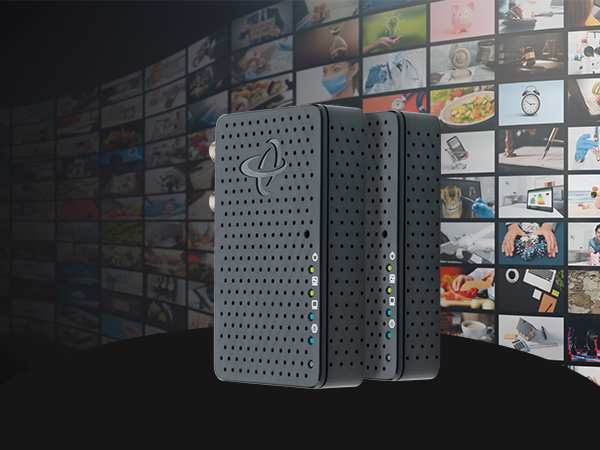
Better Streaming
Enjoy smooth, pristine 4K and HD streaming with no more stutters, or frame freezes.
No Buffering
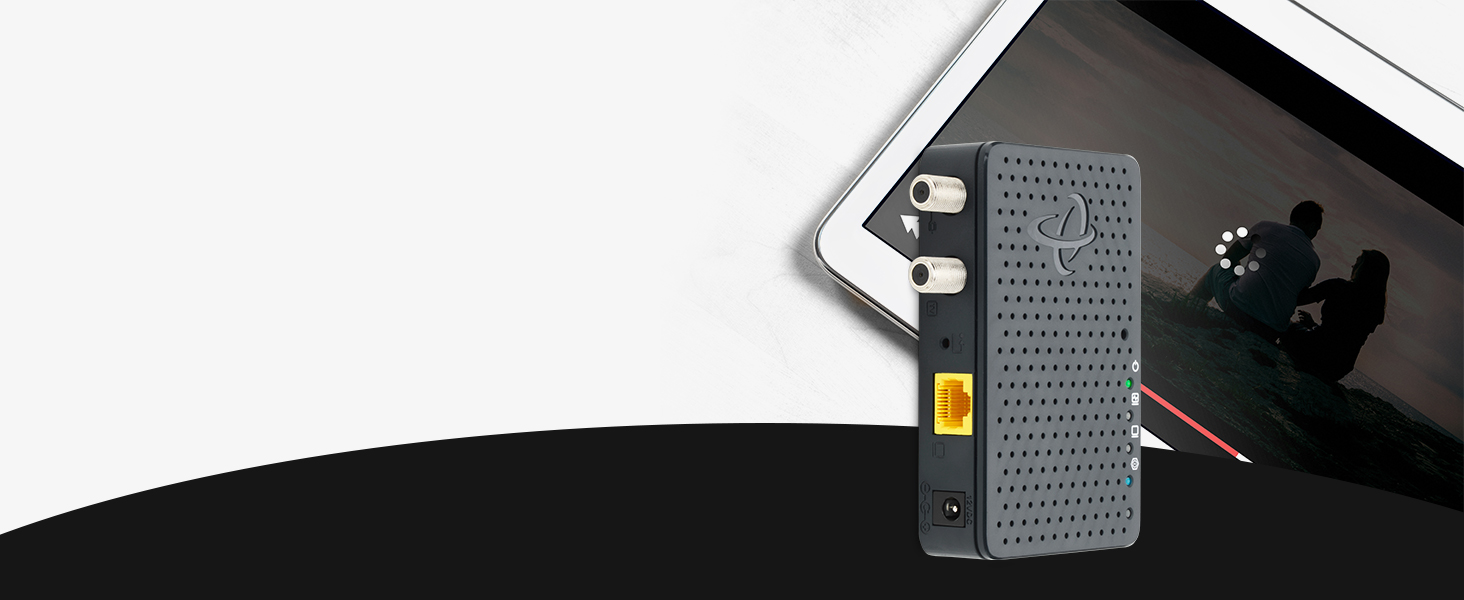
MoCA eliminates video buffering with a fast, stable connection, unlike fluctuating WiFi signals.

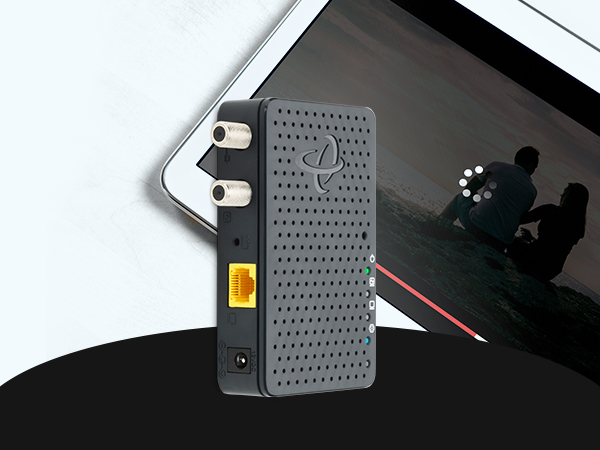
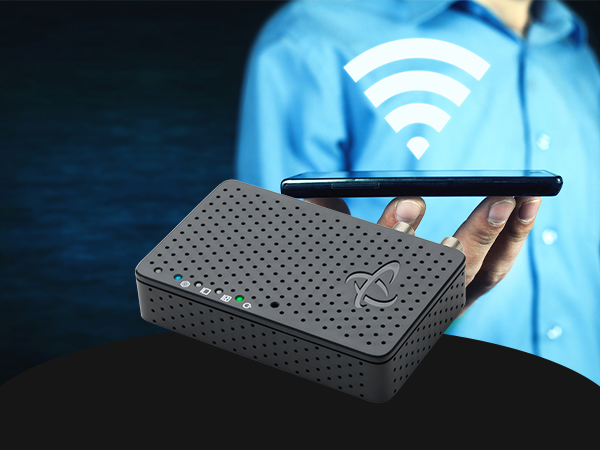
Better WiFi
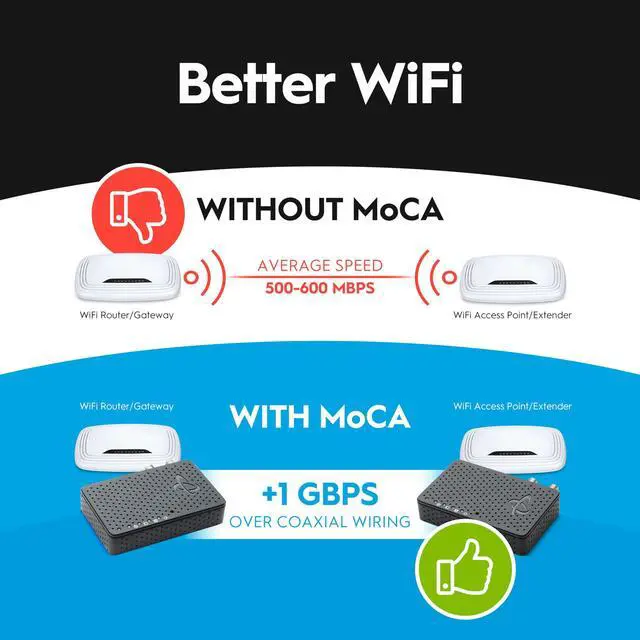
MoCA boosts WiFi by using fast, stable coax connections, improving speed and reducing interference.

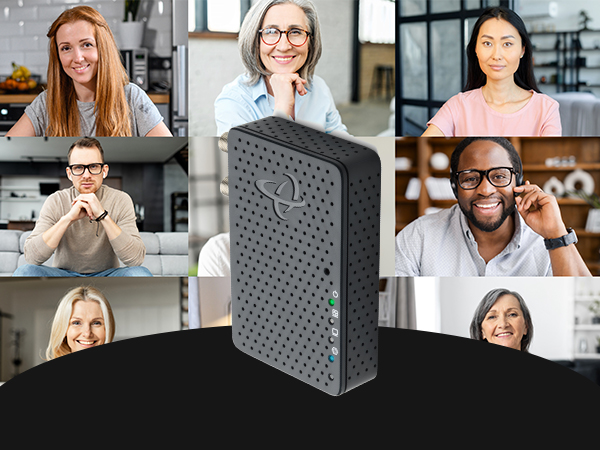
Better Video Conferencing
Faster, more reliable WiFi means smoother streaming and glitch-free meetings.
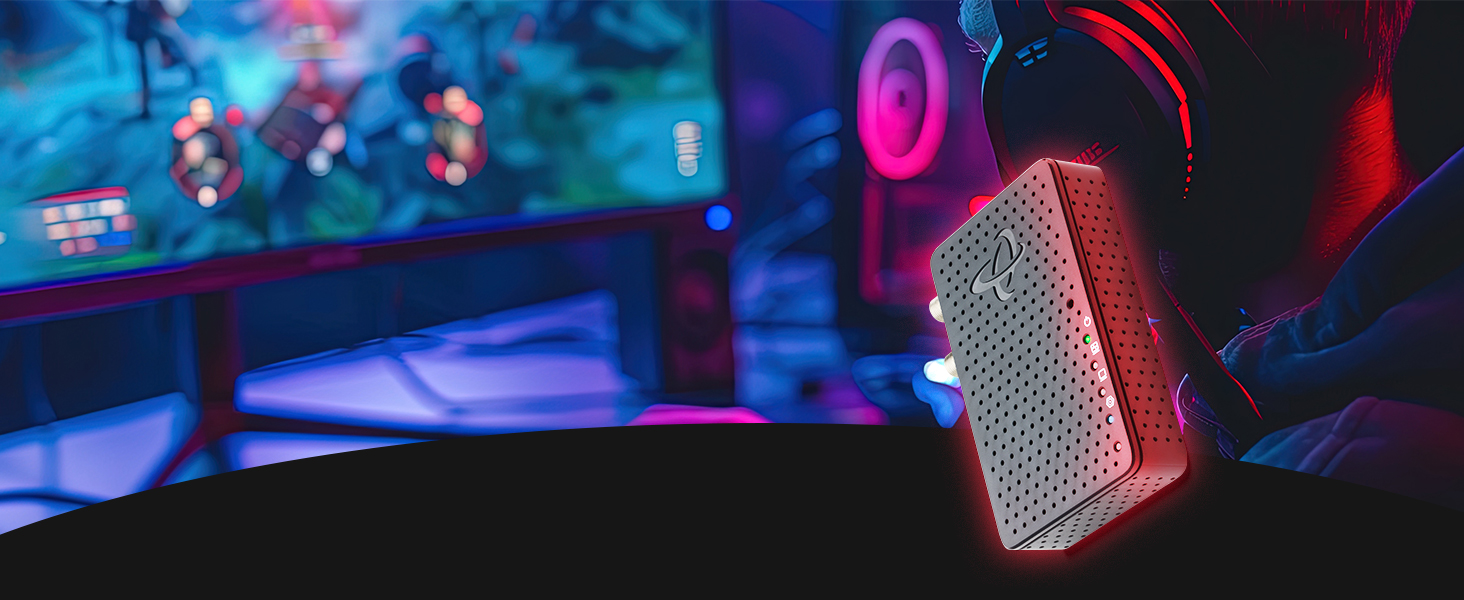
Better Gaming
Instantly reduce lag and latency so you can stay on top of the leaderboard!
MoCA Can Make your WiFi Better!
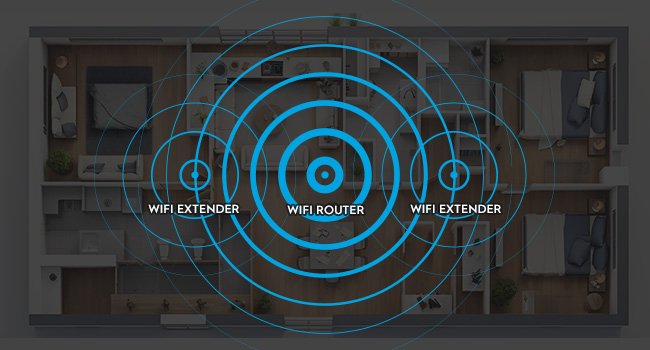
Why Your WiFi Gets Weaker
WiFi signals get weaker the farther they travel. When your device is far from the WiFi router, the signal loses strength, leading to slower speeds and sometimes even lost connections. Also, WiFi can be disturbed by things like walls, other electronic devices, and even other WiFi networks.
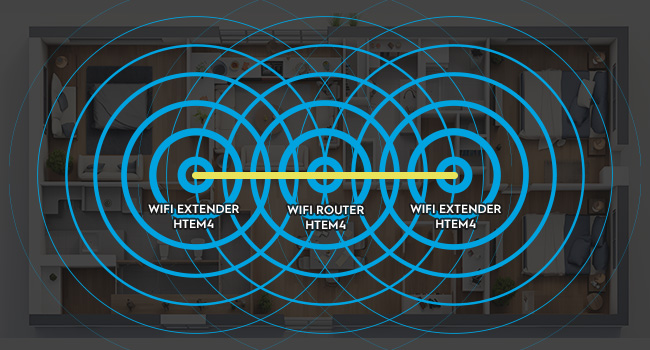
Boost Your WiFi with MoCA
MoCA boosts your WiFi by providing a fast, stable connection between mesh pods. Using existing coaxial cables, MoCA helps the pods communicate quickly and reliably. This high-speed connection means each pod can deliver faster WiFi, giving you better coverage and quicker internet speeds.
Important Notes
- Coax Wiring Check: Ensure 1. Cable TV coax wiring (round cables with screw-on F-connectors), 2. Coax network that connects multiple rooms together, and 3. Active coax outlets in rooms where you need to connect a MoCA adapter
- High-Split Modem Users: If you have a high-split cable modem, install a Point of Entry (POE) filter to separate MoCA and modem signals
- Frequency Compatibility: Splitters must support MoCA frequency band (1125-1675MHz)
- Network Requirements: Minimum 2 MoCA devices needed to establish network connection
- Compatible Internet Services:Cable Internet: Xfinity, Spectrum, Cox, Optimum, Mediacom, WOW, Suddenlink, all cable ISPs Fiber Services: Verizon Fios, Google Fiber, Frontier Fiber and most Fiber-to-home providers (Not AT&T Fiber)
- Additional Requirements: 1. Standard Cable/Fiber: Works out of the box, 2. High Split DOCSIS Cable: Requires POE filter (sold separately), 3. Router: Any router or gateway with available Ethernet port
Optimize Your MoCA Performance with a POE Filter (If Needed)
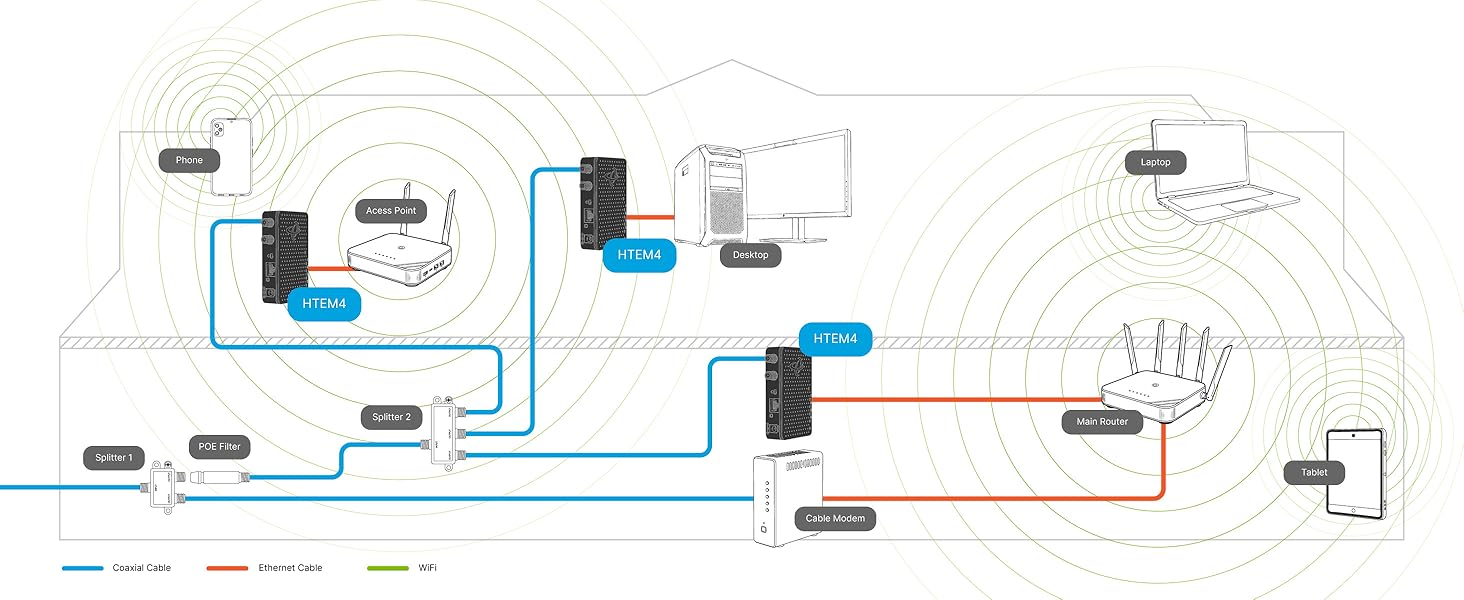
Most homes don’t need extra parts for MoCA. Low- and mid-split cable modems stay below MoCA frequencies. High-split modems overlap with MoCA and may interfere. A POE (Point of Entry) filter can help keep your MoCA signal strong and stable.
Important Notes
- Coax Network Verification: Your home’s coax outlets must be interconnected through a main splitter for MoCA adapters to communicate. To test: connect a cable device to different outlets - if it works in multiple locations, your coax is likely connected. Homes with isolated coax runs or satellite-only wiring may not be compatible. For detailed instructions on how to check if your MoCA adapters are functioning properly, please visit the Hitron's Technical Support website.
- Ethernet Speed Limitation - Choose the Right Model: Each adapter has ONE 1 Gbps (1000 Mbps) Ethernet port. This is the maximum speed per device connection, regardless of your internet plan speed. This model (B08MQG6T61) is perfect for: Internet plans up to 1 Gbps, 4K streaming, online gaming, smart home devices, and typical home networking needs. Need faster speeds? Upgrade to our 2.5 Gbps model (ASIN: B0C47MJT83)
- Ensure that the RF splitter in your home is MoCA compatible. It must support the MoCA frequency band, which ranges from 1125 to 1675 MHz.
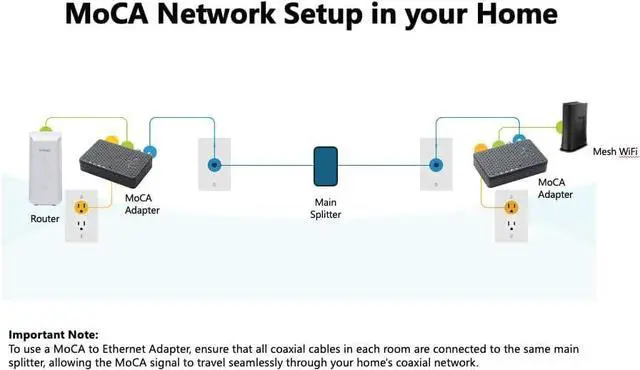
- Many cable operators may bypass the main splitter in your home, connecting the external coaxial cable directly to the modem or router. If this happens, not all coax outlets will be connected to the main splitter, making it difficult to create a MoCA network. To build a MoCA network, ensure that all coaxial cables—both external and internal—are connected through the main splitter.
- Low-split and mid-split cable modems typically operate up to 1002 MHz, which does not overlap the MoCA frequency band.
- High Split Modem Users: If your cable internet modem is a “high split” model (newer DOCSIS 3.1/4.0 modems with extended upstream frequencies), you MUST install a POE (Point of Entry) filter at your cable entry point. This $10-15 filter prevents interference between MoCA and modem signals. Contact your internet provider to confirm if you have a high split modem.
Is the HTEM4 compatible with satellite services?
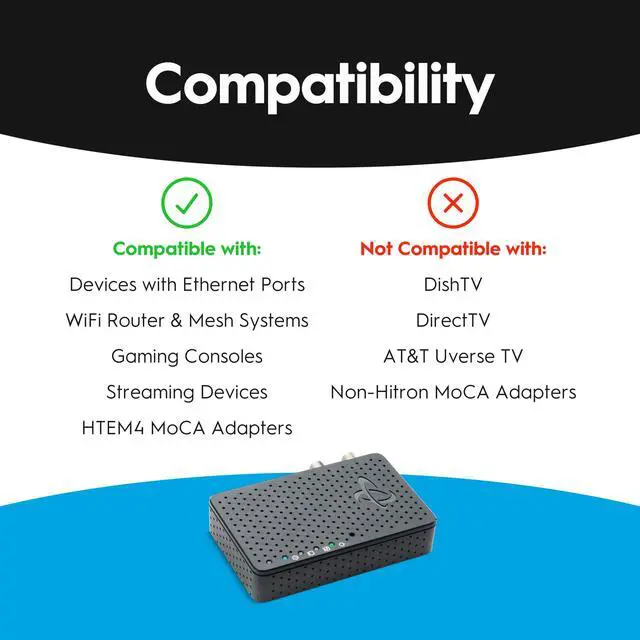
No, the HT-EM4 is compatible with cable services, but not satellite services such as DirectTV or Dish Network.
Can I use HTEM4 MoCA adapters with any Internet Service Provider (ISP)?
Yes, Hitron’s HTEM4 MoCA adapters are compatible with any internet service provider. They work independently of your ISP and can be used to extend your network regardless of the service provider you are using.
Can I use HTEM4 MoCA adapters in an apartment or multi-dwelling units (MDUs)?
Yes, HTEM4 MoCA adapters can be used in apartments or MDUs. However, it’s important to note that the coaxial cable infrastructure in these buildings can be more complex, with multiple units sharing the same coaxial network.
What end-devices are compatible with the HTEM4?
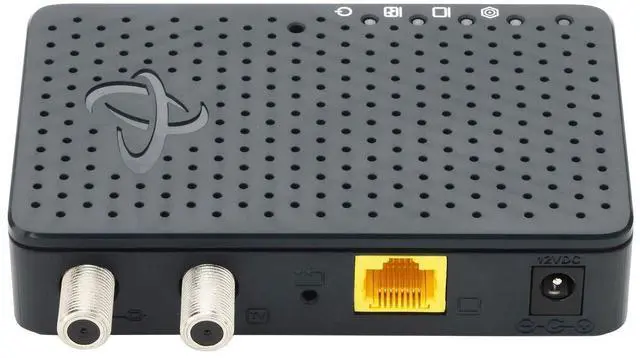
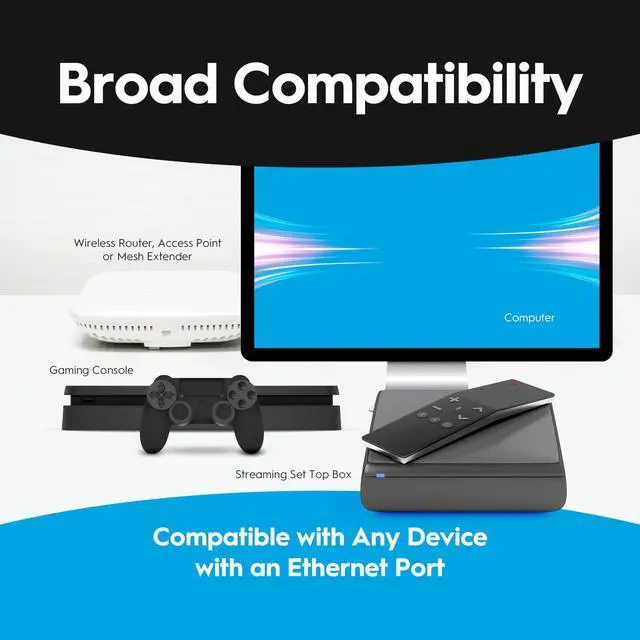
Virtually any device that has an Ethernet port, including Xbox, gaming systems, computers, streaming media devices and more.
Do I need more than one HT-EM4 adapter?
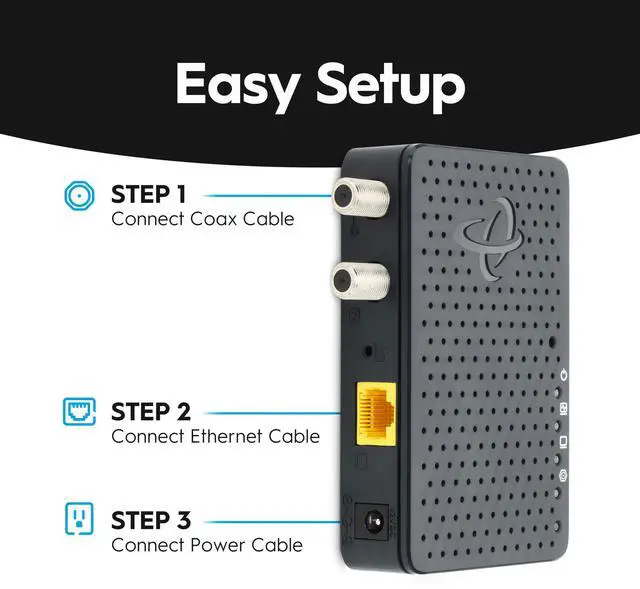
You only need one HT-EM4 if you have a MoCA-capable broadband device. If your router does not support MoCA, you will need two MoCA devices, one for your router and one for the device that you want to connect to, a gaming console for example.
Compare Hitron's Family of MoCA Adapters
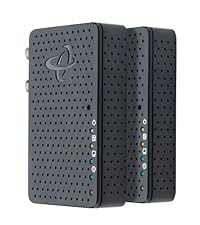 MoCA Adapter (2-Pack) | 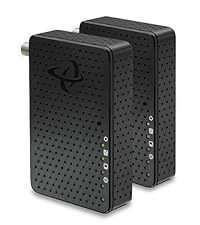 2.5 Gbps MoCA Adapter | 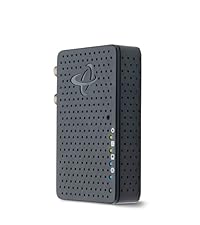 MoCA Adapter (Add-on) | 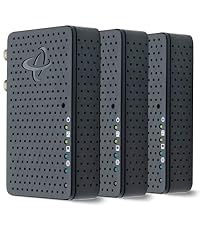 MoCA Adapter (3-Pack) | |
|---|---|---|---|---|
Customer Reviews | — | — | — | — |
Price | — | — | — | — |
Technology | MoCA 2.5 | MoCA 2.5 | MoCA 2.5 | MoCA 2.5 |
2.5 GigE | ? | ? | ? | ? |
Overall Speeds | up to 1 Gbps | up to 2.5 Gbps | up to 1 Gbps | up to 1 Gbps |
Ethernet Speeds | up to 1 Gbps | up to 2.5 Gbps | up to 1 Gbps | up to 1 Gbps |
MoCA Network Speeds | up to 2.5 Gbps | up to 2.5 Gbps | up to 2.5 Gbps | up to 2.5 Gbps |
Type of Kit | Starter Kit | Starter Kit | Add-on | 3-Pack |
Better Streaming
Enjoy smooth, pristine 4K and HD streaming with no more stutters, or frame freezes.
No Buffering
MoCA eliminates video buffering with a fast, stable connection, unlike fluctuating WiFi signals.
Better WiFi
MoCA boosts WiFi by using fast, stable coax connections, improving speed and reducing interference.
Better Video Conferencing
Faster, more reliable WiFi means smoother streaming and glitch-free meetings.
Better Gaming
Instantly reduce lag and latency so you can stay on top of the leaderboard!
MoCA Can Make your WiFi Better!
Why Your WiFi Gets Weaker
WiFi signals get weaker the farther they travel. When your device is far from the WiFi router, the signal loses strength, leading to slower speeds and sometimes even lost connections. Also, WiFi can be disturbed by things like walls, other electronic devices, and even other WiFi networks.
Boost Your WiFi with MoCA
MoCA boosts your WiFi by providing a fast, stable connection between mesh pods. Using existing coaxial cables, MoCA helps the pods communicate quickly and reliably. This high-speed connection means each pod can deliver faster WiFi, giving you better coverage and quicker internet speeds.
Important Notes
- Coax Wiring Check: Ensure 1. Cable TV coax wiring (round cables with screw-on F-connectors), 2. Coax network that connects multiple rooms together, and 3. Active coax outlets in rooms where you need to connect a MoCA adapter
- High-Split Modem Users: If you have a high-split cable modem, install a Point of Entry (POE) filter to separate MoCA and modem signals
- Frequency Compatibility: Splitters must support MoCA frequency band (1125-1675MHz)
- Network Requirements: Minimum 2 MoCA devices needed to establish network connection
- Compatible Internet Services:Cable Internet: Xfinity, Spectrum, Cox, Optimum, Mediacom, WOW, Suddenlink, all cable ISPs Fiber Services: Verizon Fios, Google Fiber, Frontier Fiber and most Fiber-to-home providers (Not AT&T Fiber)
- Additional Requirements: 1. Standard Cable/Fiber: Works out of the box, 2. High Split DOCSIS Cable: Requires POE filter (sold separately), 3. Router: Any router or gateway with available Ethernet port
Optimize Your MoCA Performance with a POE Filter (If Needed)
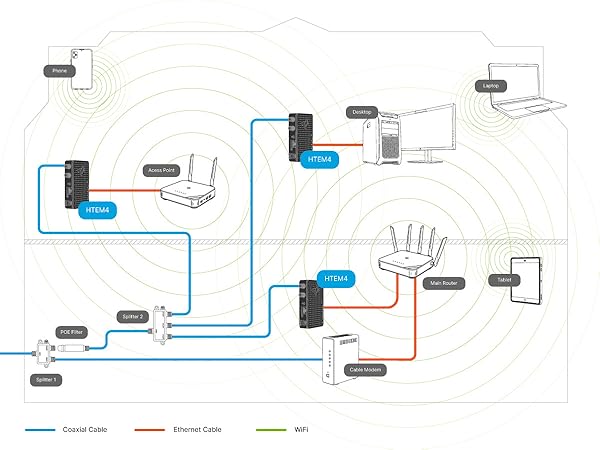
Most homes don’t need extra parts for MoCA. Low- and mid-split cable modems stay below MoCA frequencies. High-split modems overlap with MoCA and may interfere. A POE (Point of Entry) filter can help keep your MoCA signal strong and stable.
Important Notes
- Coax Network Verification: Your home’s coax outlets must be interconnected through a main splitter for MoCA adapters to communicate. To test: connect a cable device to different outlets - if it works in multiple locations, your coax is likely connected. Homes with isolated coax runs or satellite-only wiring may not be compatible. For detailed instructions on how to check if your MoCA adapters are functioning properly, please visit the Hitron's Technical Support website.
- Ethernet Speed Limitation - Choose the Right Model: Each adapter has ONE 1 Gbps (1000 Mbps) Ethernet port. This is the maximum speed per device connection, regardless of your internet plan speed. This model (B08MQG6T61) is perfect for: Internet plans up to 1 Gbps, 4K streaming, online gaming, smart home devices, and typical home networking needs. Need faster speeds? Upgrade to our 2.5 Gbps model (ASIN: B0C47MJT83)
- Ensure that the RF splitter in your home is MoCA compatible. It must support the MoCA frequency band, which ranges from 1125 to 1675 MHz.
- Many cable operators may bypass the main splitter in your home, connecting the external coaxial cable directly to the modem or router. If this happens, not all coax outlets will be connected to the main splitter, making it difficult to create a MoCA network. To build a MoCA network, ensure that all coaxial cables—both external and internal—are connected through the main splitter.
- Low-split and mid-split cable modems typically operate up to 1002 MHz, which does not overlap the MoCA frequency band.
- High Split Modem Users: If your cable internet modem is a “high split” model (newer DOCSIS 3.1/4.0 modems with extended upstream frequencies), you MUST install a POE (Point of Entry) filter at your cable entry point. This $10-15 filter prevents interference between MoCA and modem signals. Contact your internet provider to confirm if you have a high split modem.
Is the HTEM4 compatible with satellite services?
No, the HT-EM4 is compatible with cable services, but not satellite services such as DirectTV or Dish Network.
Can I use HTEM4 MoCA adapters with any Internet Service Provider (ISP)?
Yes, Hitron’s HTEM4 MoCA adapters are compatible with any internet service provider. They work independently of your ISP and can be used to extend your network regardless of the service provider you are using.
Can I use HTEM4 MoCA adapters in an apartment or multi-dwelling units (MDUs)?
Yes, HTEM4 MoCA adapters can be used in apartments or MDUs. However, it’s important to note that the coaxial cable infrastructure in these buildings can be more complex, with multiple units sharing the same coaxial network.
What end-devices are compatible with the HTEM4?
Virtually any device that has an Ethernet port, including Xbox, gaming systems, computers, streaming media devices and more.
Do I need more than one HT-EM4 adapter?
You only need one HT-EM4 if you have a MoCA-capable broadband device. If your router does not support MoCA, you will need two MoCA devices, one for your router and one for the device that you want to connect to, a gaming console for example.
Compare Hitron's Family of MoCA Adapters
MoCA Adapter (2-Pack) | 2.5 Gbps MoCA Adapter | MoCA Adapter (Add-on) | MoCA Adapter (3-Pack) |
|---|---|---|---|
| Customer Reviews | |||
| — | — | — | — |
| Price | |||
| — | — | — | — |
| Technology | |||
| MoCA 2.5 | MoCA 2.5 | MoCA 2.5 | MoCA 2.5 |
| 2.5 GigE | |||
| ? | ? | ? | ? |
| Overall Speeds | |||
| up to 1 Gbps | up to 2.5 Gbps | up to 1 Gbps | up to 1 Gbps |
| Ethernet Speeds | |||
| up to 1 Gbps | up to 2.5 Gbps | up to 1 Gbps | up to 1 Gbps |
| MoCA Network Speeds | |||
| up to 2.5 Gbps | up to 2.5 Gbps | up to 2.5 Gbps | up to 2.5 Gbps |
| Type of Kit | |||
| Starter Kit | Starter Kit | Add-on | 3-Pack |