

Your Browsing History
- Free 30-day Returns
$62.99


Meet Your Seller

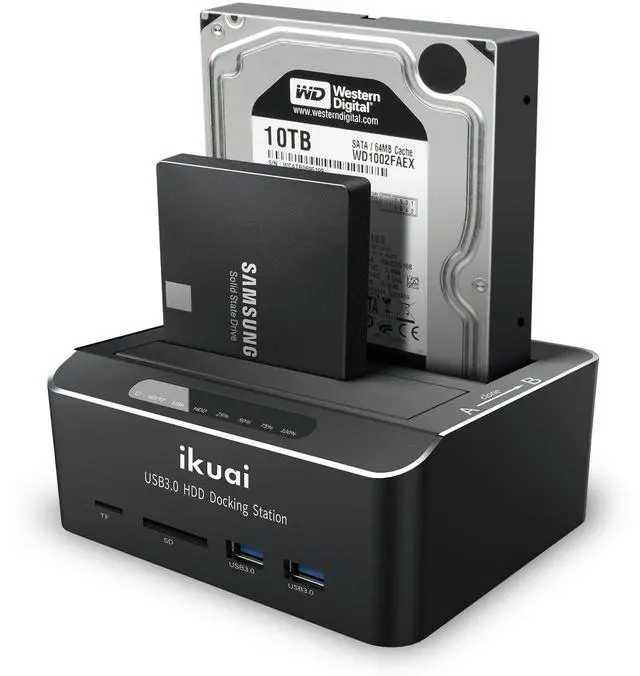


SATA to USB 3.0 Dual Bay Hard Drive Dock for 2.5"/3.5" SATA HDD SSD with Micro SD Card Reader 2 USB 3.0 Port, Offline Clone Function External Hard Drive Docking Station, 2X20TB and UASP Support
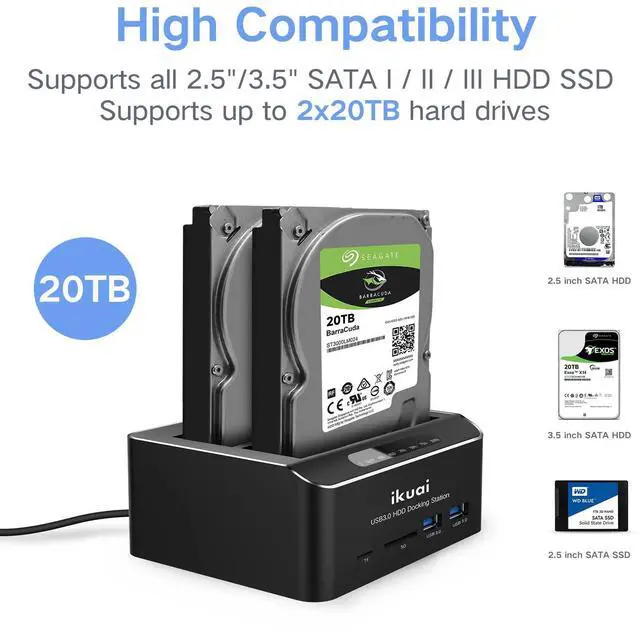
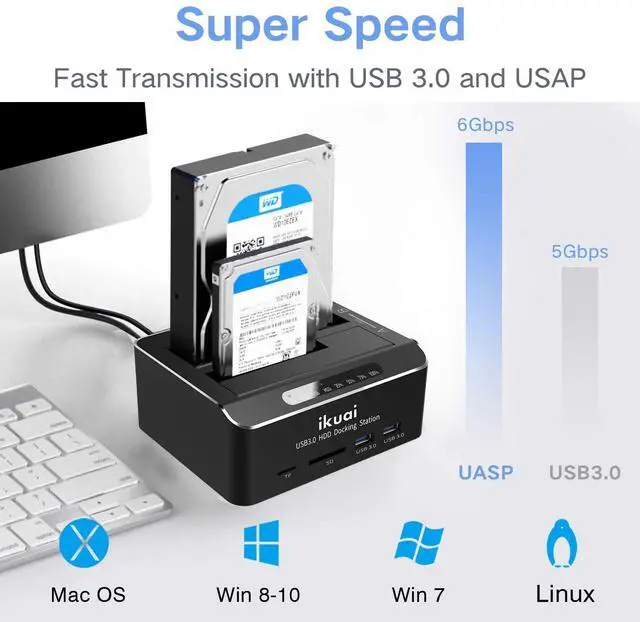
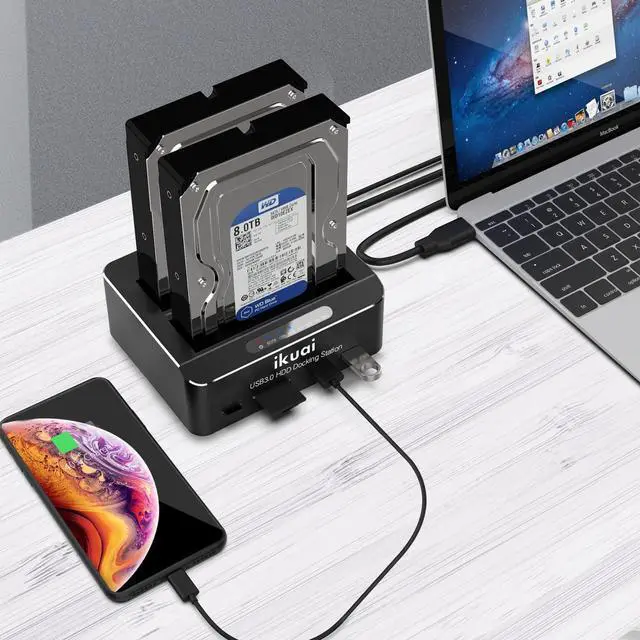
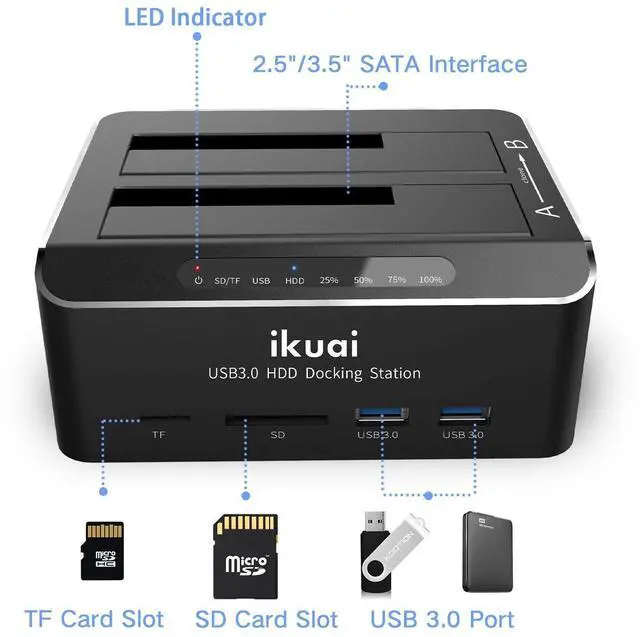
- Dual Bay Docking Station with Extra USB 3.0 ports and Card Readers: Supports Standard 2.5"/3.5" Desktop SATA Hard Drives or SSD up to 20TB, USB 3.0 data speed (up to 6Gbps with UASP), plug and play, no drivers needed
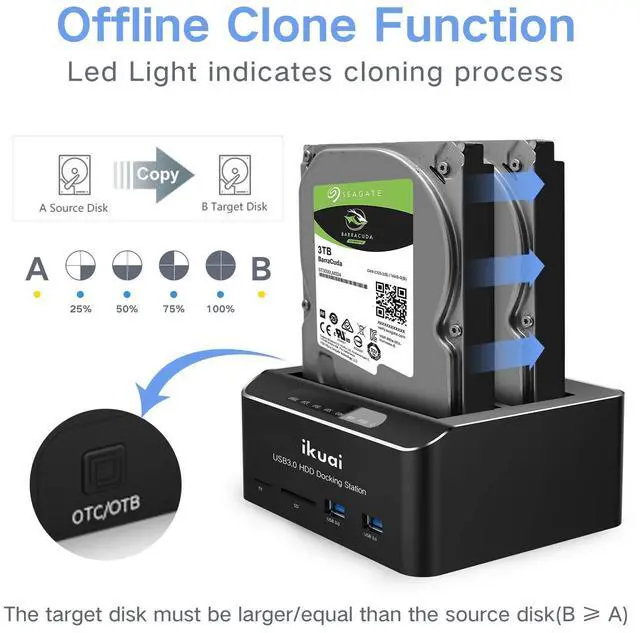
- Offline Clone Function: Performs offline cloning without connecting to any computer. The offline cloning can only be done from A drive (the source disk) to B drive (the target disk), make sure the memory capacity of B drive is larger/equal than A drive
- Automatic Sleep Mode: Auto-Sleep Function: Automatically enters sleep mode after 10 minutes of data inactivity, to better save power and reduce drive wear
- Stable & Reliable DC Power Source: High efficiency UL Listed DC 12V/3A external power supply to ensure stable data transmission experience
- Broad Compatibility: Compatible with Windows 2003 / XP / Vista / Win 7 / Win 8 / Win 10, Mac OS, Linux 9 and above, PS4 , PS4 Pro, Xbox 360, Xbox one, backward compatible with USB 2.0 connections
+
+
Overview
Specs
Reviews

Any questions? Our AI mode will help you find out quickly.
Try me now
Multi-function Docking Station
4-in-1 function, including storage, clone, USB hub, and Card reader
USB 3.0 Superspeed
This USB 3.0 hard drive docking station supports UASP protocol. The transmission rate up to 6Gbps.( Please confirm whether your computer supports the UASP Protocol or not first.)
Support 16TB hard drive for 2.5" & 3.5" SATA HDD / SSD.
Supported OS: Win 10/8/7, VISTA, XP, Mac OS, Linux 9 or above
Auto-Sleep Function
Entering sleep mode automatically after 10 minutes of inactivity conserves power and prevents overheating.
Offline Clone Function:
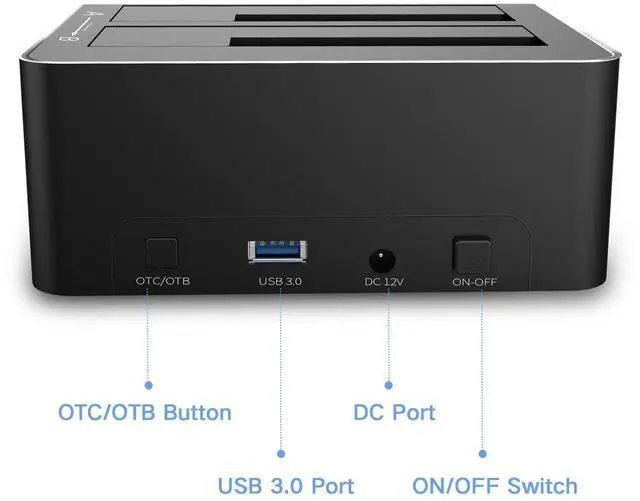
-Ensure the Power Switch on the rear is in the OFF Position and plugged in properly.
-Insert Both hard drives and identify Source Disk and Target Disk (Make sure the memory capacity of B drive is larger/equal than A drive )
- Make sure that the USB cable is disconnected from any computer during the cloning.
- Press the "Clone" button for 3 seconds until the LED starts to flash and the cloning process begins.
-Progress indicator with LED: 25% - 50% - 75%-100%. When offline clone operation is fully completed, all LEDs will constant on.
Note:
-The offline clone function cannot be processed if there are bad sectors or tracks on the hard disk.
- Do not try to remove your HDD or SSD device while it is active. Please power off the docking station before removing.
-Please backup files in the target hard drive before cloning. Any files in the target hard drive will be overwritten when offline cloning occurs.
- If you are mounting a drive which larger than 2TB, please initialize with Partition Style GPT.
- If you are using desktop computers, then the USB3.0 cable needs to be plugged in the rear port of the computer.
Package Includes:
1 x Dual Bay SATA Hard Drive Docking Station(RSW-DS02)
1 x 12V/3A DC Power Adapter
1 x USB A to A Cable
1 x manual
Warranty & Returns
Warranty, Returns, And Additional Information
Warranty
- Please contact the Seller directly for warranty information. Warranty information may also be found on the Manufacturer's website.
- CONTACT
Return Policies
- Return for refund within: 30 days
- Return for replacement within: 30 days
- This item is covered by Bisi Global Purchase Return Policy
Manufacturer Contact Info
- For a directory of all our manufacturers, please click below.
- Manufacturers Directory
LOADING...