

Your Browsing History
- Free 30-day Returns
$16.99

Meet Your Seller

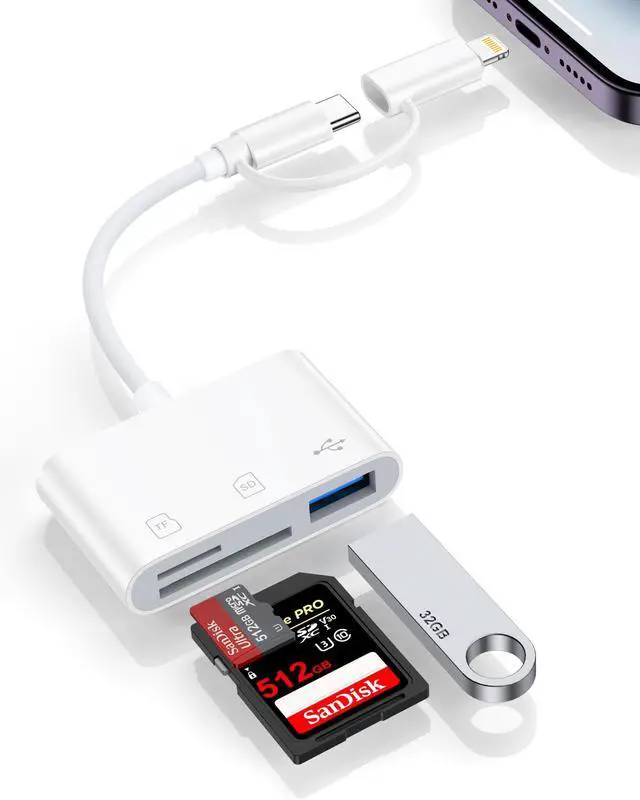


SD Card Reader for iPhone, iPad, Android, USB C & Lightning Dual Connector Memory Card Reader, Card Reader with SD/Micro SD/USB-A 3 Slots, Digital Camera Adapter No Application Required, Plug and Play
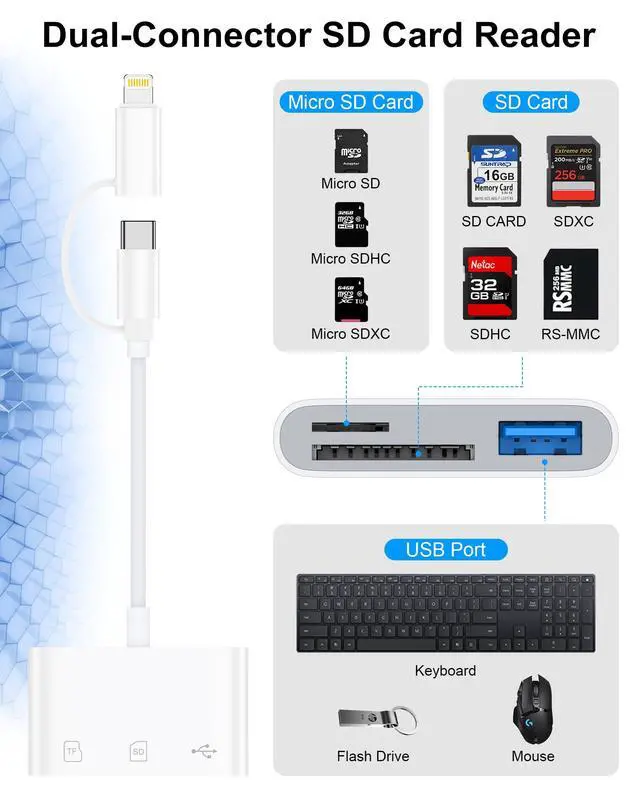
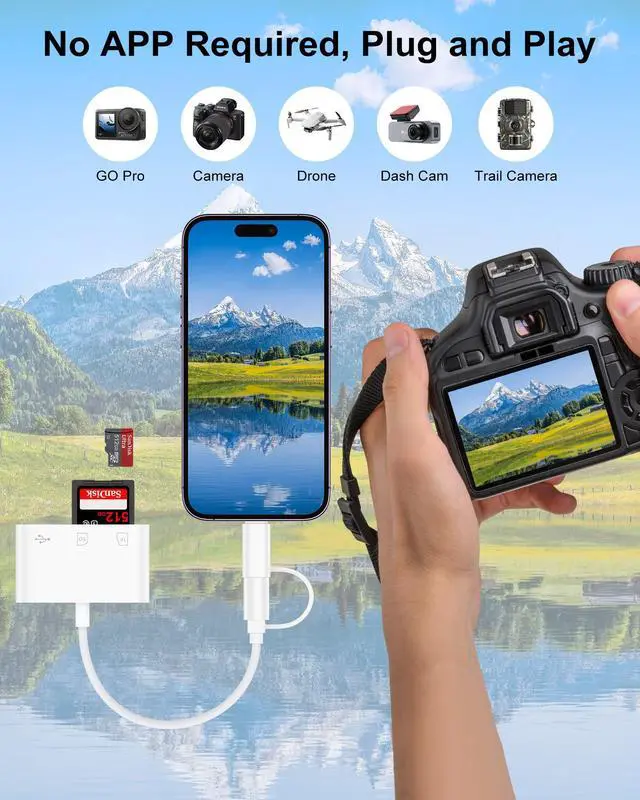
- 3-IN-1 SD/TF/USB-A SlotsThis Memory Card Reader for iphone supports SD Card and Micro SD(TF) card and USB. The SD slot supports SD, SDHC, SDXC cards and the Micro SD slot is compatible with Micro SD, Micro SDHC, Micro SDXC cards. USB A slot works with USB flash drive, keyboard, mouse, digital cameras, USB headphones, electric guitar, etc. Note: SD and Micro SD cards cannot be read simultaneously, but SD/TF card and USB peripheral can be recognized at the same time.
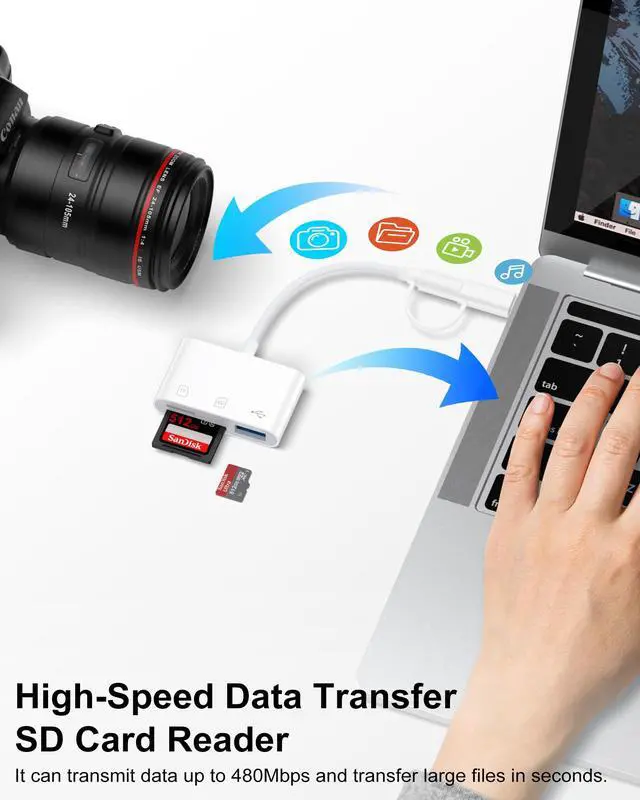
- High-Speed Data TransferThe usbc sd card reader data transfer speed up to 480Mbps, it supports SD/TF card data reading up to 2TB. It enables fast transfer standard photo formats, including JPEG, PNG, GIF, M, MG, as well as SD and HD video formats, including H.264 and MPRG-4. Allow you to quickly transfer photos & videos to your device in seconds, and sharing images/videos to social media anywhere.
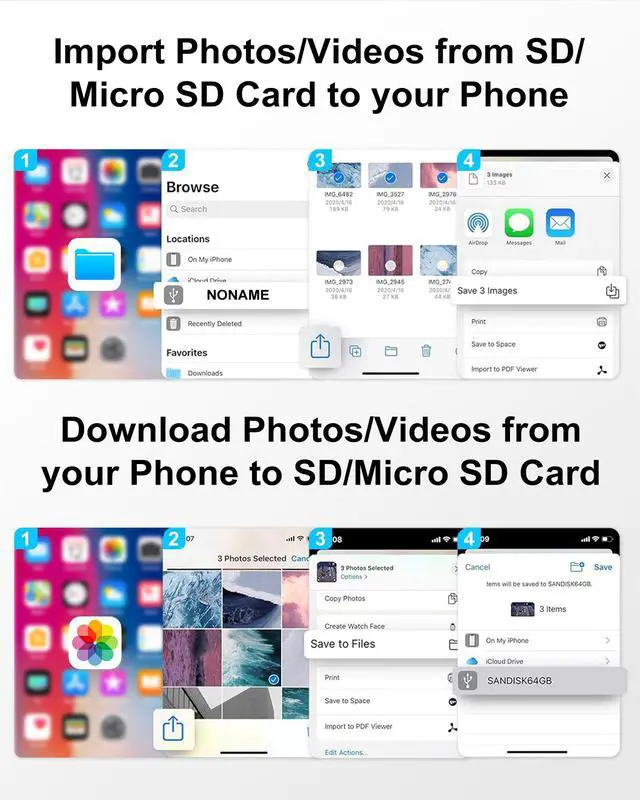
- Two-way TransferOur sd card reader for iphone 14 compatible with iOS devices running iOS 13 and later. It supports two-way transferimport data from SD/TF card and USB disk to iPhone/iPad/Android or export files from iPhone/iPad/Android to SD/MicroSD card and USB disk. Import or export a variety of file easily, including music, videos, photos and documents(Word, PowerPoint, Excel, PDF). (Note: For iOS 12.5.7 and below, the camera adapter can only import videos and photos.)
+
+
Overview
Specs
Reviews

Any questions? Our AI mode will help you find out quickly.
Try me now
Making Data Transmission so easy - SD Card Reader for iPhone
Specifications
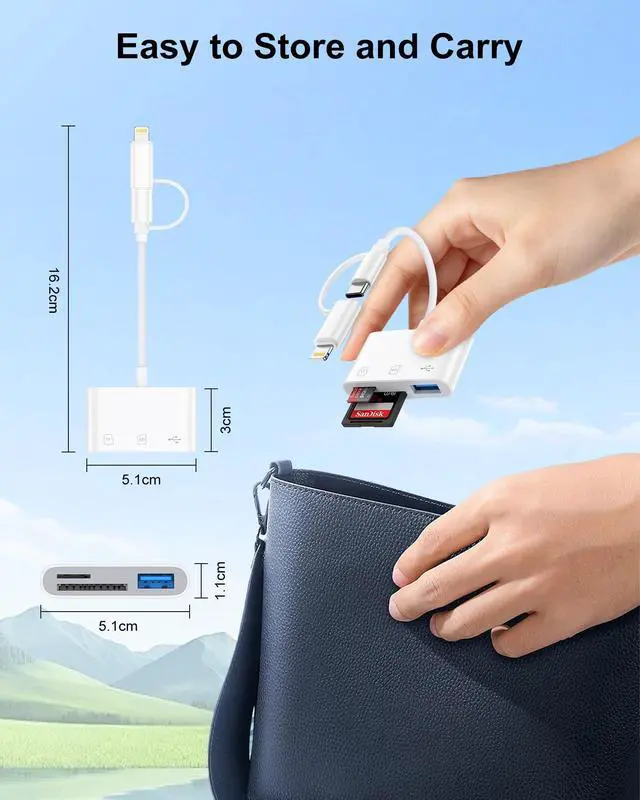
Port: Type-C/Lightning
Slots: SD/MicroSD/USB A
Maximum support capacity: 2TB
High-Speed Data Transfer: 480Mbps
Compatibility
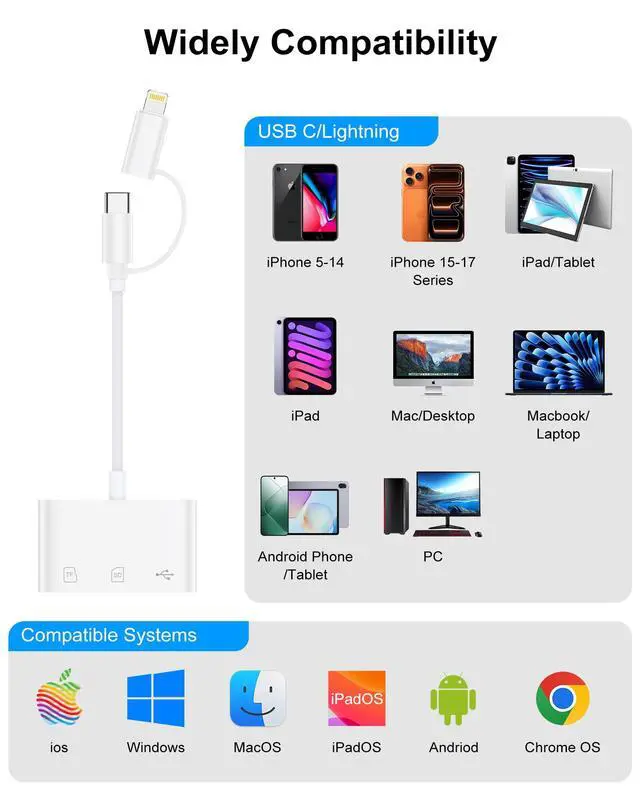
Type C and Lightning Dual Connector
Lightning Port
---iPhone 8 Plus / 8 / 7 Plus / 7 / 6s Plus / 6s / 6 Plus / 6 / 5s / 5 / XS Max / XS / XR / X
---iPhone 14 Pro Max / 14 Pro / 14 Plus / 14 / 13 Pro Max / 13 Pro / 13 mini / 13 / 12 Pro Max / 12 Pro / 12 mini / 12 / 11 Pro Max / 11 Pro / 11
---iPad (4th to 9th generation)
---iPad mini (1st to 5th generation)
---iPad Air (1st to 3rd generation)
---iPad Pro 9.7-inch, 10.5-inch, 12.9-inch (1st and 2nd generation)
USB C Port
---iPhone 17e / 17 Pro Max / 17 Pro / 17 Air / 17 / 16e / 16 Pro Max / 16 Pro / 16 Plus / 16 / 15 Pro Max / 15 Pro / 15 Plus / 15
---Samsung Galaxy S26 / S26+ / S26 Ultra / S25 / S25+ / S25 Ultra / S24 FE / S24 Ultra / S24+ / S24 / S23 FE / S23 Ultra / S23+ / S23 / S22 Ultra / S22+ / S22 / S21 FE / S21 Ultra / S21+ / S21
---Samsung Galaxy Note 20 Ultra / Note 20 / Note 10 / Note 10 / Note 9 / Note 8
---Google Pixel 10a / 10 Pro XL / 10 Pro / 10 / 9a / 9 Pro XL / 9 Pro / 9 / 8a / 8 Pro / 8 / 7a / 7 Pro / 7
--MacBook Air 13/15 (M4 2025 / M3 2024 / M2 2022 / M1 2020)
--MacBook Pro 14/16 (M4 Pro/Max 2025 / M3 Pro/Max 2023)
How to use the memory sd card reader?
Step1: Insert your SD/TF card into the card reader
Step2: Connect the reader to your device
Step3: On iPhone/iPad, open the Files or Photos app to view and transfer files
On Android/Windows/Mac, use your default file browser to access the card
Step4: When finished, eject the card reader from your device first to prevent data loss, then unplug it and remove the memory card
Warranty & Returns
Warranty, Returns, And Additional Information
Warranty
- Please contact the Seller directly for warranty information. Warranty information may also be found on the Manufacturer's website.
- CONTACT
Return Policies
- Return for refund within: 30 days
- Return for replacement within: 30 days
- This item is covered by Virtue & Thrive Store Return Policy
Manufacturer Contact Info
- For a directory of all our manufacturers, please click below.
- Manufacturers Directory
LOADING...