








aplus content video
I got this clock but it doesn't work/it doesn't show the time
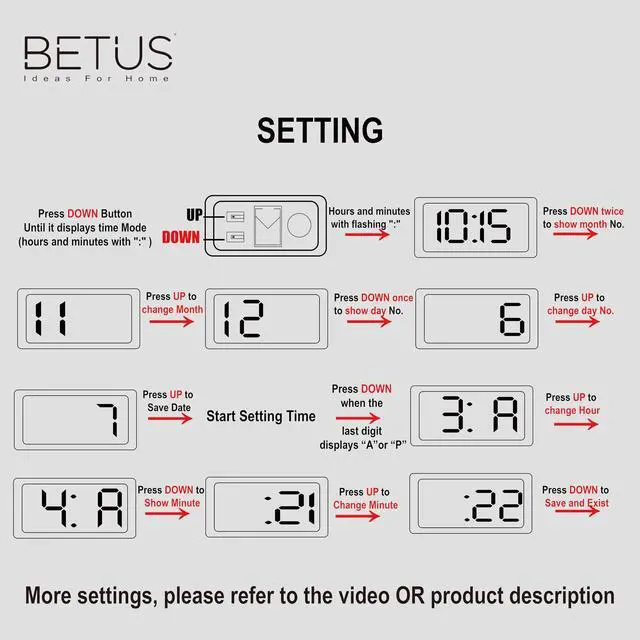
1.If the screen keeps flashing or only displays incomplete numbers, press the DOWN until enter time mode.
2.If the right side displays a ticking number of seconds, press UP to exit and enter time mode.
[time mode:hours and minutes with ":" flashing]
I set the time but I can't set the date
In time mode,press DOWN twice and left side will display Month,then press UP to set.Press DOWN once,the right side will display Day,press UP to set.Finish Day setting,press DOWN until enter time mode.
[time mode:hours and minutes with ":" flashing]
How to open the back cover and find the buttons
Find the LED screen, hold the screen, and push up

If you want to set the specific parameter:
- Please press DOWN serval times until it displays “Hour & Minute”.
- Set your desired parameter:
- Month:Press down twice to show Month, then press up to set.
- Day: Press down 3 times to show Day, then press up to set.
- Hour: Press down 4 times to show Hour, then press up to set.
- Minute: Press down 5 times to show Minute, then press up to set.
3. You can restart the process by pressing down until it displays hour and minute.
More features:
Under the normal time mode:
- Press UP once to show "month" and "day"
- Press UP twice to use the 60-second stopwatch, press “DOWN” to reset to zero. Press UP to exist.

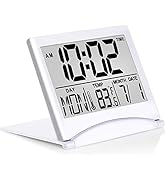
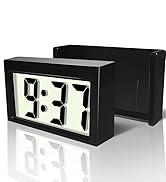


High-Quality Products
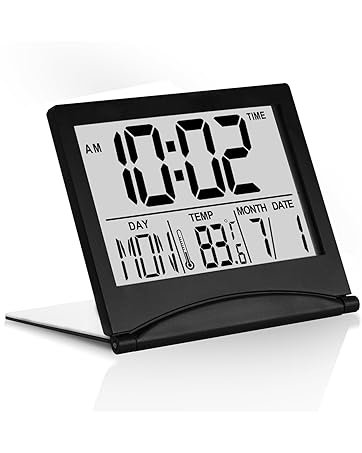
More New Products
How did we get our start?
BETUS is an ideal online destination for the home décor. We choose trusted artisans and manufacturers who share our passion for offering well-designed goods to refresh your home.
What makes our products unique?
We discover creative and useful items for life from around the world and make décor items accessible to everyone, on every budget.
Why do we love what we do?
We are proud to delight our customers every step of the way by providing thoughtful expertise, high-quality products, great value and exceptional service.

aplus content video
I got this clock but it doesn't work/it doesn't show the time
1.If the screen keeps flashing or only displays incomplete numbers, press the DOWN until enter time mode.
2.If the right side displays a ticking number of seconds, press UP to exit and enter time mode.
[time mode:hours and minutes with ":" flashing]
I set the time but I can't set the date
In time mode,press DOWN twice and left side will display Month,then press UP to set.Press DOWN once,the right side will display Day,press UP to set.Finish Day setting,press DOWN until enter time mode.
[time mode:hours and minutes with ":" flashing]
How to open the back cover and find the buttons
Find the LED screen, hold the screen, and push up

If you want to set the specific parameter:
- Please press DOWN serval times until it displays “Hour & Minute”.
- Set your desired parameter:
- Month:Press down twice to show Month, then press up to set.
- Day: Press down 3 times to show Day, then press up to set.
- Hour: Press down 4 times to show Hour, then press up to set.
- Minute: Press down 5 times to show Minute, then press up to set.
3. You can restart the process by pressing down until it displays hour and minute.
More features:
Under the normal time mode:
- Press UP once to show "month" and "day"
- Press UP twice to use the 60-second stopwatch, press “DOWN” to reset to zero. Press UP to exist.
High-Quality Products
More New Products
How did we get our start?
BETUS is an ideal online destination for the home décor. We choose trusted artisans and manufacturers who share our passion for offering well-designed goods to refresh your home.
What makes our products unique?
We discover creative and useful items for life from around the world and make décor items accessible to everyone, on every budget.
Why do we love what we do?
We are proud to delight our customers every step of the way by providing thoughtful expertise, high-quality products, great value and exceptional service.