

Your Browsing History
- Free 30-day Returns
$11.99

Meet Your Seller


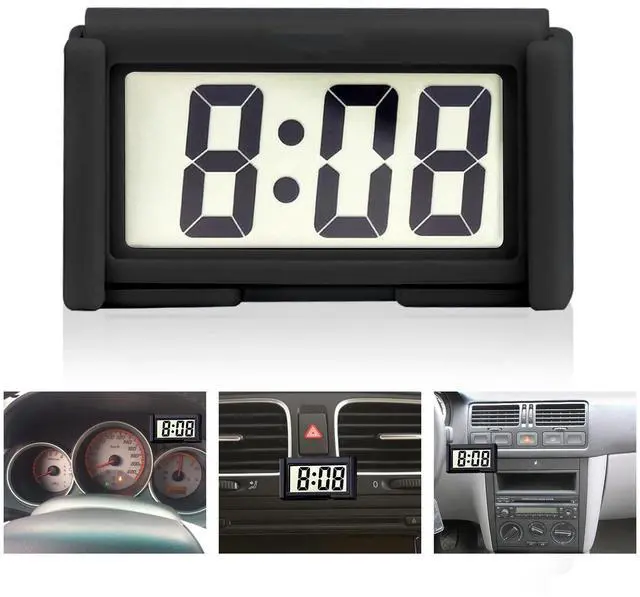
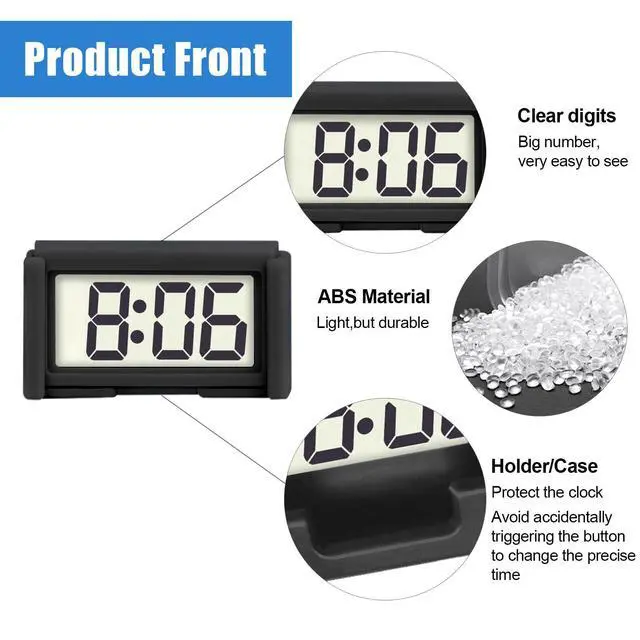
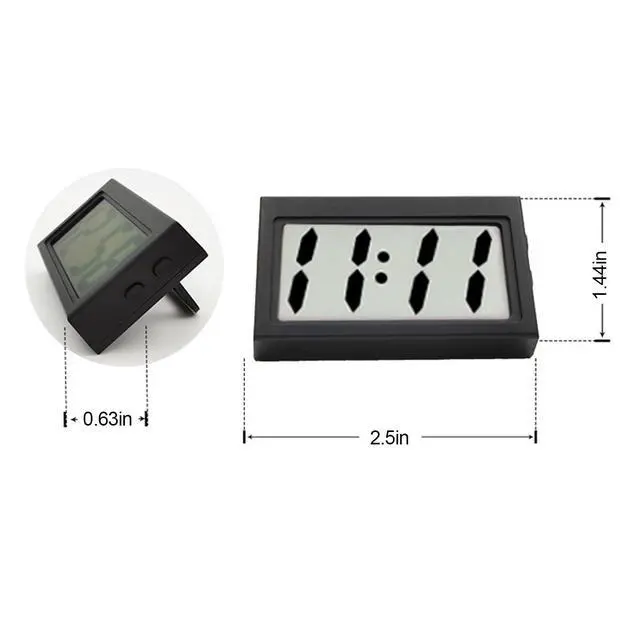


Car Dashboard Digital Clock - with Jumbo LCD Time & Day Display - Mini Automotive Stick On Watch for Car Truck Dashboard & Air Vent (Black)
- This digital clock features a large digital LCD display for easy reading
- A mini clock can display time and date. Time display hours and minutes
- This small digital clock is exquisitely designed and durable, with a 12 hour system
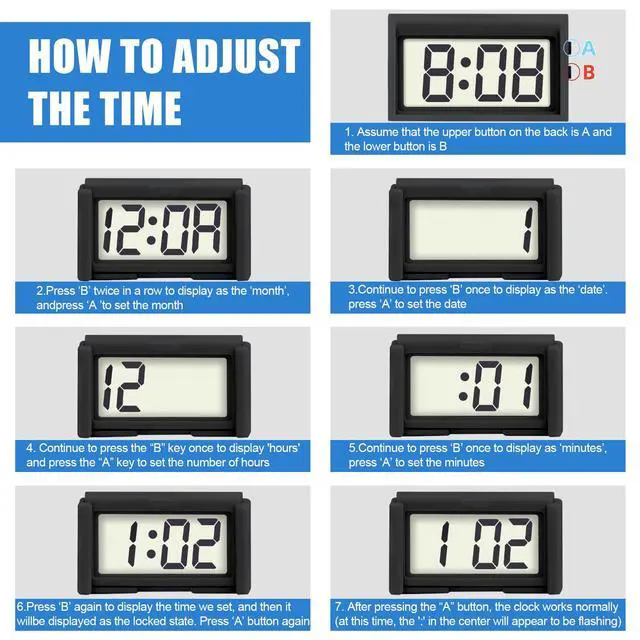
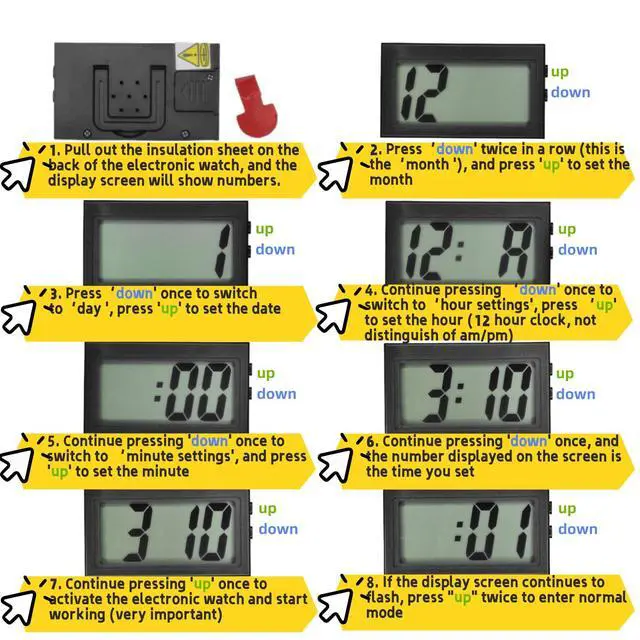
- Press the two keys on the back of the clock to set the time and date. Please refer to the specific steps in the description or product images
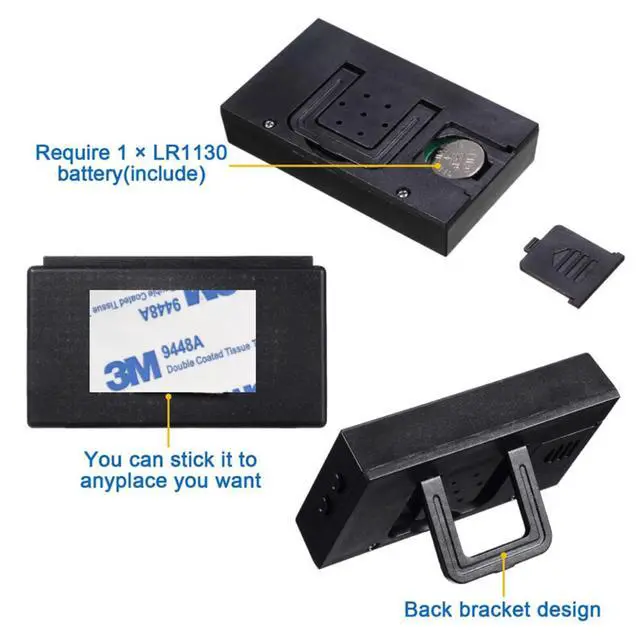
- It has an installation bracket, which you can place on the desktop or use the included double-sided tape to stick it where you want to use it
+
+
Overview
Specs
Reviews

Any questions? Our AI mode will help you find out quickly.
Try me now
Time Setting:
1.Press DOWN until it displays Hour & Minute.
2.Press DOWN twice to show the month, then press UP to set. Press DOWN once to show day, then press UP to set.
3.Press DOWN when the clock displays A/P, then press UP to set hour. Press DOWN once to show minute, press UP to set, then press DOWN to finish this step.
If you want to set the specific parameter:
1.Please press DOWN serval times until it displays Hour & Minute.
2.Set your desired parameter:
MonthPress down twice to show Month, then press up to set.
Day: Press down 3 times to show Day, then press up to set.
Hour: Press down 4 times to show Hour, then press up to set.
Minute: Press down 5 times to show Minute, then press up to set.
3. You can restart the process by pressing down until it displays hour and minute.
More features:
1.Press UP once to show ""month"" and ""day""
2.Press UP twice to use the 60-second stopwatch, press DOWN to reset to zero. Press UP to exist.
Warranty & Returns
Warranty, Returns, And Additional Information
Warranty
- Please contact the Seller directly for warranty information. Warranty information may also be found on the Manufacturer's website.
- CONTACT
Return Policies
- Return for refund within: 30 days
- Return for replacement within: 30 days
- This item is covered by Virtue & Thrive Store Return Policy
Manufacturer Contact Info
- For a directory of all our manufacturers, please click below.
- Manufacturers Directory
LOADING...