




 here!
here!
I’m your shopping assistant for PC builds, upgrades, and everything tech.
Got questions? Ask away!
Start a conversation
here!
I’m your shopping assistant for PC builds, upgrades, and everything tech.
Got questions? Ask away!
Start a conversation



Any questions? Ask CelesteSM will help you find out quickly.
 QIACHIP 2.4G Smart Remote Control Light Socket E26 E27 Bulb Socket Adapter, e... |  QIACHIP Ewelink 2.4G Wireless Remote Control Light Socket E26 E27 Bulb Socket... |  QIACHIP Wi-Fi Smart 2.4G Remote Control Light Socket E26 E27 Bulb Socket Adap... |  QIACHIP Wi-Fi Smart 2.4G Remote Control Light Socket E26 E27 Bulb Socket Adap... |  QIACHIP Remote Control Light Socket E26 E27 Bulb Socket Adapter, ZigBee Smart... |  QIACHIP Remote Control Light Socket E26 E27 Bulb Socket Adapter, ZigBee Smart... | |
|---|---|---|---|---|---|---|
| Customer Reviews | — | — | — | — | — | — |
| Price | — | — | — | — | — | — |
| Style | 1 Bluetooth Socket + 1 Transmitter | 2 Bluetooth Sockets + 1 Switch | 1 WiFi Socket + 1 Transmitter | 4 WiFi Sockets + 1 Transmitter | 1 Zigbee Socket + 1 Transmitter | 2 Zigbee Sockets + 1 Switch |
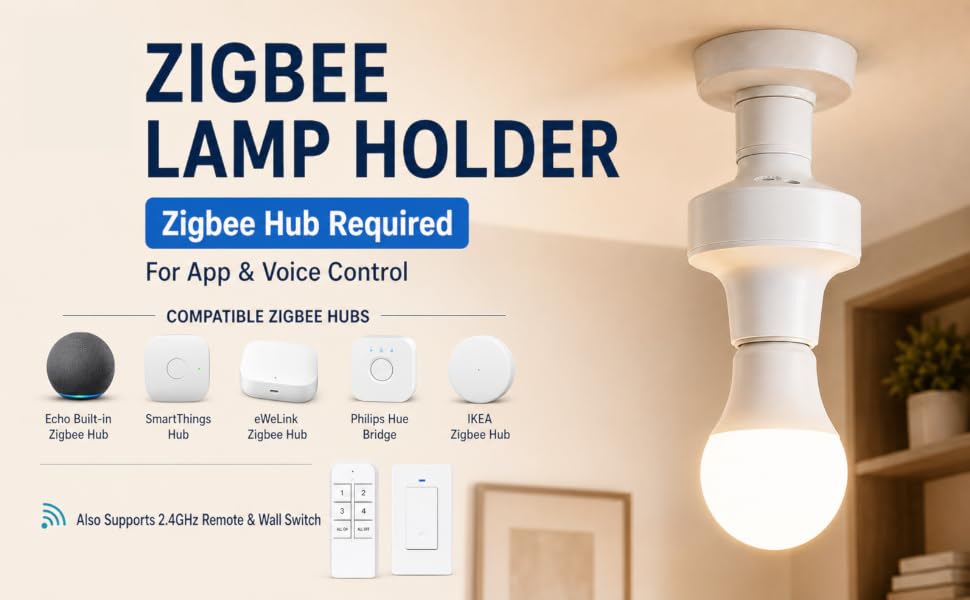
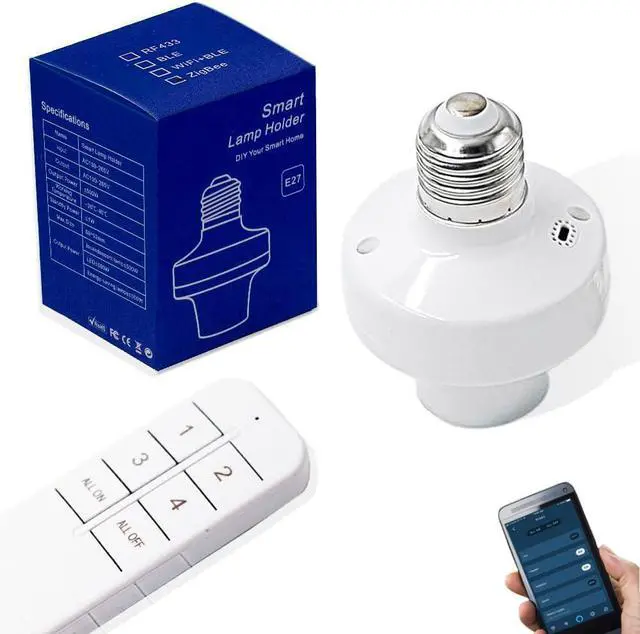
Turn your ordinary E26/E27 bulb into a smart light with this eWeLink Zigbee Lamp Holder.
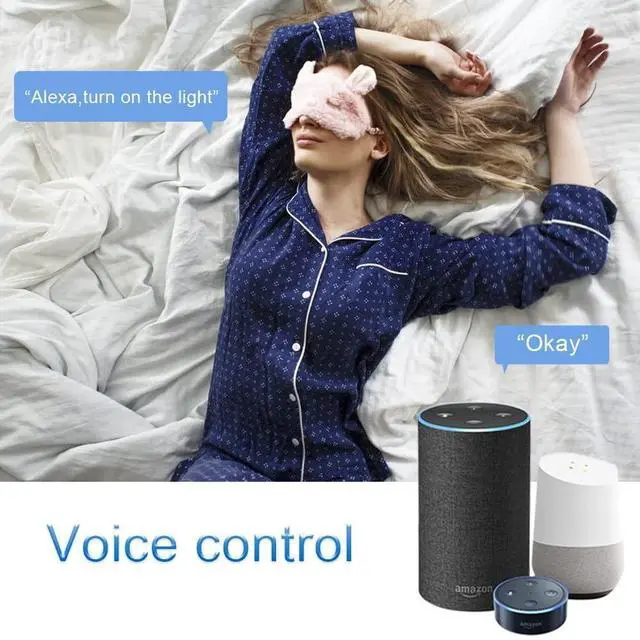
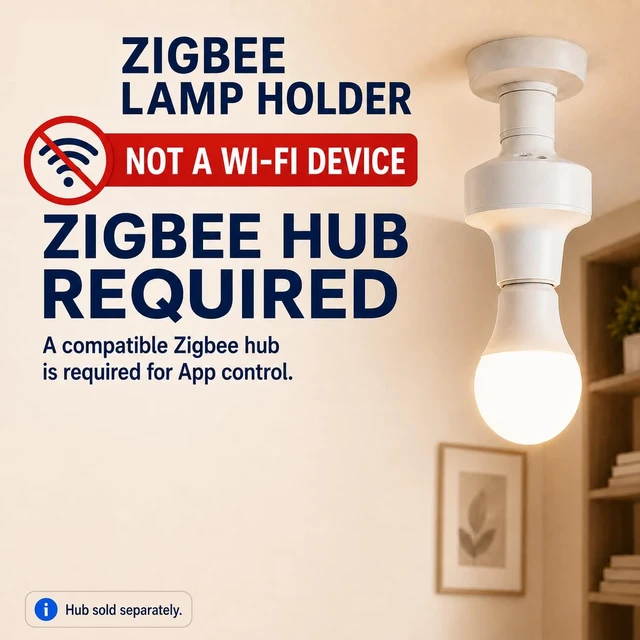
It can pair directly with Echo speakers equipped with a built-in Zigbee hub, or connect via compatible external Zigbee hubs.
Simply say "Alexa, discover new devices" and finish pairing quickly, no complicated wiring required.
Control lights remotely via the eWeLink App anywhere, set custom schedules, countdown timers and smart automation scenes.
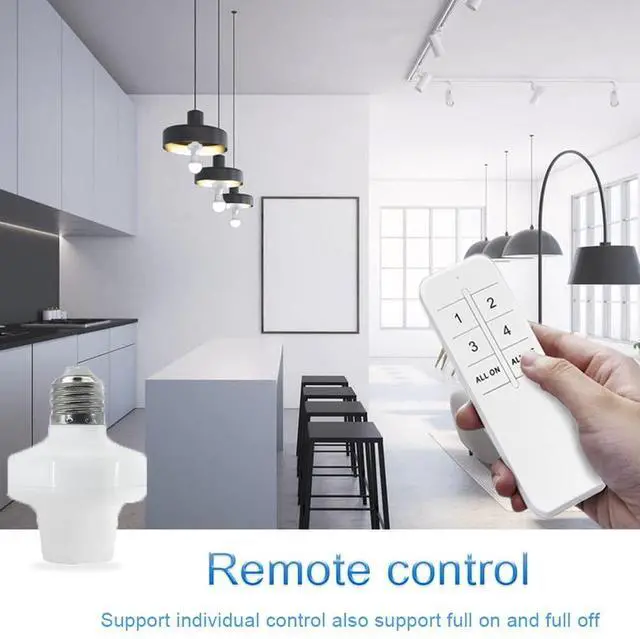
Besides app and voice control, it also supports 2.4GHz RF remote and wall switch for convenient physical control without a smartphone.
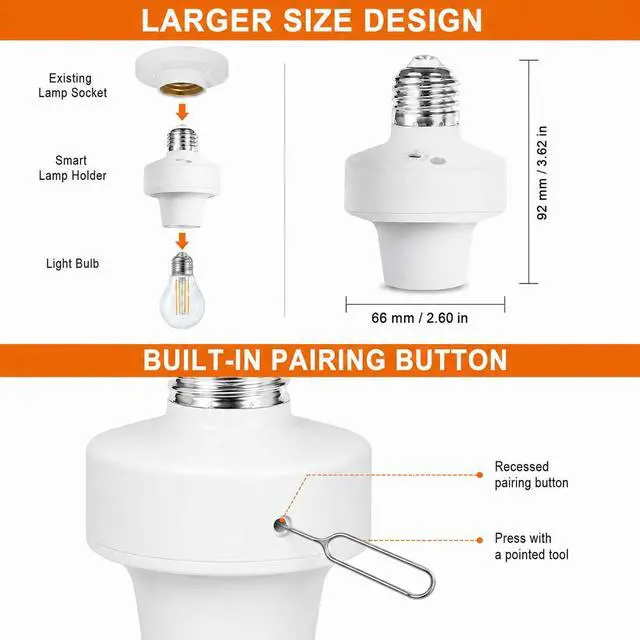
Size Note: This eWeLink Zigbee lamp holder measures approx. 66*92mm. Check your lamp socket’s reserved space (especially recessed/compact types) first to avoid fit issues.
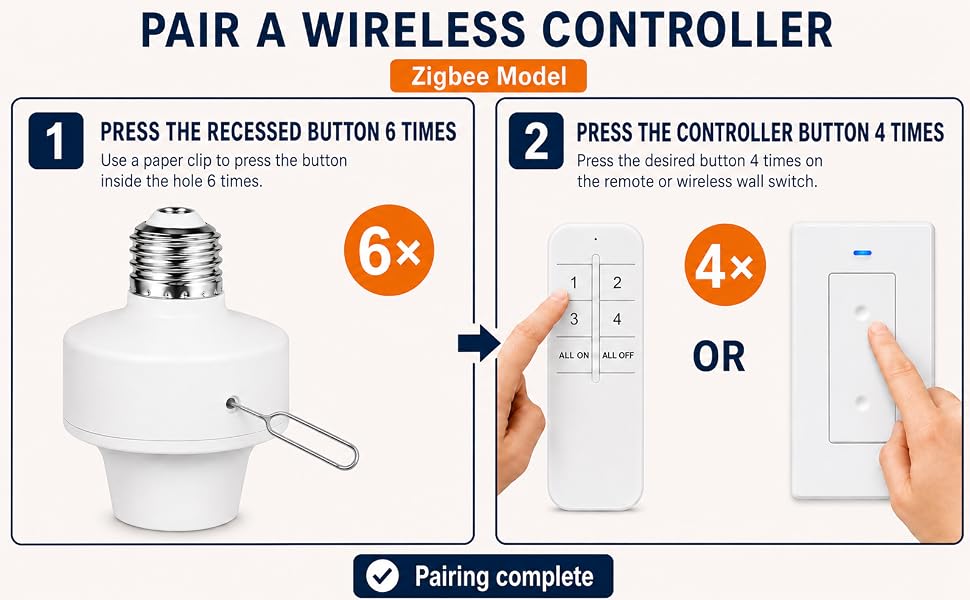
Pairing Button Tip: Recessed design (anti-accidental touch).
For pairing after installation: use a thin tool (e.g., toothpick) to press gently.
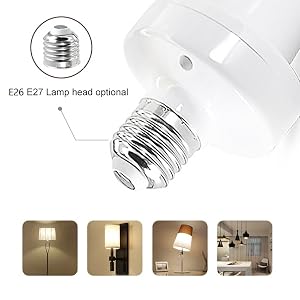
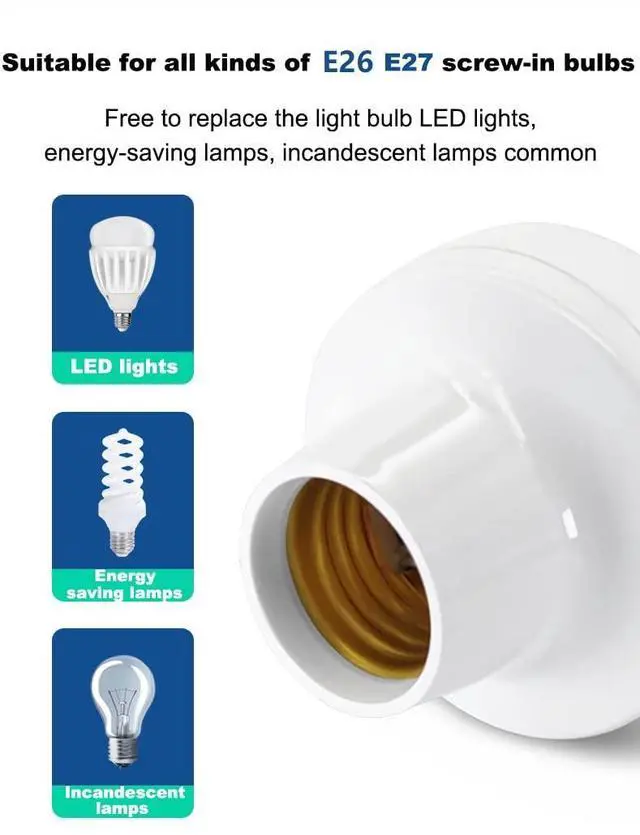
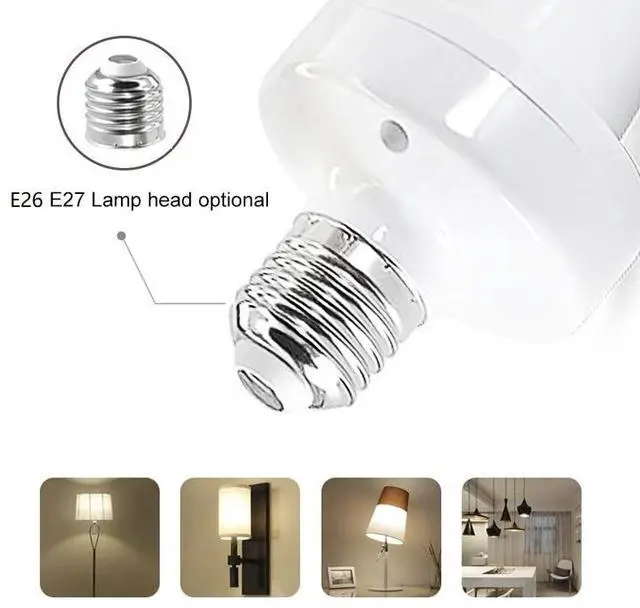
Suitable for E26/E27 bulbs, including LED bulbs, smart bulbs, CFL bulbs, fluorescent bulbs, corn bulbs, etc. Turn a standard bulb into a smart bulb.
Input : AC 100~265V
Output : AC 100~265V
Output Power : =500W
Working Temperature : -20?~40?
Standby Power : =1W
Size : 66*92mm
Output Power : =500W
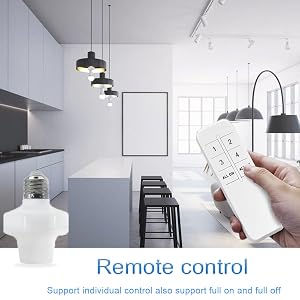
To pair the remote controls/switch:
Press the lampholder button 6 times in succession, the lampholder light will flash once; then press one of the remote control buttons 4 times.
To reset a paired remote control/switch:
Simply press the lampholder button 9 times in succession and the indicator light will flash 4 times to indicate a successful reset.
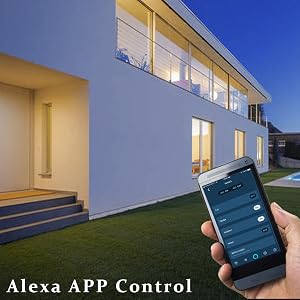
This Zigbee lamp holder can be controlled via multiple smart home apps, depending on the compatible Zigbee hub you use:
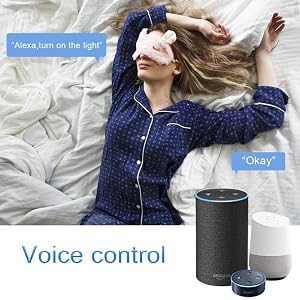
a. For speakers with built-in Zigbee hub (e.g., Echo 4th Gen, Echo Plus):
Power on the lamp holder, then say: “Alexa, discover my devices”. No eWeLink App needed.
b. For speakers without a built-in Zigbee hub:
 QIACHIP 2.4G Smart Remote Control Light Socket E26 E27 Bulb Socket Adapter, e... |  QIACHIP Ewelink 2.4G Wireless Remote Control Light Socket E26 E27 Bulb Socket... | QIACHIP Wi-Fi Smart 2.4G Remote Control Light Socket E26 E27 Bulb Socket Adap... | QIACHIP Wi-Fi Smart 2.4G Remote Control Light Socket E26 E27 Bulb Socket Adap... | QIACHIP Remote Control Light Socket E26 E27 Bulb Socket Adapter, ZigBee Smart... | 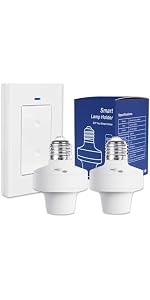 QIACHIP Remote Control Light Socket E26 E27 Bulb Socket Adapter, ZigBee Smart... | |
|---|---|---|---|---|---|---|
| Customer Reviews | — | — | — | — | — | — |
| Price | — | — | — | — | — | — |
| Style | 1 Bluetooth Socket + 1 Transmitter | 2 Bluetooth Sockets + 1 Switch | 1 WiFi Socket + 1 Transmitter | 4 WiFi Sockets + 1 Transmitter | 1 Zigbee Socket + 1 Transmitter | 2 Zigbee Sockets + 1 Switch |
Turn your ordinary E26/E27 bulb into a smart light with this eWeLink Zigbee Lamp Holder.
It can pair directly with Echo speakers equipped with a built-in Zigbee hub, or connect via compatible external Zigbee hubs.
Simply say "Alexa, discover new devices" and finish pairing quickly, no complicated wiring required.
Control lights remotely via the eWeLink App anywhere, set custom schedules, countdown timers and smart automation scenes.
Besides app and voice control, it also supports 2.4GHz RF remote and wall switch for convenient physical control without a smartphone.
Size Note: This eWeLink Zigbee lamp holder measures approx. 66*92mm. Check your lamp socket’s reserved space (especially recessed/compact types) first to avoid fit issues.
Pairing Button Tip: Recessed design (anti-accidental touch).
For pairing after installation: use a thin tool (e.g., toothpick) to press gently.
Suitable for E26/E27 bulbs, including LED bulbs, smart bulbs, CFL bulbs, fluorescent bulbs, corn bulbs, etc. Turn a standard bulb into a smart bulb.
Input : AC 100~265V
Output : AC 100~265V
Output Power : =500W
Working Temperature : -20?~40?
Standby Power : =1W
Size : 66*92mm
Output Power : =500W
To pair the remote controls/switch:
Press the lampholder button 6 times in succession, the lampholder light will flash once; then press one of the remote control buttons 4 times.
To reset a paired remote control/switch:
Simply press the lampholder button 9 times in succession and the indicator light will flash 4 times to indicate a successful reset.
This Zigbee lamp holder can be controlled via multiple smart home apps, depending on the compatible Zigbee hub you use:
a. For speakers with built-in Zigbee hub (e.g., Echo 4th Gen, Echo Plus):
Power on the lamp holder, then say: “Alexa, discover my devices”. No eWeLink App needed.
b. For speakers without a built-in Zigbee hub:


