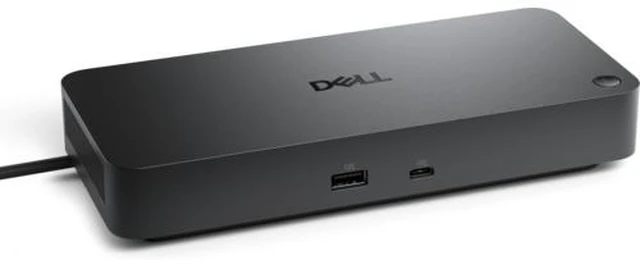
The Dell Pro Dock WD25 is a USB-C docking station for compatible laptops, combining up to 100W power delivery for Dell systems, multiple display connections, and ports for peripherals; it suits professionals building a more connected desk setup and includes a 3-year warranty.
Recommended For
- Dell laptop users who leave a laptop at a home or office desk and want one USB-C connection for charging, monitors, wired networking, and USB peripherals.
- Office workers who organize work across multiple external monitors and need a dock with DisplayPort, HDMI, USB ports, and Ethernet at the desk.
- Hybrid workers who regularly move a compatible USB-C laptop between work locations and want to reconnect desk peripherals through a single dock cable.
- Users who rely on a wired office network and want the dock to provide an Ethernet connection alongside their display and USB connections.
Real-World Use Scenarios
- At a home-office desk, connect a compatible laptop to the WD25 with one cable to use external monitors, USB peripherals, Ethernet, and laptop charging without reconnecting each accessory individually.
- For spreadsheet work, research, or video calls, use the dock to connect multiple external displays and keep work windows visible side by side; the number and resolution of displays depend on the laptop’s graphics and display support.
- In a hot-desk or hybrid-work routine, leave monitors, keyboard, mouse, and other desk accessories connected to the dock, then attach the laptop with one cable when sitting down and unplug it when leaving.
- For a desk with wired networking, connect the dock to Ethernet so a compatible laptop can use the wired office or home network while also using the desk’s displays and USB accessories.
- With a compatible non-Dell USB-C laptop, use the dock to add desk connectivity and charge through the same cable; confirm laptop compatibility and power needs first, since supported features and charging may vary by system.




 here!