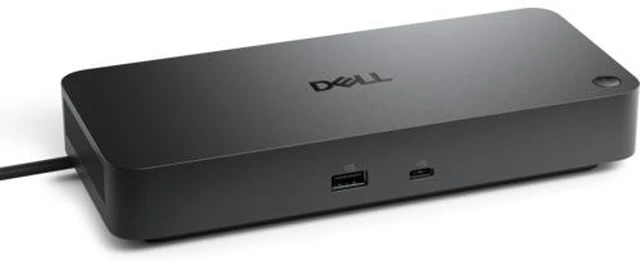
The Dell Pro Thunderbolt 4 Dock WD25TB4 is a wired laptop and desktop docking station for users who want to connect multiple peripherals and displays through a Thunderbolt 4 host connection; Dell lists support for up to four displays, with resolution and setup depending on the computer and display configuration.
Recommended For
- Laptop users who keep a permanent desk setup and want one cable to connect power, wired networking, and several USB devices.
- Desk-based workers who need multiple external displays for workflows such as spreadsheets, dashboards, or keeping reference material visible; the number and resolution of displays depend on the computer and setup.
- Dell laptop users who want a dock designed to provide up to 130W of power to supported Dell systems while connecting desk peripherals.
- Office IT teams managing compatible Dell computers that can benefit from dock-related features such as firmware management, PXE boot, or MAC address pass-through.
Real-World Use Scenarios
- At a fixed desk, a laptop user connects one Thunderbolt cable to bring their monitors, USB accessories, wired network, and dock-provided charging together, reducing the need to reconnect each item separately.
- For work that benefits from more screen space—such as comparing documents, keeping email open beside a spreadsheet, or monitoring dashboards—the dock can connect multiple external displays; the number and resolution depend on the laptop’s graphics and display support.
- In an office with wired-network access, a user can connect the dock to Ethernet and leave it connected to the desk setup, while peripherals such as a keyboard, mouse, and USB accessories stay plugged into the dock.
- For employees who move between a desk and meetings, reconnecting the laptop to the dock can restore access to desk-connected displays and accessories; charging is up to 130 W for Dell systems and 96 W for non-Dell systems, so check the laptop’s power needs.
- In managed business environments, IT teams can use supported Dell management tools and features to update dock firmware or support wired-network deployment workflows; available functions depend on the connected computer and configuration.




 here!