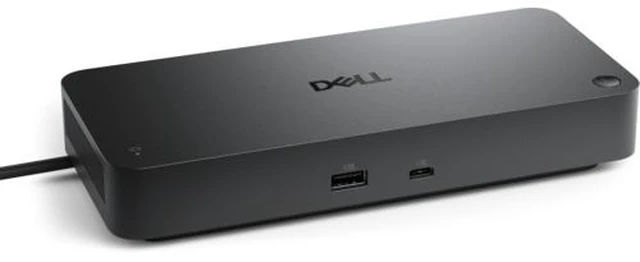
The Dell Pro Smart Dock SD25 is a USB-C docking station for laptop users who want to connect multiple displays and peripherals through one dock, with support for up to four displays.
Recommended For
- IT teams managing Dell business laptops that need remote dock firmware updates, device inventory, Wake-on-LAN, PXE boot, or port controls.
- Office-based laptop users who want one USB-C connection for charging, wired Ethernet, monitors, and desk peripherals; the laptop must support USB-C DisplayPort Alt Mode.
- Desk-based analysts and office users who spread work across multiple monitors, with display configurations supported up to four screens at 60 Hz depending on resolution and laptop capability.
- Organizations with compatible Dell or non-Dell USB-C laptops that want a shared office docking setup, provided the host supports DisplayPort Alt Mode and its power needs fit the dock’s delivery limits.
Real-World Use Scenarios
- At a permanent desk, a laptop user connects the SD25 to monitors, a keyboard, mouse, and wired network, then uses the dock’s single laptop connection to bring the workstation online and charge the laptop. The laptop and display setup must support the intended power and monitor configuration.
- For a two-monitor office setup, a user connects both displays and everyday peripherals to the dock rather than reconnecting them individually to the laptop. The available resolutions and number of displays depend on the laptop’s graphics and connection capabilities as well as the monitors.
- In a hybrid-work routine, someone who moves a compatible laptop between home and office can leave monitors and accessories connected to the SD25 at the desk, then reconnect the laptop through the dock when they return. This reduces repeated plugging and unplugging of individual desk devices.
- In an organization managing many desks, IT staff can use Dell’s Device Management Console to check dock and connected-peripheral inventory, configure settings, and manage firmware remotely. This is most relevant where the organization enables and uses Dell’s dock-management service.
- In a managed business environment, IT can use supported dock features such as PXE boot, Wake-on-LAN, and MAC address pass-through to fit the dock into network and device-management workflows. These functions depend on the laptop, network, and organization’s configuration.




 here!