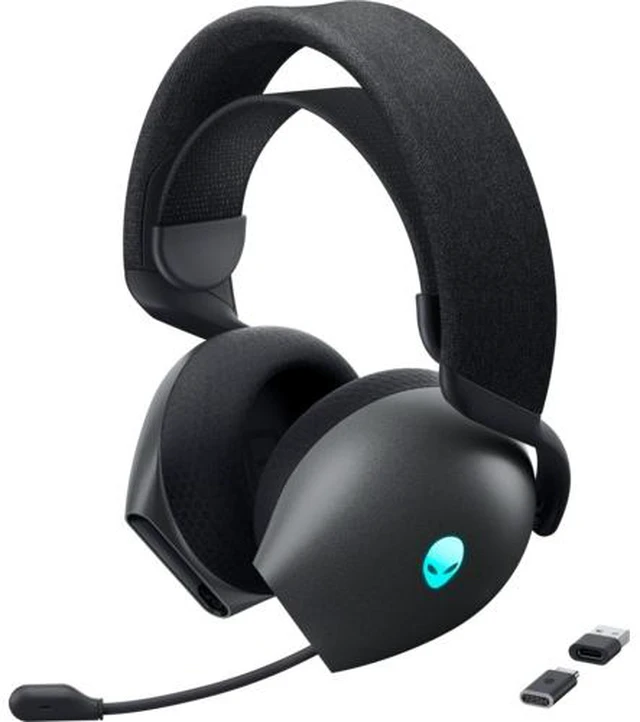
The Alienware AW725H is a tri-mode wireless gaming headset with Dolby Atmos and soft ear cups, suited to gamers who want immersive audio and comfort for extended play.
Recommended For
- Gamers who switch between a PC or PlayStation setup and a phone or Nintendo Switch can use the AW725H’s 2.4GHz dongle, Bluetooth, and wired connection across different devices.
- Players who wear a headset through long gaming sessions may appreciate the fabric-and-memory-foam ear cushions; Dell positions it for extended play, and community comments also describe comfortable long wear.
- PC and console gamers who regularly use voice chat can pull out the retractable boom mic for play and tuck it away when they do not need it.
- People who want one headset for gaming and occasional phone or media listening can use its Bluetooth connection with mobile devices, then use the dongle or cable with compatible gaming systems.
Real-World Use Scenarios
- On a PC, use the 2.4GHz dongle for multiplayer gaming and voice chat; the headset’s retractable mic and game/chat balance control let you talk with teammates and adjust the mix without leaving the game.
- When moving between a gaming setup and a phone, connect by Bluetooth for mobile calls or audio, then use the 2.4GHz dongle with a compatible PC or PlayStation. The connection method depends on the device.
- For console gaming, connect a PS4 or PS5 with the USB-C wireless dongle, or connect an Xbox controller with the 3.5mm cable; this makes the headset usable across consoles, but the connection is not wireless on Xbox.
- For extended gaming sessions, the over-ear fabric and memory-foam cushions and long rated battery life are intended to reduce the need to take the headset off or recharge frequently; comfort will vary by person.
- For handheld gaming or casual listening away from the desk, pair the headset with a Nintendo Switch or phone over Bluetooth; the same headset can then return to a compatible gaming setup using its dongle or cable.




 here!