Meet Your Seller
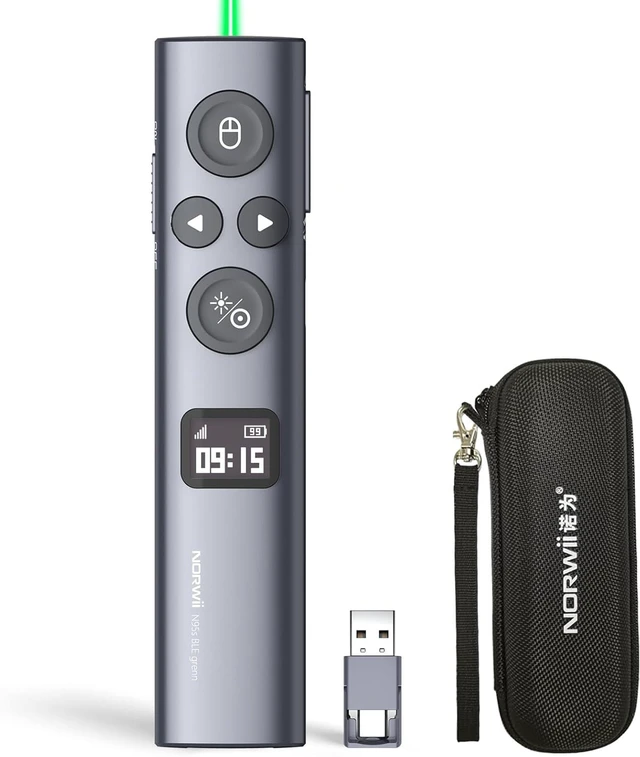
N95s Presentation Remote, Slide Clicker for PowerPoint Presentations Digital pointer, spotlight, magnifier works on any screen. Tripleconnect via BT, or plug in the USBC / A. 328ft range
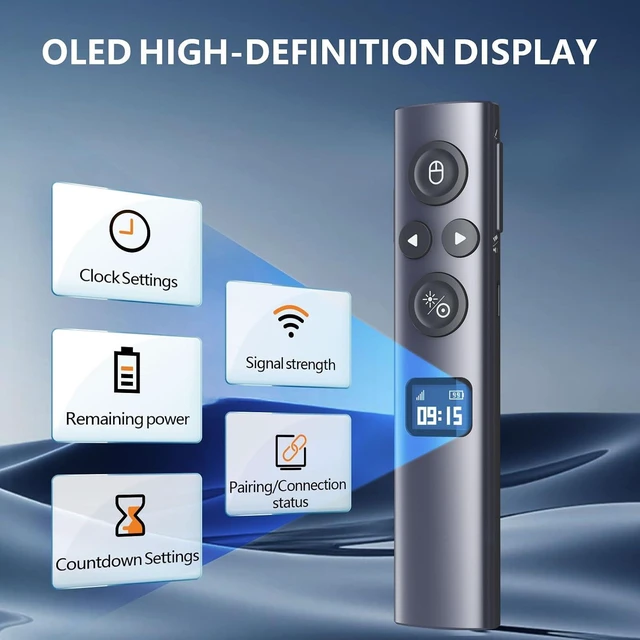
- OLED High-definition Display - Showing the signal strength, remaining power, Clock/Countdown Settings of vibration, Pairing/Connection status. Keep the presenter away from anxiey of power, lossing control of the pace of the presentation etc
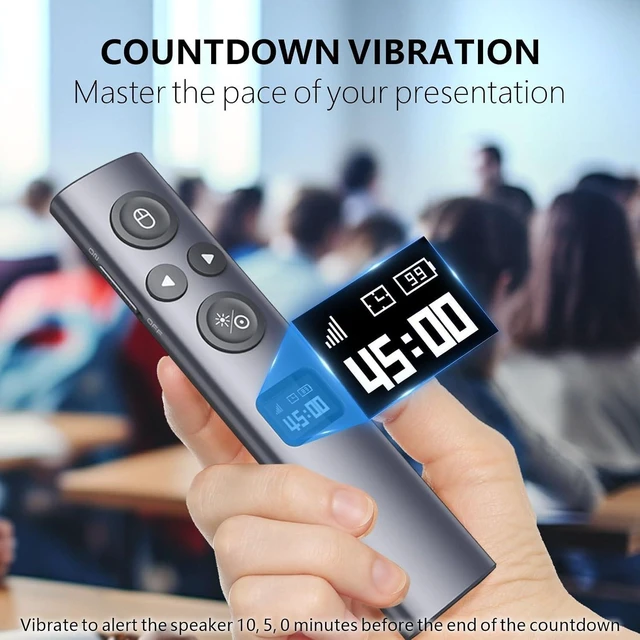
- Countdown Vibration Alert - Set on the Presentation clicker or on the software. After successfully setting, the Presenter will be alerted 10, 5, 0 minutes before the end of the countdown vibration, help you master the pace of your presentation
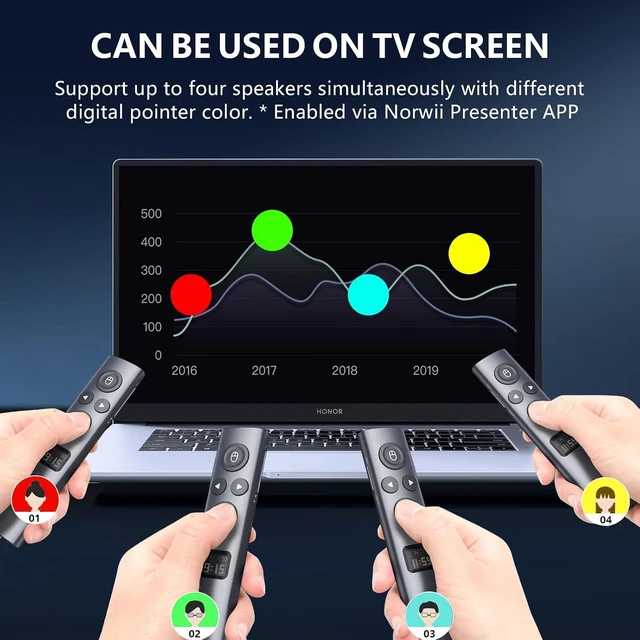
- Works on both TV screen and projection screen - The features of digital pointer, magnify, highlight and customized icon are clearly visible on TV screen. The physical light is used to point on projection screen. class II, output power<1mW
- Multi-connection to choose - We offer 3 types of USB receiver: USB-A, USB-C, USB-A&C for customer to choose. There is only one type of receiver in a package, not two or more at the same time. Which USB receiver is included depends on the choice you made when ordering
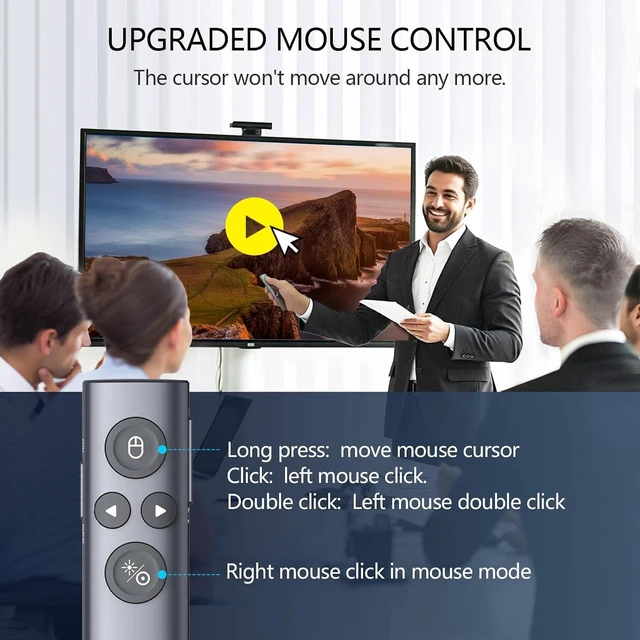
- Mouse Cursor Control -The presenter's mouse functions include mouse left click, double click and mouse right click. The housing material is ABS and PC mixture which is friendly for signal transmission. It's modern slim design, light weight and comfortable for all day use
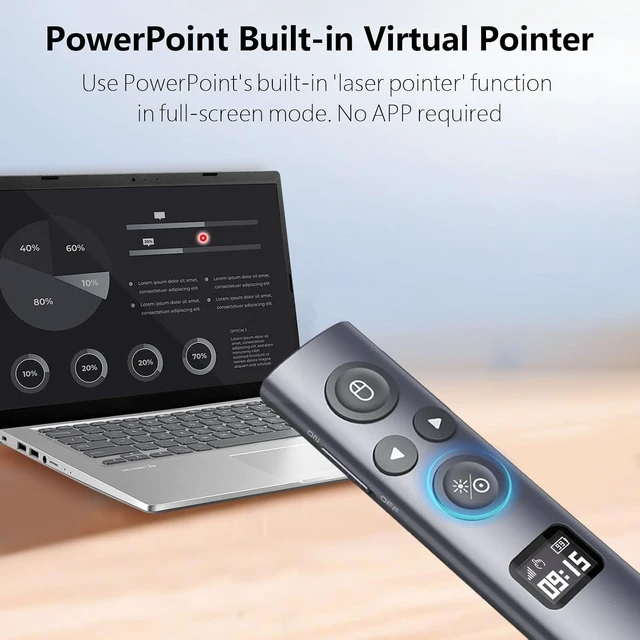
- Instant Access to PowerPoint Built-in Virtual Pointer - No Installation Required (Only works in Full-Screen Mode)
- Compatibility - The presentation remote works with devices running Windows 10, MacOS 10.15 or later, Android 5.0 or later,
+
+
Overview
Specs
Reviews
Any questions? Our AI mode will help you find out quickly.
Try me now
Product description

Click to play video
After startup the Norwii Presenter software (please update to the latest version), the Norwii Presenter software can support up to 4 people to use the digital pointer at the same time. In the software, you can choose a different pointer color for each one to differentiate between speakers.


- Master the pace of your presentation with 3 times of vibration to alert the speaker.


Countdown Timer Battery Status Signal Strength Clock Display
More Mouse Control Function


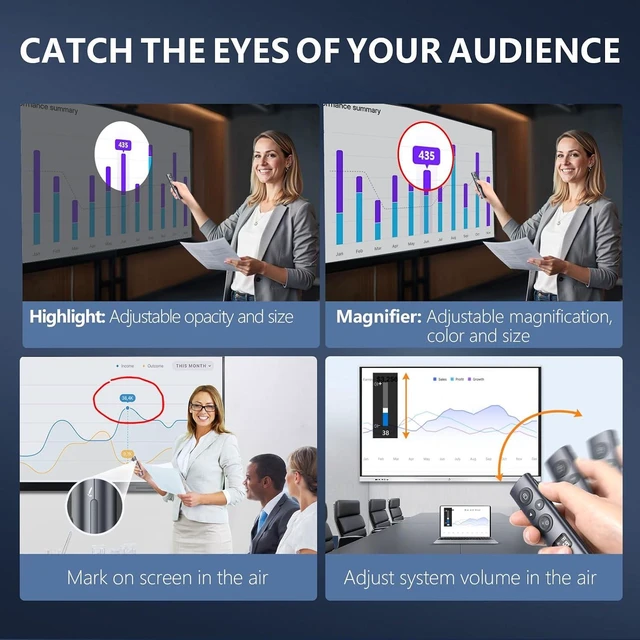
- Annotate in the air to circle the key points of the presentati
Annotation Magnify Highlight Volume
Function Map
Tips: 1) Only one type of USB receiver in one package, not 2 or more, depending your buying choice when placing the order. 2)Ensure startup the Norwii Presenter software and the presenter is connected. Enable the three authorizations and set the keyboard type as ANSI in macOS
Warranty & Returns
Warranty, Returns, And Additional Information
Warranty
- Please contact the Seller directly for warranty information. Warranty information may also be found on the Manufacturer's website.
- CONTACT
Return Policies
- Return for refund within: 30 days
- Return for replacement within: non-replaceable
- This item is covered by Glovibe Tech Return Policy
Manufacturer Contact Info
- For a directory of all our manufacturers, please click below.
- Manufacturers Directory
LOADING...