


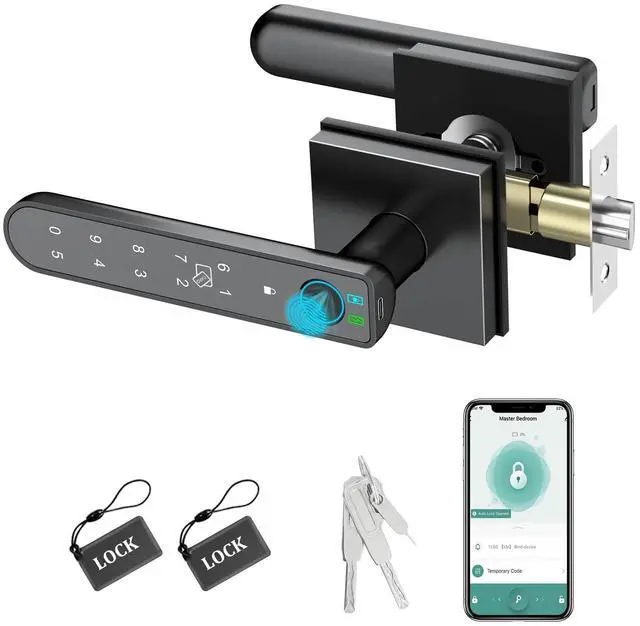

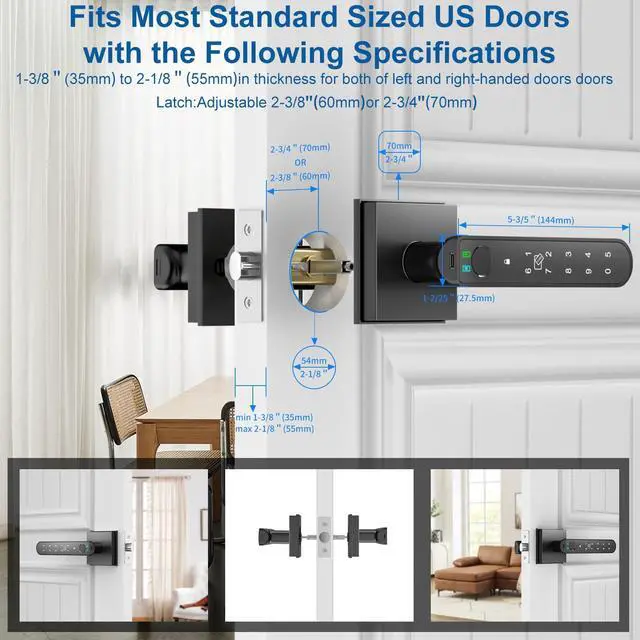


Foxgard 5 in 1 Smart Fingerprint Door Lock
Fingerprint Door Knob with App - Enhance Your Life with Smart, Secure Access

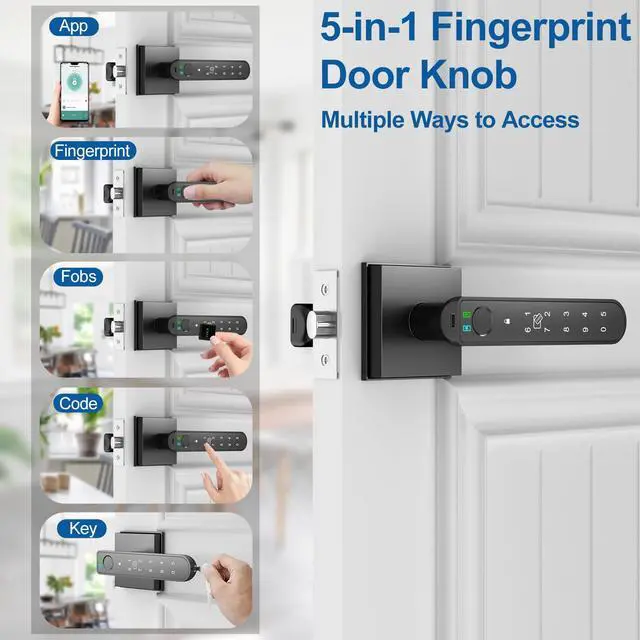
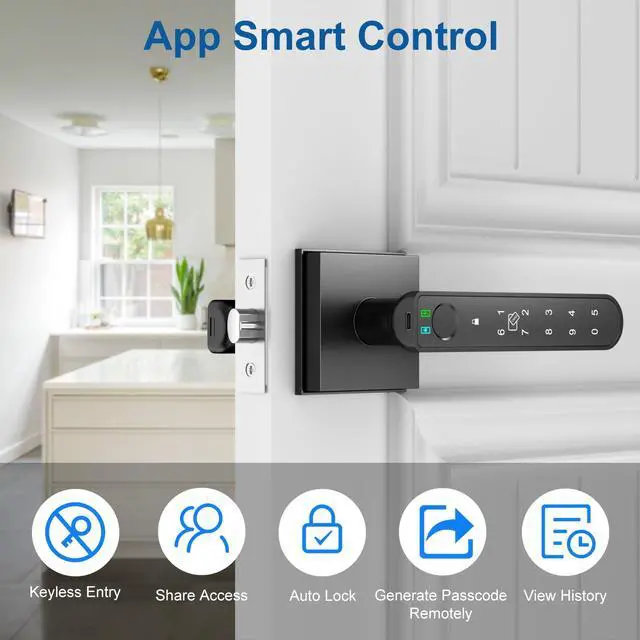
Smartphone Control
- Unlock your door, manage users, and register fingerprints.
- Instantly share access with family and guests.
- Enjoy keyless convenience and enhanced security.
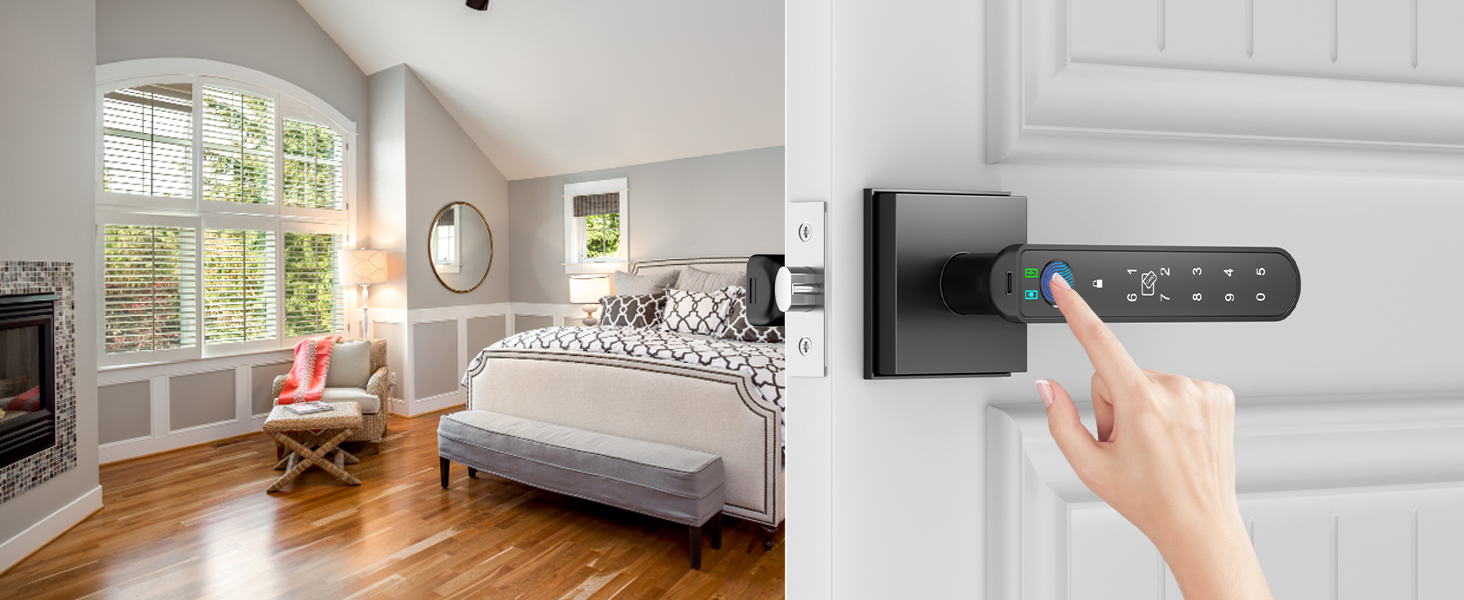
Fingerprint Access
- Easily enter your home with a single touch.
- Improved security through biometric identification to block unauthorized entry.
- Eliminate concerns over lost or stolen keys.
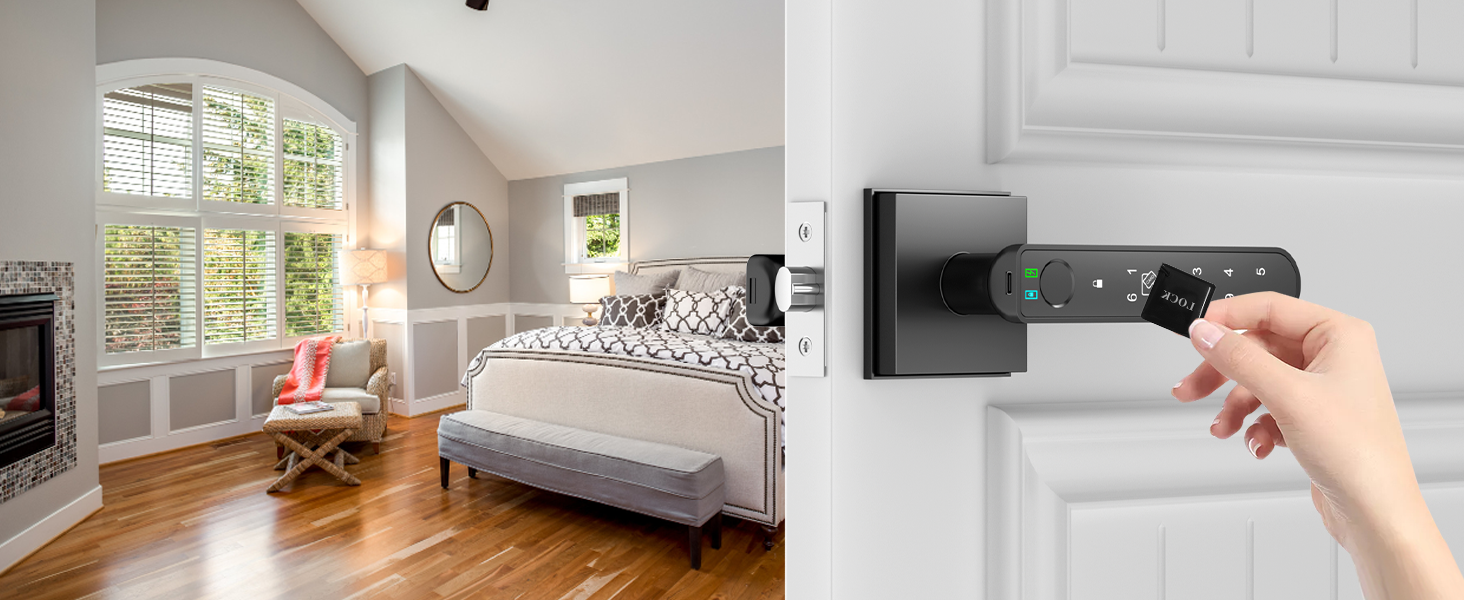
RFID Card Access
- Effortlessly access your home with a simple card tap.
- Enhanced security through unique RFID identification to prevent unauthorized entry.
- No need to remember codes or carry keys.
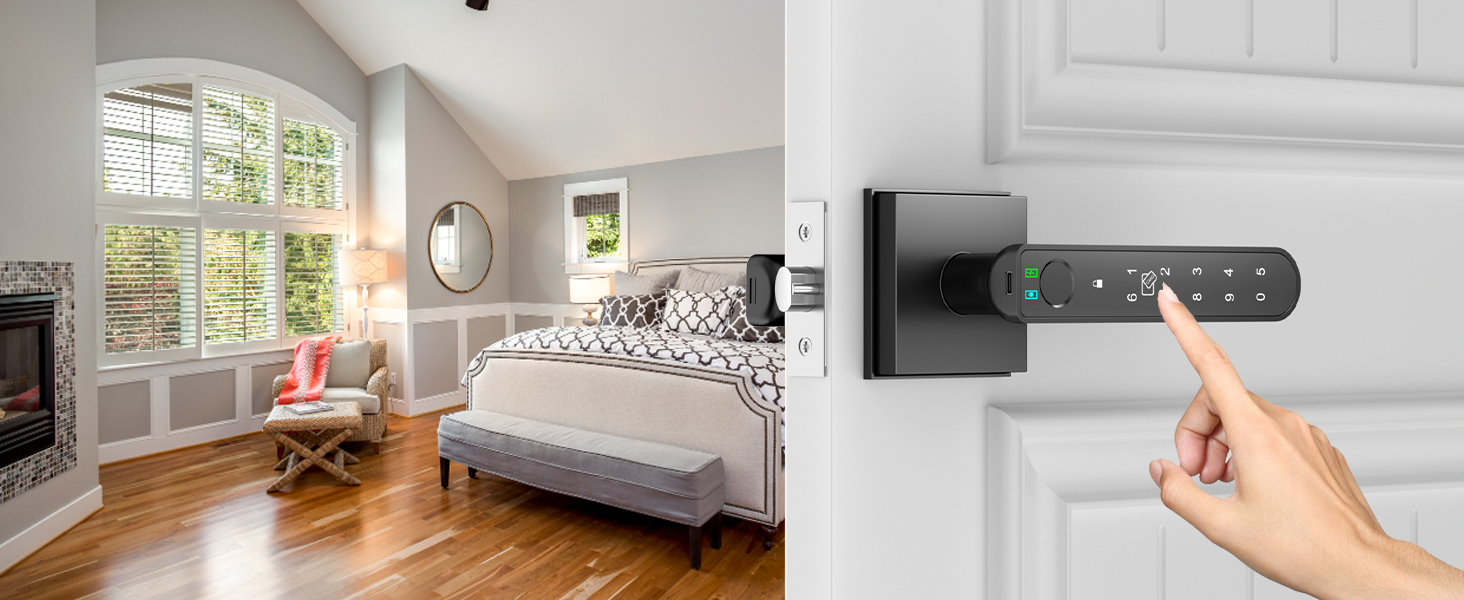
Touch Keypad Passcode Access
- Enter your home easily with your unique code.
- Generate temporary codes for guest access.
- Backlit keypad for convenient use in low light.
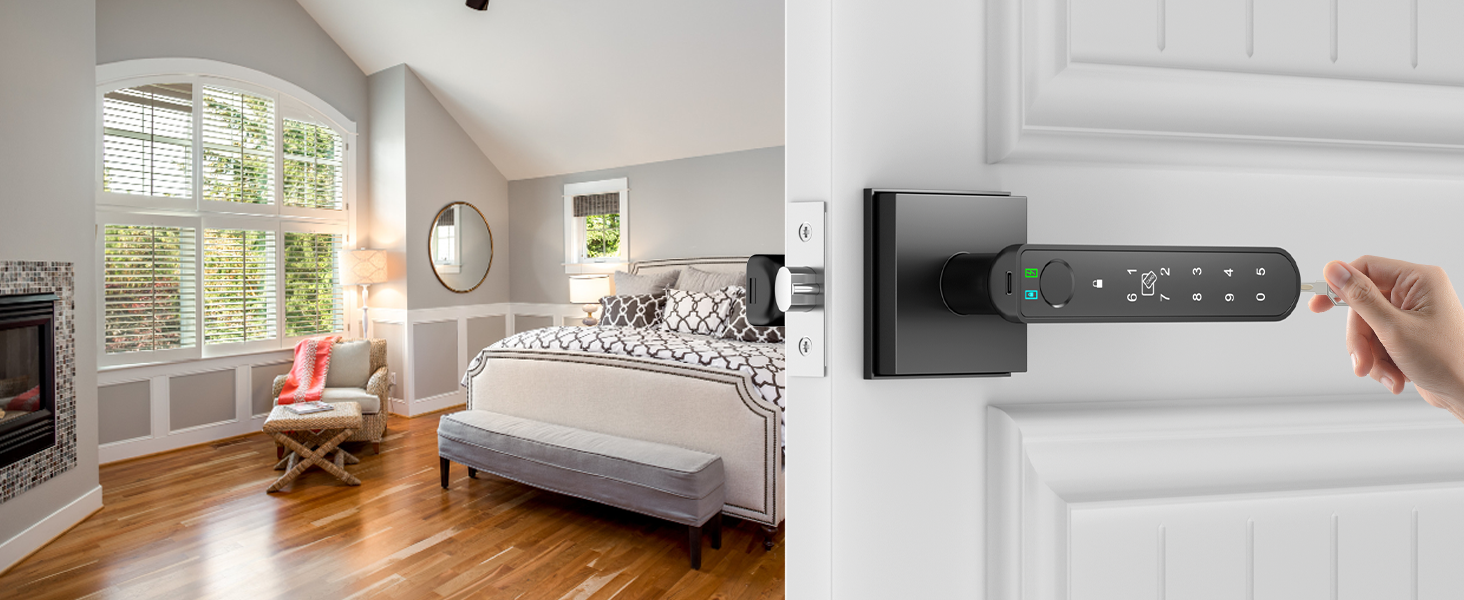
Backup Key Access
- Ensure access to your home with a traditional key.
- Reliable backup solution for emergencies .
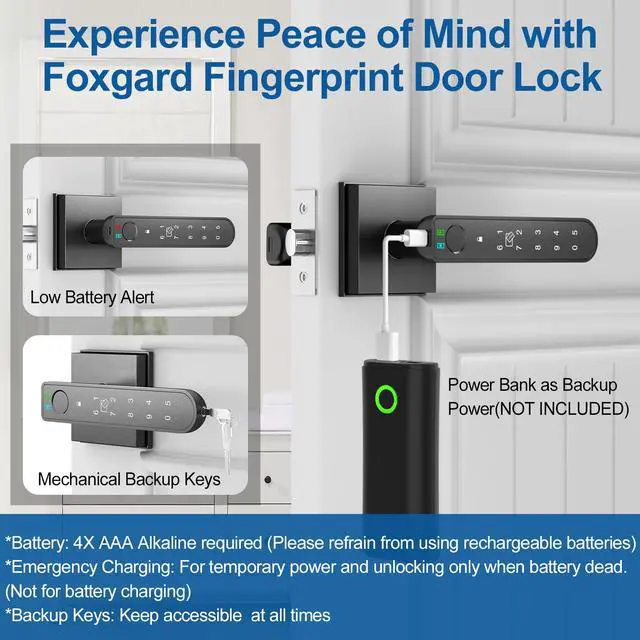
- Peace of mind knowing you can always enter your home, even without power or connectivity.

Enhance Your Remote Capabilities with Foxgard Gateway(Sold Separately)
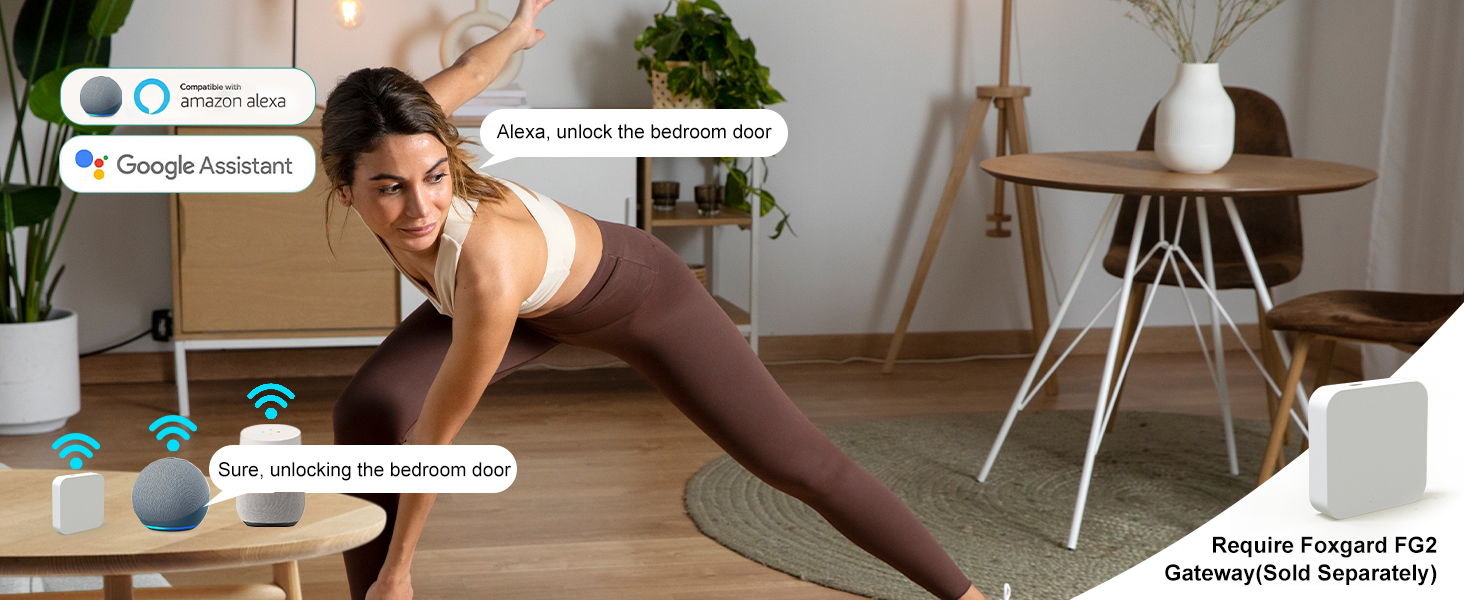
Integration with Alexa or Google Assistant
- Seamlessly control your smart door lock with voice commands.
- Enjoy hands-free convenience for unlocking your door.
- Integrate with your existing smart home ecosystem for effortless control.
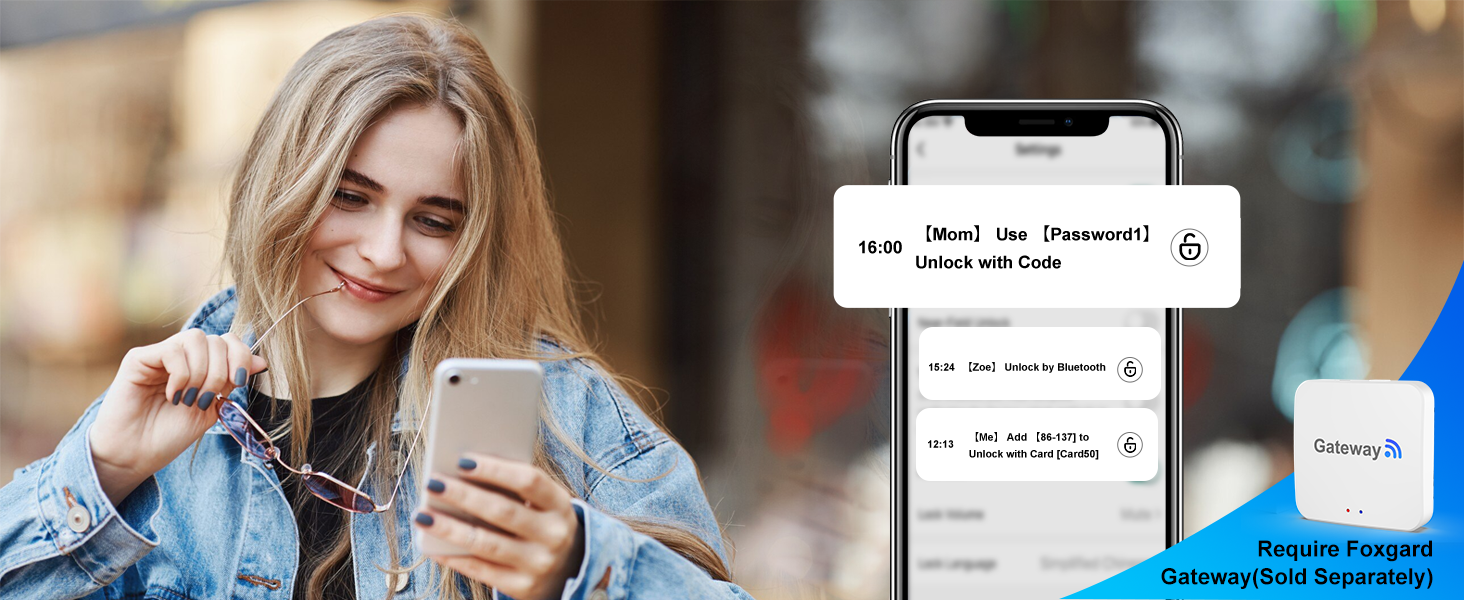
View Unlock Record
- Monitor door access with detailed records.
- Stay informed about who enters and exits your home.
- Enhance security with comprehensive activity tracking.
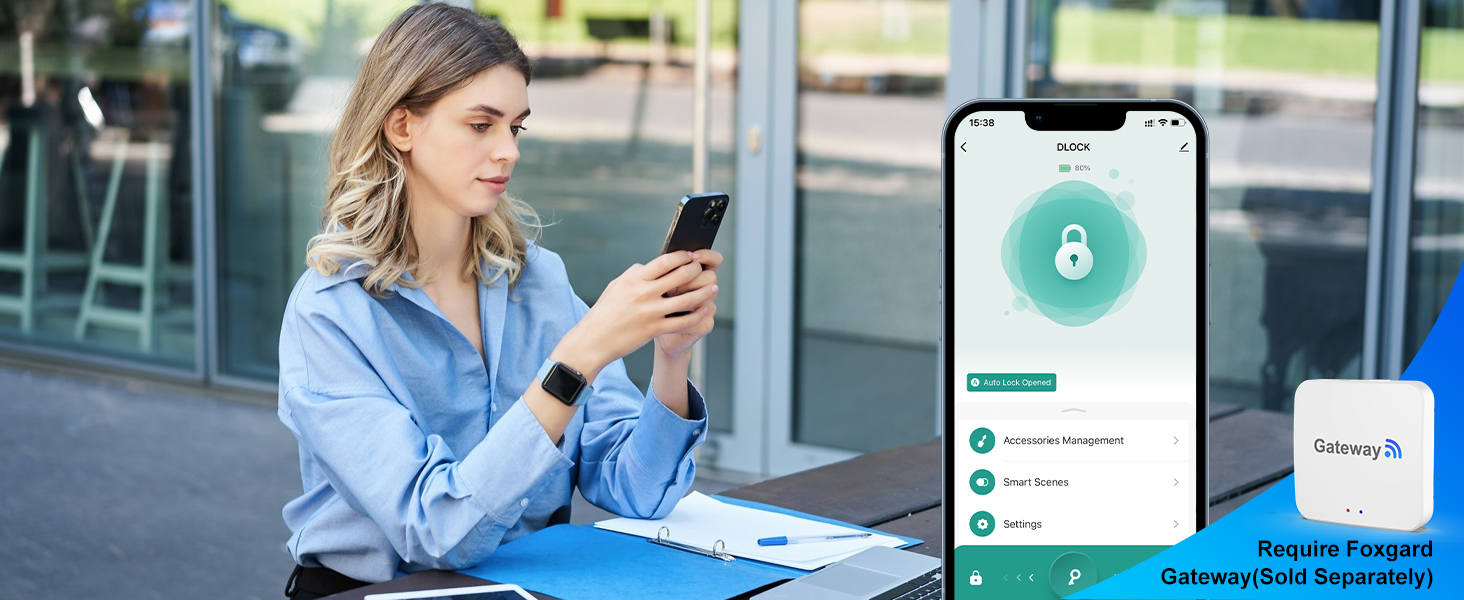
Remote Unlock
- Unlock your door from anywhere using your smartphone.
- Enjoy the convenience of granting access remotely.
- Ensure security and control over your home's entry points.
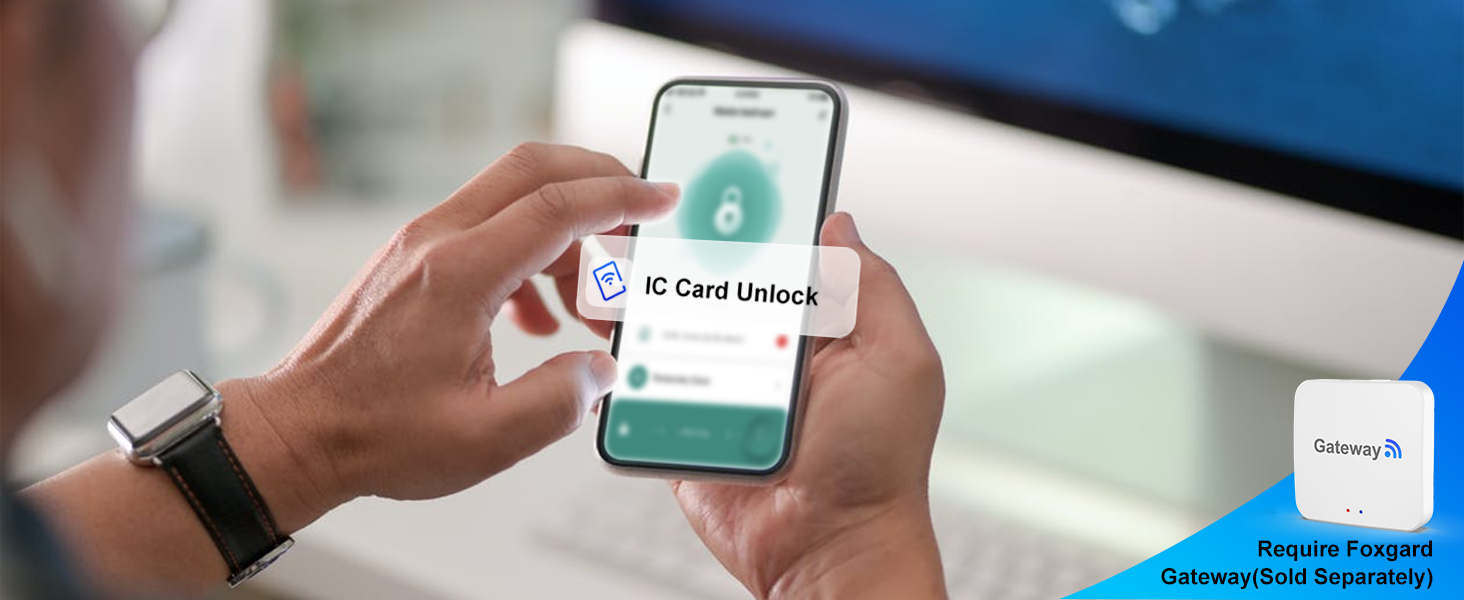
Real-time Unlock Notifications
- Receive instant notifications when your door is unlocked.
- Stay informed about who enters your home in real-time.
- Enhance security with immediate alerts for unauthorized access.


Explore Foxgard Smart Fingerprint Door Lock Range: Find Your Match
 Fingerprint door knob BS |  Biometric door knob SS |  Smart door knob RB |  Thumbprint door knob RS |  Foxgard gateway |  RFID Key Fob 4pcs |  RFID Key Fob 8pcs | |
|---|---|---|---|---|---|---|---|
APP Control | Tuya Smart App | Tuya Smart App | Tuya Smart App | Tuya Smart App | Tuya Smart App | No | No |
Fingerprint Capacity | 100 groups | 100 groups | 100 groups | 100 groups | No | No | No |
IC Card Capacity | 100 groups | 100 groups | 100 groups | 100 groups | No | No | No |
Passcode Capacity | 100 groups | 100 groups | 100 groups | 100 groups | No | No | No |
Mechanical Keys | 2 pieces | 2 pieces | 2 pieces | 2 pieces | No | No | No |
Type-C Port for Emergency Open | ? | ? | ? | ? | ? | ? | ? |
Work with Alexa/Google | Foxgard gateway required | Foxgard gateway required | Foxgard gateway required | Foxgard gateway required | Yes | No | No |
Anti-Peeping Code | ? | ? | ? | ? | ? | ? | ? |
Auto-Lock | ? | ? | ? | ? | ? | ? | ? |
Passage Mode | ? | ? | ? | ? | ? | ? | ? |
Low Battery Warning | ? | ? | ? | ? | ? | ? | ? |
Powered by 4 AAA alkalines | Batteries Not Included | Batteries Not Included | Batteries Not Included | Batteries Not Included | — | — | — |
Warm Purchase Tip:
- Battery Type: Use four AAA alkaline batteries (not included) for optimal performance. Rechargeable batteries(not included) are acceptable, but do not charge them via the Type-C port to prevent potential damage to the lock's internal components.
- Fingerprint Security: After installation, register your admin fingerprint to enhance security. By doing so, you prevent unauthorized access and ensure that only authorized individuals can unlock the door.
- Fingerprint Recognition Accuracy: To improve fingerprint recognition accuracy, register the same fingerprint multiple times from various angles. This enhances the lock's ability to recognize your fingerprint accurately, resulting in smoother access.
Troubleshooting:
- Type-C Port Usage: If the batteries are dead, use the Type-C port only for emergency power by connecting a power bank(not included). Avoid using it for battery charging or plugging into a direct electrical outlet, as this could damage the lock's internal components.
- Fingerprint Recognition Issues: If anyone can unlock the door, ensure that you have registered your admin fingerprint after installation. This step is crucial for securing the lock and preventing unauthorized access.
- App Usage: Use the Tuya Smart or Smart Life app for managing your smart fingerprint door lock. If you encounter any issues with the app, ensure that you have downloaded the correct app and follow the setup instructions provided in the user manual.
- Customer Support: If you have any problems such as missing parts, difficulties with installation, or uncertainty about how to use the product, please contact our customer support team for assistance. Provide detailed information about the problem, and we will do our best to help you resolve it.
Foxgard 5 in 1 Smart Fingerprint Door Lock
Fingerprint Door Knob with App - Enhance Your Life with Smart, Secure Access
Smartphone Control
Fingerprint Access
RFID Card Access
Touch Keypad Passcode Access
Backup Key Access


- Unlock your door, manage users, and register fingerprints.
- Instantly share access with family and guests.
- Enjoy keyless convenience and enhanced security.
- Easily enter your home with a single touch.
- Improved security through biometric identification to block unauthorized entry.
- Eliminate concerns over lost or stolen keys.
- Effortlessly access your home with a simple card tap.
- Enhanced security through unique RFID identification to prevent unauthorized entry.
- No need to remember codes or carry keys.
- Enter your home easily with your unique code.
- Generate temporary codes for guest access.
- Backlit keypad for convenient use in low light.
- Ensure access to your home with a traditional key.
- Reliable backup solution for emergencies .
- Peace of mind knowing you can always enter your home, even without power or connectivity.
Enhance Your Remote Capabilities with Foxgard Gateway(Sold Separately)
Integration with Alexa or Google Assistant
View Unlock Record
Remote Unlock
Real-time Unlock Notifications


- Seamlessly control your smart door lock with voice commands.
- Enjoy hands-free convenience for unlocking your door.
- Integrate with your existing smart home ecosystem for effortless control.
- Monitor door access with detailed records.
- Stay informed about who enters and exits your home.
- Enhance security with comprehensive activity tracking.
- Unlock your door from anywhere using your smartphone.
- Enjoy the convenience of granting access remotely.
- Ensure security and control over your home's entry points.
- Receive instant notifications when your door is unlocked.
- Stay informed about who enters your home in real-time.
- Enhance security with immediate alerts for unauthorized access.


Explore Foxgard Smart Fingerprint Door Lock Range: Find Your Match
Fingerprint door knob BS | Biometric door knob SS | Smart door knob RB | Thumbprint door knob RS | Foxgard gateway | RFID Key Fob 4pcs | RFID Key Fob 8pcs |
|---|---|---|---|---|---|---|
| APP Control | ||||||
| Tuya Smart App | Tuya Smart App | Tuya Smart App | Tuya Smart App | Tuya Smart App | No | No |
| Fingerprint Capacity | ||||||
| 100 groups | 100 groups | 100 groups | 100 groups | No | No | No |
| IC Card Capacity | ||||||
| 100 groups | 100 groups | 100 groups | 100 groups | No | No | No |
| Passcode Capacity | ||||||
| 100 groups | 100 groups | 100 groups | 100 groups | No | No | No |
| Mechanical Keys | ||||||
| 2 pieces | 2 pieces | 2 pieces | 2 pieces | No | No | No |
| Type-C Port for Emergency Open | ||||||
| ? | ? | ? | ? | ? | ? | ? |
| Work with Alexa/Google | ||||||
| Foxgard gateway required | Foxgard gateway required | Foxgard gateway required | Foxgard gateway required | Yes | No | No |
| Anti-Peeping Code | ||||||
| ? | ? | ? | ? | ? | ? | ? |
| Auto-Lock | ||||||
| ? | ? | ? | ? | ? | ? | ? |
| Passage Mode | ||||||
| ? | ? | ? | ? | ? | ? | ? |
| Low Battery Warning | ||||||
| ? | ? | ? | ? | ? | ? | ? |
| Powered by 4 AAA alkalines | ||||||
| Batteries Not Included | Batteries Not Included | Batteries Not Included | Batteries Not Included | — | — | — |
Warm Purchase Tip:
- Battery Type: Use four AAA alkaline batteries (not included) for optimal performance. Rechargeable batteries(not included) are acceptable, but do not charge them via the Type-C port to prevent potential damage to the lock's internal components.
- Fingerprint Security: After installation, register your admin fingerprint to enhance security. By doing so, you prevent unauthorized access and ensure that only authorized individuals can unlock the door.
- Fingerprint Recognition Accuracy: To improve fingerprint recognition accuracy, register the same fingerprint multiple times from various angles. This enhances the lock's ability to recognize your fingerprint accurately, resulting in smoother access.
Troubleshooting:
- Type-C Port Usage: If the batteries are dead, use the Type-C port only for emergency power by connecting a power bank(not included). Avoid using it for battery charging or plugging into a direct electrical outlet, as this could damage the lock's internal components.
- Fingerprint Recognition Issues: If anyone can unlock the door, ensure that you have registered your admin fingerprint after installation. This step is crucial for securing the lock and preventing unauthorized access.
- App Usage: Use the Tuya Smart or Smart Life app for managing your smart fingerprint door lock. If you encounter any issues with the app, ensure that you have downloaded the correct app and follow the setup instructions provided in the user manual.
- Customer Support: If you have any problems such as missing parts, difficulties with installation, or uncertainty about how to use the product, please contact our customer support team for assistance. Provide detailed information about the problem, and we will do our best to help you resolve it.