

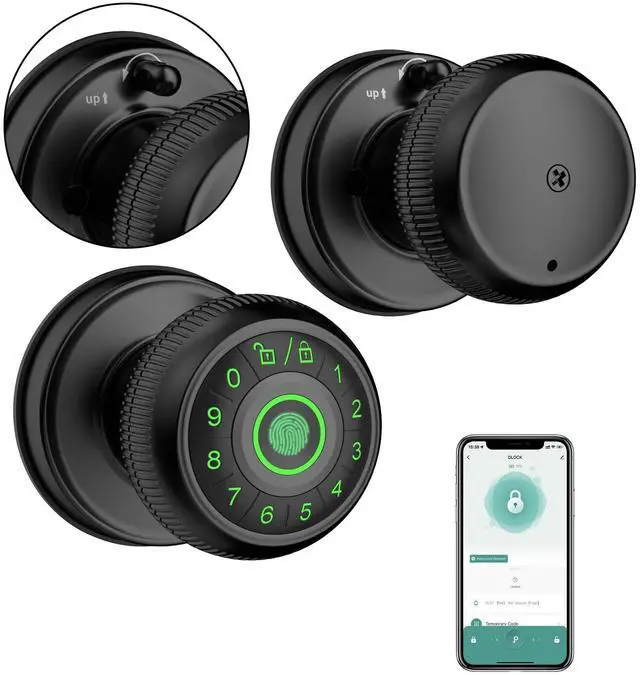


Gavdhe Fingerprint Door Lock
Your Intelligent Security Solution!

Gavdhe is a trusted leader in smart door locks for American homeowners. Our commitment to quality has earned the trust of countless satisfied customers.
We know home security is vital, and our technology meets your everyday needs. Choosing Gavdhe means choosing peace of mind for your family. Experience reliable, user-friendly design that fits into your lifestyle. Trust Gavdhe to keep your home safe.
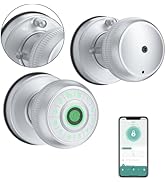
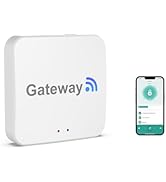
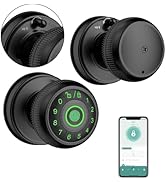
Gavdhe Fingerprint Door Knob
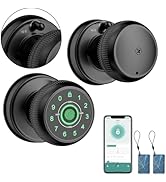
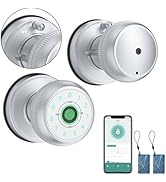
Gavdhe Smart Door Knob
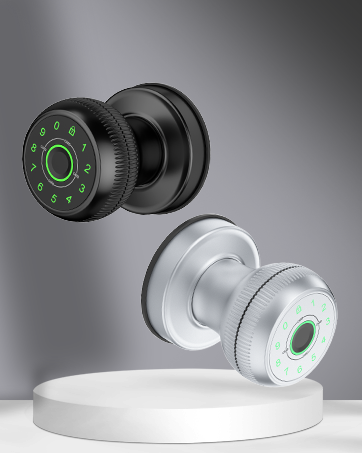
GEC07 Fingerprint Door Knob
5 in 1 Fingerprint Door Knob
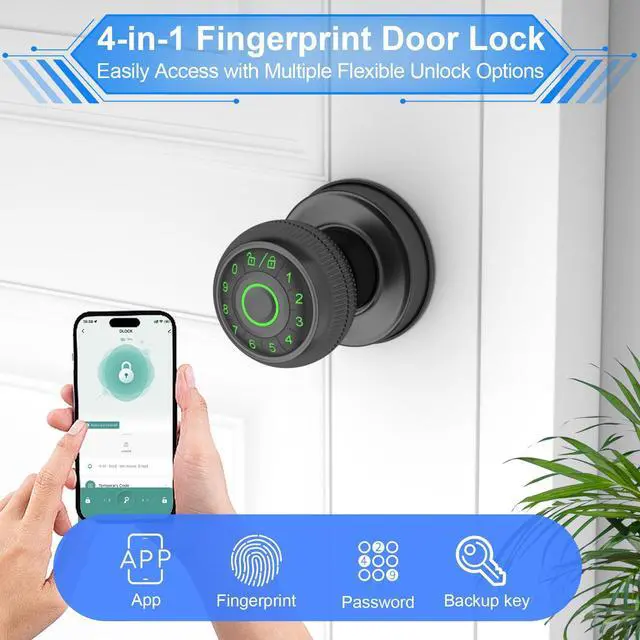
Smar App Unlock / Fingerprint Unlock/Key Fob Unlock/Password Unlock/Key Unlock
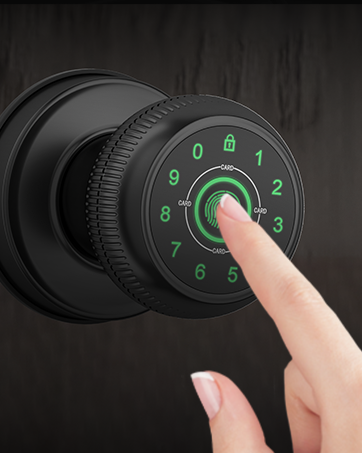
Open with a Simple Touch
Smarter, Safer and More Convenient
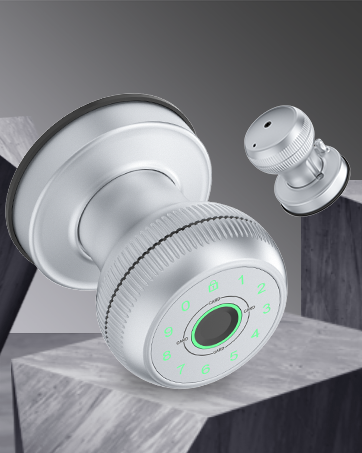
Innovative Tradition
A fusion of modern and classic, merging smart technology with tradition
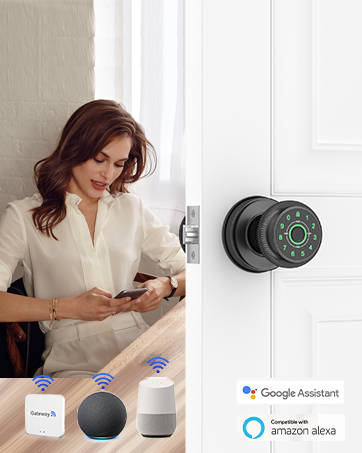
Remote Control
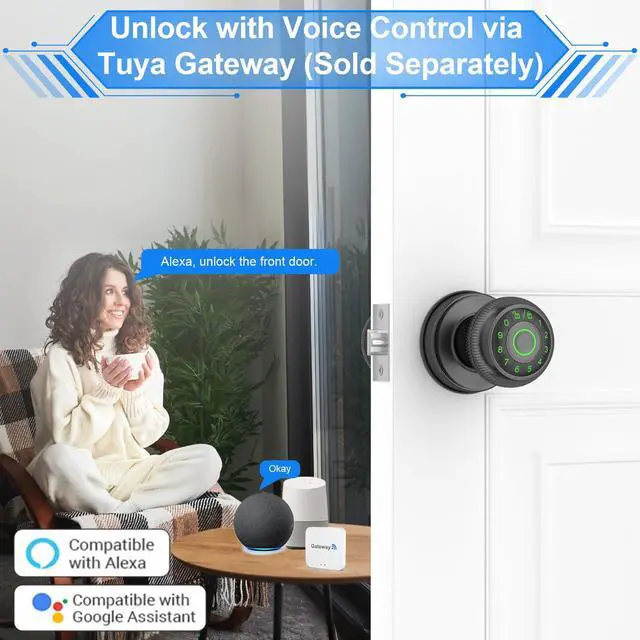
When Paired with the Gavdhe Gateway (Sold Separately)
- Remote Control Anytime, Anywhere
- Compatible with Alexa and Google Assistant
Gavade 4 in 1 Smart Door Knob---Smarter,Safer,More Convenient!


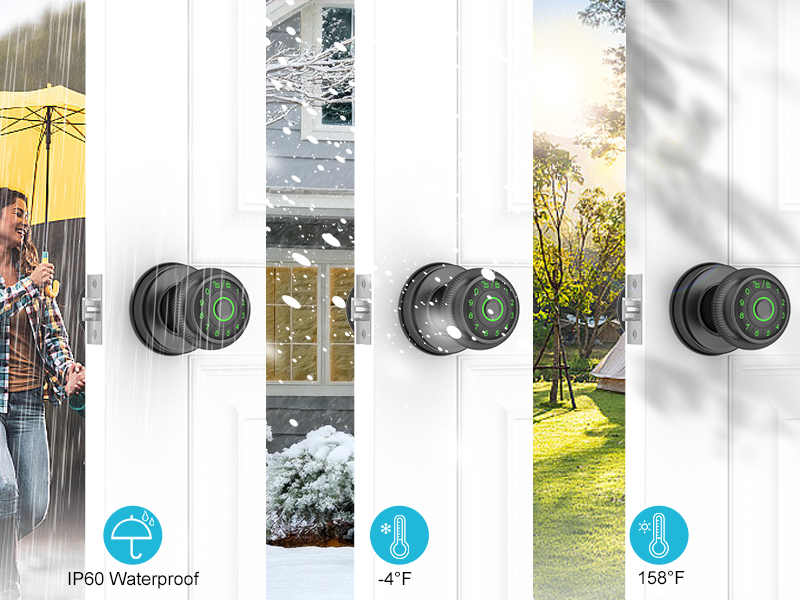
Built for Any Environment
Versatile and Reliable
- Adaptable to All Conditions
- Durable and Resilient
- Effortless Integration
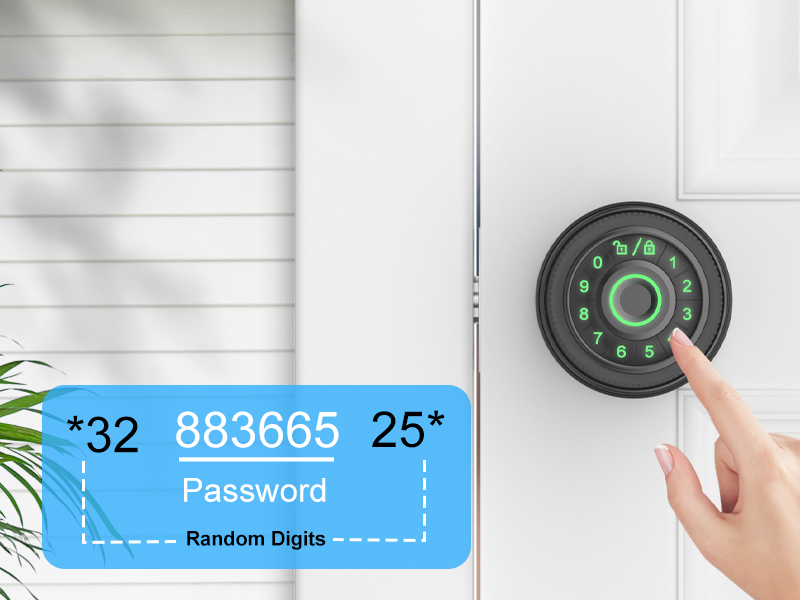
Anti-Peeping Code
Protect Your Privacy
- Keeps your entry code private, even in crowded or public spaces
- Enter random numbers before or after your actual password to further obscure it
- Protects against shoulder surfing and unauthorized viewing
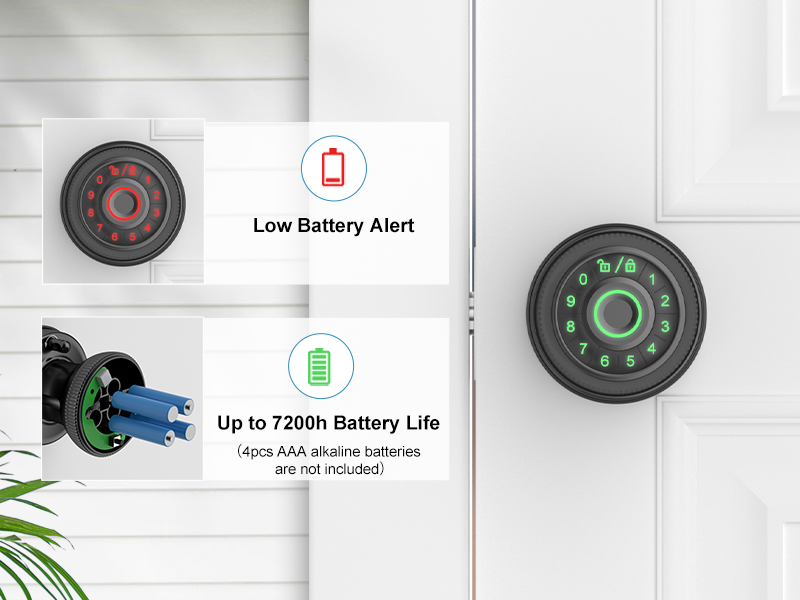
Low Battery Alert
Stay Informed and Prepared
- Receive instant alerts when your device’s battery is running low, so you're always prepared.
- Easily check battery levels through the app, ensuring you’re never caught off guard.
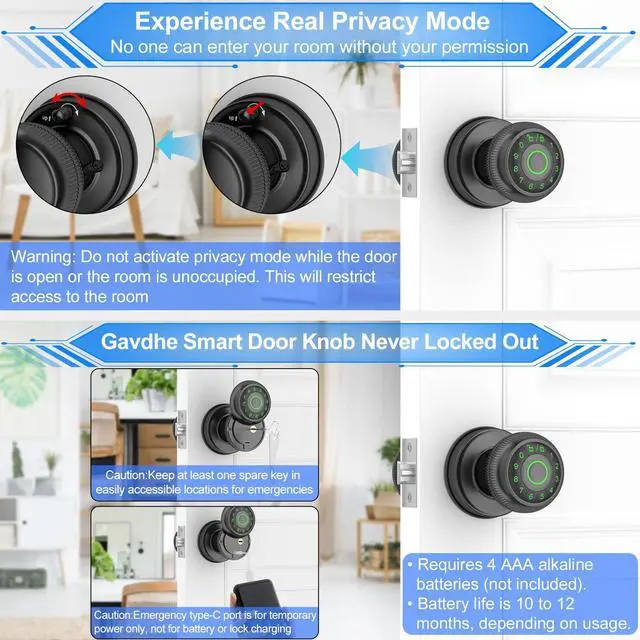
- Requires 4 AAA alkaline batteries (not included), lasting 9–12 months
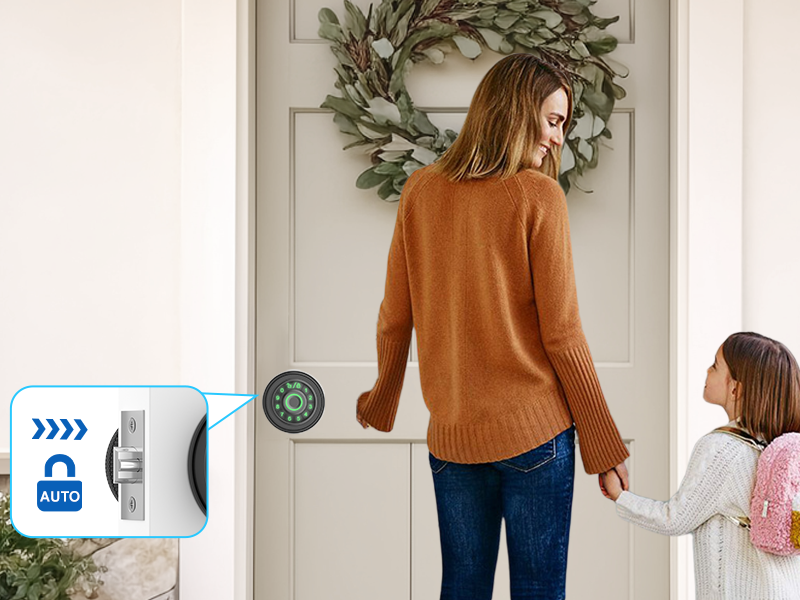
Auto-Lock
Convenient and Secure
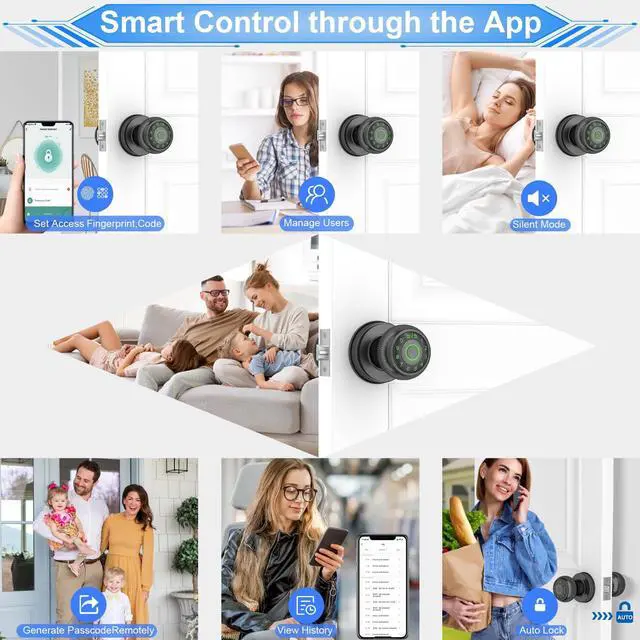
- The system automatically locks after 5 seconds, ensuring security without the need for manual operation.
- Reduces the risk of forgetting to lock the device, providing peace of mind.
- Enjoy a hassle-free experience with automatic locking that kicks in every time, keeping your space secure.
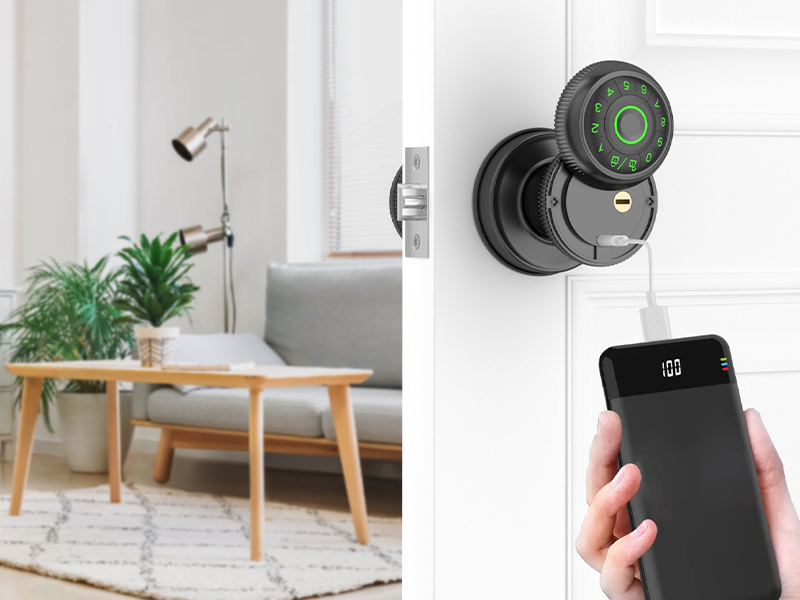
Temporary Unlock via Type-C Port
Convenient and Flexible Access
- Unlock your device easily using the Type-C port for temporary access when needed
- Provides a secure way to unlock without compromising on safety, ideal for emergency situations.
- Do not use the Type-C port for battery charging or to charge the lock. It is intended solely for unlocking purposes
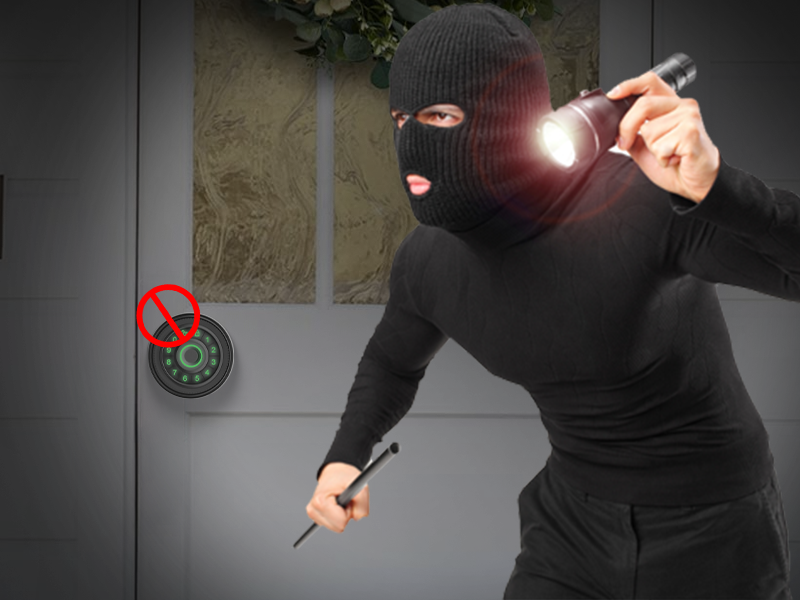
Auto Lockout Feature
Enhanced Security and Protection
- After multiple incorrect password attempts, the smart door knob automatically activates the lockout feature, preventing unauthorized access.
- This security measure ensures your home remains safe by blocking further attempts to unlock the device after repeated failures.
- Helps protect against brute force attacks, adding an extra layer of defense to your home security system.
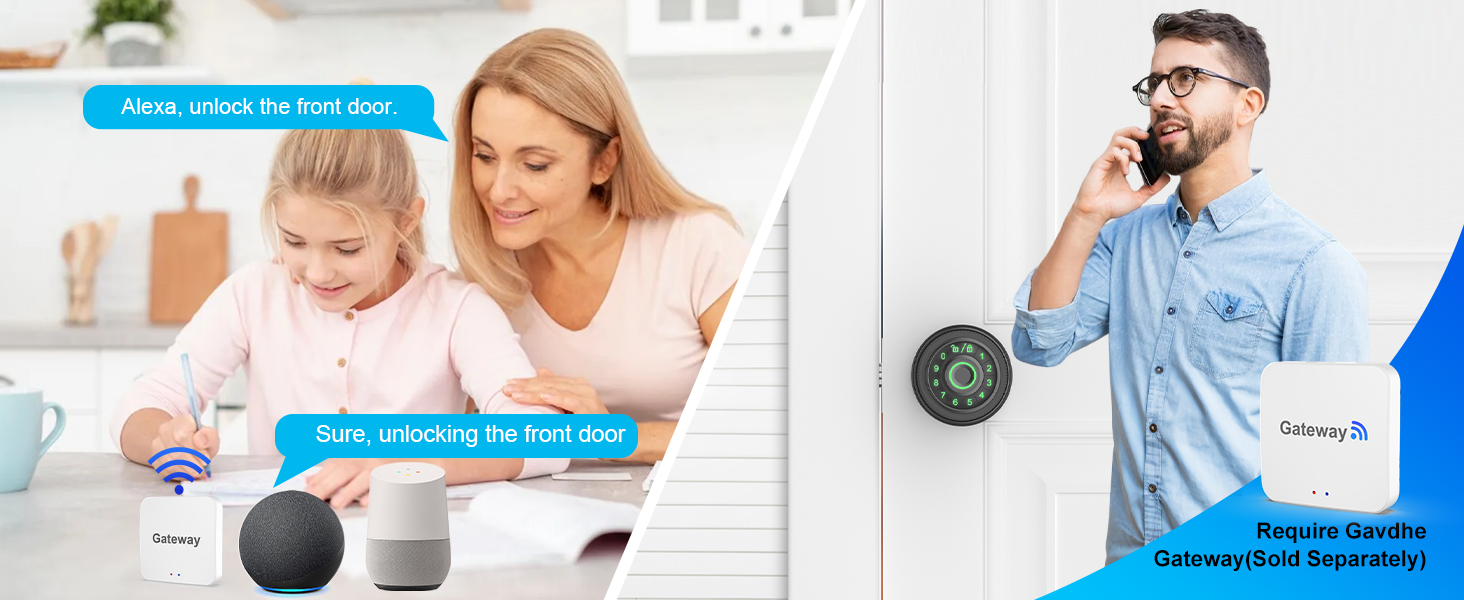
Works with Alexa and Google Assistant when paired with Gavdhe Gateway (sold separately)
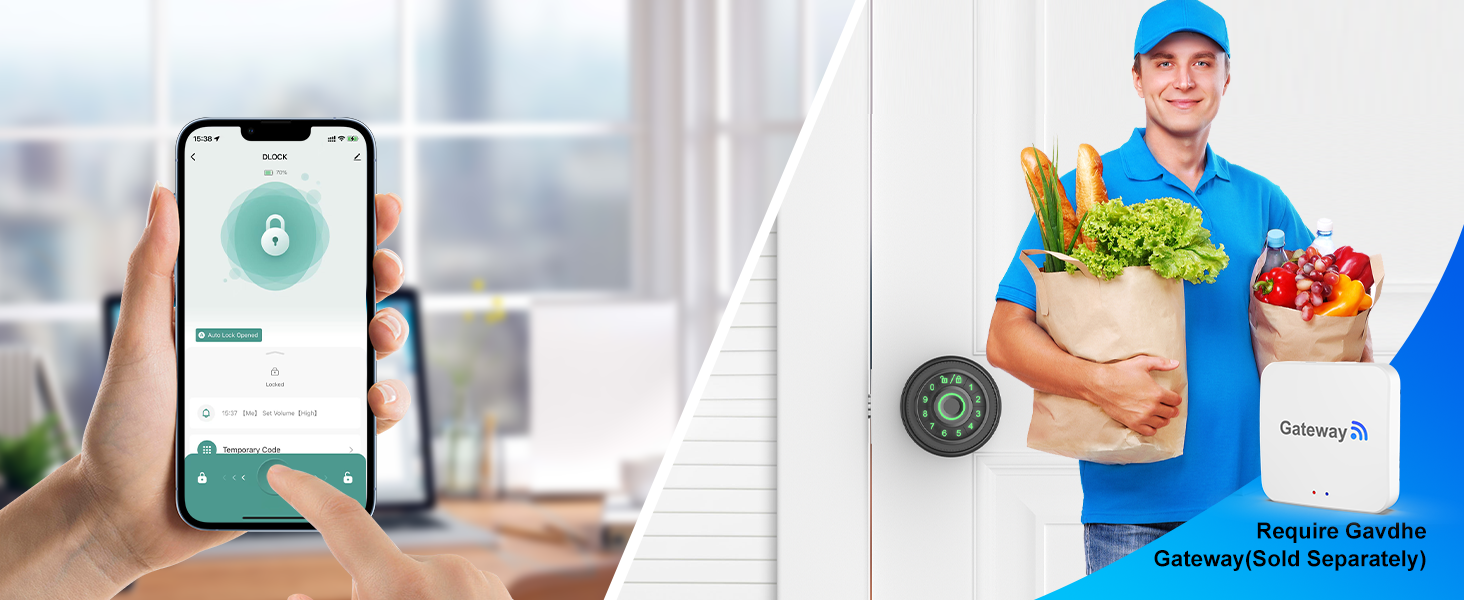
Unlock Anytime, Anywhere with Gavdhe Gateway (sold separately)
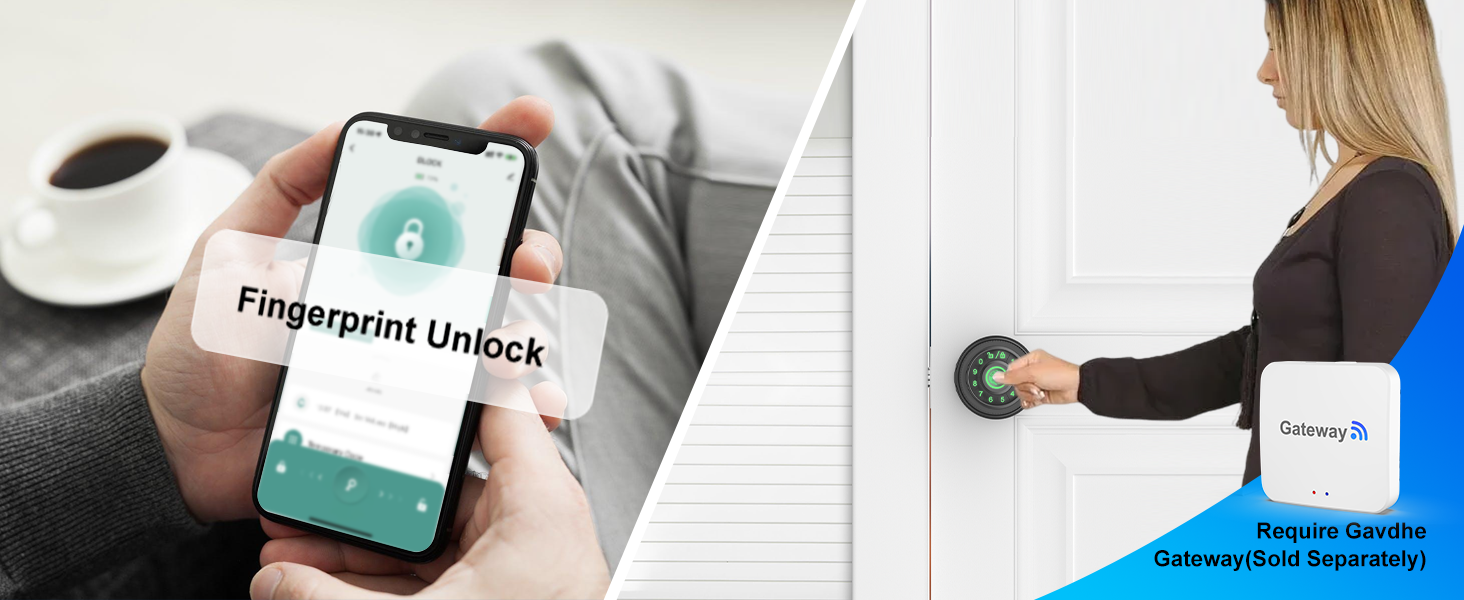
Receive push notifications on your phone when paired with Gavdhe Gateway (sold separately).
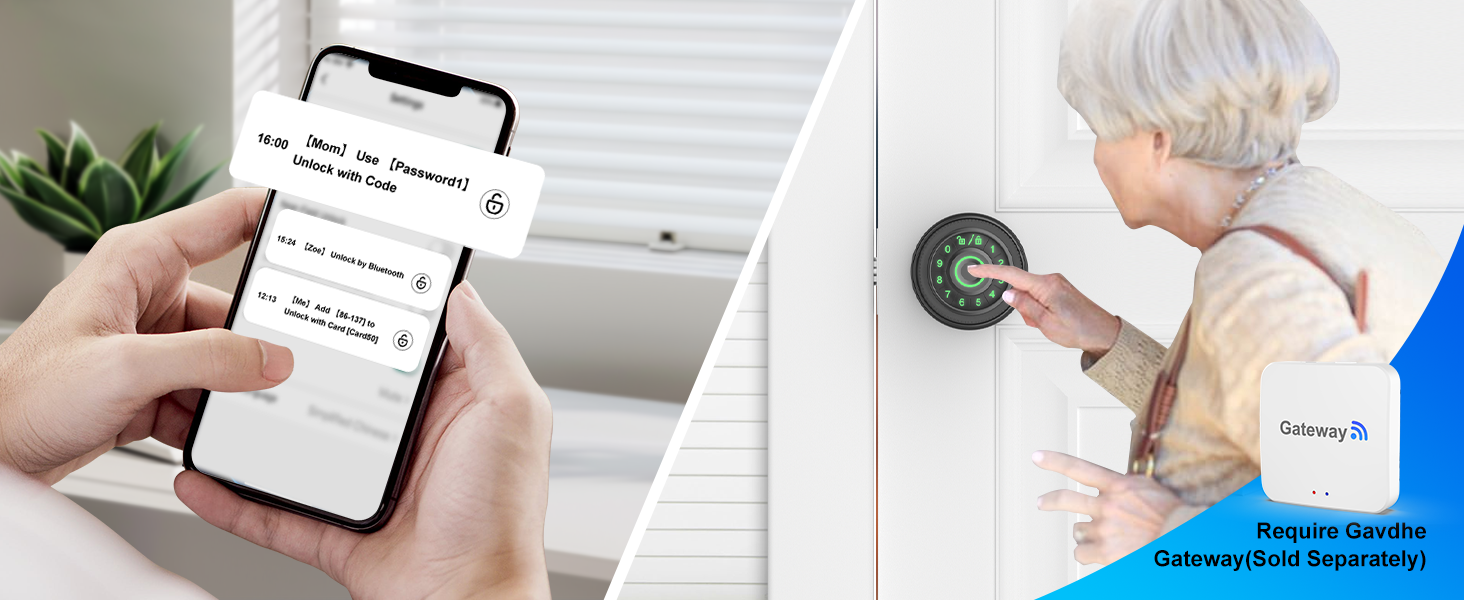
Monitor access and view entry activity when paired with Gavdhe Gateway (sold separately).
Gavdhe Smart Door Knob: The Perfect Fit for You, Always
 4 in1 Smart Door Knob BLK |  4 in1 Smart Door Knob SIL |  5 in1 Smart Door Knob BLK |  5 in1 Smart Door Knob SIL |  Gavdhe Gateway | |
|---|---|---|---|---|---|
App Control | Tuya Smart App | Tuya Smart App | Tuya Smart App | Tuya Smart App | Tuya Smart App |
Fingerprint Storage Capacity | 100 Fingerprints | 100 Fingerprints | 100 Fingerprints | 100 Fingerprints | No |
Passcode Storage Capacity | 100 Codes | 100 Codes | 100 Codes | 100 Codes | No |
RFID Card Storage Capacity | No | No | 100 Cards | 100 Cards | No |
Backup Key | 2 Keys | 2 Keys | 2 Keys | 2 Keys | No |
Lock from Inside | Yes | Yes | Yes | Yes | No |
Work with Alex and Goggle Home | Requires Gavdhe Gateway | Requires Gavdhe Gateway | Requires Gavdhe Gateway | Requires Gavdhe Gateway | Yes |
Remote Control | Requires Gavdhe Gateway | Requires Gavdhe Gateway | Requires Gavdhe Gateway | Requires Gavdhe Gateway | Yes |
Can the fingerprint door lock be locked from the inside?
Yes, the finger print door lock can be locked from the inside, but it's recommended not to activate it when no one is in the room for safety reasons.
How do I use the Type-C port on the thumb print door knob?
The Type-C port is designated for emergency power when the batteries are depleted. You can connect a power bank (not included), but do not use it for charging or connecting to a wall outlet, as this may harm the lock's internal parts.
How can I improve fingerprint recognition accuracy on the lock?
To enhance fingerprint recognition accuracy, register the same fingerprint several times from different angles. Repeat the process 2 or 3 times to further improve the lock's ability to identify your fingerprint, ensuring smoother access.
What type of batteries does the fingerprint door lock use?
The lock operates on four AAA alkaline batteries (not included) for best performance. You can use rechargeable batteries (not included), but do not charge them via the Type-C port, as this may harm the lock's internal components.
Why can anyone unlock the fingerprint door lock?
If anyone can unlock the door, it may be due to the admin fingerprint not being registered or successfully registered after installation. Properly setting up the admin fingerprint is crucial for securing the lock and preventing unauthorized access.
Gavdhe Fingerprint Door Lock
Your Intelligent Security Solution!
Gavdhe is a trusted leader in smart door locks for American homeowners. Our commitment to quality has earned the trust of countless satisfied customers.
We know home security is vital, and our technology meets your everyday needs. Choosing Gavdhe means choosing peace of mind for your family. Experience reliable, user-friendly design that fits into your lifestyle. Trust Gavdhe to keep your home safe.
Gavdhe Fingerprint Door Knob
Gavdhe Smart Door Knob
GEC07 Fingerprint Door Knob
5 in 1 Fingerprint Door Knob
Smar App Unlock / Fingerprint Unlock/Key Fob Unlock/Password Unlock/Key Unlock
Open with a Simple Touch
Smarter, Safer and More Convenient
Innovative Tradition
A fusion of modern and classic, merging smart technology with tradition
Remote Control
When Paired with the Gavdhe Gateway (Sold Separately)
- Remote Control Anytime, Anywhere
- Compatible with Alexa and Google Assistant
Gavade 4 in 1 Smart Door Knob---Smarter,Safer,More Convenient!


Biometric Authorization for Enhanced Privacy
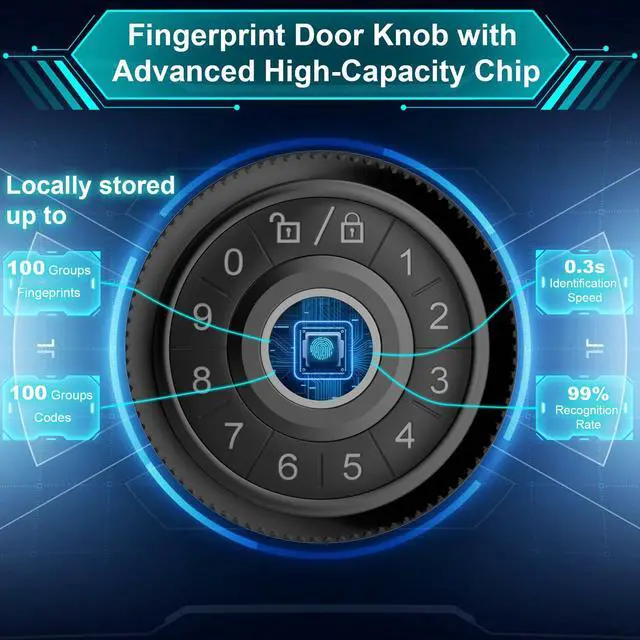
Supports Up to 100 Fingerprints
- Quick Fingerprint Recognition: <0.3 Seconds
- Fingerprint Capacity: 100 Entries
- Low Rejection Rate: <0.01%
Smart App Control
Secure and Convenient
- Unlock with the App
- View Unlock History
- Easy User Management
Effortless Passcode Unlock
Quick, Reliable, and Secure Access
- Instant Passcode Recognition
- Store Up to 100 Unique Passcodes
- Create Permanent or Temporary Codes for Different Users
Multi-Layered Security with Backup Key Unlock
Reliability, Convenience, and Peace of Mind
- Emergency Access for Power Failure Solution
- Versatility in Different Situations
- Ease of Use for Guests or Temporary Users


Built for Any Environment
Versatile and Reliable
- Adaptable to All Conditions
- Durable and Resilient
- Effortless Integration
Anti-Peeping Code
Protect Your Privacy
- Keeps your entry code private, even in crowded or public spaces
- Enter random numbers before or after your actual password to further obscure it
- Protects against shoulder surfing and unauthorized viewing
Low Battery Alert
Stay Informed and Prepared
- Receive instant alerts when your device’s battery is running low, so you're always prepared.
- Easily check battery levels through the app, ensuring you’re never caught off guard.
- Requires 4 AAA alkaline batteries (not included), lasting 9–12 months
Auto-Lock
Convenient and Secure
- The system automatically locks after 5 seconds, ensuring security without the need for manual operation.
- Reduces the risk of forgetting to lock the device, providing peace of mind.
- Enjoy a hassle-free experience with automatic locking that kicks in every time, keeping your space secure.
Temporary Unlock via Type-C Port
Convenient and Flexible Access
- Unlock your device easily using the Type-C port for temporary access when needed
- Provides a secure way to unlock without compromising on safety, ideal for emergency situations.
- Do not use the Type-C port for battery charging or to charge the lock. It is intended solely for unlocking purposes
Auto Lockout Feature
Enhanced Security and Protection
- After multiple incorrect password attempts, the smart door knob automatically activates the lockout feature, preventing unauthorized access.
- This security measure ensures your home remains safe by blocking further attempts to unlock the device after repeated failures.
- Helps protect against brute force attacks, adding an extra layer of defense to your home security system.
Works with Alexa and Google Assistant when paired with Gavdhe Gateway (sold separately)
Unlock Anytime, Anywhere with Gavdhe Gateway (sold separately)
Receive push notifications on your phone when paired with Gavdhe Gateway (sold separately).
Monitor access and view entry activity when paired with Gavdhe Gateway (sold separately).


Gavdhe Smart Door Knob: The Perfect Fit for You, Always
4 in1 Smart Door Knob BLK | 4 in1 Smart Door Knob SIL | 5 in1 Smart Door Knob BLK | 5 in1 Smart Door Knob SIL | Gavdhe Gateway |
|---|---|---|---|---|
| App Control | ||||
| Tuya Smart App | Tuya Smart App | Tuya Smart App | Tuya Smart App | Tuya Smart App |
| Fingerprint Storage Capacity | ||||
| 100 Fingerprints | 100 Fingerprints | 100 Fingerprints | 100 Fingerprints | No |
| Passcode Storage Capacity | ||||
| 100 Codes | 100 Codes | 100 Codes | 100 Codes | No |
| RFID Card Storage Capacity | ||||
| No | No | 100 Cards | 100 Cards | No |
| Backup Key | ||||
| 2 Keys | 2 Keys | 2 Keys | 2 Keys | No |
| Lock from Inside | ||||
| Yes | Yes | Yes | Yes | No |
| Work with Alex and Goggle Home | ||||
| Requires Gavdhe Gateway | Requires Gavdhe Gateway | Requires Gavdhe Gateway | Requires Gavdhe Gateway | Yes |
| Remote Control | ||||
| Requires Gavdhe Gateway | Requires Gavdhe Gateway | Requires Gavdhe Gateway | Requires Gavdhe Gateway | Yes |
Can the fingerprint door lock be locked from the inside?
Yes, the finger print door lock can be locked from the inside, but it's recommended not to activate it when no one is in the room for safety reasons.
How do I use the Type-C port on the thumb print door knob?
The Type-C port is designated for emergency power when the batteries are depleted. You can connect a power bank (not included), but do not use it for charging or connecting to a wall outlet, as this may harm the lock's internal parts.
How can I improve fingerprint recognition accuracy on the lock?
To enhance fingerprint recognition accuracy, register the same fingerprint several times from different angles. Repeat the process 2 or 3 times to further improve the lock's ability to identify your fingerprint, ensuring smoother access.
What type of batteries does the fingerprint door lock use?
The lock operates on four AAA alkaline batteries (not included) for best performance. You can use rechargeable batteries (not included), but do not charge them via the Type-C port, as this may harm the lock's internal components.
Why can anyone unlock the fingerprint door lock?
If anyone can unlock the door, it may be due to the admin fingerprint not being registered or successfully registered after installation. Properly setting up the admin fingerprint is crucial for securing the lock and preventing unauthorized access.