Out of stock
This item is currently out of stock and it may or may not be restocked.
Sold by Newegg

Shipped by Newegg

Shop it at NeweggBusiness.

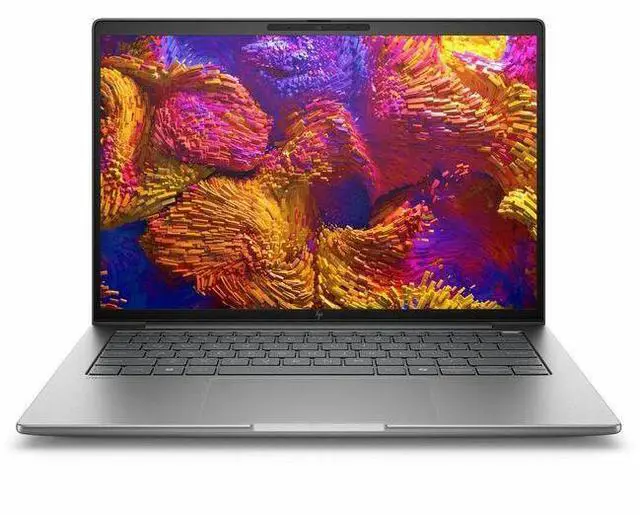
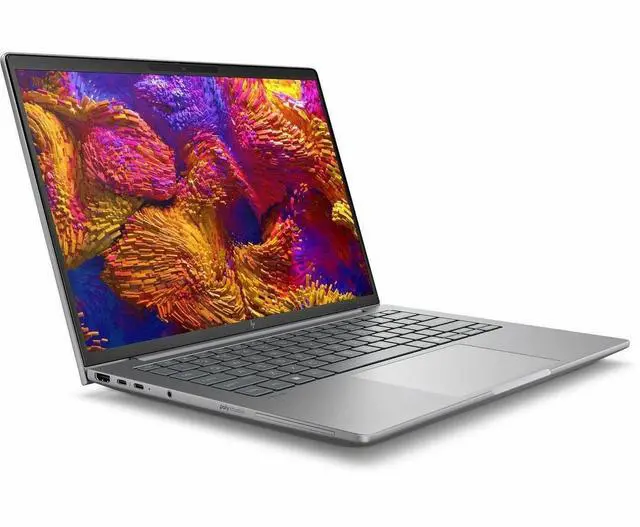
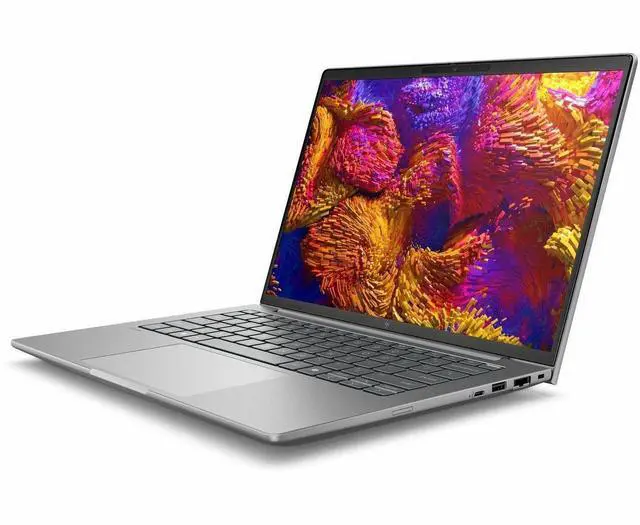
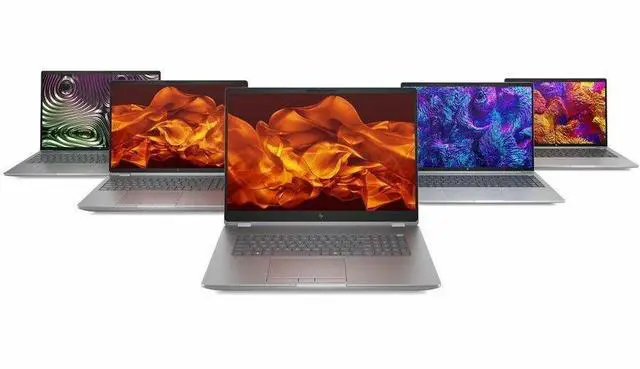
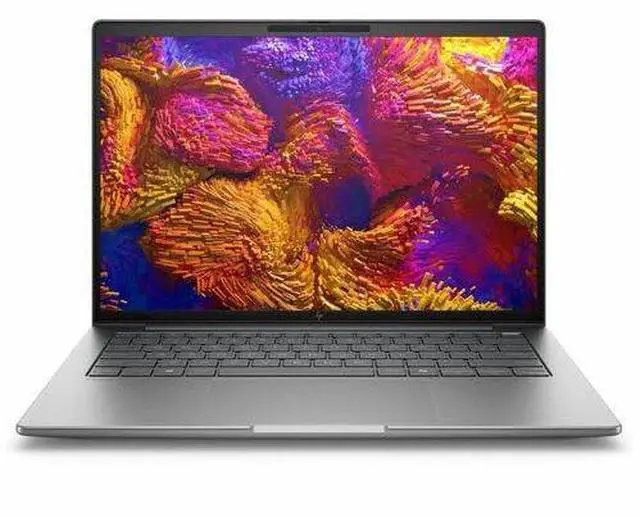
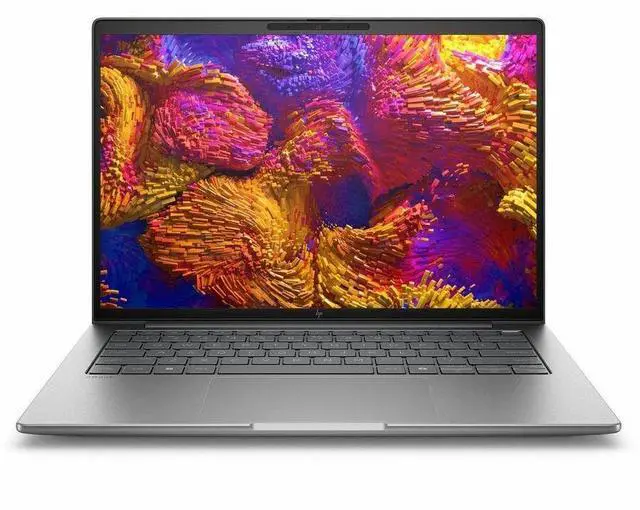
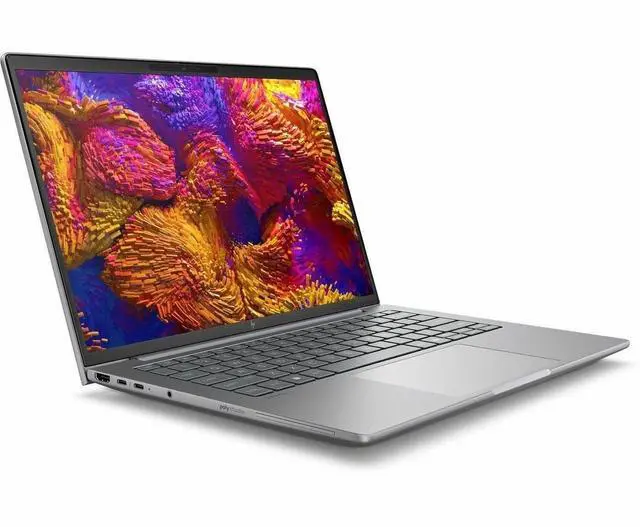
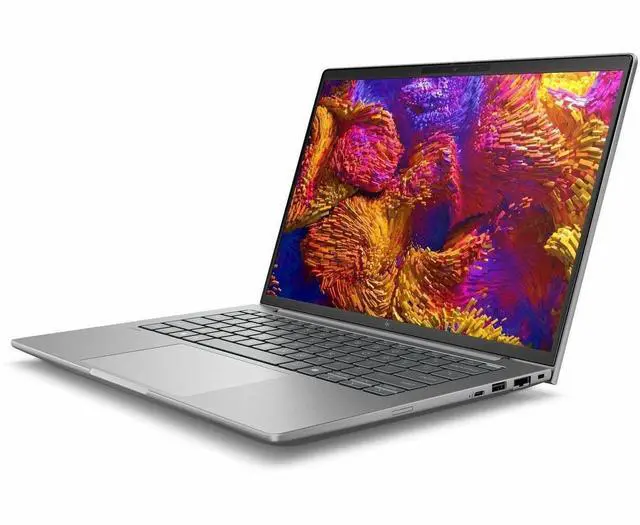
HP ZBook 8 G1as 14" Copilot+ PC Mobile Workstation - WQXGA - AMD Ryzen AI 9 HX PRO 375 - 64 GB - 1 TB SSD - English Keyboard - Meteor Silver - AMD Chip - 2560 x 1600 - Windows 11 Pro - AMD Radeon

  • WQXGA
  • AMD Ryzen AI 9 HX PRO 375
  • 64 GB
  • 1 TB SSD
  • English Keyboard
  • Meteor Silver
  • AMD Chip
  • 2560 x 1600
  • Windows 11 Pro
  • AMD Radeon 890M Graphics
  • In-plane Switching (IPS) Technology, DreamColor
  • Fr
Overview
Specs
Reviews
See all Q & A
avatar

Any questions? Our AI mode will help you find out quickly.

SMART BUY ZBOOK 8 G1A S4 RA9375 14 64GB/1T PC

Warranty & Returns

Warranty, Returns, And Additional Information

Warranty

  • Limited Warranty period (parts): 1 year
  • Limited Warranty period (labor): 1 year
  • Read full details

Return Policies

Manufacturer Contact Info

LOADING...

Learn about this product

The HP ZBook 8 G1as is a 14-inch Copilot+ mobile workstation built for professionals who need strong everyday compute in a travel-friendly format, with an AMD Ryzen AI 9 HX PRO 375, 64GB RAM, 1TB SSD, and a sharp 2560x1600 IPS DreamColor display suited to business, creation, and multitasking workloads.

Recommended For

  • Mobile CAD, BIM, and design professionals who need a 14-inch workstation for client sites, travel, or hybrid work, but still want a platform positioned for pro apps like Revit, AutoCAD, and other certified workstation workflows.
  • Engineers, analysts, or technical users who keep many large files, browser tabs, and business apps open at once and want a compact Windows workstation with 64GB RAM rather than a typical thin-and-light office laptop.
  • Corporate buyers standardizing on Windows 11 Pro, AMD PRO, and HP Wolf Pro Security who need a workstation-class business laptop for secure deployment across design, technical, or data-heavy roles.
  • Users who want better integrated-graphics capability than a standard business laptop for light 3D work, visualization, photo work, or occasional GPU-assisted tasks without moving up to a thicker 15- or 16-inch workstation.
  • Early adopters who specifically want a Copilot+ business workstation and are comfortable keeping firmware updated as the platform matures.

Real-World Use Scenarios

  • Mobile CAD, BIM, or GIS field work: a user can open large project files, review drawings on-site, and keep several professional apps and browser tabs open at once; the likely experience is smooth navigation and fast context switching, but this configuration is better suited to integrated-graphics workstation tasks than heavy 3D rendering that normally depends on a discrete GPU.
  • Photo review, color-critical asset checks, and presentation prep: a user can edit still images, review brand assets, and deliver client-ready visuals on the laptop screen without immediately reaching for an external monitor; the likely outcome is a good fit for portable creative review work thanks to the high-resolution DreamColor display, while very GPU-heavy effects workflows remain less ideal than on larger workstations with dedicated graphics.
  • Heavy multitasking for consulting, engineering, or finance work: a user can run large spreadsheets, business apps, remote sessions, video calls, and many browser tabs together; the likely experience is responsive day-to-day productivity with enough memory headroom to avoid slowdowns during complex multitasking.
  • Portable video editing and media turnaround: a user can cut short 4K projects, manage proxies, and export client updates while traveling; the likely outcome is practical editing performance for mobile production and review, though longer exports, heavier grading, and effects work will still favor systems with stronger dedicated GPUs.
  • Private on-device AI experimentation: a user can test local assistants, summarize documents, or run smaller local LLM workflows without sending sensitive files to the cloud; the likely experience is suitable for light to moderate local AI use and developer experimentation, but community reports suggest bigger models and tooling support can still require tuning and are not as straightforward as on high-VRAM discrete-GPU systems.
  • Travel-heavy professional use: a user can take it between office, home, and client sites for a full day of meetings, documents, web work, and remote collaboration; the likely outcome is better unplugged endurance than many older workstation-class laptops, with battery life depending on display choice and workload intensity.

Spec Summary

AttributeValue
Best ForMobile workstation configured for professional use on the go with a 14.0" WQXGA (2560 x 1600) display and workstation-class components
Processor And Core CountAMD Ryzen AI series (model 375) single-processor configuration, up to 5.1 GHz with 24 MB L3 cache (Ryzen 9000 Series)
GPU And VRAMIntegrated graphics — AMD Radeon 890M graphics with DDR5 SDRAM graphics memory
Display Spec14.0" WQXGA (2560 x 1600) IPS DreamColor panel, native 2560 x 1600 resolution, 120 Hz refresh rate, up to 500 nit brightness
Memory Configuration64 GB DDR5 SDRAM installed (RAM type DDR5), 2 memory slots, maximum supported 64 GB
Storage And Expansion1 TB internal SSD (solid-state drive)
High Speed I OReported ports include 2 Thunderbolt ports, 1 HDMI port and 1 USB port (5 total ports reported)
Battery And PowerIncludes lithium polymer battery and power adapter
Wired And Wireless NetworkingWi‑Fi (802.11.be) and Bluetooth wireless; wired networking via Ethernet; connectivity also includes HDMI, USB and Thunderbolt
Webcam And PrivacyBuilt-in webcam present
Keyboard And ControlQWERTY keyboard with touchpad; touchscreen: No
PortabilityMeteor Silver mobile workstation; item dimensions reported as 11.5 L x 18.6 W x 2.7 TH inches and package weight 6.5 Pounds
External Display And Docking FitExternal displays supported via HDMI and Thunderbolt (2 Thunderbolt ports); compatible with devices using USB, HDMI and Thunderbolt 4
Operating SystemWindows 11 Pro
Model IdentifiersManufacturer Hewlett Packard / Brand HP — Model BZ7L0UT#ABA, Edition ZBook 8 G1as
Other FeaturesFingerprint reader included; described as portable mobile workstation

Reference Q&A

Q: Should I buy the HP ZBook 8 G1a 14 or the HP ZBook Ultra G1a 14?

A: Choose the HP ZBook 8 G1a 14 if you want a lighter 14-inch mobile workstation for office, coding, CAD review, content work, and AI PC features without moving up to HP’s highest-end AMD platform. Choose the ZBook Ultra G1a 14 if your priority is heavier local AI, larger integrated graphics resources, or more demanding workstation-class throughput. HP positions the Ultra line above the standard ZBook 8, and current Ultra configurations use Ryzen AI Max PRO chips with stronger Radeon 8050S-class graphics, while this ZBook 8 G1a model uses Ryzen AI 9 HX PRO 375 with Radeon 890M. The trade-off is that the ZBook 8 is the more balanced choice for portability and mainstream workstation use, while the Ultra is the better fit for buyers deliberately shopping for more compute headroom.

Q: Is the HP ZBook 8 G1a 14 a better choice than an older HP ZBook Firefly 14 AMD model?

A: Yes, this ZBook 8 G1a 14 is the better choice if you want a newer AMD platform with materially stronger integrated graphics and more headroom for multitasking or GPU-assisted work. Community discussion around HP’s lineup treats the ZBook 8 as the successor path to the Firefly class, and the older Firefly 14 AMD generation commonly used Radeon 780M or lower-tier integrated graphics, while this model moves to Radeon 890M. That makes the ZBook 8 the more forward-looking option for buyers who want better iGPU capability without stepping into a larger or more expensive workstation tier. An older Firefly can still make sense if price matters more than generational gains.

Q: Should I choose this 64GB ZBook 8 G1a 14 or a lower-memory version?

A: Choose this 64GB configuration if you expect long system life, large datasets, heavy multitasking, multiple virtual machines, browser-heavy workflows, or local AI and creative apps that benefit from more shared memory. Because this system uses integrated Radeon 890M graphics, system memory also matters more than it does on laptops with dedicated graphics. If your workload is mainly Office, web apps, video calls, and light coding, a lower-memory configuration is usually the better value. The main trade-off is simple: 64GB is the safer choice for demanding professional use, while a lower-tier memory configuration is the more efficient choice for general business work.

Q: Is this 14-inch ZBook 8 G1a better for portability, or should I get a larger performance-first workstation instead?

A: Choose this 14-inch ZBook 8 G1a if portability, daily travel, desk flexibility, and integrated-graphics efficiency matter more than maximum sustained workstation performance. A larger workstation is the better choice if you need stronger cooling, dedicated professional graphics, or more sustained performance under long rendering, simulation, or GPU-heavy workloads. HP positions the 14-inch ZBook 8 as a compact mobile workstation, and review patterns around comparable 14-inch AMD systems with the same processor family show that Ryzen AI 9 HX PRO 375 and Radeon 890M are capable, but still aimed at balanced mobility rather than replacing higher-power dGPU workstations. The trade-off is mobility and simplicity versus maximum performance ceiling.

Q: Is this a good fit for travel, meetings, and office work?

A: Yes, if you want a premium 14-inch Windows work laptop with workstation-class memory and storage. It has a webcam, Bluetooth, Windows 11 Pro, a backlit keyboard, and a high-resolution 2560 x 1600 display, which makes it suitable for meetings, documents, spreadsheets, and multitasking on the go. The main trade-off is that it is a mobile workstation, so it is likely a better fit for professionals who also need heavier productivity headroom than for buyers who only want a basic travel laptop.

Q: Who is this laptop best suited for?

A: This model is best suited for professionals who need a compact workstation rather than a standard consumer laptop. The 64 GB RAM, 1 TB SSD, Ryzen AI 9 HX PRO processor, Windows 11 Pro, and integrated Radeon 890M graphics make it a strong fit for heavy multitasking, business applications, content work, and mobile professional use. It is less suitable for buyers whose needs are limited to web browsing, email, and light schoolwork, because those users can usually spend less and still meet their needs.

Q: Is it better than a typical consumer 14-inch laptop?

A: It is better if your priority is professional headroom, memory capacity, and workstation positioning. Compared with a typical consumer 14-inch laptop, this ZBook class machine offers much more RAM, business-oriented Windows 11 Pro, and higher-end professional targeting. The trade-off is value: for basic note-taking, streaming, and everyday office tasks, a mainstream 14-inch laptop will usually be more cost-effective.

Q: Is the lack of a touchscreen a downside for note-taking or general use?

A: It depends on how you work. For keyboard-first office work, meetings, writing, spreadsheets, and browser-based tasks, a non-touch 14-inch display is usually not a problem. But if you expect tablet-style note-taking, pen input, or frequent touch navigation, this is not the right fit because the listed specification says the display is not touchscreen.

Q: Does it come with Microsoft Office, and is it ready for business setup?

A: It should be considered business-ready in terms of hardware and OS because it includes Windows 11 Pro, but buyers should not assume Microsoft Office is included unless the seller explicitly says so. On retail laptop Q&A pages, one of the most repeated buying questions is whether Office is bundled, and the common answer is that it usually must be purchased separately.

Q: Who is this HP ZBook 8 G1a 14 best suited for?

A: It is best suited for buyers who want a compact 14-inch Windows workstation with high memory, a sharp 2560 x 1600 IPS/DreamColor display, and strong CPU performance for professional workloads. It makes more sense for office, creation, engineering, and multitasking use than for buyers who primarily want gaming performance or a dedicated GPU.

Q: Is it a good replacement for a thin-and-light business laptop?

A: Yes, if you want more performance and much more memory than a typical business laptop while staying in a 14-inch form factor. No, if your priority is the lightest design, lowest price, or longest battery life over workstation-class configuration.

Q: Is this a good choice for travel and everyday carry?

A: It can be a good travel workstation if you need real work performance in a 14-inch laptop. The trade-off is that it is still a workstation-class machine, so buyers focused mainly on portability, casual note-taking, or basic web use may be paying for more hardware than they need.

Q: What are the main trade-offs of buying this model?

A: The main trade-offs are price and graphics limits. You get a premium 14-inch workstation with 64 GB RAM, 1 TB SSD, and a high-resolution IPS display, but the integrated Radeon 890M is a weaker fit for buyers who need dedicated-GPU-class 3D, rendering, or gaming performance. It is most appealing when your workloads benefit more from CPU, memory, display quality, and portability than from maximum GPU power.