Best Sellers
- $4,876.81
- + FREE SHIPPING
- $5,013.54
- $5,165.81
- + $16.99 Shipping
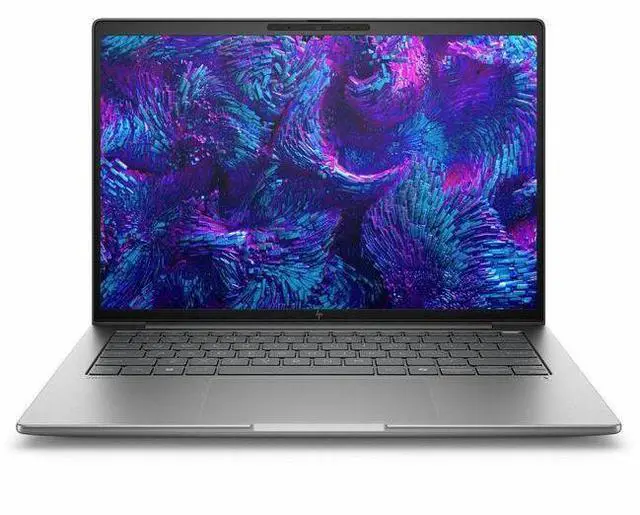
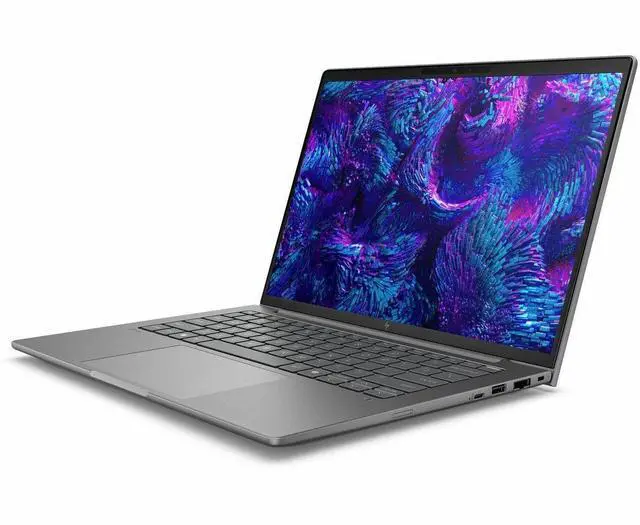
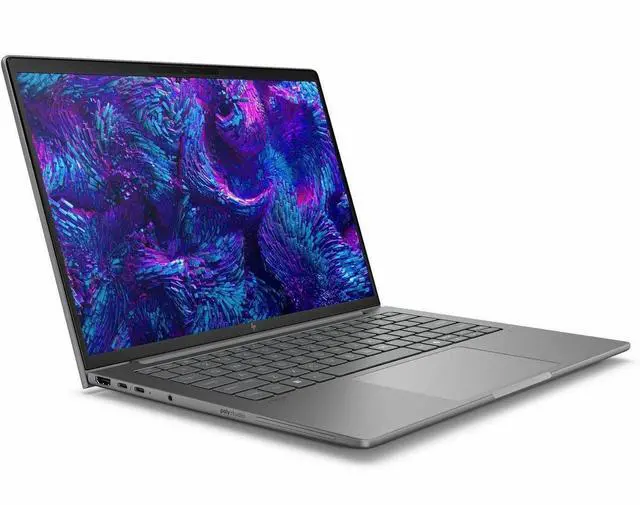
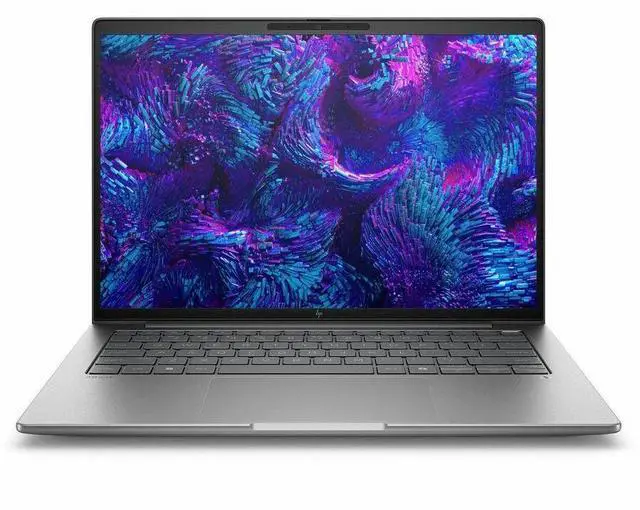
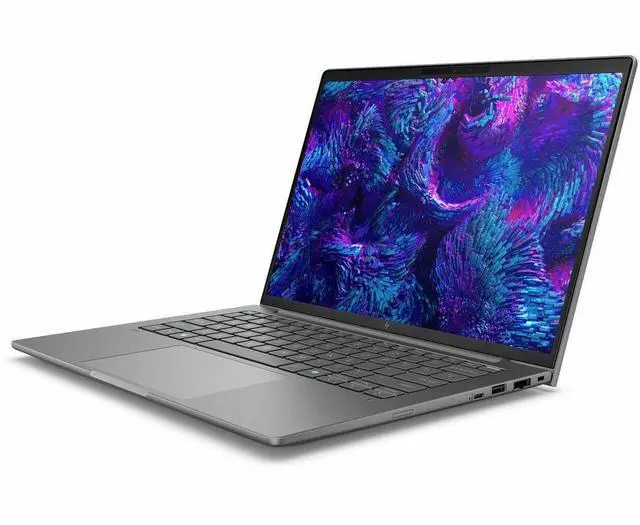
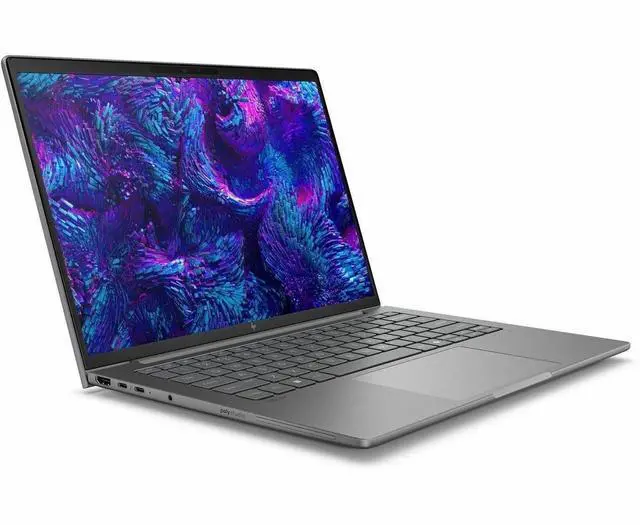
HP ZBook 8 G1i 14" Mobile Workstation - Intel Core Ultra 7 265H - 64GB - 1TB SSD - Windows 11 Pro - NVIDIA RTX 500 Ada Generation - Webcam - IEEE 802.11be Wireless LAN Standard BX7T6UT#ABA
Free game w/ purchase, limited offer
- WQXGA
- Intel Core Ultra 7 265H
- vPro Technology
- 64 GB
- 1 TB SSD
- English Keyboard
- Meteor Silver
- Intel Chip
- 2560 x 1600
- Windows 11 Pro
- NVIDIA RTX 500 Ada Generation 4 GB
Any questions? Our AI mode will help you find out quickly.
Warranty & Returns
Warranty, Returns, And Additional Information
Warranty
- Limited Warranty period (parts): 1 year
- Limited Warranty period (labor): 1 year
- Read full details
Return Policies
- Return for refund within: 15 days
- Return for replacement within: 15 days
- This item is covered by Newegg.com's 15-Day Return Policy.
- Read full return policy for details.
Manufacturer Contact Info
- Manufacturer Website
- Support Phone: 1-800-474-6836
- Support Website
- View other products from HP
Learn about this product
The HP ZBook 8 G1i is a 14-inch mobile workstation for professionals who need a compact business laptop with a high-resolution 2560 x 1600 display, 64GB RAM, 1TB SSD, Windows 11 Pro, and enterprise features like Intel Core Ultra 7 265H with vPro and Wi‑Fi 7.
Recommended For
- Mobile CAD, BIM, and engineering users who need a 14-inch workstation for client sites, field visits, or hybrid work. HP positions the ZBook 8 as an ISV-certified mobile workstation, and review coverage consistently treats it as a compact pro-app machine rather than a standard business laptop.
- Architects, product designers, and technical professionals who want workstation-class software support in a travel-friendly chassis. HP highlights certified pro-app use, while community discussion around the ZBook line repeatedly centers on carrying a slim workstation between office, home, and on-site work.
- Creative professionals who edit, review, or present visual work on the go and care about display quality more than maximum GPU headroom. HP offers DreamColor and wide-gamut display options, and reviews note strong color coverage that fits photo, design, and content review workflows.
- Professionals who want a quieter, more office-friendly workstation for long typing sessions, meetings, and mixed productivity plus light 3D work. Reviews specifically call out the quiet keyboard, fans that stay off when idle, and battery life around a full workday of lighter use.
Real-World Use Scenarios
- Using CAD, SolidWorks, or AutoCAD on the go: a designer can handle mainstream 2D work, assemblies, and certified professional apps more reliably than on a standard business laptop, but very heavy 3D scenes or GPU-intensive modeling will be better on higher-tier workstation GPUs.
- Running long Excel models, code builds, analysis jobs, or other CPU-heavy office and engineering workloads: users should expect fast day-to-day responsiveness and sustained performance under load, with less slowdown during extended tasks than many thin business laptops.
- Editing photos, design comps, or marketing assets while traveling: the 14-inch high-resolution panel and workstation positioning fit color-sensitive creative work, so tasks like Lightroom, Photoshop, and layout work should feel practical on the road, especially for users who value portability over a larger screen.
- Joining client calls, remote reviews, or hybrid team meetings: users can expect a cleaner work-from-anywhere experience with a strong webcam, noise handling, and business-oriented connectivity, making it suitable for professionals who spend part of the day presenting or collaborating online.
- Using local AI tools, GPU-accelerated creative apps, or light 3D visualization: the system is suitable for smaller and midrange acceleration tasks, but users should not expect it to be the best fit for large local AI models or the heaviest rendering workflows because entry workstation graphics and 4GB VRAM limit headroom.
Spec Summary
| Attribute | Value |
|---|---|
| Best For | Business and professional mobile workstation use — a 14-inch portable workstation configuration with high memory (64 GB), 1 TB M.2 SSD storage, Thunderbolt and HDMI connectivity for external displays and accessories |
| Model Identifiers | HP ZBook 8 G1i (Model BX7T6UT#ABA), Meteor Silver, single-unit packaging |
| Processor And Core Count | Intel Core Ultra 7 265H (single-processor configuration), 7th Gen model 265H, up to 5.3 GHz boost, 24 MB L3 cache |
| Memory Configuration | 64 GB DDR5 RAM installed (2 memory slots, maximum 64 GB) |
| Storage And Expansion | 1 TB solid-state drive in M.2 form factor (m2 interface) |
| Display Spec | 14.0-inch WQXGA (2560 x 1600) IPS DreamColor panel, 120 Hz refresh rate, up to 500 nit maximum brightness |
| GPU And VRAM | Integrated graphics with 4 GB graphics memory (DDR5) |
| High Speed I O | Video output via HDMI (1); 2 Thunderbolt ports; USB ports including USB Type-C; Ethernet connectivity available |
| Wired And Wireless Networking | Wi‑Fi 802.11be wireless (Wi‑Fi 7) and Bluetooth support, plus Ethernet for wired networking |
| Webcam And Privacy | Built-in webcam and support for biometric sign-in via fingerprint reader |
| Keyboard And Control | English keyboard layout with touch pad input |
| Operating System And Software | Windows 11 Pro (Windows OS family); includes internet security software, no office productivity suite included |
| Battery And Power | Lithium polymer battery and power adapter provided; batteries not required and not included |
| Portability And Dimensions | Mobile Workstation form factor; item dimensions 10.9 L x 18.6 W x 2.7 TH inches; package weight 6.3 Pounds |
| External Display And Docking Fit | Compatible with external displays, mice, keyboards, storage devices, printers and other accessories that connect via HDMI, USB Type‑C, IEEE 802.11be, and Bluetooth |
| Model And Manufacturer Details | HP brand mobile workstation manufactured by Hewlett Packard |
Reference Q&A
Q: Should I choose the HP ZBook 8 G1i 14 or Lenovo ThinkPad P14s Gen 5 for a 14-inch mobile workstation?
A: Choose the HP ZBook 8 G1i 14 if you want a compact 14-inch workstation with higher-end CPU options, up to 64GB RAM, optional RTX 500 Ada graphics, and strong battery life for this class. Choose the ThinkPad P14s Gen 5 if you want a similarly sized ISV-focused workstation and your decision comes down more to Lenovo's keyboard, ports, or pricing. Across workstation-focused reviews, both target the same buyer, but the ZBook 8 G1i is positioned more clearly as HP's premium thin mobile workstation, while the P14s Gen 5 is commonly treated as the direct Lenovo alternative rather than a major step up in graphics tier.
Q: Is the HP ZBook 8 G1i 14 worth choosing over a lower-spec integrated-graphics configuration?
A: Yes, if you use certified professional apps, work with larger CAD or 3D workloads, or want more headroom for multitasking. The lower-tier integrated Arc configuration is the better fit for office work, coding, remote sessions, and lighter creative tasks where battery life and cost matter more than workstation graphics. The RTX-equipped ZBook 8 G1i configuration makes the most sense when GPU acceleration is part of your daily workflow, not just an occasional need.
Q: Should I buy the HP ZBook 8 G1i 14 or move up to a higher-tier 14-inch workstation like a Dell Precision 5490?
A: Buy the ZBook 8 G1i 14 if you want a lighter, more balanced mobile workstation for professional productivity, moderate CAD work, and better mobility. Move up to a higher-tier model such as the Precision 5490 if your workload benefits from a much faster discrete GPU tier and you regularly run heavier rendering, simulation, or AI tasks. Reviews and benchmark comparisons show that systems in the Precision 5490 class can deliver clearly higher graphics performance, but they are solving a different performance-first use case than the ZBook 8 G1i.
Q: Is the HP ZBook 8 G1i 14 a meaningful upgrade over the previous HP ZBook Firefly 14 generation?
A: Yes, especially if you are upgrading from a Firefly 14 model with older Core or lower-tier workstation graphics. The ZBook 8 line replaces the Firefly naming in this class and keeps the thin 14-inch workstation concept while moving to newer Intel Core Ultra platforms and newer GPU options. In review coverage, newer RTX 500 Ada-based 14-inch workstations show a noticeable step up over earlier RTX A500-class systems in professional graphics workloads, so the upgrade is most worthwhile for CAD, 3D, and GPU-assisted creation rather than basic office work.
Q: Should I pick the HP ZBook 8 G1i 14 for portability or choose a larger workstation for maximum performance?
A: Pick the ZBook 8 G1i 14 if you need a workstation-class laptop that is easier to carry every day and still supports professional apps, 64GB memory, and discrete workstation graphics in some configurations. Choose a larger 16-inch or higher-power workstation if sustained GPU performance, more thermal headroom, or bigger-screen productivity matters more than travel comfort. The ZBook 8 G1i 14 is better suited to mobile professionals who want a practical balance of size, battery life, and certified workstation capability.
Q: Is this a good choice for travel work, client meetings, and daily office use?
A: Yes, if you need a compact workstation rather than a basic business laptop. The 14-inch size, 2560 x 1600 display, webcam, Wi‑Fi 7, and Windows 11 Pro fit meetings and office work well, while the Core Ultra 7 and 64GB RAM add much more headroom than typical office laptops. The trade-off is price and likely shorter unplugged runtime than lighter non-workstation models, especially under demanding workloads.
Q: Who is this laptop actually suitable for?
A: This model is best for professionals who need workstation-class memory and graphics in a smaller chassis: CAD users, engineers, creators using pro apps, analysts running large datasets, and users who keep many heavy apps open at once. It is less suitable for buyers who mainly use web apps, documents, and video calls, because those users would pay for performance they may not use.
Q: Is it overkill for note-taking, meetings, and normal office work?
A: For basic note-taking, meetings, email, and Office apps, yes—this configuration is more than most users need. The 64GB RAM, Core Ultra 7 H-series chip, and workstation GPU are valuable when you also do heavier multitasking, creative work, local AI tasks, or professional graphics workflows. If your workload is mostly browser, documents, and video calls, a mainstream business laptop is usually the better value.
Q: How does it compare with a gaming laptop or a larger mobile workstation?
A: Choose this HP if you want a smaller 14-inch workstation with professional positioning, Windows 11 Pro, high memory capacity, and pro-graphics support in a travel-friendly form. A gaming laptop often gives more raw graphics performance per dollar, but it is usually larger, less office-friendly, and less focused on workstation workflows. A larger mobile workstation can offer better cooling, more upgrade flexibility, and sometimes stronger graphics, but it gives up portability.
Q: What is the main buying risk or trade-off with this model?
A: The main trade-off is paying workstation-level pricing for performance that many buyers may not fully use. Another caution is configuration clarity: listings for workstation laptops can vary by display, GPU, and storage, so buyers should confirm the exact GPU and panel before purchase. If you specifically need a 14-inch professional mobile workstation with high RAM and pro-app headroom, the trade-off makes more sense; otherwise, a cheaper business laptop may be the smarter buy.
Q: Who is this 14-inch HP ZBook best suited for?
A: This model fits buyers who want a compact Windows workstation for professional apps, multitasking, and frequent travel, but still need more memory and graphics capability than a typical business laptop. Its 64GB RAM, 1TB SSD, 2560x1600 display, and workstation positioning make it better suited to CAD-adjacent work, content work, coding, and heavy office use than to pure media consumption or gaming-first use.
Q: Is it a good choice if I need a portable workstation rather than a gaming laptop?
A: Yes, if your priority is work-oriented design over gaming value. Community discussion around ZBooks repeatedly favors them for business build quality, professional features, and workstation use, while also noting that similarly priced gaming laptops may offer stronger raw GPU performance. This HP configuration makes more sense for buyers who care about portability, RAM capacity, Windows Pro, and workstation use cases more than maximum gaming FPS per dollar.
Q: What are the main trade-offs of buying a 14-inch ZBook like this?
A: The main trade-offs are thermal headroom and battery life versus portability. Repeated ZBook and Firefly discussions describe thin 14-inch workstation models as capable but more constrained under sustained heavy loads than larger workstations. In practice, this type of system is easier to carry than a 15- or 16-inch workstation, but buyers should expect more heat, more fan noise under load, and less unplugged endurance than a lower-power business laptop.
Q: Is this a good fit for all-day battery use and travel?
A: It is travel-friendly in size, but it is not the safest pick if all-day battery life is your top requirement. Community discussion around similar 14-inch ZBooks frequently raises battery life as a compromise of the workstation design, especially on performance-focused configurations. This model is a better fit for users who can charge regularly and want a smaller workstation, not for buyers prioritizing maximum unplugged runtime.
Q: Is it worth buying if I mainly want gaming performance?
A: Probably not. The product makes more sense as a compact workstation than as a gaming-first laptop. Even though the listed graphics options are stronger than basic integrated graphics, repeated Reddit discussion around ZBooks treats them as professional machines where you often pay for build, support, and workstation focus rather than the best gaming performance per dollar.