




 here!
here!
I’m your shopping assistant for PC builds, upgrades, and everything tech.
Got questions? Ask away!
Start a conversation
here!
I’m your shopping assistant for PC builds, upgrades, and everything tech.
Got questions? Ask away!
Start a conversation Top Rated
 Hot Seller






Any questions? Ask CelesteSM will help you find out quickly.
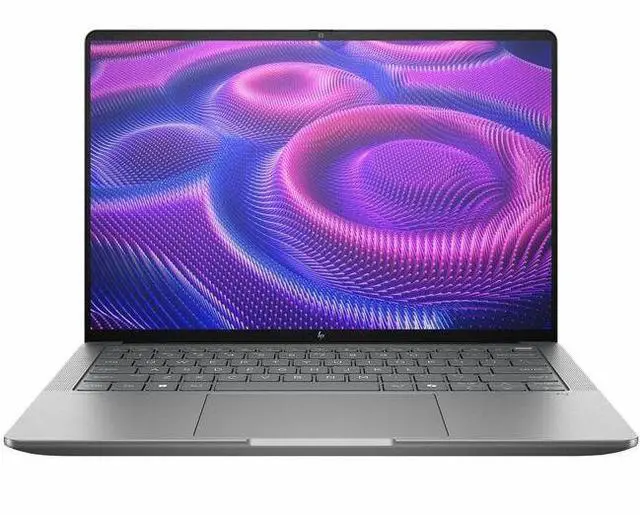
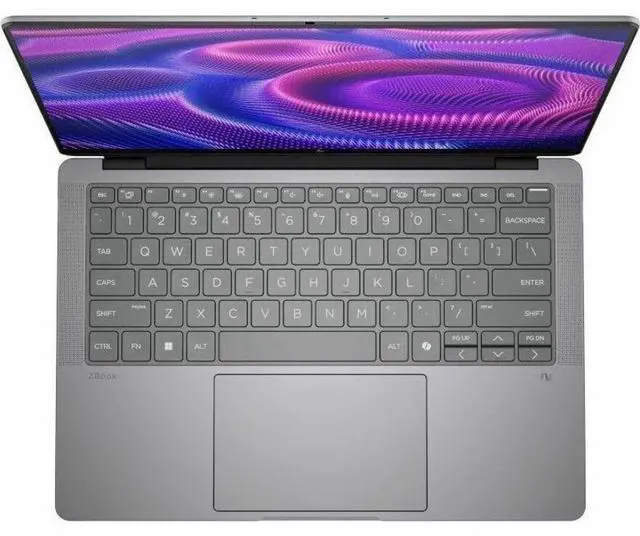
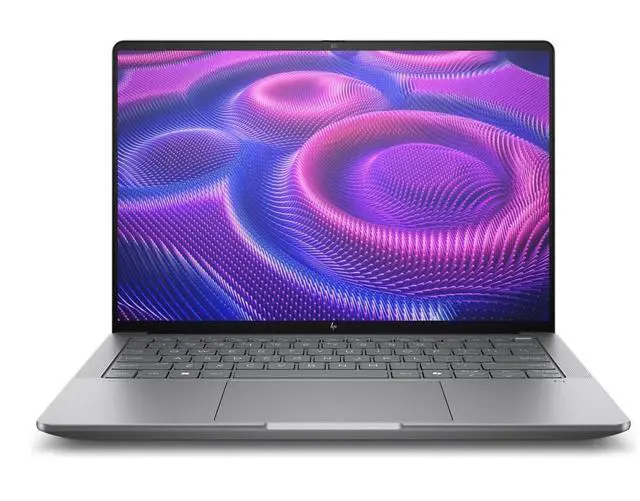
The HP ZBook Ultra G1a is a 14-inch Copilot+ mobile workstation with an AMD Ryzen AI Max PRO 390, 32GB LPDDR5X memory, and a 512GB SSD, making it a strong fit for professionals who want workstation-class multitasking and AI-ready productivity in a portable Windows 11 Pro laptop.
| Attribute | Value |
|---|---|
| Best For | Compact 14-inch mobile workstation for professional/workstation users who need on-device AI (Copilot+), integrated Radeon graphics, 32GB RAM and a 512GB SSD; pairs with external displays via USB-C DisplayPort 2.1 and HDMI |
| Processor And Core Count | AMD Ryzen AI Max PRO 390 (Ryzen AI Max series), 3rd Gen CPU model 390 with up to 5 GHz processor speed and 64 MB L3 cache |
| GPU And VRAM | Integrated AMD Radeon Graphics (integrated video processor) |
| AI And Specialized Processing | Copilot+ PC experience with an AI-powered NPU for on-device AI acceleration |
| Display Spec | 14.0" WUXGA (1920 x 1200) IPS non-touch display with 100% sRGB color gamut and maximum brightness 400 Nit |
| Memory Configuration | 32GB LPDDR5X installed (LPDDR5X technology; 32 GB reported maximum) |
| Storage And Expansion | 512GB internal SSD; supports SD flash memory for additional storage |
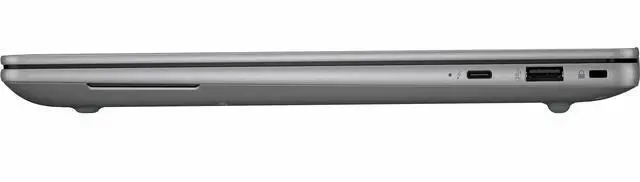
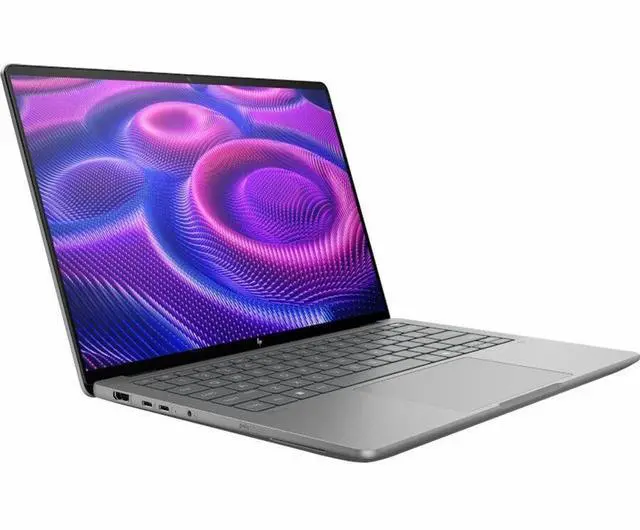
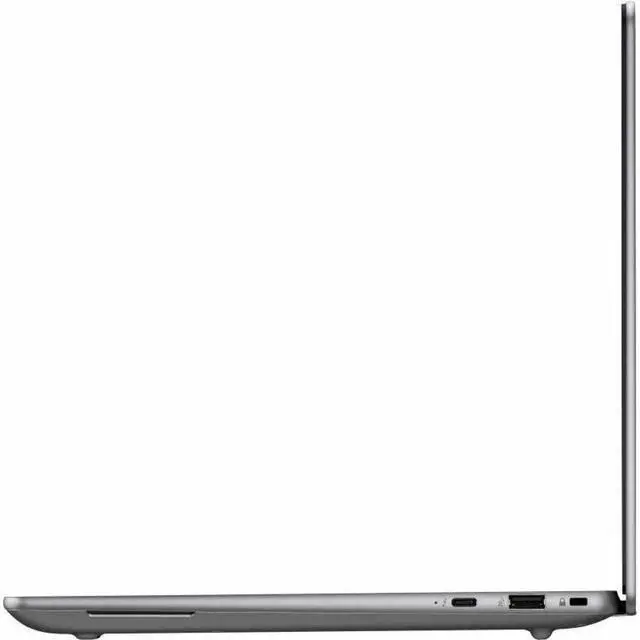
| High Speed I O | 2 total USB ports (including 1 USB Type-C 10Gbps with USB Power Delivery and DisplayPort 2.1), 2 Thunderbolt 4 ports, and 1 HDMI output; supports video output via DisplayPort over USB-C and HDMI |
| Wired And Wireless Networking | Wi‑Fi 7 (802.11be) wireless LAN and Bluetooth support |
| Webcam And Privacy | 5-megapixel front-facing webcam |
| Keyboard And Control | Backlit keyboard with touch pad |
| Battery And Power | 4-cell lithium polymer battery included; package lists lithium polymer battery and power adapter |
| Portability | Product dimensions 12.3 x 8.4 x 0.71 inches and weight 3.46 lb; package dimensions 18.6 x 10.8 x 2.6 inches and package weight 5.7 lb |
| Model Identifiers | HP ZBook Ultra G1a model BX8E4AT#ABA (Part Number BX8E4AT#ABA), Manufacturer Hewlett Packard |
| Software | Windows 11 Pro operating system installed |
Q: Should I buy the HP ZBook Ultra G1a 14 with Ryzen AI Max PRO 390 or a thinner Ryzen AI 9 HX 370 laptop?
A: Choose the HP ZBook Ultra G1a 14 when you want workstation-class CPU performance, a much stronger integrated GPU tier, and ISV-focused mobile workstation positioning in a compact 14-inch system. HP positions the ZBook Ultra as a mobile workstation with Ryzen AI Max PRO options and up to 128GB unified memory, while reviews of Strix Halo systems consistently show that this platform targets heavier creator, CAD, AI, and GPU-accelerated workloads than typical HX 370 thin-and-light laptops. A Ryzen AI 9 HX 370 laptop is the better fit when lower cost, lighter everyday use, and longer unplugged mobility matter more than maximum integrated graphics and workstation-oriented headroom.
Q: Is the HP ZBook Ultra G1a 14 worth it over the lower-end Ryzen AI Max PRO 385 version?
A: Buy the Ryzen AI Max PRO 390 version if your work scales with more CPU cores or heavier GPU-shared-memory workloads. HP's own specifications show that the PRO 390 steps up to 12 cores and 24 threads, while the PRO 385 is an 8-core, 16-thread option. That makes the PRO 390 the more appropriate choice for frequent compiling, rendering, multitasking, and professional apps that benefit from extra compute headroom. The PRO 385 version is the better value if your workflow is lighter and you mainly want the ZBook Ultra design, platform features, and workstation certification without paying for the higher CPU tier.
Q: Should I get this ZBook Ultra G1a 14 or move up to a higher configuration with Ryzen AI Max+ PRO 395 and more memory?
A: This Ryzen AI Max PRO 390 / 32GB configuration is the better choice if you want the ZBook Ultra platform for professional productivity, local AI features, and moderate workstation use without paying for the top-end build. Move up to a Ryzen AI Max+ PRO 395 configuration with more memory if your workloads are sustained and memory-intensive, such as larger local AI models, complex 3D work, or heavier GPU-assisted creation. HP lists the platform with up to 128GB LPDDR5X memory, and reviewers repeatedly highlight the value of the larger shared-memory pool on Strix Halo systems because the integrated GPU and CPU draw from the same memory budget.
Q: Is the HP ZBook Ultra G1a 14 a better pick than an HP ZBook Firefly or entry workstation model?
A: Choose the ZBook Ultra G1a 14 if your priority is maximum performance in a smaller workstation chassis. HP positions the Firefly line as the entry tier for lighter professional work, while HP places the Ultra in its higher-performance mobile workstation group. That means the ZBook Ultra is the stronger fit for buyers who expect more from integrated graphics, CPU throughput, and advanced AI or creator workflows in a 14-inch format. A Firefly-class system makes more sense when your work is office-heavy, lightly creative, or more price-sensitive.
Q: Should I choose the HP ZBook Ultra G1a 14 for portability or a larger laptop with dedicated graphics for maximum performance?
A: Choose the ZBook Ultra G1a 14 if you want a more portable workstation that keeps strong CPU and GPU-capable performance without moving to a thicker 15- or 16-inch class laptop. At 3.46 lb in this configuration, it is aimed at users who want to carry a professional system daily. A larger laptop with dedicated graphics is the better choice when your priority is the highest sustained GPU performance for rendering, simulation, or heavier 3D workloads. Community discussion around Strix Halo laptops also reflects this trade-off: the ZBook Ultra is appealing when buyers want powerful integrated graphics and mobility together, while dedicated-GPU systems still make more sense for users optimizing for peak graphics throughput.
Q: Is this a good travel work laptop for people who need workstation-level power?
A: Yes, if you need a portable laptop for heavier professional workloads. At 14 inches and 3.46 lb, it is easier to carry than many larger mobile workstations, while the Ryzen AI Max PRO 390, 32GB RAM, and integrated Radeon graphics make it more capable than a typical office laptop. The trade-off is that it is still a workstation-class system, so buyers focused mainly on maximum battery life, lower cost, or very light office use may not need this level of hardware.
Q: Is this laptop overkill for note-taking, meetings, and normal office work?
A: For basic productivity, yes. It will handle email, web apps, video calls, documents, and multitasking very easily, but its workstation positioning means many office-only users could spend less on a mainstream business laptop and still get enough performance. This model makes more sense if your office work is mixed with heavier creative, engineering, AI, or multi-app workflows.
Q: Who is this HP ZBook Ultra G1a best suited for?
A: It is best suited for professionals who want a smaller mobile workstation rather than a standard business laptop. That includes users working with CAD, 3D content, graphics-heavy projects, local AI workloads, or large multitasking sessions. It is less suitable for buyers who mainly want a budget office laptop, a touch/pen device for handwritten notes, or a gaming-first machine.
Q: What are the main trade-offs versus a lighter business laptop or 2-in-1?
A: The main advantage of this ZBook is more headroom for demanding professional work in a compact chassis. The main trade-offs are flexibility and simplicity: this unit is non-touch, so it is not ideal for handwritten note-taking; it is heavier and more specialized than many mainstream ultraportables; and buyers who mostly want long unplugged office use or tablet-style versatility may prefer a lighter business laptop or convertible.
Q: Can this laptop work well with docks, external displays, and desk setups?
A: Yes. Based on the provided specs, it is well equipped for office or hybrid desk use because it includes two Thunderbolt 4 ports, one USB-C port with Power Delivery and DisplayPort 2.1, and one HDMI port. That makes it a better fit than laptops with fewer expansion options, especially for users who regularly connect monitors, docks, or high-speed accessories.
Q: Who is the HP ZBook Ultra G1a 14 best suited for?
A: It is best suited for buyers who want a compact 14-inch workstation for office work, coding, multitasking, and professional travel use, and who value workstation positioning, Wi-Fi 7, Windows 11 Pro, and a wide port mix. This specific configuration is less ideal for buyers who need a higher-resolution display, touch input, dedicated graphics, or unusually large local AI workloads, because it has a 1920x1200 non-touch IPS screen, integrated Radeon graphics, 32GB RAM, and a 512GB SSD.
Q: Is this configuration a good buy for work and travel?
A: Yes, if your priority is a lighter workstation-style laptop for everyday professional use. At 3.46 lb with a 14-inch chassis, 32GB RAM, and modern connectivity including Thunderbolt 4, USB-C, HDMI, Wi‑Fi 7, and a 5MP webcam, it fits mobile work well. The main trade-offs are modest storage at 512GB, no touch screen, and integrated rather than discrete graphics.
Q: Is the HP ZBook Ultra G1a 14 a good choice if I also want to game?
A: Only if gaming is secondary. Community discussion around this model often compares it with gaming laptops and asks how well the integrated Radeon graphics hold up. This configuration can make sense for lighter or more CPU-leaning games, but it is not the best fit if your main goal is maximum graphics performance, high-refresh gaming, or the fewest display-related compromises.
Q: What are the main trade-offs to know before buying this ZBook Ultra G1a configuration?
A: The main trade-offs are configurational and platform-related. This unit prioritizes portability and workstation branding over maximum graphics power, display resolution, and storage capacity. Community discussion also shows repeated buyer concern about BIOS, driver, sleep, and display smoothness issues on some ZBook Ultra G1a units, so cautious buyers may want to weigh platform maturity and support experience alongside the hardware specs.


