Out of stock
This item is currently out of stock and it may or may not be restocked.
Sold by Newegg

Shipped by Newegg

Shop it at NeweggBusiness.

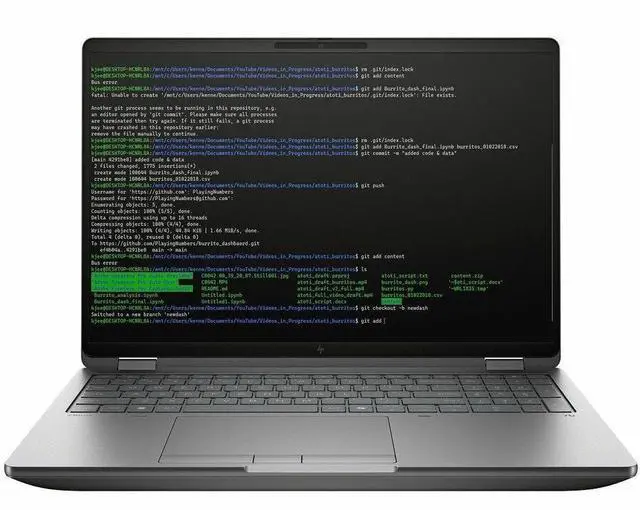
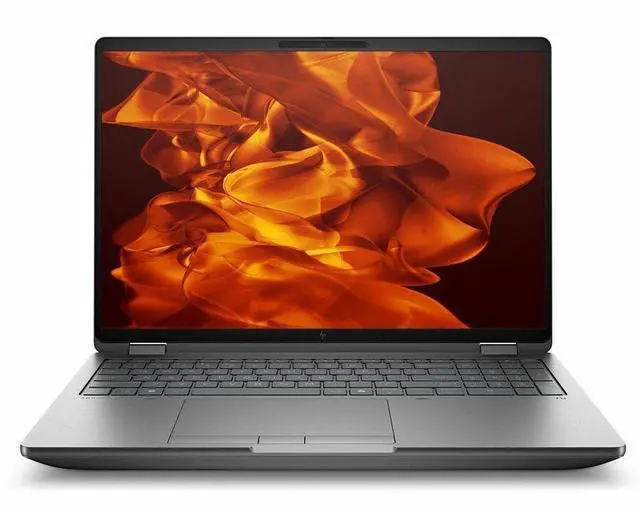
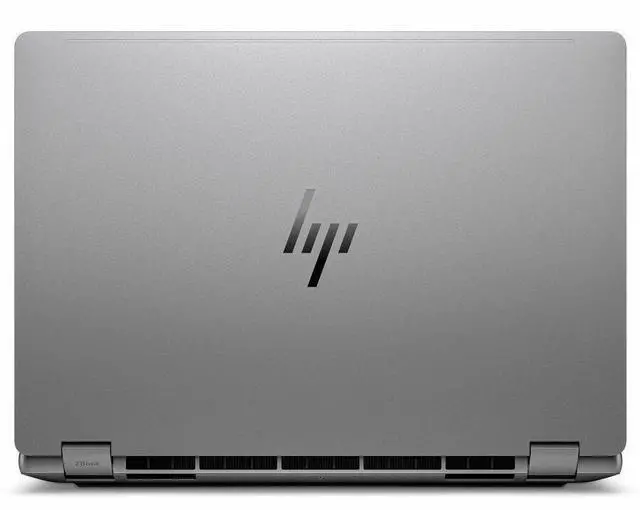
HP ZBook Fury G1i 16" Mobile Workstation - WQXGA - Intel Core Ultra 7 255HX - 32 GB - 1 TB SSD - Windows 11 Pro - NVIDIA RTX Pro 4000 Blackwell 16 GB - Webcam - Wi-Fi 7 - C94FDUT#ABA

  • Intel Core Ultra 7 255HX
  • 32GB DDR5 Memory / 1TB SSD
  • NVIDIA RTX PRO 4000 Blackwell
  • Non-Touch Screen
  • 2560 x 1600
  • Windows 11 Pro
Overview
Specs
Reviews
See all Q & A
avatar

Any questions? Our AI mode will help you find out quickly.

SMART BUY ZBOOK G1I 16 U7 255HX 16 32GB/1T PC

Warranty & Returns

Warranty, Returns, And Additional Information

Warranty

  • Limited Warranty period (parts): 1 year
  • Limited Warranty period (labor): 1 year
  • Read full details

Return Policies

Manufacturer Contact Info

LOADING...

Learn about this product

The HP ZBook Fury G1i is a 16-inch mobile workstation built for engineers, 3D creators, and technical professionals who need desktop-class performance in a portable system, with an Intel Core Ultra 7 255HX, NVIDIA RTX PRO 4000 graphics, 32GB DDR5 memory, and a 1TB SSD.

Recommended For

  • Engineering, CAD, and simulation users who need a laptop they can carry between office, lab, and client sites, but still want workstation features like ISV-certified RTX Pro graphics, upgradeable memory/storage, and built-in Ethernet/SD/HDMI instead of relying on docks.
  • 3D artists, visualization teams, and video or color-sensitive creators who need a mobile workstation with a high-gamut display option, discrete pro GPU, and room for large local project files rather than a thin creator laptop with limited upgrade paths.
  • AI developers, data scientists, and technical users who want to run local model testing, GPU-accelerated workflows, or multi-app workloads on the go, without stepping down to an ultrabook-class thermal design.
  • IT buyers and power users who keep systems for years and care about serviceability, because the Fury line is positioned around upgrade access, expandable memory/storage, and a full port mix that suits fleet deployment.

Real-World Use Scenarios

  • Engineers working in SOLIDWORKS, Creo, or similar CAD tools can use this system for large assemblies, drawing work, and GPU-accelerated visualization on-site or between offices, with the expected experience being smooth viewport navigation and fewer compatibility issues than consumer-gaming laptops because the ZBook Fury line is positioned as an ISV-certified mobile workstation for pro apps.
  • 3D artists, product designers, and visualization teams can use it to render scenes, review materials, and export design visuals without moving back to a desktop, with the likely outcome being practical mobile rendering and preview performance for client-facing work rather than just light content creation.
  • AI developers and technical users can run local inference, computer-vision tests, and GPU-assisted AI workflows while traveling or working away from a fixed workstation, with the expected experience being suitable support for workstation-class AI tasks that benefit from a pro NVIDIA GPU and high-core HX processor, though sustained heavy jobs are still best done plugged in.
  • Users who need one machine for simulation prep, coding, many browser tabs, Office apps, and occasional GPU-heavy work can treat it like a portable desk setup, with the likely outcome being reliable multitasking for technical workflows, docking, and external-display use, though the size and weight make it better as a carry-between-locations workstation than an all-day couch laptop.
  • Students and professionals in mechanical engineering, architecture, or product development can use it as a primary mobile workstation for coursework, field reviews, and office projects, with the expected result being headroom for more demanding CAD and visualization workloads than thin-and-light laptops, but with battery life and portability tradeoffs typical of this class.

Spec Summary

AttributeValue
Best ForMobile workstation users and creative/professional power users who need a 16" workstation laptop for graphics- and compute-intensive tasks (on-device AI acceleration and a professional NVIDIA GPU)
Processor And Core CountIntel Core Ultra 7 255HX processor with turbo frequency up to 5.20 GHz; external attributes also list a 5 GHz processor speed and 13th Gen designation
Memory Configuration32 GB DDR5 system memory (DDR5, 4800 MHz reported) with 32 GB installed and external metadata listing 32 GB maximum
Storage And Expansion1 TB NVMe M.2 SSD storage (1 TB / 1024 GB); external attributes note SD card compatibility for removable media
GPU And VRAMDedicated NVIDIA RTX PRO 4000 GPU with 16 GB of video memory
Display Spec16.0" WQXGA (2560 x 1600) IPS non-touch display, 400 nits brightness and 100% DCI-P3 color gamut
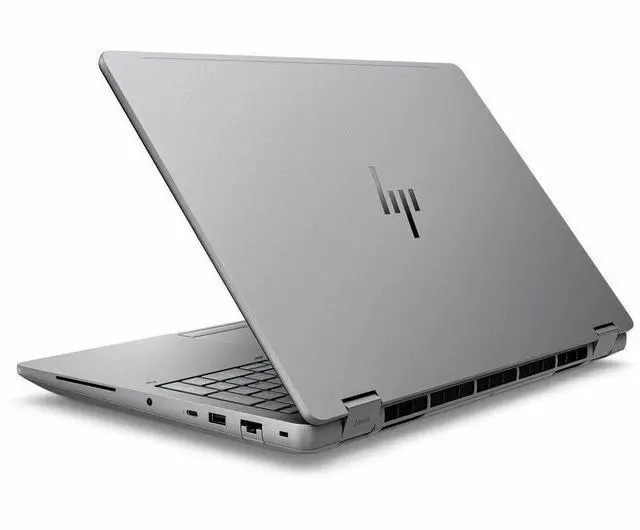
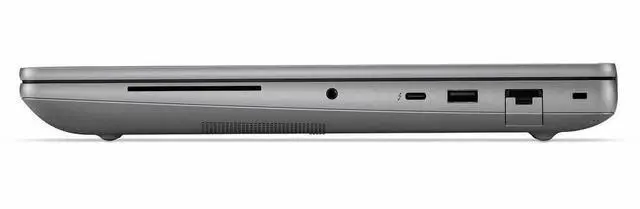
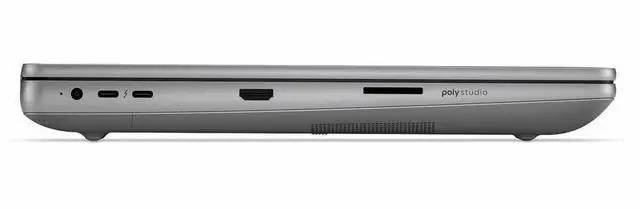
High Speed I OHigh-speed ports include 2x Thunderbolt 5 ports and 1x Thunderbolt 4 port, plus 1x HDMI output and 1x RJ-45 Ethernet; external attributes also list USB ports and a total ports count
Wired And Wireless NetworkingWi‑Fi 7 (802.11be) wireless LAN with Bluetooth support, plus a wired Ethernet port for LAN
Battery And Power8-cell lithium polymer battery; package includes a power adapter
Webcam And PrivacyBuilt-in 5 megapixel webcam
Keyboard And ControlChiclet-style keyboard with touch pad input
Portability16.0" workstation chassis with product dimensions approximately 14.1" W x 9.8" D x 1.06" H and a product weight of 5.36 lb (package weight listed as 9.3 lb)
External Display And Docking FitDesigned to connect to external displays and peripherals via Thunderbolt and HDMI; compatible devices listed include external displays, keyboards, mice, storage devices and printers
Operating SystemShips with Windows 11 Pro (Windows family)
AI And Special FeaturesIncludes an AI Boost neural processing unit and is described as AI-powered for on-device acceleration
Box ContentsIncludes ZBook Fury G1i mobile workstation, lithium polymer battery and power adapter in the package
Model IdentifiersHP ZBook Fury G1i — Model/Part C94FDUT#ABA; Series ZBook Fury; Manufacturer Hewlett Packard (HP)

Reference Q&A

Q: Should I buy the HP ZBook Fury G1i 16 or a Dell Precision 5690 for professional workstation use?

A: Choose the HP ZBook Fury G1i 16 if your priority is maximum mobile-workstation headroom, expandability, and newer pro GPU options. HP positions the Fury G1i as a high-end workstation with up to RTX PRO 5000 Blackwell graphics, while this configuration already includes RTX PRO 4000 Blackwell 16GB, Ethernet, and both Thunderbolt 4 and Thunderbolt 5. The Dell Precision 5690 is the more compact 16-inch alternative and is commonly positioned as a slimmer premium workstation, but its commonly listed GPU options are from the older RTX Ada generation. The practical trade-off is that the Dell fits buyers who value a thinner chassis, while the HP fits buyers who expect heavier CAD, rendering, simulation, or AI workloads and want more workstation-class I/O and upgrade flexibility.

Q: Is the HP ZBook Fury G1i 16 worth it over a lower-tier HP workstation like the ZBook X G1i?

A: Buy the ZBook Fury G1i 16 when you need higher GPU class, more sustained performance, and a true desktop-replacement workstation design. HP positions the ZBook X G1i as a lighter mobile workstation with lower-tier RTX PRO graphics options, while the Fury line is the heavier-duty option with higher-end RTX PRO configurations and a chassis built around demanding pro workloads. This specific Fury configuration also adds features that signal a higher ceiling, including RTX PRO 4000 Blackwell 16GB, a 16-inch 2560x1600 panel with 100% DCI-P3, Wi-Fi 7, Ethernet, and dual Thunderbolt 5 ports. The ZBook X G1i makes more sense when portability matters more than peak graphics and expansion.

Q: Should I step up from RTX PRO 2000 or 3000 to this ZBook Fury G1i 16 with RTX PRO 4000?

A: Step up to this RTX PRO 4000 configuration if your workloads regularly depend on GPU acceleration, larger scenes, or more VRAM-sensitive applications. HP's own Fury G1i specifications show clear product-tier separation from RTX PRO 1000 through 5000 Blackwell, and this model's RTX PRO 4000 includes 16GB of video memory. In practice, that makes more sense for buyers working in 3D content creation, complex CAD assemblies, rendering, visualization, and emerging local AI workflows than lower tiers such as RTX PRO 2000 or 3000. A lower-tier configuration is still reasonable for lighter CAD, code, office, and mixed productivity use, but the RTX PRO 4000 option is the safer choice when GPU limits can slow projects down.

Q: Is the HP ZBook Fury G1i 16 a better upgrade than an HP ZBook Fury G11?

A: The ZBook Fury G1i 16 is the more forward-looking upgrade if you want the newer platform generation rather than a small refresh. Compared with Fury G11 systems based on 14th Gen Intel HX processors and RTX Ada graphics, the Fury G1i moves to Intel Core Ultra HX and NVIDIA RTX PRO Blackwell. HP also lists modern platform features for the G1i generation such as Wi-Fi 7 and Thunderbolt 5. The trade-off is simple: a discounted Fury G11 can still be a sensible value purchase, but the Fury G1i is the better fit if you want newer pro graphics architecture, newer connectivity, and a longer runway for workstation use over the next few years.

Q: Should I choose the HP ZBook Fury G1i 16 for portability, or is it better as a performance-first laptop?

A: The ZBook Fury G1i 16 is better matched to performance-first buying than portability-first buying. Its 5.36 lb weight, 8-cell battery, Ethernet port, workstation GPU, and HX-class processor all point to a desktop-replacement design. Reviews of the larger Fury G1i family and similar 16-inch workstation competitors consistently frame this class as powerful but not especially light compared with slimmer creator or premium business laptops. Choose it if your daily work benefits from certified pro graphics, more ports, and sustained compute performance; choose a thinner workstation or creator model if lower carry weight matters more than maximum workstation capability.

Q: Is this a good choice for a mobile workstation if I travel often?

A: It is better suited to users who travel occasionally than to people who want a light everyday carry laptop. The HP ZBook Fury G1i is a 16-inch workstation that weighs 5.36 lb and is 1.06 inches thick, which is much heavier than mainstream office or ultraportable laptops. Comparable workstation Q&A pages repeatedly raise the same concern: larger mobile workstations are powerful, but they are not ideal for lap use or frequent travel because of size, weight, and heat under sustained workloads.

Q: Who is this laptop actually suitable for?

A: This model is best for professional users who need workstation-class GPU performance, large memory, wired Ethernet, and strong display quality in a portable form. Based on its RTX Pro 4000 16GB GPU, Core Ultra 7 255HX processor, 32GB DDR5 RAM, 1TB SSD, 100% DCI-P3 display, and Windows 11 Pro, it fits CAD, 3D, rendering, simulation, content creation, and other demanding technical workflows much better than casual home, school, or basic office use.

Q: Is it overkill for meetings, note-taking, and normal office work?

A: Yes, for basic office tasks this configuration is more than most users need. It will handle meetings, browser tabs, documents, and multitasking very easily, but the trade-off is extra weight, likely shorter unplugged runtime than lighter business laptops, and a much higher class of GPU than office work requires. It makes sense only if your office use is mixed with heavier creative, engineering, or GPU-accelerated applications.

Q: Can this work well as a desk setup with external monitors and wired networking?

A: Yes. This model is a strong fit for a docked desktop-style setup because it includes 2 Thunderbolt 5 ports, 1 Thunderbolt 4 port, HDMI, and RJ-45 Ethernet. Retail Q&A for comparable workstation laptops frequently asks about docking and external monitor support, and that pattern matches this product well: it has the ports expected for multi-display, office, and studio use without relying only on adapters.

Q: How does it compare with a thinner creator or office laptop?

A: Choose this HP workstation if your priority is certified-style professional performance, more workstation-oriented connectivity, and a higher-end pro GPU. Choose a thinner creator or office laptop if your priority is portability, easier everyday carrying, and general productivity. The main trade-off is simple: the ZBook Fury G1i gives up mobility for sustained performance, expandability, and workstation-class hardware.

Q: Who is the HP ZBook Fury G1i 16 best suited for?

A: The ZBook Fury G1i 16 is best suited for users who need a high-performance mobile workstation for sustained professional workloads such as 3D, CAD, engineering, content creation, or heavy multitasking. Its Core Ultra 7 255HX, 32GB RAM, and RTX PRO 4000 make it a better fit for workstation use than for casual home use or light travel.

Q: Is the HP ZBook Fury G1i 16 a good choice if I want a desktop replacement?

A: Yes, if your priority is workstation-class performance and port selection rather than portability. At 5.36 lb with Ethernet, HDMI, Thunderbolt 4, and two Thunderbolt 5 ports, it is closer to a mobile desktop replacement than a thin everyday laptop. The trade-off is more weight and bulk for travel.

Q: What are the main trade-offs of buying the HP ZBook Fury G1i 16?

A: The main trade-offs are portability, acoustics, and early-platform polish. Reddit discussion around the Fury G1i repeatedly mentions erratic fan behavior and some unfinished software or firmware details, while the hardware itself is positioned as powerful and feature-complete. Buyers should choose it for performance and expandability, not for quiet operation or ultra-light mobility.

Q: Is the HP ZBook Fury G1i 16 worth buying for travel or everyday carry?

A: Usually no, unless you specifically need mobile workstation performance on the go. Its 16-inch size, 5.36 lb weight, and workstation-focused design make it less convenient for frequent travel than thinner productivity laptops. It makes more sense for users who move between fixed work locations than for users who want a light daily-carry laptop.

Q: Should I buy the HP ZBook Fury G1i 16 if I plan to rely heavily on docks, external displays, or third-party chargers?

A: Buy it if you need the workstation power, but expect to validate your accessories carefully. Community discussion shows some users reporting charger compatibility issues and mixed behavior with USB-C display setups, while HDMI and properly matched power accessories appear more reliable. If your setup depends on docking simplicity, confirm port, cable, and charger compatibility before purchase.