




 here!
here!
I’m your shopping assistant for PC builds, upgrades, and everything tech.
Got questions? Ask away!
Start a conversation
here!
I’m your shopping assistant for PC builds, upgrades, and everything tech.
Got questions? Ask away!
Start a conversation Top Rated




Any questions? Ask CelesteSM will help you find out quickly.
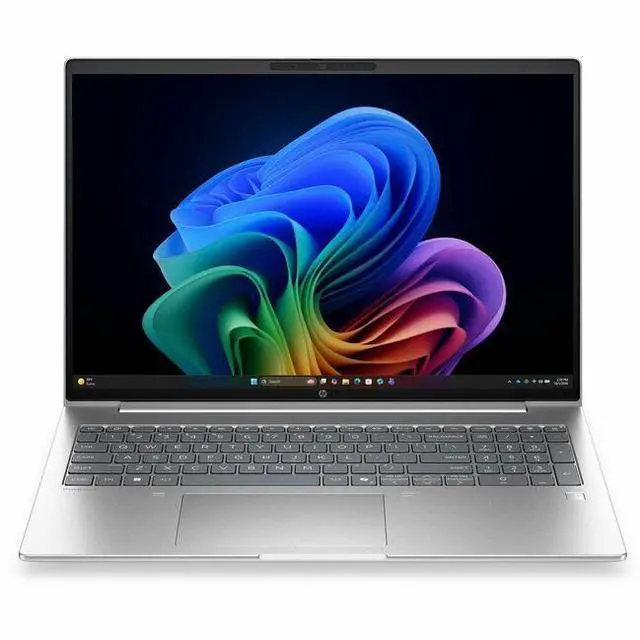
The HP ProBook 4 G2i is a 16-inch Windows 11 Pro laptop with an Intel Core Ultra 7 processor, 16GB memory, and a 512GB SSD, making it a good fit for professionals, students, and home users who want a large 1920 x 1200 display for everyday productivity, web work, video calls, and multitasking.
Q: Should I choose the HP ProBook 4 G2i 16 over a thinner 14-inch premium laptop with the same Intel Core Ultra 7 355 chip?
A: Choose the HP ProBook 4 G2i 16 if you want a larger 16-inch workspace, business-focused features, and more practical connectivity for office use. Choose a thinner 14-inch premium model if your priority is lower travel weight, a higher-end display, or maximum battery life. Across reviews of other Core Ultra 7 355 laptops, real-world CPU performance varies a lot by chassis tuning, while integrated graphics remain modest, so the main decision is form factor and business usability rather than expecting large speed gains from a smaller premium design.
Q: Is the HP ProBook 4 G2i 16 a better fit than a Core Ultra 7 258V laptop for work and everyday use?
A: The HP ProBook 4 G2i 16 is the better fit if you want a larger screen, business-class features, and the flexibility that usually comes with mainstream 16-inch office laptops. A Core Ultra 7 258V laptop is typically the better fit if battery life, thermals, and lighter travel weight matter more. Community comparisons around 355 vs 258V commonly describe CPU performance as fairly close for everyday productivity, while 258V systems are often favored for efficiency-focused designs.
Q: Should I buy this HP ProBook 4 G2i 16 or move up to a higher-tier Core Ultra 7 365H or Core Ultra X-series laptop?
A: Buy the HP ProBook 4 G2i 16 if your workload is mainly browser-based productivity, Office apps, video meetings, and general business multitasking. Move up to a 365H or Core Ultra X-series system if you expect heavier sustained CPU work, stronger integrated graphics, or more demanding creative workloads. Community discussions around Intel's 2026 mobile stack consistently frame the Core Ultra 7 355 as a lower-power mainstream option, while higher-tier H and X parts are positioned for more performance-oriented laptops.
Q: Is the HP ProBook 4 G2i 16 worth choosing over the previous ProBook 4 G1i 16?
A: Choose the ProBook 4 G2i 16 if you want the newer platform, newer AI PC positioning, and access to updated component options such as newer wireless configurations and broader display choices listed in HP's support materials. Choose a ProBook 4 G1i 16 if price is meaningfully lower and your needs are limited to standard business productivity. For most buyers, this is an update-focused decision rather than a category change, since both are 16-inch ProBook business notebooks aimed at similar office use.
Q: Is this a good laptop for office work, video meetings, and everyday productivity?
A: Yes. This configuration is a good fit for office apps, web work, email, video calls, spreadsheets, and multitasking. The 16GB RAM and 512GB SSD are appropriate for mainstream business use, and the 16-inch 1920 x 1200 IPS display gives more vertical workspace than standard 1080p laptops. It is a better fit for productivity than for gaming or heavy creator workloads because it uses integrated graphics.
Q: Is it worth buying as a travel work laptop?
A: It can work well for travel if your priority is screen space and business features, but it is not the most portable choice. A 16-inch laptop is usually better for desk-to-desk work, remote work, and frequent document handling than for ultra-light travel. If you fly often or want a smaller bag-friendly system, a 13- or 14-inch alternative is usually the better trade-off.
Q: Who is this laptop best suited for?
A: It is best suited for users who want a larger-screen Windows business laptop for work, school, admin tasks, research, remote meetings, and general productivity. It is a strong match for users who value a full-size workspace, HDMI connectivity, webcam, Bluetooth, and Windows 11 Pro. It is less suitable for buyers who specifically want touch input, pen use, high-end gaming, or a creator-class GPU.
Q: What are the main trade-offs versus a 2-in-1 or touchscreen alternative?
A: The main trade-off is practicality versus flexibility. This HP ProBook configuration is better aligned with straightforward business use: typing, meetings, office apps, and external display setups. A 2-in-1 or touchscreen model is better if you want pen input, tablet-style use, handwritten notes, or more casual media use. In exchange, non-touch clamshell models like this are often simpler, more durable for office deployment, and easier to evaluate as pure work machines.
Q: Is this a better choice than a consumer laptop with similar RAM and storage?
A: It is usually the better choice if your priority is business use, Windows Pro, and practical connectivity rather than entertainment features. Compared with many consumer models at similar memory and storage levels, this type of ProBook is more suitable for office deployment and day-to-day work. A consumer alternative may offer nicer extras such as touch, 2-in-1 design, OLED, or lighter weight, but those features do not automatically make it better for productivity-focused buyers.
Q: Is this a good buy for work, coding, and everyday productivity?
A: Yes for office work, multitasking, coding, and general productivity. The 16-inch 1920 x 1200 display, Windows 11 Pro, 16 GB RAM, 512 GB SSD, and integrated graphics fit business and study use better than gaming or heavy creative workloads. Community discussions around similar 16-inch HP ProBook models repeatedly frame them as solid productivity laptops rather than performance-first machines.
Q: Is 16 GB RAM enough on this model?
A: Usually yes for typical business use, web-heavy multitasking, note-taking, office apps, and light coding. It is a reasonable starting point for Windows 11 Pro productivity. Buyers who expect heavier local development, large datasets, virtual machines, or creative workloads may want more memory, but 16 GB is not a clear limitation for mainstream work use.
Q: Who is this laptop best suited for?
A: It is best suited for users who want a larger-screen business laptop for desk-based work, school, documents, video calls, and multitasking. The non-touch 16-inch IPS display, integrated graphics, webcam, Bluetooth, HDMI, and Windows 11 Pro make it more suitable as a practical work or home laptop than as a gaming, pen-input, or creator-focused machine.
Q: What are the main trade-offs of this HP ProBook configuration?
A: The main trade-offs are portability, graphics performance, and flexibility. A 16-inch ProBook is better as a larger work laptop than a lightweight travel-first device. This configuration also uses integrated graphics, so it is not the right choice for serious gaming or GPU-heavy creative work. It is practical, but not a touch or 2-in-1 model.
Q: Is this a good replacement for an older business laptop?
A: Yes if you want a modern Windows 11 Pro business laptop with a larger screen and current platform features without moving into workstation or premium ultrabook pricing. Reddit discussions around similar ProBook models often treat them as sensible long-term replacements for older work laptops, especially when the goal is reliability, productivity, and a familiar business-laptop setup rather than high-end graphics power.


