


Your Browsing History
Best Sellers
 Top Rated
- $299.99
- + FREE SHIPPING


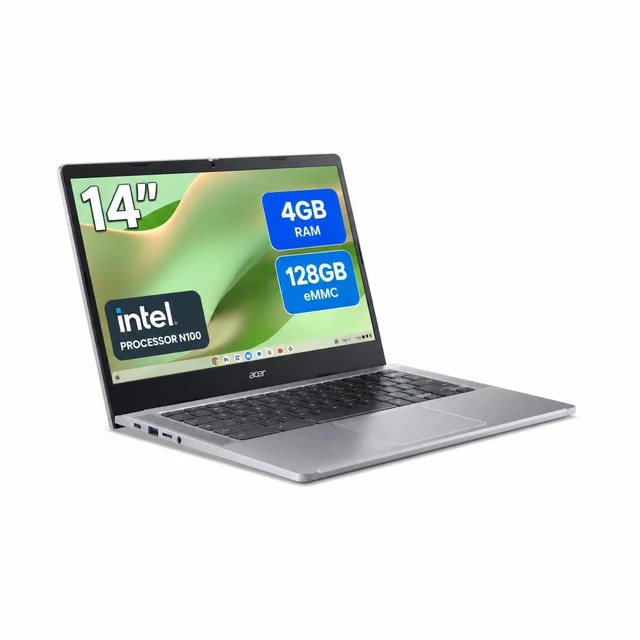
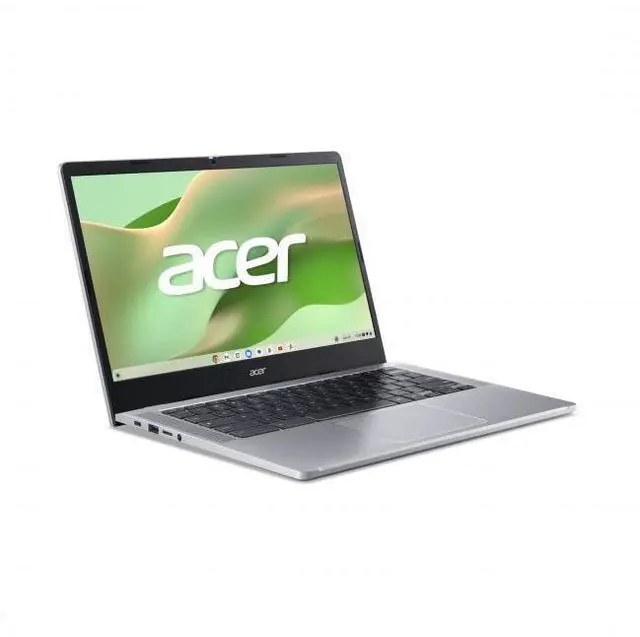
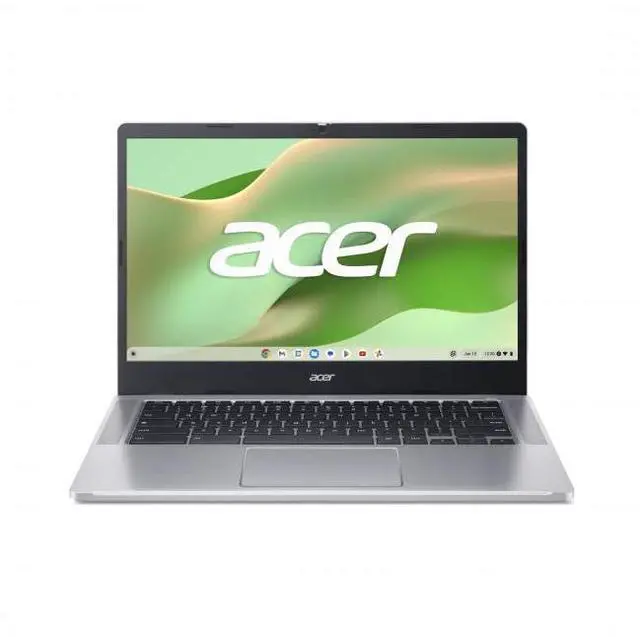
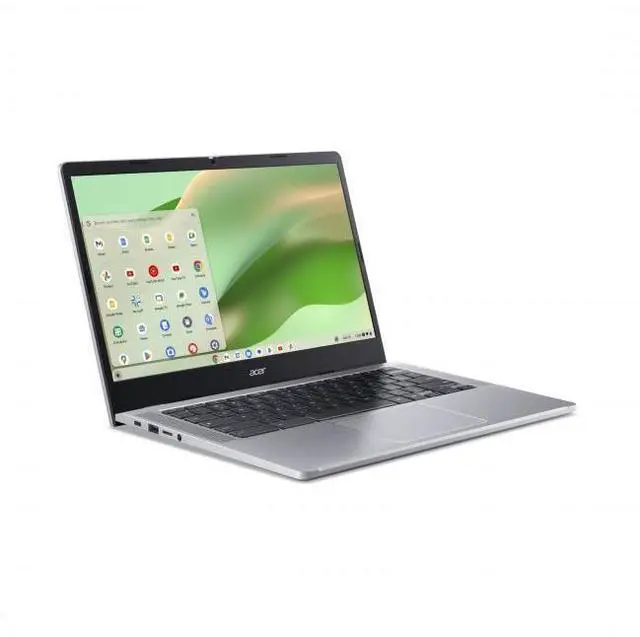
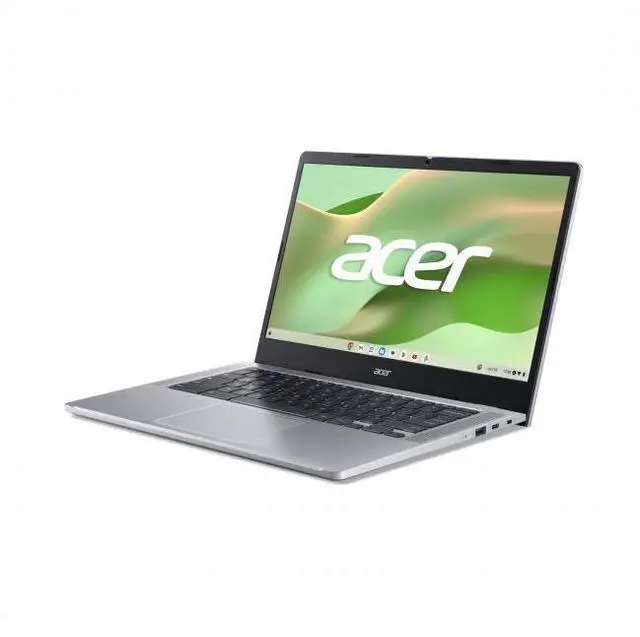
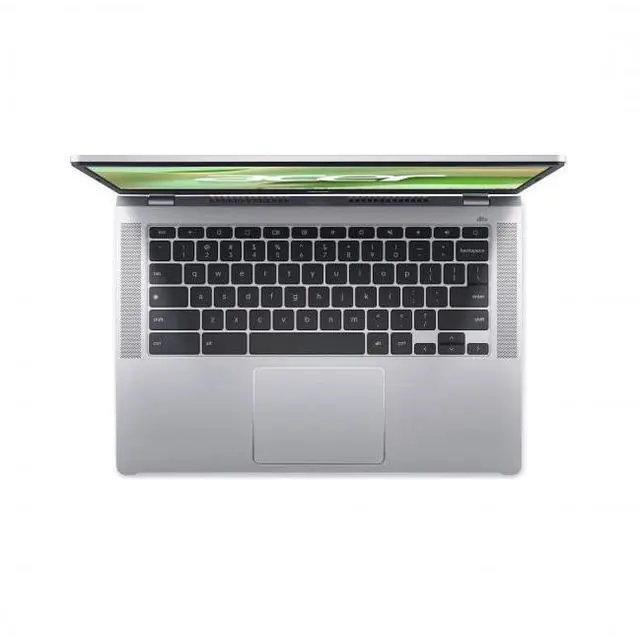
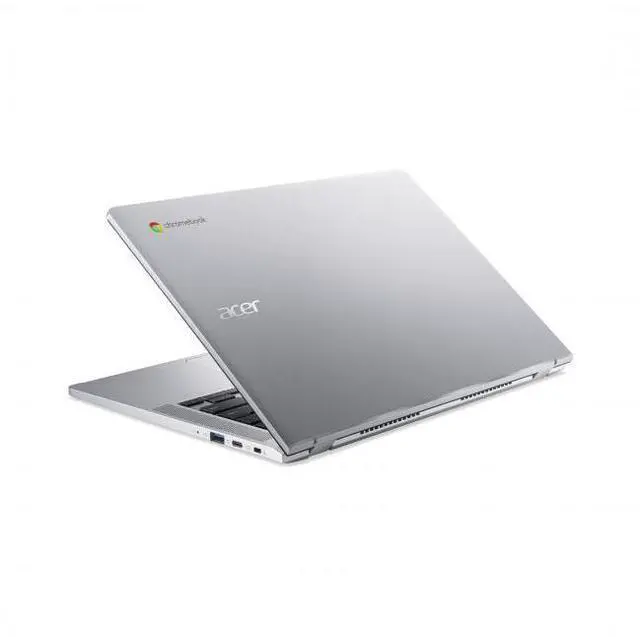
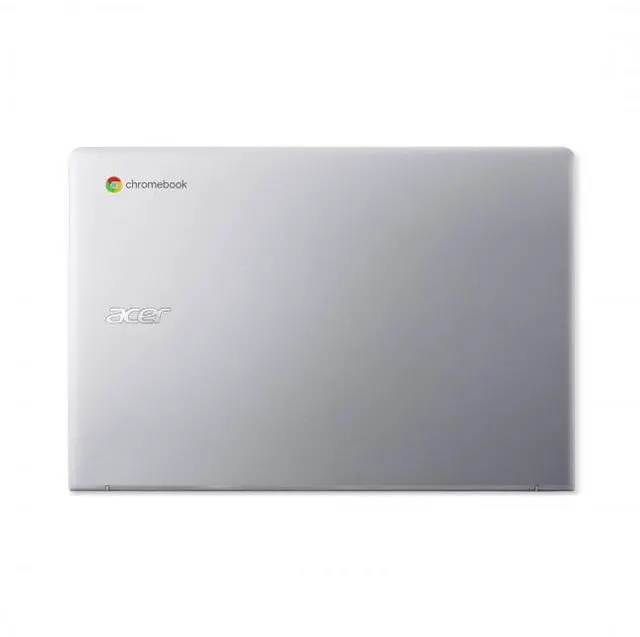


Acer 14" FHD Widescreen Chromebook Intel N100 4GB RAM 128GB eMMC Pure Silver - Intel Processor N100 with up to 3.40GHz - 14" FHD Widescreen ComfyView LED-backlit Display - 128 GB eMMC - 4GB RAM
- Intel Processor N100
- 4GB LPDDR5 Memory / 128GB SSD
- UHD Graphics
- 1920 x 1080
- Windows 11 Home
+
+
Overview
Specs
Reviews
See all Q & A 
Any questions? Our AI mode will help you find out quickly.
Try me now
The Acer Chromebook 314 features a 14" screen designed to let you get more done, no matter where you are. You'll stay focused in either the classroom or the office with a fast processor and an eco-friendly OceanGlass touchpad. Recognized as the perfect multi-media companion, this Chromebook is super thin, extra light, and features an impressive HD Webcam, fast wireless connectivity, and long-lasting battery life, so you can run your favorite Google apps or access your photos, videos, music, and documents-all day long. Efficient Performance Harness the optimized performance of this Chromebook for college to expedite your schoolwork.
With up to the Intel Processor N100, it combines low power consumption and high performance for an always reliable solution. Designed To Be Seen This large-screen Chromebook features a 14” narrow bezel display, with FHD 1920 x 1080 resolution, and an anti-glare coating so that users can stay productive
With up to the Intel Processor N100, it combines low power consumption and high performance for an always reliable solution. Designed To Be Seen This large-screen Chromebook features a 14” narrow bezel display, with FHD 1920 x 1080 resolution, and an anti-glare coating so that users can stay productive
Warranty & Returns
Warranty, Returns, And Additional Information
Warranty
- Limited Warranty period (parts): 1 year
- Limited Warranty period (labor): 1 year
- Read full details
Return Policies
- Return for refund within: 15 days
- Return for replacement within: 15 days
- This item is covered by Newegg.com's 15-Day Return Policy.
- Read full return policy for details.
Manufacturer Contact Info
- Manufacturer Website
- Support Phone: 1-800-816-2237
- Support Website
- View other products from Acer America
LOADING...
LOADING...
Learn about this product
The Acer 314 is a 14-inch Full HD Chromebook with an Intel N100 processor, 4GB RAM, and 128GB eMMC storage, making it a practical fit for students, families, and everyday users who mainly browse, stream, use web apps, and handle school or light personal tasks.
Recommended For
- Students or remote learners who mostly work in Chrome, Google Docs/Classroom, web research, and video calls, and want a simple 14-inch Chromebook with long battery life rather than Windows app support.
- Home users who mainly browse, stream video, shop online, and handle email or light documents, and prefer a lower-cost laptop with a full HD anti-glare screen and low-maintenance ChromeOS setup.
- Parents buying a school or family shared laptop for basic web use, because community feedback around the Chromebook 314 regularly points to schoolwork, browsing, video, and good battery life as the main fit.
- Users who carry a laptop between rooms, classes, or coffee shops and mostly need web apps, since Acer positions the 314 as a portable productivity Chromebook and reviewers highlight mobility and all-day-type usage.
Real-World Use Scenarios
- For schoolwork or everyday home use, it fits best as a browser-first laptop for Google Docs, Gmail, web research, and video calls, with a generally smooth experience as long as the workload stays light to moderate.
- For streaming and casual entertainment, it should handle YouTube, Netflix, and web video playback well, and the 14-inch 1080p anti-glare screen is better suited to desk, kitchen, or couch viewing than older low-resolution budget Chromebooks.
- For travel or all-day portability, it makes sense as a lightweight secondary laptop for flights, coffee shops, and commuting, where long battery life and instant-on ChromeOS matter more than running heavy desktop software.
- For households that mostly live in the browser, it works well for online banking, shopping, email, recipe sites, and light file access, but buyers should expect cloud-first storage habits rather than keeping large local media libraries.
- For students who keep many tabs or Android apps open at once, the likely experience is acceptable for a few web apps and documents, but 4GB RAM can become the main limit during heavier multitasking.
Spec Summary
| Attribute | Value |
|---|---|
| Best For | Students and everyday business/home users needing a lightweight Chromebook for web browsing, video, and basic productivity |
| Processor And Core Count | Intel N100 processor (Processor Count: 1) with listed speeds 0.8 GHz and up to 3.4 GHz |
| GPU And VRAM | Integrated Intel UHD Graphics (integrated graphics, no discrete VRAM listed) |
| Display Spec | 14.0" widescreen LED display, Full HD 1920 x 1080 native resolution, 60 Hz refresh, glossy finish, non-touch |
| Memory Configuration | 4 GB RAM installed (sources list DDR5 and LPDDR5 designations) |
| Storage And Expansion | 128 GB eMMC internal storage with microSD support for expansion |
| High Speed I O | Multiple I/O including USB-C video output and 3.5 mm headphone/microphone combo jack; sources list 4 USB ports and 6 total ports |
| Battery And Power | Battery rated for about 10 hours of use; AC adapter and power cord included; no separate batteries required/installed |
| Wired And Wireless Networking | Wi‑Fi 6 wireless and Bluetooth 5.1 support (802.11ax compatible) |
| Webcam And Privacy | 720p HD webcam with privacy shutter and temporal noise reduction |
| Keyboard And Control | Chiclet keyboard with OceanGlass touchpad (keyboard + touchpad pointing device) |
| Audio Setup | Two upward-firing stereo speakers with DTS audio and audio recording capability |
| Portability | Product weight ~4.85 lb (4.85–5 lb listed); package weight ~6 lb; dimensions 18 x 11.3 x 2.5 inches; color Pure Silver |
| External Display And Docking Fit | Supports external displays via USB‑C; listed compatibility with USB devices, external displays, keyboards, mice, storage devices, webcams and microphones |
| Operating System And Form Factor | Chrome OS Chromebook, positioned for home/personal use |
| Model Identifiers | Acer model NX.JM0AA.001 (Edition 314); brand Acer |
Reference Q&A
Q: Should I buy this Acer Chromebook 314 with Intel N100, or an older Celeron N4500 Chromebook?
A: Choose this Acer Chromebook 314 if you want a clearer step up in everyday responsiveness without moving out of the budget class. The Intel N100 is a newer 4-core chip, while the Celeron N4500 is an older 2-core design. Benchmark databases and Chromebook coverage consistently show the N100 delivering noticeably stronger single-core and multi-core performance, which matters for heavier tab use, video calls, and smoother multitasking. An N4500 model can still fit very basic browsing and schoolwork, but this N100 configuration is the more sensible pick for buyers trying to avoid the slowdowns common in older entry-level Chromebooks.
Q: Is this 4GB Acer Chromebook 314 enough, or should I move up to an 8GB Chromebook Plus model?
A: Buy this Acer Chromebook 314 if your workload is mainly browser-based: documents, email, streaming, school portals, and light multitasking. Move up to an 8GB Chromebook Plus model if you expect to keep many tabs open, use more Android or Linux apps, or want the higher performance tier Google positions as Chromebook Plus. Google's Chromebook Plus guidance centers on 8GB RAM or more and 128GB storage or more, so this Acer meets the storage side but not the memory threshold. In practice, that makes this model the better fit for price-focused basic use, while an 8GB Chromebook Plus is the better fit for longer-term multitasking headroom.
Q: Should I get this Acer Chromebook 314, or spend more on a Core i3 Chromebook for performance?
A: Choose this Acer Chromebook 314 if battery life, low cost, and light everyday tasks matter more than processing headroom. Spend more on a Core i3-class Chromebook if you want faster multitasking, more margin for video conferencing with many tabs open, or a better fit for power users. Reviews of higher-tier Chromebooks regularly show a clear gap between entry-level Intel N-series devices and Core i3 Chromebook Plus systems. The trade-off is straightforward: this Acer is the practical option for basic ChromeOS use, while a Core i3 model makes more sense when performance is a priority rather than price.
Q: Is this Intel N100 Chromebook a better choice than an ARM Chromebook for school and home use?
A: This Intel N100 Chromebook is usually the safer choice if your routine is mostly web apps, Google Workspace, and some Linux use, because x86 Chromebooks tend to align well with general browser-first workloads and Linux compatibility. An ARM Chromebook can be the better fit when Android app behavior and battery efficiency are the main priorities. Community discussion around ChromeOS still commonly frames the trade-off this way: Intel for broader general-purpose Chromebook use, ARM for buyers who lean more on mobile-style Android apps. For a straightforward school or home Chromebook with predictable browser use, this Acer's Intel N100 configuration is the simpler choice.
Q: Is this Acer 314 a good fit for note-taking, Google Docs, web browsing, and video meetings?
A: Yes, it is a practical fit for basic Chromebook work such as note-taking, Google Docs, email, web browsing, and routine video calls. The 14-inch 1920 x 1080 display is useful for school and office tasks, and ChromeOS is designed for fast startup and simple cloud-based workflows. The main limit is the 4GB of RAM, so it is better for light multitasking than heavy tab loads or demanding apps.
Q: Is it worth buying as a travel or secondary work device?
A: For travel or as a second computer, yes, if your work is mostly browser-based. This model pairs a 14-inch Full HD screen with ChromeOS, 128GB eMMC storage, and rated battery life up to 10.5 hours, which suits email, documents, streaming, and light remote work. It is less suitable if you need full desktop software, large local file storage, or heavier multitasking.
Q: Who is this Chromebook best suited for?
A: It is best suited for students, home users, and anyone who mainly works in Chrome, Google Workspace, web apps, and streaming services. The configuration is sensible for everyday computing and lighter productivity, especially if you want a simple laptop with a Full HD screen and more storage than many entry Chromebooks. It is not the best choice for power users, creative software, local PC gaming, or Windows-specific workflows.
Q: What are the main trade-offs versus a better Chromebook with 8GB RAM or a faster processor?
A: The main trade-off is headroom. This Acer 314 should handle everyday tasks well, but 4GB RAM gives you less margin for many open tabs, larger web apps, or longer multitasking sessions than an 8GB model. In exchange, you get a simpler, lower-cost Chromebook with a Full HD 14-inch display and 128GB storage. Buyers who keep many tabs open or want more longevity should usually compare it with 8GB alternatives.
Q: Is this a Windows laptop replacement?
A: Only if your workflow already fits ChromeOS. This Acer 314 is a Chromebook, not a Windows 10 or Windows 11 laptop, so it is best for web apps, Android apps, Google services, and browser-based work. It is a good replacement for light everyday tasks, but not for users who depend on Windows-only desktop programs.
Q: Is this Acer Chromebook 314 a good fit for basic everyday use?
A: Yes, it is a practical fit for basic Chromebook use such as web browsing, email, streaming, online classes, and document editing. The Intel N100 and 14-inch 1080p screen are well matched for light workloads, but the 4GB RAM means it is better for simple use than heavy multitasking.
Q: Is 4GB RAM enough on this model, or is it too limiting?
A: 4GB RAM is enough if your use is light and mostly browser-based, but it is a clear limitation if you keep many tabs open, use lots of extensions, or rely heavily on Android or Linux apps. For a buyer who wants smoother multitasking and more headroom, 8GB is the safer choice.
Q: Who is this Chromebook best suited for?
A: It is best suited for students, home users, and travelers who mainly need a lightweight laptop for the web and cloud-based tasks. It is less suitable for buyers who need demanding desktop software, heavier content creation, or long-term multitasking flexibility.
Q: Is this a good travel or secondary laptop?
A: Yes, it makes sense as a travel or backup laptop if you want a simple 14-inch Chromebook with a Full HD display, long advertised battery life, and enough local storage for a Chromebook at 128GB eMMC. The trade-off is that it prioritizes portability and simplicity over performance headroom.
Q: What are the main trade-offs of buying this Acer Chromebook 314?
A: The main trade-offs are memory and platform limits rather than screen or storage. You get a 1080p non-touch display, Intel N100 efficiency, and 128GB eMMC storage, but only 4GB RAM and ChromeOS constraints make it a better choice for light, web-first use than for power users or buyers replacing a full Windows laptop.