

Your Browsing History

Meet Your Seller

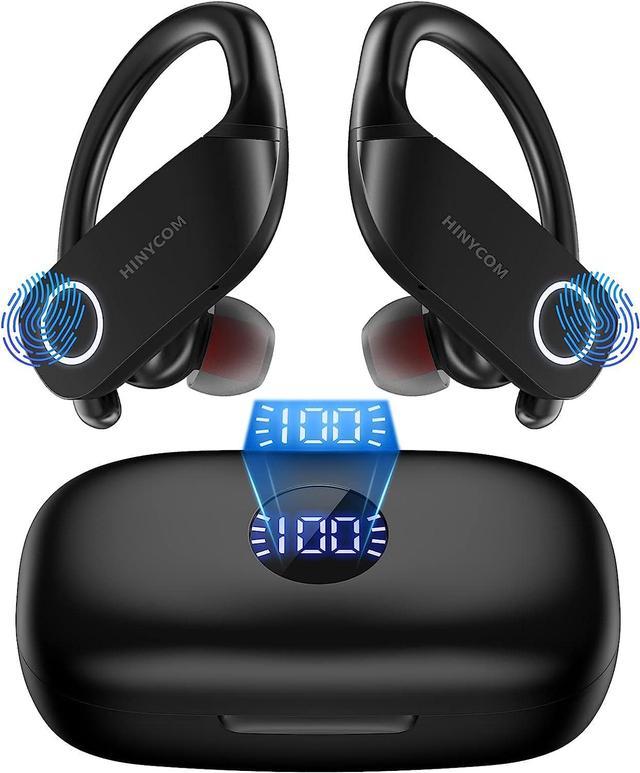
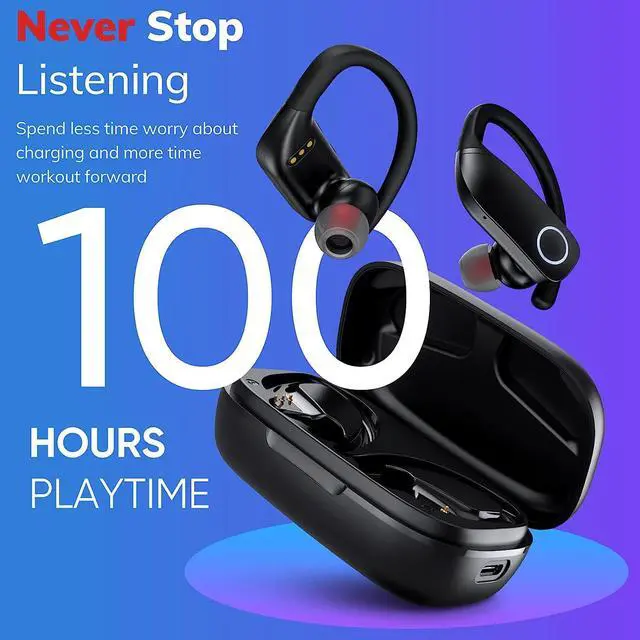
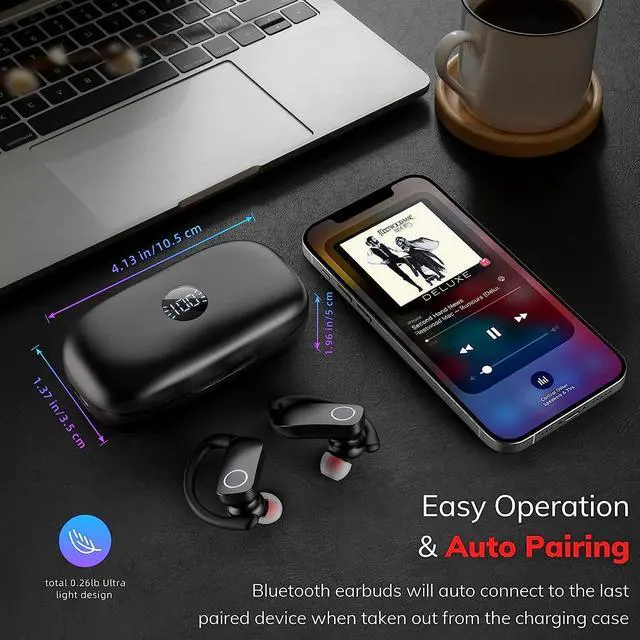


Wireless Earbuds Bluetooth Headphones 100Hrs Playback with 2500mAh Wireless Charging Case Over-Ear Stereo Bass Headset LED Power Display Wireless & Type-C Charging TWS Earphone for Sports/Workout/Work
Limited time offer, ends 10/07 By Nexlly
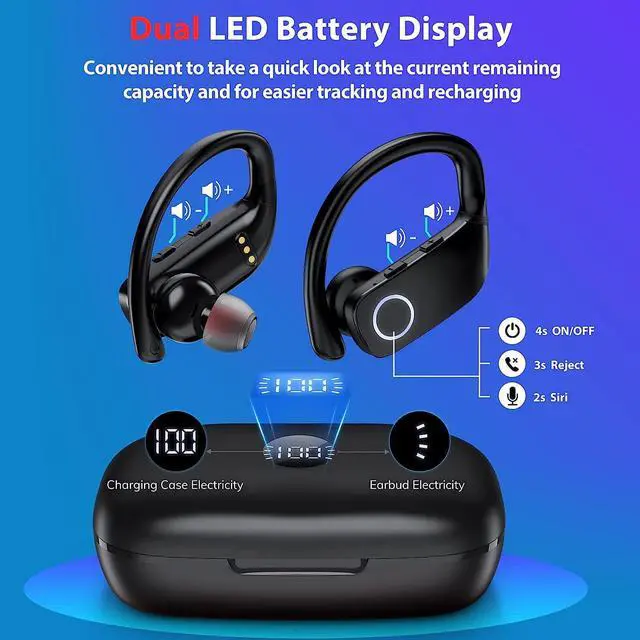
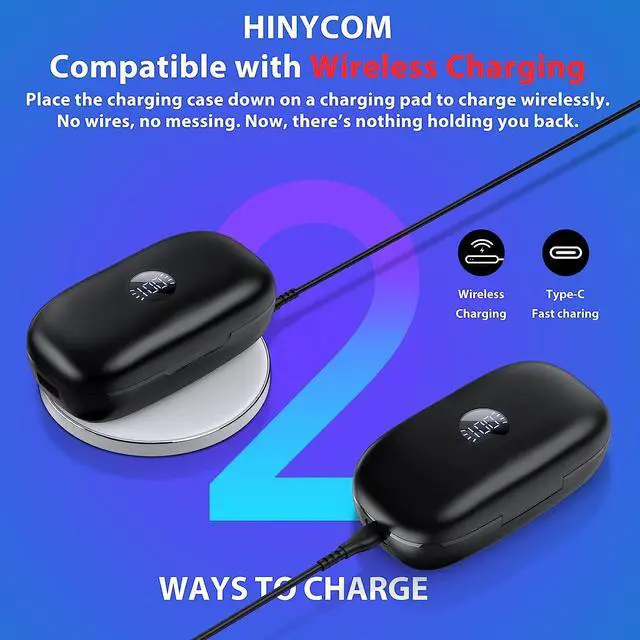
- Wireless Charging and Digital Power DisplayFeature a dual digital power display, HINYCOM Bluetooth Headphones is easy to know the remaining power of the charging case and you'll know exactly what wireless earbuds are being charged when you put them into the charging case. The charging case supports wireless charging and USB C Charging, which offers Bluetooth earbuds a more quick and more stable wired charge. Enjoy a fast charging life. The number digital power display flashes when you charge the charging case.
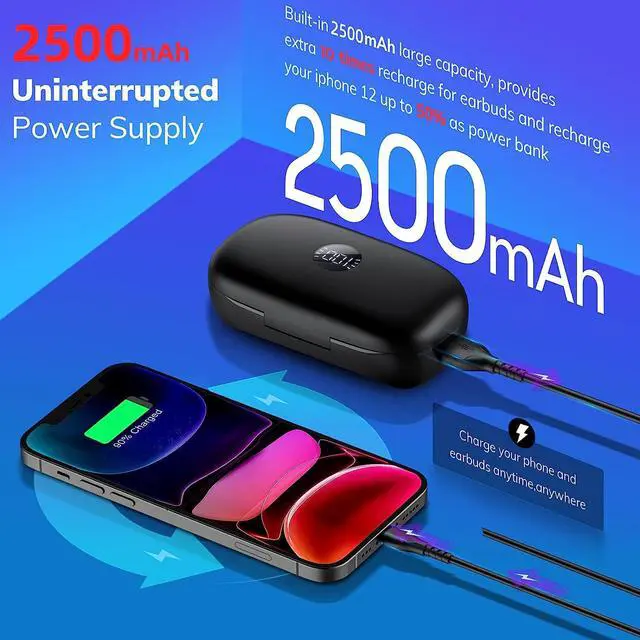
- Touch Controls and 100Hrs Playback with touch control sensors, HINYCOM wireless earbuds can largely minimize the pressure on your ears when you touch the button for various functions, totally wireless high-performance wireless headphones. 2500mAh charging case gives up to 100 hours of continuous music time. Never worry about battery life even on long trips.
- Engineered Design for SportsEquipped with soft, adjustable, secure-fit ear hooks for lightweight comfort and sta
+
+
Overview
Specs
Reviews

Any questions? Our AI mode will help you find out quickly.
Try me now
1. How to connect?
Make sure the Bluetooth is enable on the phone.
Pick up two earbuds from the charging case,go to your device's settings,and connect them to K88.
Place in your ears till the sound "connected" is heard. K88 is ready to play.
2. How to Solve Connection IssuesReset your earbuds?
If only one earbud connects to the phone/ the two earbuds can not pair together, please try the below new reset steps:
1. Before Reset
1). Please use the alcohol pad to clean the earbuds' charging contacts and the charging pins on the charging cases.
2). Charge for 10 minutes with two earbuds in the charging case, making sure marks on the digital panel of the earbuds LED display is flashing and the earbuds indicator light is constantly on.
2. Start to reset:
Step 1: Turn off Bluetooth on all devices that are close to the earbuds.
Step 2Pick up one earbud from the charging case, it will automatically turn on,.
Step 3: Rereset the earbuds, hold down the MFB button for 10 seconds:
at 2 sec, you will hear first "di"
at 4 sec, you will hear the voice prompt "power off"
at 8 sec, you will hear the voice prompt "power on"
at 10 sec, you will hear the voice prompt "di" again (When you hear this sound, you've completed the reset
3. How to Solve Charging Issues?
Please use the alcohol pad to clean the earbuds' charging contacts and the charging pins on the charging cases.
Put two earbuds in the charging case, making sure the stick of the earbuds LED display is flashing and the earbuds indicator light is constantly on.
4. When you find that you can't adjust the volume of the earbuds?
If you're an iPhone user, please make sure your earbuds are connected. You can try reconnecting the earbuds to your phone or resetting your phone to factory defaults.
If you're an Android usee we're sad to inform you that some older versions of Android have compatibility issues that prevent you from using earbuds to adjust volume.
If you're a PC user, be aware of the incompatibilities between earbuds and PC caused by different computer systems.
5.Howto wear your K88 earbuds?
Insert the eartip into your ear,
Put the earhook over the back of your ear
Adjust the earbuds inside to your auricle snugly by twisting.
Make sure the Bluetooth is enable on the phone.
Pick up two earbuds from the charging case,go to your device's settings,and connect them to K88.
Place in your ears till the sound "connected" is heard. K88 is ready to play.
2. How to Solve Connection IssuesReset your earbuds?
If only one earbud connects to the phone/ the two earbuds can not pair together, please try the below new reset steps:
1. Before Reset
1). Please use the alcohol pad to clean the earbuds' charging contacts and the charging pins on the charging cases.
2). Charge for 10 minutes with two earbuds in the charging case, making sure marks on the digital panel of the earbuds LED display is flashing and the earbuds indicator light is constantly on.
2. Start to reset:
Step 1: Turn off Bluetooth on all devices that are close to the earbuds.
Step 2Pick up one earbud from the charging case, it will automatically turn on,.
Step 3: Rereset the earbuds, hold down the MFB button for 10 seconds:
at 2 sec, you will hear first "di"
at 4 sec, you will hear the voice prompt "power off"
at 8 sec, you will hear the voice prompt "power on"
at 10 sec, you will hear the voice prompt "di" again (When you hear this sound, you've completed the reset
3. How to Solve Charging Issues?
Please use the alcohol pad to clean the earbuds' charging contacts and the charging pins on the charging cases.
Put two earbuds in the charging case, making sure the stick of the earbuds LED display is flashing and the earbuds indicator light is constantly on.
4. When you find that you can't adjust the volume of the earbuds?
If you're an iPhone user, please make sure your earbuds are connected. You can try reconnecting the earbuds to your phone or resetting your phone to factory defaults.
If you're an Android usee we're sad to inform you that some older versions of Android have compatibility issues that prevent you from using earbuds to adjust volume.
If you're a PC user, be aware of the incompatibilities between earbuds and PC caused by different computer systems.
5.Howto wear your K88 earbuds?
Insert the eartip into your ear,
Put the earhook over the back of your ear
Adjust the earbuds inside to your auricle snugly by twisting.
Warranty & Returns
Warranty, Returns, And Additional Information
Warranty
- Please contact the Seller directly for warranty information. Warranty information may also be found on the Manufacturer's website.
- CONTACT
Return Policies
- Return for refund within: 30 days
- Return for replacement within: 30 days
- This item is covered by Nexlly Return Policy
Manufacturer Contact Info
- For a directory of all our manufacturers, please click below.
- Manufacturers Directory
LOADING...