



Wireless USB-C Dongle Included
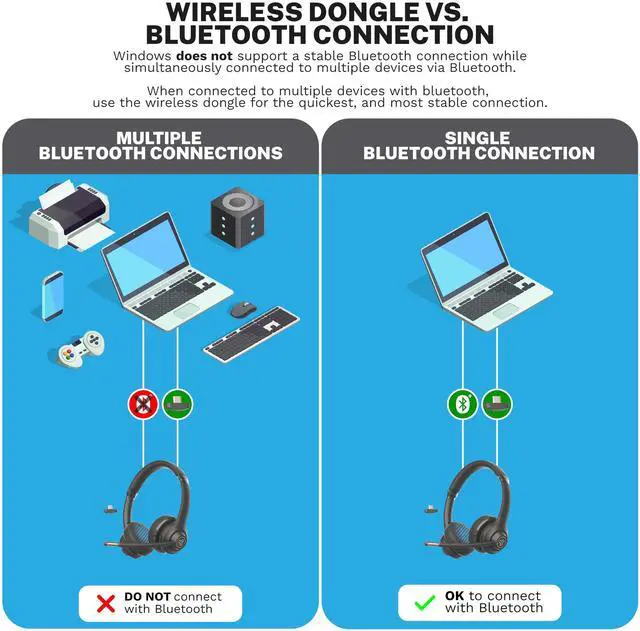
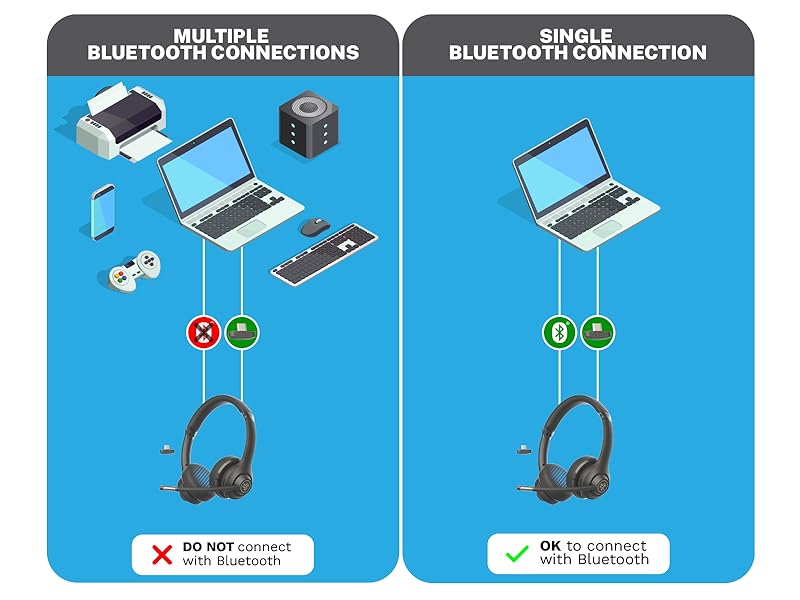
Wireless dongle vs. Bluetooth connection
Windows does not support a stable Bluetooth connection while simultaneously connected to multiple devices via Bluetooth. When connected to multiple devices with Bluetooth, use the wireless dongle for the quickest and most stable connection.
C3 Technology
Clear Calls
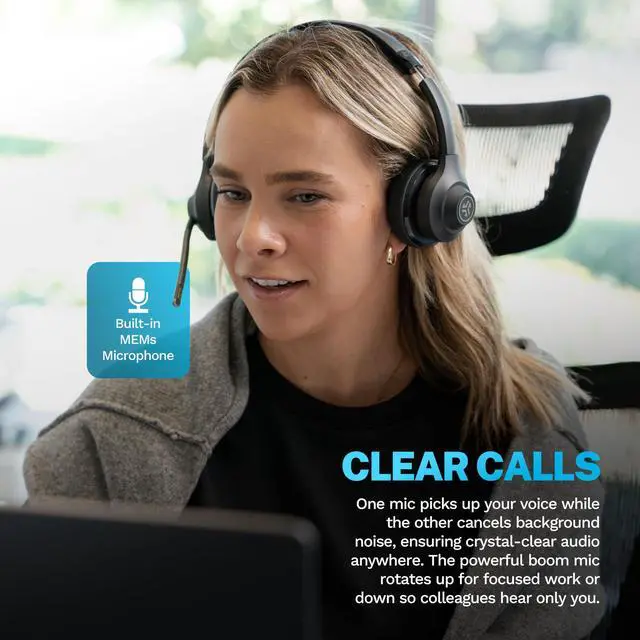
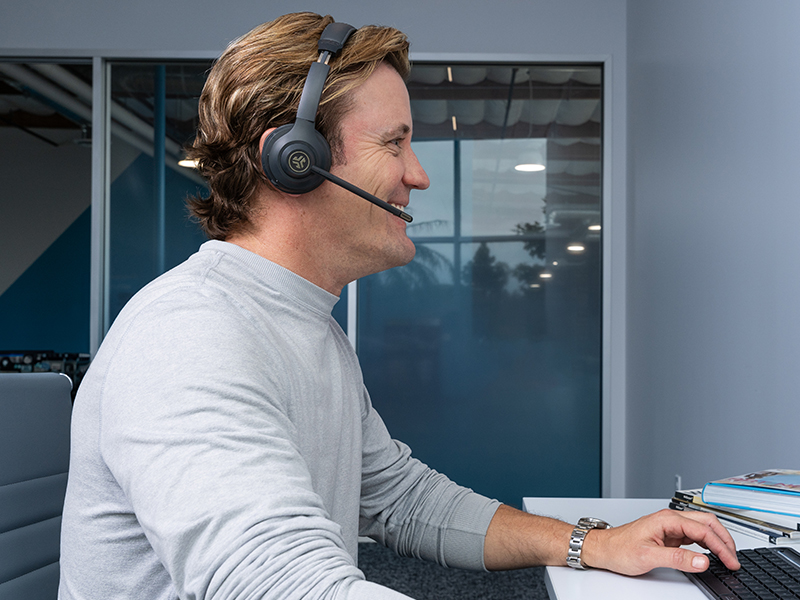
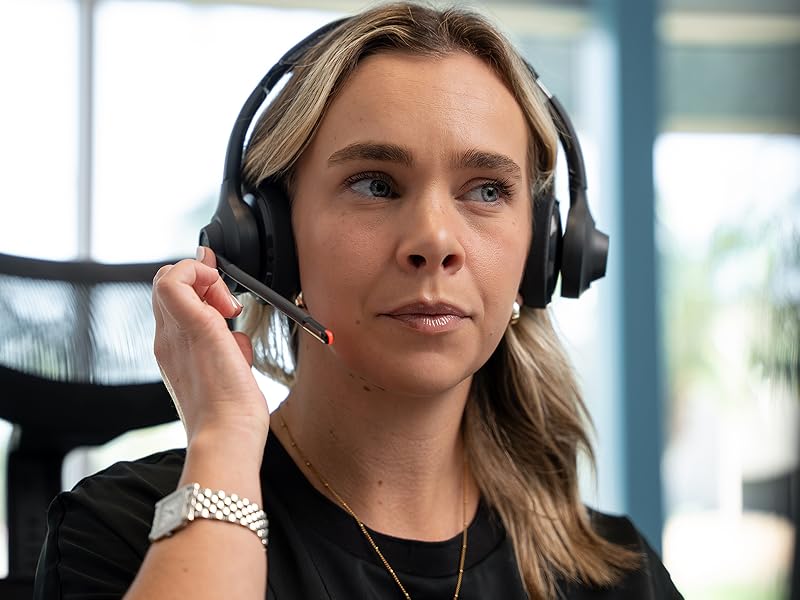
One mic picks up your voice and the other eliminates environmental sounds around you so that your voice remains crystal clear anytime, anywhere. The powerful boom mic can be rotated up, when you’re focused independently or down to allow colleagues to hear just you (not the dog barking or the doorbell).
48+ Hours on one charge
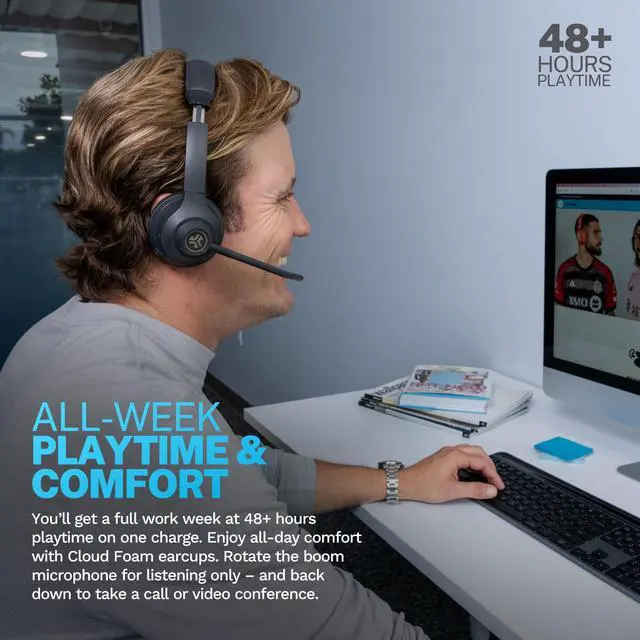
All-week playtime and comfort
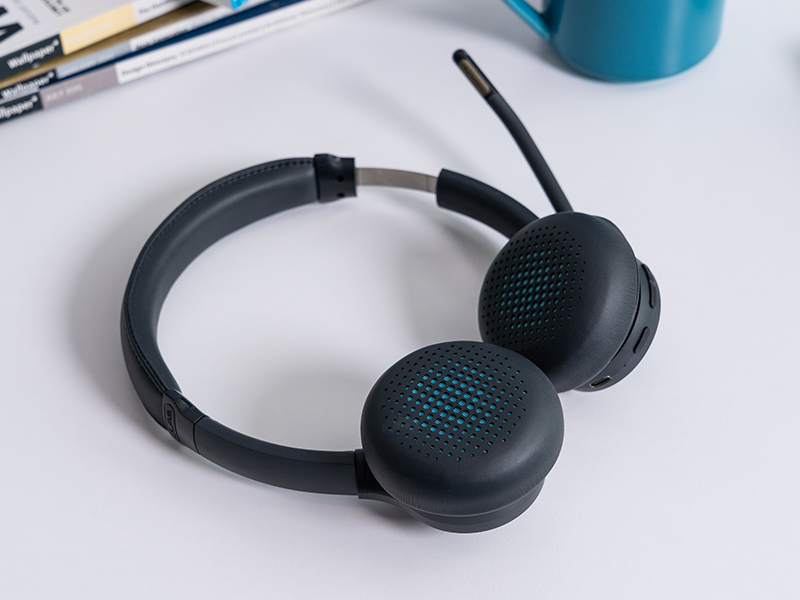
You’ll get a full work week (and more) at 48+ hours playtime on one charge. Enjoy all-day comfort with Cloud Foam earcups. Rotate the boom microphone for listening only – and back down to take a call or video conference.
Easy toggle mute
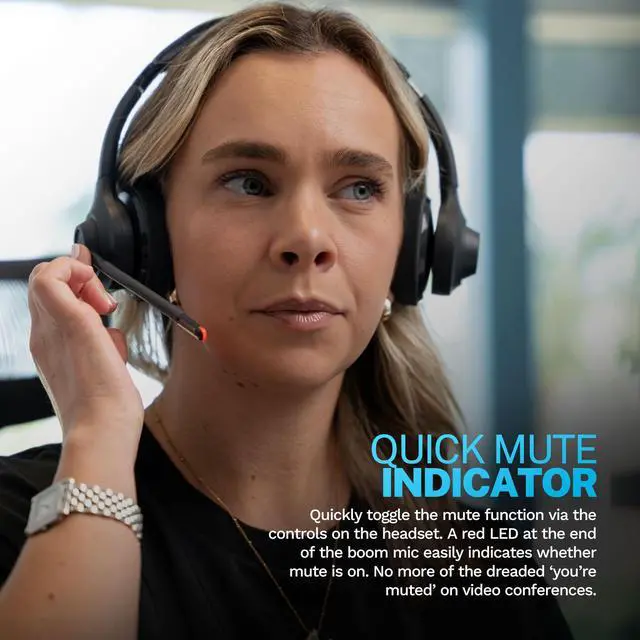
Quick Mute
Quickly toggle the mute function via the controls on the headset. A red LED at the end of the boom mic easily indicates whether mute is on. No more of the dreaded ‘you’re muted’ on video conferences.
Bluetooth Multipoint
Dual Connectivity with Bluetooth
Connect wirelessly via Bluetooth to your PC, Mac, mobile, and more. Plus, with Bluetooth Multipoint technology, you can connect to any two devices simultaneously. Transition from mobile to laptop without touching any settings.

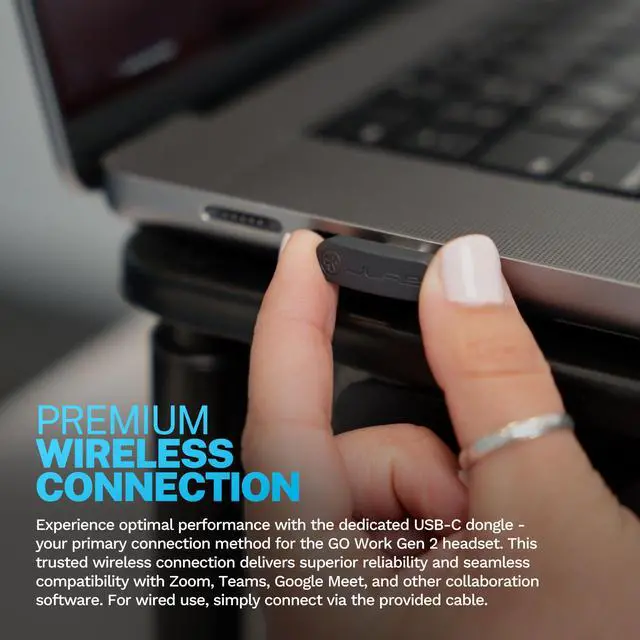
Premium Wireless Connection
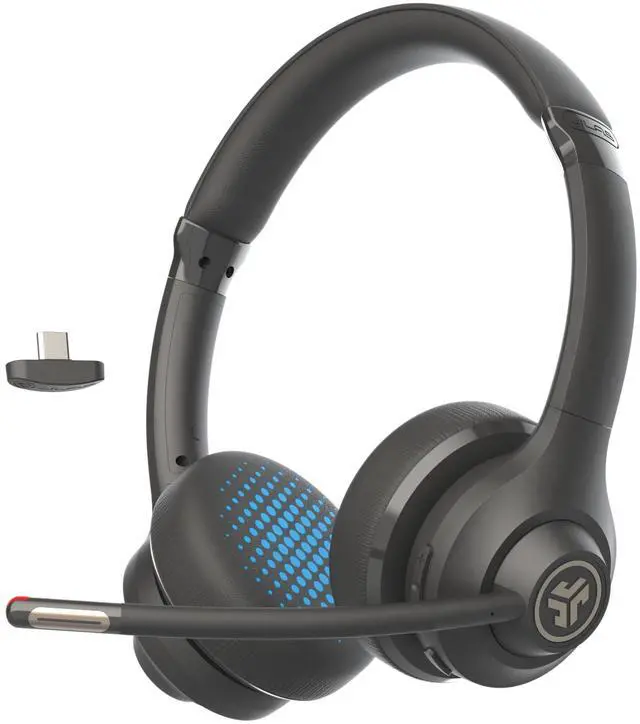
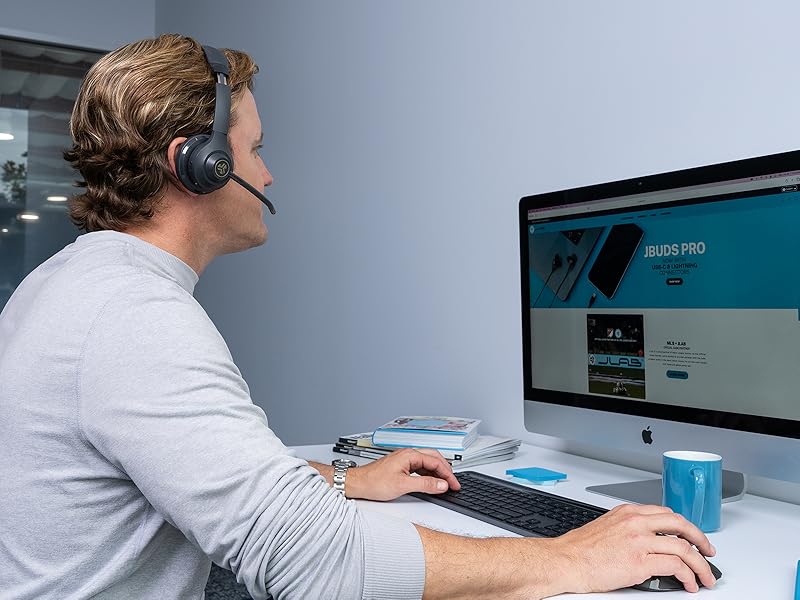
Experience optimal performance with the dedicated USB-C dongle—your primary connection for the GO Work Gen 2 headset. This trusted wireless link ensures superior reliability and seamless compatibility with Zoom, Teams, and other collaboration tools.
DESIGNED FOR YOU
We actually listen to what you want and we are always looking for ways to make everything easier and better for you.

TECH SPECS
Does the USB-C Dongle give a better connection than Bluetooth?
We offer multiple connection options for any situation. Windows often struggles with Bluetooth when multiple devices are connected, so we recommend using the dongle for a reliable experience on Windows devices.
Does the microphone work using the USB-C Dongle?
Yes, all features of the Go Work Gen 2 Headset are available to you through the USB-C Dongle connection.
Are they compatible with Microsoft Teams or Zoom?
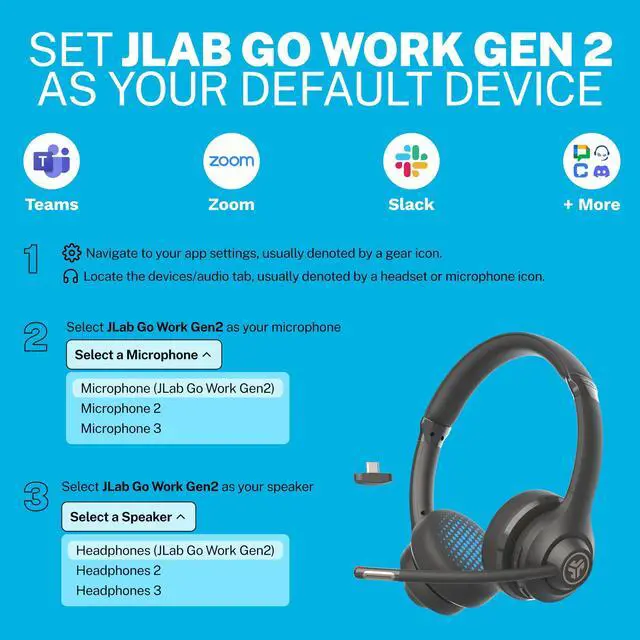
The Go Work Gen 2 Headset works with platforms like Zoom and Teams. After connecting, you may need to select it as your speaker and microphone in the software, depending on your device and platform.
How effective is noise cancellation for calls?
The Go Work Gen 2 is highly rated for its ability to block out distracting noises, whether you are in the office, working from home, or traveling.
Does the headset stay securely on ears during movement?
Yes, the adjustable nature of the headset makes it a perfect fit for practically everyone. Once adjusted, it stays securely in place for an optimal conference experience.
COMPARE JLAB HEADPHONES
 Go Work |  JBuds Work |  Play Pro Gaming |  Jbuddies Learn | |
|---|---|---|---|---|
Customer Reviews | — | — | — | — |
Price | — | — | — | — |
BATTERY LIFE | 48+ Hours | 60+ Hours | 60+ Hours | N/A (wired by 3.5mm jack) |
BLUETOOTH VERSION | 5.0 | 5.0 | 5.0 | N/A (wired by 3.5mm jack) |
CHARGING CABLE | USB-C | USB-C | USB-C | N/A (wired by 3.5mm jack) |
STYLE | On Ear | Over Ear | Over Ear | On Ear |
COLOR OPTIONS | 1 | 1 | 1 | 1 |
BLUETOOTH MULTIPOINT | ? | ? | ? | ? |
MEMs MIC BUILT-IN | ? | ? | ? | ? |
QUICK MUTE | ? | ? | ? | ? |
HEAR YOURSELF | ? | ? | ? | ? |
DETACHABLE EARCUP | ? | ? | ? | ? |
MUTE LED INDICATOR | ? | ? | ? | ? |
3.5MM AUX OPTION | ? | ? | ? | ? |


Wireless USB-C Dongle Included
Wireless dongle vs. Bluetooth connection
Windows does not support a stable Bluetooth connection while simultaneously connected to multiple devices via Bluetooth. When connected to multiple devices with Bluetooth, use the wireless dongle for the quickest and most stable connection.
C3 Technology
Clear Calls
One mic picks up your voice and the other eliminates environmental sounds around you so that your voice remains crystal clear anytime, anywhere. The powerful boom mic can be rotated up, when you’re focused independently or down to allow colleagues to hear just you (not the dog barking or the doorbell).
48+ Hours on one charge
All-week playtime and comfort
You’ll get a full work week (and more) at 48+ hours playtime on one charge. Enjoy all-day comfort with Cloud Foam earcups. Rotate the boom microphone for listening only – and back down to take a call or video conference.
Easy toggle mute
Quick Mute
Quickly toggle the mute function via the controls on the headset. A red LED at the end of the boom mic easily indicates whether mute is on. No more of the dreaded ‘you’re muted’ on video conferences.
Bluetooth Multipoint
Dual Connectivity with Bluetooth
Connect wirelessly via Bluetooth to your PC, Mac, mobile, and more. Plus, with Bluetooth Multipoint technology, you can connect to any two devices simultaneously. Transition from mobile to laptop without touching any settings.

Premium Wireless Connection
Experience optimal performance with the dedicated USB-C dongle—your primary connection for the GO Work Gen 2 headset. This trusted wireless link ensures superior reliability and seamless compatibility with Zoom, Teams, and other collaboration tools.
DESIGNED FOR YOU
We actually listen to what you want and we are always looking for ways to make everything easier and better for you.
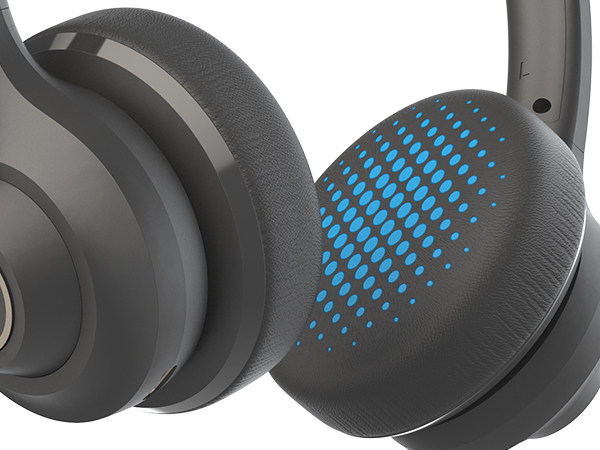
Cloudfoam Cushions
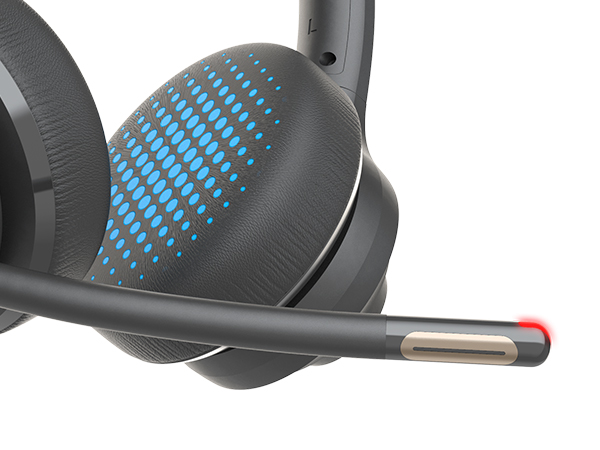
Quick Mute LED Indicator
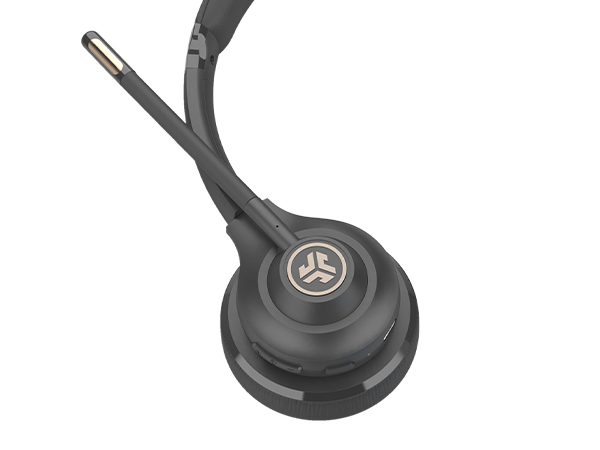
Mute Button
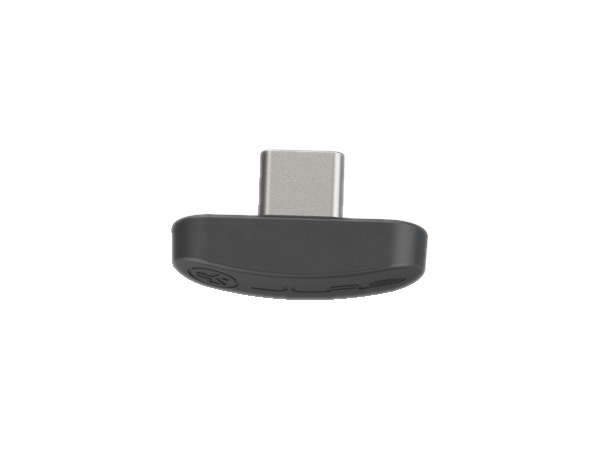
Wireless USB-C Dongle
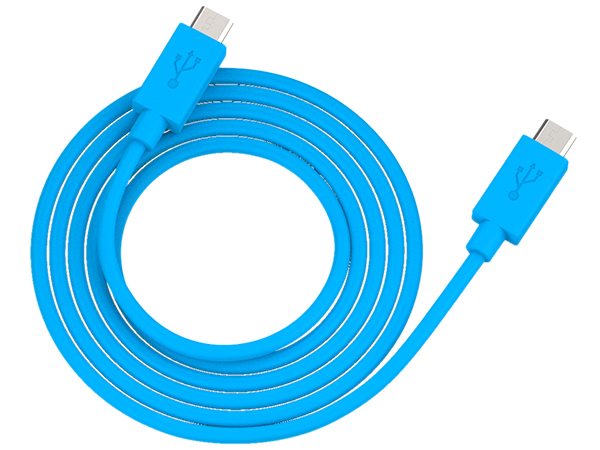
USB-C Charging Cable
TECH SPECS
| Driver | 40mm Dynamic, Neodymium Magnet, 20-20kHz, 32 O |
|---|---|
| Output | 117±3d |
| Microphone | 4015 MEMS |
| Battery | 500mAh lithium polymer |
| Battery Life | 48+ hours (50% volume) / 30+ hours talk time |
| Input Power | 5V, 400mA |
| Charge Plug | Type-C |
| Standby | 470 Hours |
| Bluetooth version | Bluetooth 5 |
| Range | 30+ ft. |
| Supported Protocols | HSP/HFP/A2DP/AVRCP |
| Codecs | AAC/SBC |
| Weight | 170g |
Does the USB-C Dongle give a better connection than Bluetooth?
We offer multiple connection options for any situation. Windows often struggles with Bluetooth when multiple devices are connected, so we recommend using the dongle for a reliable experience on Windows devices.
Does the microphone work using the USB-C Dongle?
Yes, all features of the Go Work Gen 2 Headset are available to you through the USB-C Dongle connection.
Are they compatible with Microsoft Teams or Zoom?
The Go Work Gen 2 Headset works with platforms like Zoom and Teams. After connecting, you may need to select it as your speaker and microphone in the software, depending on your device and platform.
How effective is noise cancellation for calls?
The Go Work Gen 2 is highly rated for its ability to block out distracting noises, whether you are in the office, working from home, or traveling.
Does the headset stay securely on ears during movement?
Yes, the adjustable nature of the headset makes it a perfect fit for practically everyone. Once adjusted, it stays securely in place for an optimal conference experience.
COMPARE JLAB HEADPHONES
Go Work | JBuds Work | Play Pro Gaming | Jbuddies Learn |
|---|---|---|---|
| Customer Reviews | |||
| — | — | — | — |
| Price | |||
| — | — | — | — |
| BATTERY LIFE | |||
| 48+ Hours | 60+ Hours | 60+ Hours | N/A (wired by 3.5mm jack) |
| BLUETOOTH VERSION | |||
| 5.0 | 5.0 | 5.0 | N/A (wired by 3.5mm jack) |
| CHARGING CABLE | |||
| USB-C | USB-C | USB-C | N/A (wired by 3.5mm jack) |
| STYLE | |||
| On Ear | Over Ear | Over Ear | On Ear |
| COLOR OPTIONS | |||
| 1 | 1 | 1 | 1 |
| BLUETOOTH MULTIPOINT | |||
| ? | ? | ? | ? |
| MEMs MIC BUILT-IN | |||
| ? | ? | ? | ? |
| QUICK MUTE | |||
| ? | ? | ? | ? |
| HEAR YOURSELF | |||
| ? | ? | ? | ? |
| DETACHABLE EARCUP | |||
| ? | ? | ? | ? |
| MUTE LED INDICATOR | |||
| ? | ? | ? | ? |
| 3.5MM AUX OPTION | |||
| ? | ? | ? | ? |