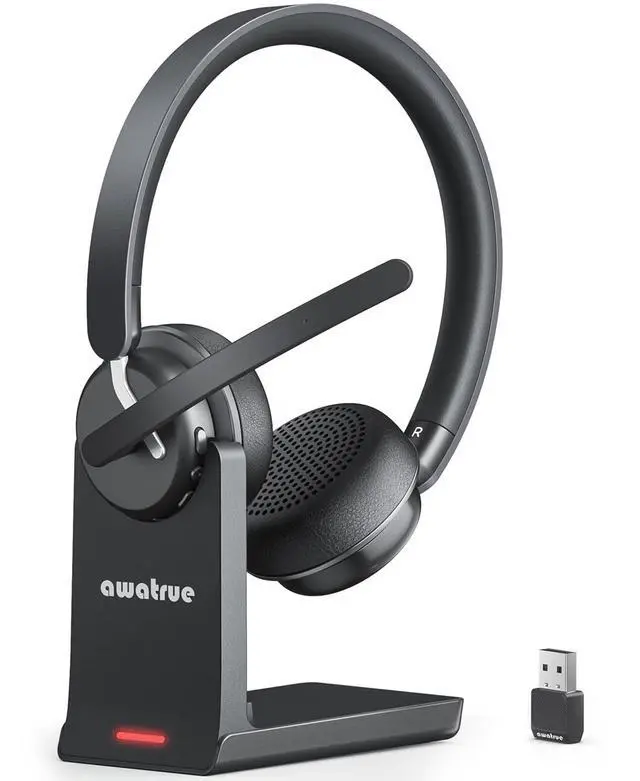
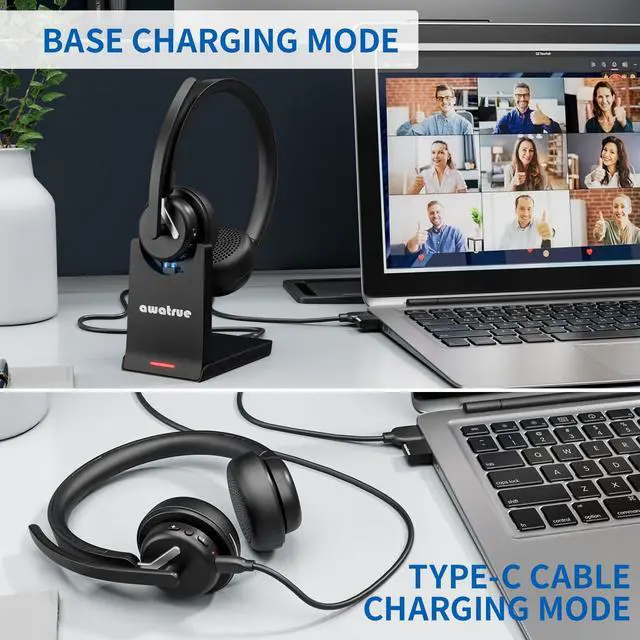
Wireless Headset with Mic for Work, Bluetooth 5.3 Headset with AI Noise Cancelling Microphone & Call Reminder, Wireless Headphone with Voice Assistant for PC/Computer/Remote Work/Call Center/Zoom
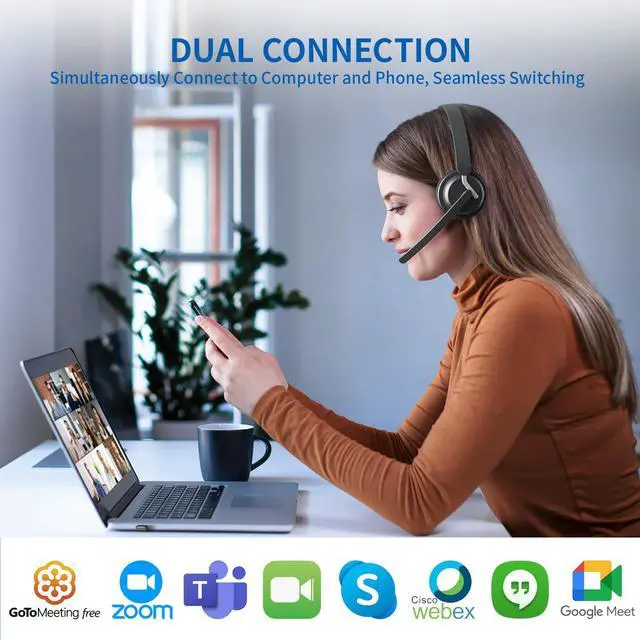
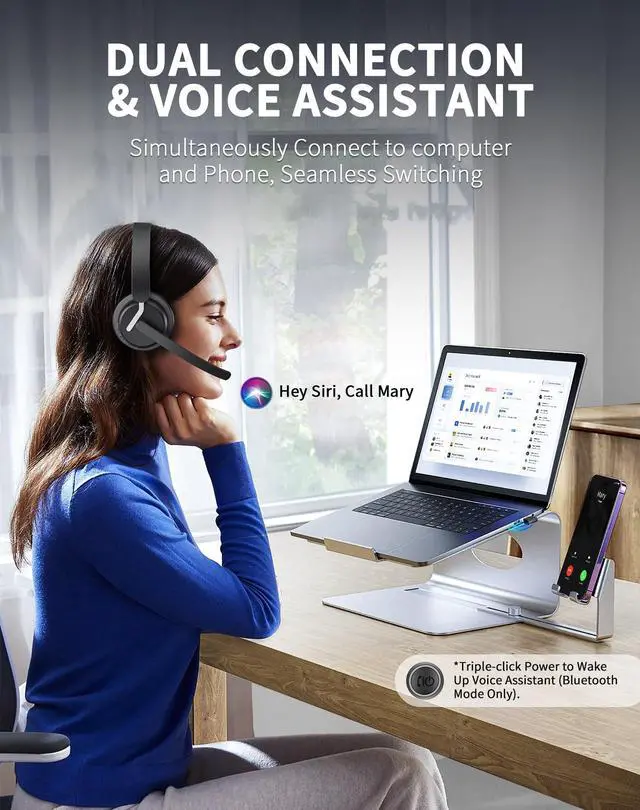
Dual Connection & True Wireless Freedom: Wireless headset with mic for work can simultaneously connect to computer and cell phone or other Bluetooth devices, then you can easily seamlessly switch between video conferences and phone calls. Its wireless working range is up to 49ft/15m, so you can move freely during calls or video meetings, experience true wireless freedom.
All Day Comfort: Noise canceling headphones have super soft & breathable earmuffs, adjustable padded headband and microphone, provide ultimate comfort throughout the day, designed for people who need to calls or video conferences/play games for a long time. Bluetooth headset with microphone compatible with popular platforms such as Zoom, Skype, Webex, MS Teams, etc.
Call reminder & Voice Assistant: Wireless headset for work uses Bluetooth V5.3 technology, which has faster and more stable connection speeds. Call reminder helps you-not to miss any important calls, even during busy meetings; voice assistant helps you create calendar events, music pause, real-time memo generation, retrieve file etc according to your needs.
AI Noise Reduction Microphone: Wireless headset adopts the most advanced AI noise reduction technology, it can eliminate up to 99% of background noise, which effectively ensures your voice is heard clearly on the other end in every call, just like face-to-face communication. You can also turn on the mute function of mic during calls or video conferences to protect your privacy.
+
+
Overview
Specs
Reviews
Any questions? Our AI beta will help you find out quickly.
When the wireless headset is successfully paired with the computer, please check the sound settings of both the computer and the software to make sure [EH11-dongle] is selected as the default output and input device (speaker/microphone)
About Connection
1. When the wireless headset connects to the PC/Mac via USB dongle, Whether unplugged or plugged into the USB dongle, you need to double-click the MFB key, and then open the cell phone bluetooth to search for the EH11 headset, and connect with the phone 2. When the headset connects to the cell phone via bluetooth, regardless of the state of the phone's Bluetooth being turned on/off, you need to double-click the MFB key, and plug the USB dongle in the computer, then connect with the PC/Mac
Answer or Hang Up The Call
If the wireless headset is connected to a mobile phone, you can click the MFB to answer/end calls on the headset; If the wireless headset is connected to a computer, you need to answer calls on the computer. Warm Reminder: MFB does not work with desk phones and landlines
About Dual Mode Online
When the wireless headset connects to both cell phone (Bluetooth mode) and PC/Mac (USB Dongle mode), While Music or video is simultaneously playing on cell phone and computer, double-clicking theMFB function button allows for automatic switching between cell phone and computer without the needfor waiting
About Noise Reduction
The wireless headset adopts environment noise cancelation technology and Physical noise reduction (full ear coverage), which mainly eliminates all forms of noise on your side to provide good call quality for your callers
About During a call
When the headset connects to both cell phone and PC/Mac, if you start a call using PC/Mac or similar software and receive a call on your phone, the headset will alert you of the incoming call. You can press the MFB button to answer the call on your phone, at this time, the headset prioritizes the phone call, you can not double-click to switch back to the PC/Mac. After hanging up the phone call (click MFB button once), it will take about 5s to return to the call on the PC/Mac or similar device
Wireless Headset with Mic for Work
Merchant Video
Headset Audio Settings
When the wireless headset is successfully paired with the computer, please check the sound settings of both the computer and the software to make sure [EH11-dongle] is selected as the default output and input device (speaker/microphone)
About Connection
1. When the wireless headset connects to the PC/Mac via USB dongle, Whether unplugged or plugged into the USB dongle, you need to double-click the MFB key, and then open the cell phone bluetooth to search for the EH11 headset, and connect with the phone 2. When the headset connects to the cell phone via bluetooth, regardless of the state of the phone's Bluetooth being turned on/off, you need to double-click the MFB key, and plug the USB dongle in the computer, then connect with the PC/Mac
Answer or Hang Up The Call
If the wireless headset is connected to a mobile phone, you can click the MFB to answer/end calls on the headset; If the wireless headset is connected to a computer, you need to answer calls on the computer. Warm Reminder: MFB does not work with desk phones and landlines
About Dual Mode Online
When the wireless headset connects to both cell phone (Bluetooth mode) and PC/Mac (USB Dongle mode), While Music or video is simultaneously playing on cell phone and computer, double-clicking theMFB function button allows for automatic switching between cell phone and computer without the needfor waiting
About Noise Reduction
The wireless headset adopts environment noise cancelation technology and Physical noise reduction (full ear coverage), which mainly eliminates all forms of noise on your side to provide good call quality for your callers
About During a call
When the headset connects to both cell phone and PC/Mac, if you start a call using PC/Mac or similar software and receive a call on your phone, the headset will alert you of the incoming call. You can press the MFB button to answer the call on your phone, at this time, the headset prioritizes the phone call, you can not double-click to switch back to the PC/Mac. After hanging up the phone call (click MFB button once), it will take about 5s to return to the call on the PC/Mac or similar device
Wireless Headset with Mic for Work, Bluetooth 5.3 Headset with AI Noise Cancelling Microphone & Call Reminder, Wireless Headphone with Voice Assistant for PC/Computer/Remote Work/Call Center/Zoom
Learn more about the Generic Brand EH11
Model
Brand
Logitech
Model
EH11
Part Number
1
Details
Color
Black
Wireless
Wireless Type
RF
Power Source
true, Wireless, pc_card, Button, No Jack
Operating Time
30 hours
Headphone
Headphone Frequency Response
2Hz-20KHz
Headphone Input Impedance
18 ohm
Noise Cancelling
Active
Connector
USB
Ear Coupling
Circumaural
Weight
1.4 ounces
Microphone
Microphone Frequency Response
20Hz-20KHz
Microphone Sensitivity
-38 decibels
Features
Features
active_noise_cancellation, Detachable, Button, No Jack, Wireless, On Ear, Circle, Leather Wireless Headset for Work, Computer
Details
Sports Team
NO
Sports League
Newbee
Additional Information
First Listed on Newegg
March 20, 2026
Customer Reviews of the Generic Brand EH11
There are no reviews yet.
Do you own this product?
Warranty & Returns
Warranty, Returns, And Additional Information
Warranty
Please contact the Seller directly for warranty information. Warranty information may also be found on the Manufacturer's website.