







Wantek is a Call Center Headset innovator, developing, manufacturing and retailing professional headset products worldwide.
With excellent acoustic design and a professional engineering team, we have been providing customers with comfortable, durable, innovative and high quality Telephone Headsets, Cordless DECT Phone Headsets, Cell Phone Headsets, USB Headsets for Call Center, Telemarketing & Office

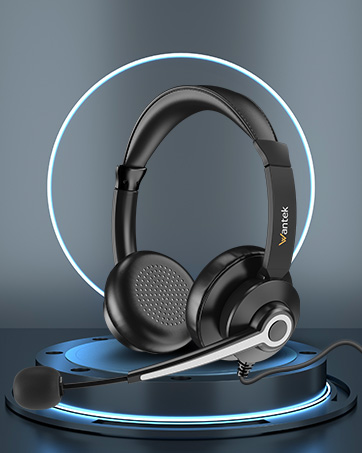
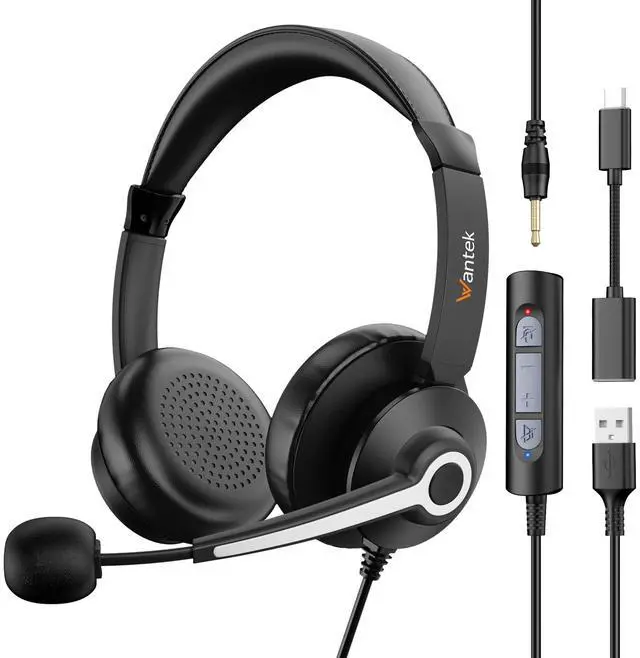
Wantek 786FUSB
Professional computer headset

Professional office headphones
It's your efficient work partner

WANTEK is a call center headset innovator, developing, manufacturing and retailing professional headset products worldwide.we have been providing customers with comfortable, durable, innovative and high quality usb headsets for call center, telemarketing & office.

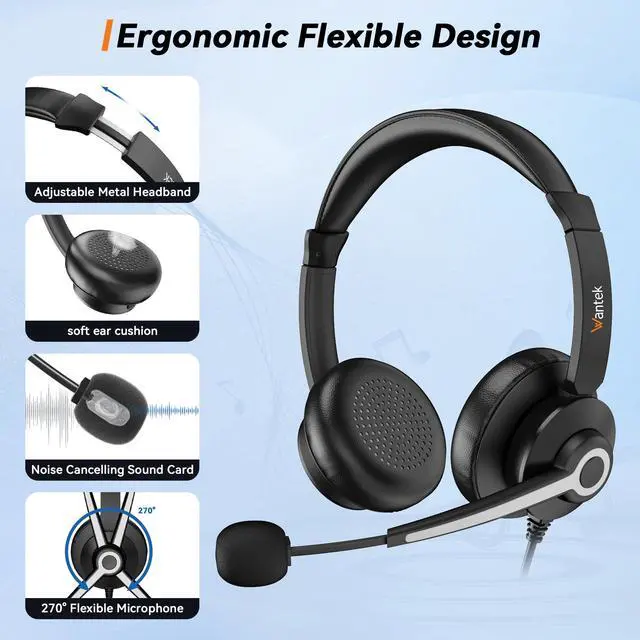
Professional phone headset with soft breathable leatherette ear cushion enhances all-day wearing comfort. super lightweight headset design and adjustable headband make you focus on your calls and feel less pressure on your ears

Extraordinary HD Sound
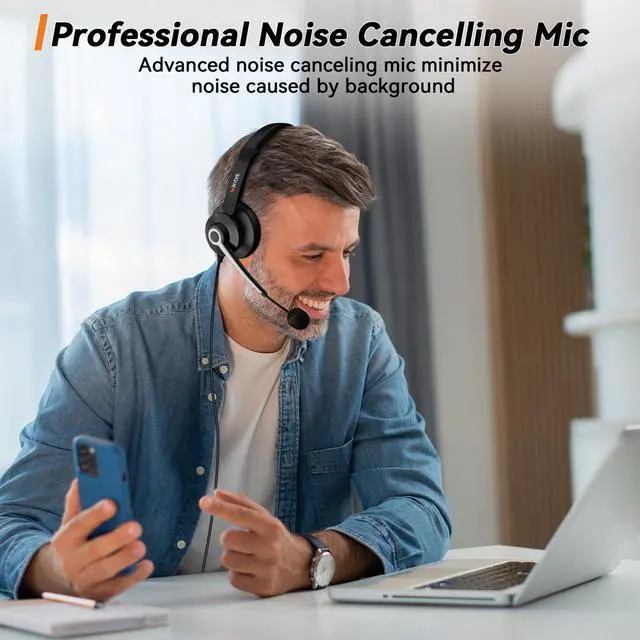
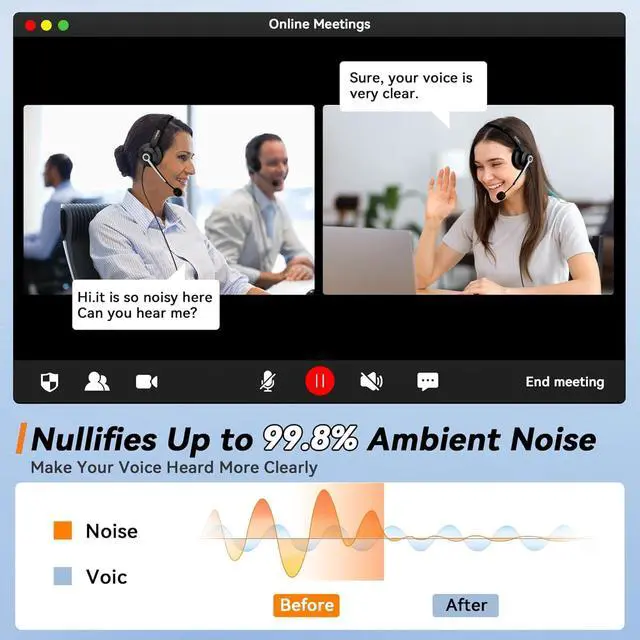
16mm dynamic driver & 7-core paperless copper wire voice coil makes the medium and treble processing more delicate HD audio decoder chip delivers low-latency and high-quality sound with integrated noise-canceling chip eliminates ambient noise


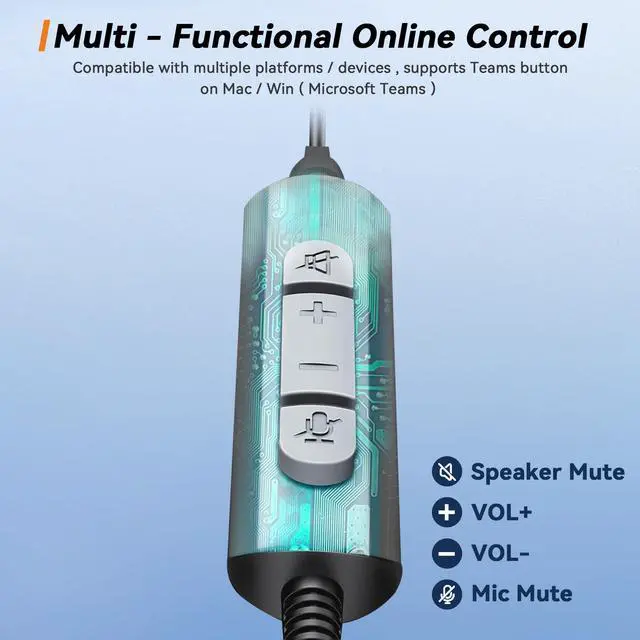
HANDY IN-LINE CONTROLS
Simple in-line controls on the cable let you easily adjust the volume or mute calls without disruption.

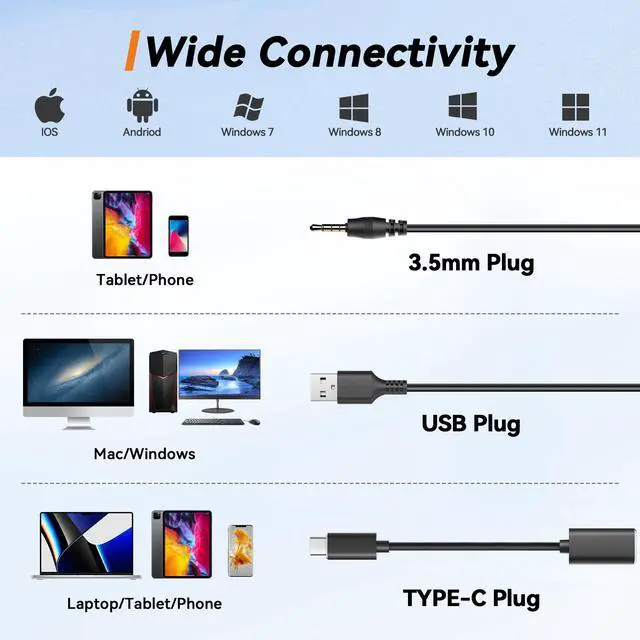
3.5MM PLUG-AND-USB PLUG-AND-USB-C ADAPTER
This plug-and-play headset can be used without the need to install software. Simply plug the USB-C connector into your computer and you’re ready to talk or listen right away.


How to adjust headset MIC when others cannot hear my voice?
blrst please check i the micgrophone mute button is turned on: secondly, it is recommended that the distance berween the microphone and
the Mouth should not exceed 2 fingers (approximately 2 inches) to achieve the best sound quality.
How to adjust if I can’t hear any sound when the headset is connected to the computer?
First check whether the USB is connected to the device stablyjit is recommended to connect to another USB jack;Second select EH05(U) as the default input/output device in the "sound"setting Finally, check whether speaker
What to do if the microphone is too low?
Operate on the computer through the following steps:
Setting -Control Panel-Hardware and Sound-Sound-Recording(Select connected headset, and double click mouse )-Level (adjust mic sound)
What's the different between mute on/off button and speak on/off button?
While a call or meeting, if you cick mute button, and show red light means mute on, then the other can't hear your voice. Click again to mute
off. lf you click speak off mute, then you can't hear the other voice. Click again, you can hear again.
Is it comfortable enough for long time work?
Compared with most bulky headphones, we consider the user experience and reduce the weight of the headphones to less than 3 ounces.
and soft ear pads to provide you with the most comfortable experience while working for long time.

WANTEK is a call center headset innovator, developing, manufacturing and retailing professional headset products worldwide.we have been providing customers with comfortable, durable, innovative and high quality usb headsets for call center, telemarketing & office.

Professional phone headset with soft breathable leatherette ear cushion enhances all-day wearing comfort. super lightweight headset design and adjustable headband make you focus on your calls and feel less pressure on your ears

Extraordinary HD Sound
16mm dynamic driver & 7-core paperless copper wire voice coil makes the medium and treble processing more delicate HD audio decoder chip delivers low-latency and high-quality sound with integrated noise-canceling chip eliminates ambient noise

HANDY IN-LINE CONTROLS
Simple in-line controls on the cable let you easily adjust the volume or mute calls without disruption.
3.5MM PLUG-AND-USB PLUG-AND-USB-C ADAPTER
This plug-and-play headset can be used without the need to install software. Simply plug the USB-C connector into your computer and you’re ready to talk or listen right away.


How to adjust headset MIC when others cannot hear my voice?
blrst please check i the micgrophone mute button is turned on: secondly, it is recommended that the distance berween the microphone and
the Mouth should not exceed 2 fingers (approximately 2 inches) to achieve the best sound quality.
How to adjust if I can’t hear any sound when the headset is connected to the computer?
First check whether the USB is connected to the device stablyjit is recommended to connect to another USB jack;Second select EH05(U) as the default input/output device in the "sound"setting Finally, check whether speaker
What to do if the microphone is too low?
Operate on the computer through the following steps:
Setting -Control Panel-Hardware and Sound-Sound-Recording(Select connected headset, and double click mouse )-Level (adjust mic sound)
What's the different between mute on/off button and speak on/off button?
While a call or meeting, if you cick mute button, and show red light means mute on, then the other can't hear your voice. Click again to mute
off. lf you click speak off mute, then you can't hear the other voice. Click again, you can hear again.
Is it comfortable enough for long time work?
Compared with most bulky headphones, we consider the user experience and reduce the weight of the headphones to less than 3 ounces.
and soft ear pads to provide you with the most comfortable experience while working for long time.
Wantek is a Call Center Headset innovator, developing, manufacturing and retailing professional headset products worldwide.
With excellent acoustic design and a professional engineering team, we have been providing customers with comfortable, durable, innovative and high quality Telephone Headsets, Cordless DECT Phone Headsets, Cell Phone Headsets, USB Headsets for Call Center, Telemarketing & Office
Wantek 786FUSB
Professional computer headset
Professional office headphones
It's your efficient work partner