





1


Bluetooth 5.0 Headset & Wide Compatibility
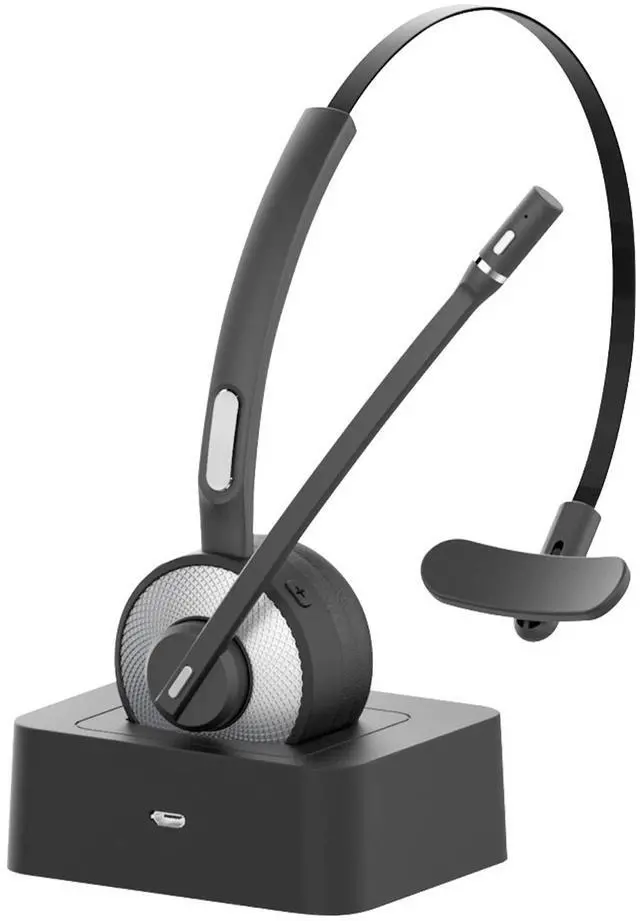
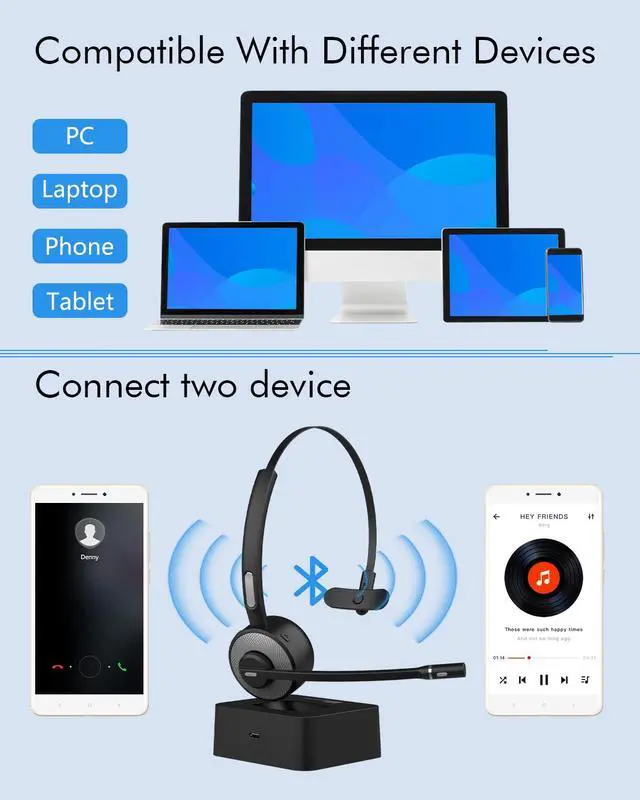
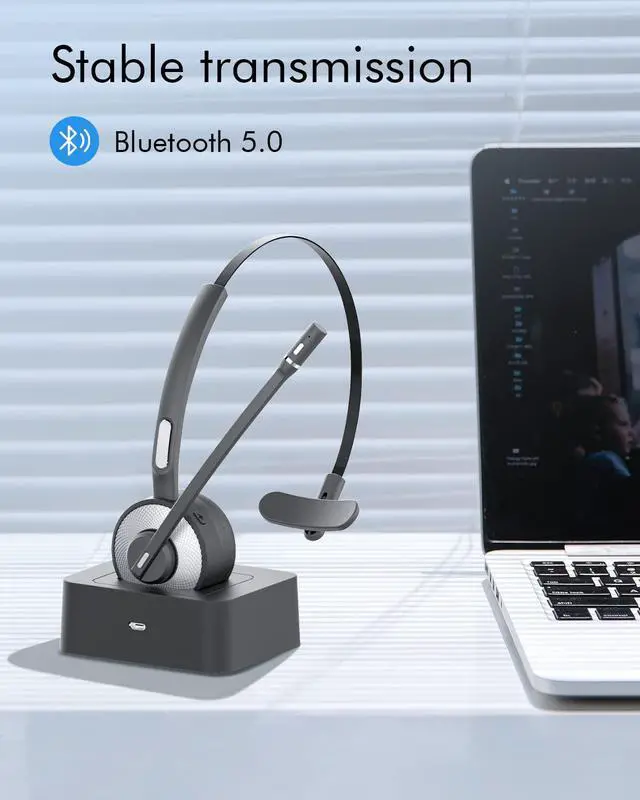
This Bluetooth headset is equipped with a high-performance Bluetooth V5.0 chip, providing fast & stable signal transmission and up to 33ft Bluetooth distance.(unobstructed, open space).
This wireless headset can be widely compatible with cellphones, computers, tablets, laptops and other Bluetooth-enabled devices.

Noise Canceling Microphone
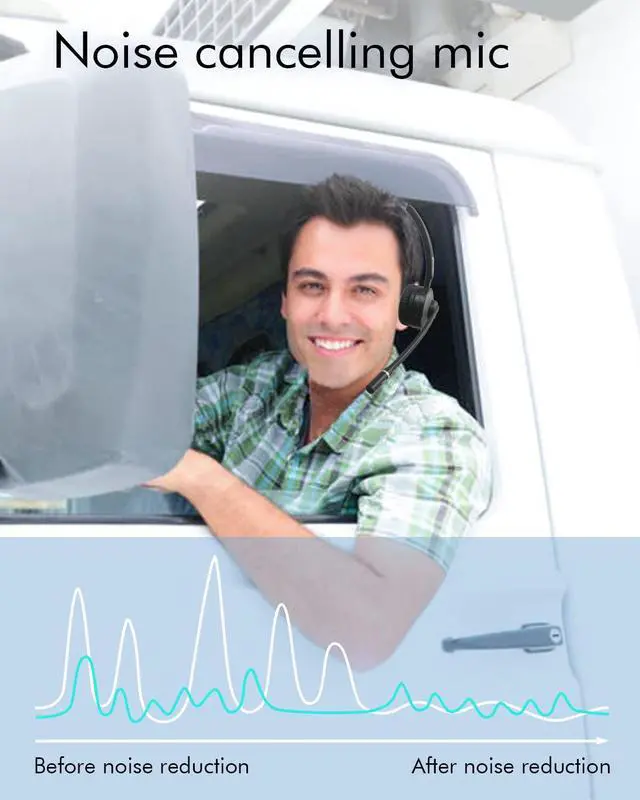
The microphone of HUAKUA Bluetooth Headphones adapts with advanced noise canceling technology, which can filter out external noises around you and transmit your voice to the other side accurately. You will be heard clearly even in noisy environments like a call center, construction site, etc.

Hands-Free Calls & Voice Assistant Activation
The multi-function button of headset can be used to answer/hang up calls, play/pause the music, redial the last number. If you press and hold the MFB button for 2 seconds, the headset will automatically activate the voice assistant of your smartphone.(Like Siri, Bixby)
Your hands can handle other things without taking your phone from your pocket frequently. Especially suitable for drivers.

Mute Function
The mute button on the microphone is very easy to find, just press it to mute/unmute your voice during a phone call to protect your privacy. The Bluetooth headset with mute button is perfect for office, working from home, call center, trucker drivers, etc.
*Note: The mute function only works in cell phone calls.

Long Battery Life
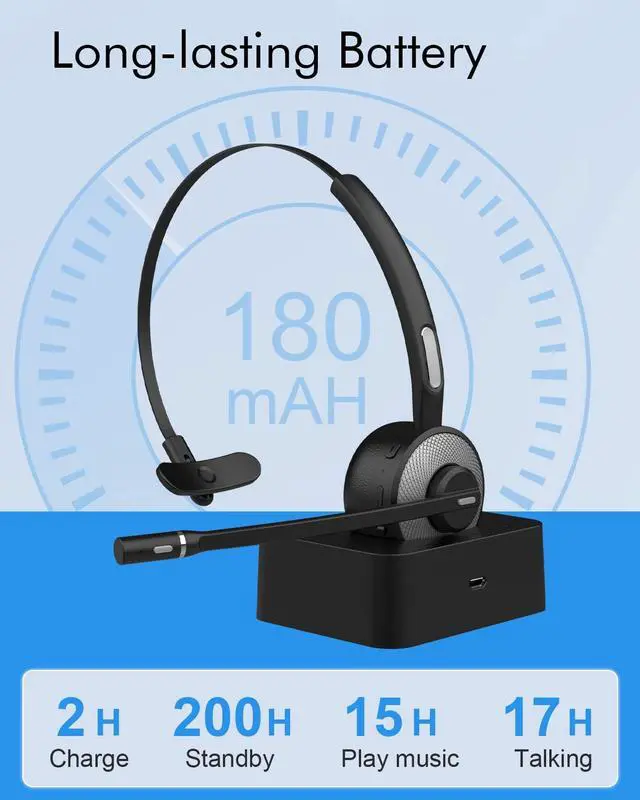
A fully charged Bluetooth headset supports up to 18 hours of talking time, 200 hours of standby time. When working long hours, this trucker Bluetooth headset provides truck drivers, office clerk, teleworkers with sufficient stable power to stay connected. You don't need to worry about running out of power anymore.

All-day Comfort
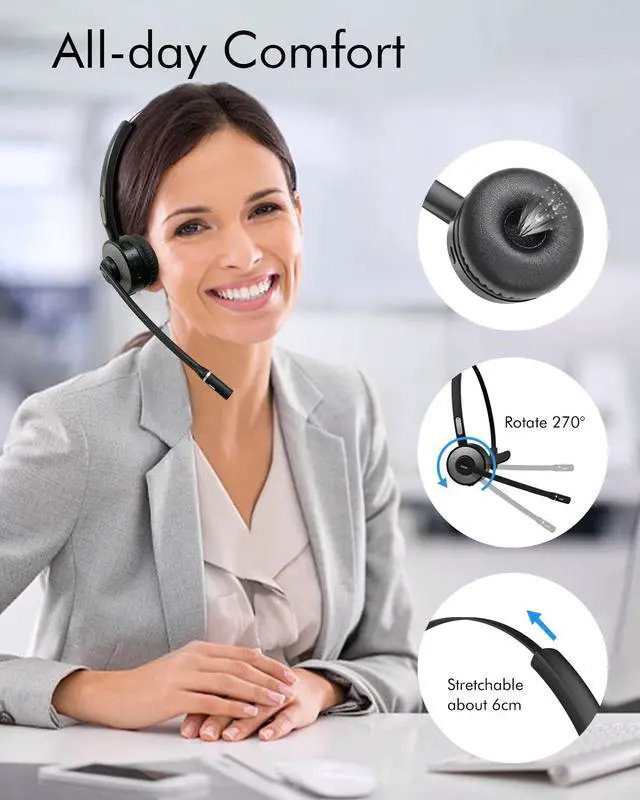
HUAKUA Bluetooth headset weights only 0.1 lb, equipped with a 270° rotatable microphone which can be used on the right or left side to capture your voice. The adjustable headband lets you customize your perfect fit, you won't feel uncomfortable even wearing them for a long time.

A: How to connect the headset to the device?
Turn on the Bluetooth of the device and the headset, press and hold the power button of the headset for 3-5 seconds to put the headset in pairing mode with red and blue flashing alternately, then search for the headset on the device to connect.
B: Troubleshooting for bluetooth connection
If the headset cannot be searched on the device, make sure the headset is in pairing mode (red and blue flashing alternately), then clear the Bluetooth pairing records of the device and the headset, and then reconnect. About how to delete all the bluetooth pairing records of the headset is following : In power on status,pressing the volume + button and volume - button together for 5-7 seconds till pink LED flash twice at the same time.
 HK98 Bluetooth Headset |  HK98B Bluetooth Headset with Dongle |  M7 Bluetooth Headset with Dongle Black |  M7 Bluetooth Headset with Dongle Blue | |
|---|---|---|---|---|
| Customer Reviews | — | — | — | — |
| Price | — | — no data | — no data | — |
| Bluetooth Version | Bluetooth V5.0 | Bluetooth V5.0 | Bluetooth V5.0 | Bluetooth V5.0 |
| With Dongle | × | ? | ? | ? |
| Headphone Type | On-ear Headset | On-ear Headset | On-ear Headset | On-ear Headset |
| Mute Function | ? | ? | ? | ? |
| Noise Cancelling Mic | ? | ? | ? | ? |
| Charging Solution | Charging Base Or USB Cable | Charging Base Or USB Cable | Charging Base Or USB Cable | Charging Base Or USB Cable |

1
Bluetooth 5.0 Headset & Wide Compatibility
This Bluetooth headset is equipped with a high-performance Bluetooth V5.0 chip, providing fast & stable signal transmission and up to 33ft Bluetooth distance.(unobstructed, open space).
This wireless headset can be widely compatible with cellphones, computers, tablets, laptops and other Bluetooth-enabled devices.
Noise Canceling Microphone
The microphone of HUAKUA Bluetooth Headphones adapts with advanced noise canceling technology, which can filter out external noises around you and transmit your voice to the other side accurately. You will be heard clearly even in noisy environments like a call center, construction site, etc.
Hands-Free Calls & Voice Assistant Activation
The multi-function button of headset can be used to answer/hang up calls, play/pause the music, redial the last number. If you press and hold the MFB button for 2 seconds, the headset will automatically activate the voice assistant of your smartphone.(Like Siri, Bixby)
Your hands can handle other things without taking your phone from your pocket frequently. Especially suitable for drivers.
Mute Function
The mute button on the microphone is very easy to find, just press it to mute/unmute your voice during a phone call to protect your privacy. The Bluetooth headset with mute button is perfect for office, working from home, call center, trucker drivers, etc.
*Note: The mute function only works in cell phone calls.
Long Battery Life
A fully charged Bluetooth headset supports up to 18 hours of talking time, 200 hours of standby time. When working long hours, this trucker Bluetooth headset provides truck drivers, office clerk, teleworkers with sufficient stable power to stay connected. You don't need to worry about running out of power anymore.
All-day Comfort
HUAKUA Bluetooth headset weights only 0.1 lb, equipped with a 270° rotatable microphone which can be used on the right or left side to capture your voice. The adjustable headband lets you customize your perfect fit, you won't feel uncomfortable even wearing them for a long time.
A: How to connect the headset to the device?
Turn on the Bluetooth of the device and the headset, press and hold the power button of the headset for 3-5 seconds to put the headset in pairing mode with red and blue flashing alternately, then search for the headset on the device to connect.
B: Troubleshooting for bluetooth connection
If the headset cannot be searched on the device, make sure the headset is in pairing mode (red and blue flashing alternately), then clear the Bluetooth pairing records of the device and the headset, and then reconnect. About how to delete all the bluetooth pairing records of the headset is following : In power on status,pressing the volume + button and volume - button together for 5-7 seconds till pink LED flash twice at the same time.
HK98 Bluetooth Headset | HK98B Bluetooth Headset with Dongle | M7 Bluetooth Headset with Dongle Black | M7 Bluetooth Headset with Dongle Blue | |
|---|---|---|---|---|
| Customer Reviews | — | — | — | — |
| Price | — | — no data | — no data | — |
| Bluetooth Version | Bluetooth V5.0 | Bluetooth V5.0 | Bluetooth V5.0 | Bluetooth V5.0 |
| With Dongle | × | ? | ? | ? |
| Headphone Type | On-ear Headset | On-ear Headset | On-ear Headset | On-ear Headset |
| Mute Function | ? | ? | ? | ? |
| Noise Cancelling Mic | ? | ? | ? | ? |
| Charging Solution | Charging Base Or USB Cable | Charging Base Or USB Cable | Charging Base Or USB Cable | Charging Base Or USB Cable |
Smart Watches