

1.Why does the PS5 console prompt for an update when the adapter is plugged in?
Enter the PS5 system settings: Settings > Accessories > Controller (General) >Communication Metho > Use USB Cable. Then connect the ps5 via adapter, as described in the video on the situation page.
2.Why doesn't the controller work with PS5 games?
You can't use a USB cable to connect to the PS5 console, nor can you use a USB cable to charge the controller, otherwise you can't play ps5 games.
3.Why can't I connect to the PS5 after setting the connection method?
(1) After setup, connect controller and PS5 via provided 2.4G adapter. If failed, unplug and replug the adapter to pair again.
(2) If official PS5 controller is connected, disconnect it and let our controller connect first.
4.Can't find how to set the connection method?
Please view the video on this product detail page
5.Can it be connected to the PS5 console without using the adapter included in the package?
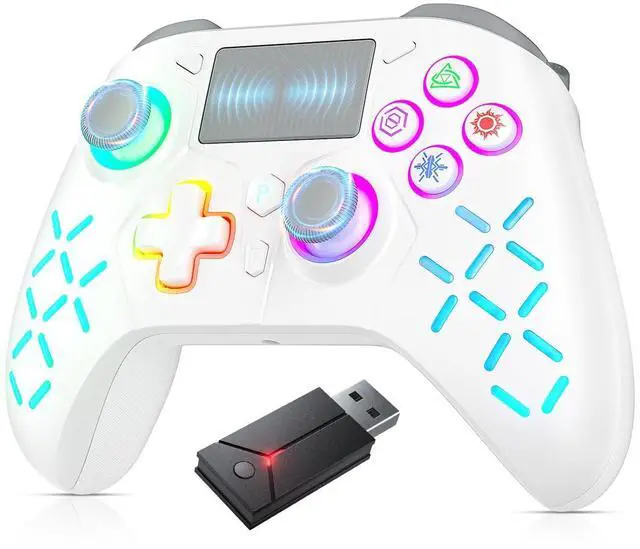
No. If you do not use the adapter we provide or use an adapter from another brand, you cannot connect our controller to the PS5 console.
1.Why does the PS5 console prompt for an update when the adapter is plugged in?
Enter the PS5 system settings: Settings > Accessories > Controller (General) >Communication Metho > Use USB Cable. Then connect the ps5 via adapter, as described in the video on the situation page.
2.Why doesn't the controller work with PS5 games?
You can't use a USB cable to connect to the PS5 console, nor can you use a USB cable to charge the controller, otherwise you can't play ps5 games.
3.Why can't I connect to the PS5 after setting the connection method?
(1) After setup, connect controller and PS5 via provided 2.4G adapter. If failed, unplug and replug the adapter to pair again.
(2) If official PS5 controller is connected, disconnect it and let our controller connect first.
4.Can't find how to set the connection method?
Please view the video on this product detail page
5.Can it be connected to the PS5 console without using the adapter included in the package?
No. If you do not use the adapter we provide or use an adapter from another brand, you cannot connect our controller to the PS5 console.