

Your Browsing History

Meet Your Seller


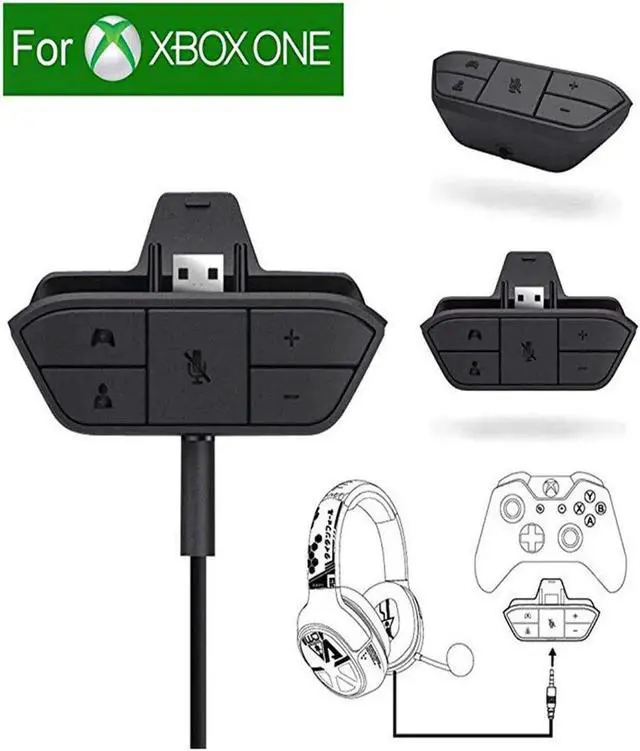

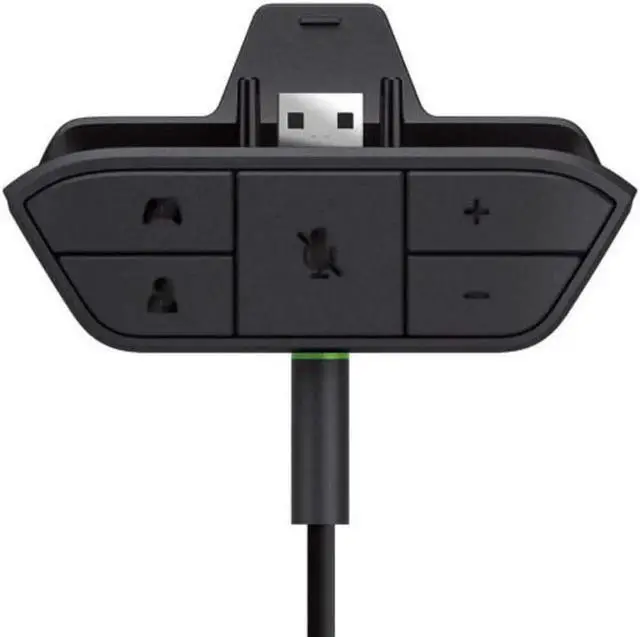


Xbox One Stereo Amplified Headset Adapter Gaming Headset and Headset Audio Controller- Xbox One
- 100% BRAND NEW and HIGH QUALITY: Specially designed for Xbox One controller , to connect your headset with a 3.5mm audio jack. Most stereo gaming headsets with a 3.5mm audio jack (that use the CTIA plug standard) can get chat and stereo game audio directly through the Xbox One.
- Features:
- No need to connect anything to the console or TV/ receiver. A microphone is required for chat.
- Enables most wired stereo gaming headsets to work with Xbox One*. Easily adjust chat audio without taking your hands off the controller.
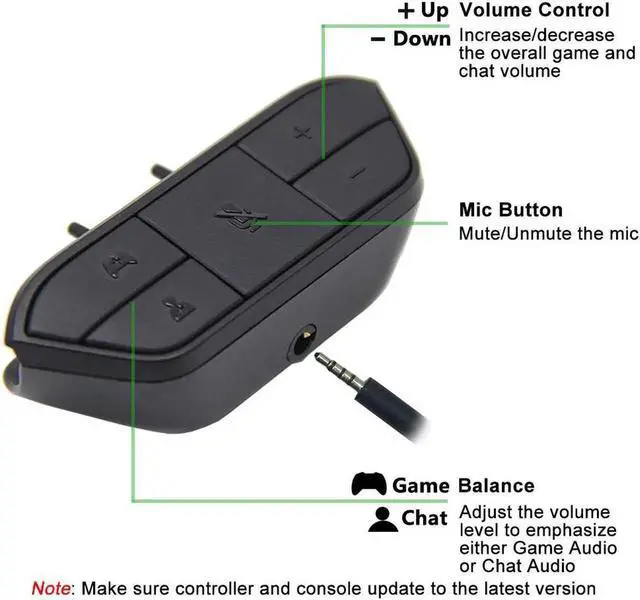
- Controls include volume up/down, microphone mute, and game/chat balance.
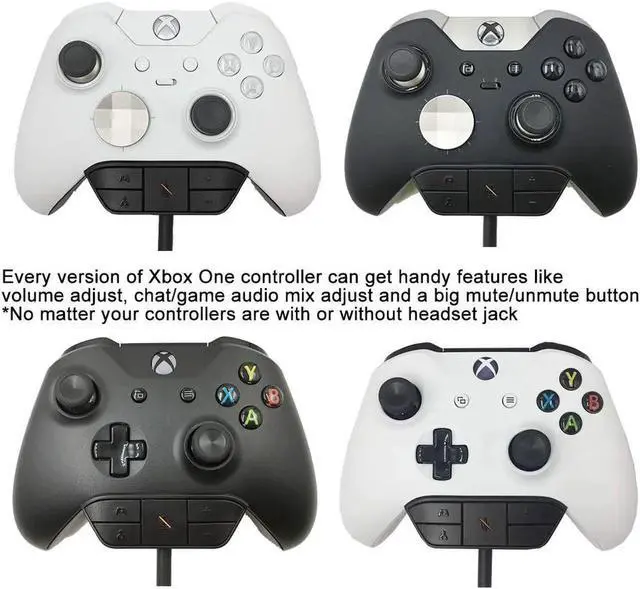
- Connects to the bottom of the Xbox One Wireless Controller and features a 3.5mm audio jack for your wired headset to plug into. Includes 2.5mm to 3.5mm adapter to enable a stereo Xbox 360 wired headset to work with Xbox One.
- Install Process:Use the adapter into the handle, and the earphone into the 3.5mm port.
- Install Process:Use the adapter into the handle, and the earphone into the 3.5mm port.
+
+
Overview
Specs
Reviews

Any questions? Our AI mode will help you find out quickly.
Try me now
Features:
No need to connect anything to the console or TV/ receiver.
A microphone is required for chat. Enables most wired stereo gaming headsets to work with Xbox One.
Easily adjust chat audio without taking your hands off the controller.
Controls include volume up/down, microphone mute, and game/chat balance.
Connects to the bottom of the Xbox One Wireless Controller and features a 3.5 mm audio jack for your wired headset to plug into.
Includes 2.5 mm to 3.5 mm adapter to enable a stereo Xbox 360 wired headset to work with Xbox One.
Install Process: Use the adapter into the handle, and the earphone into the 3.5 mm port.
Buttons and Functions:
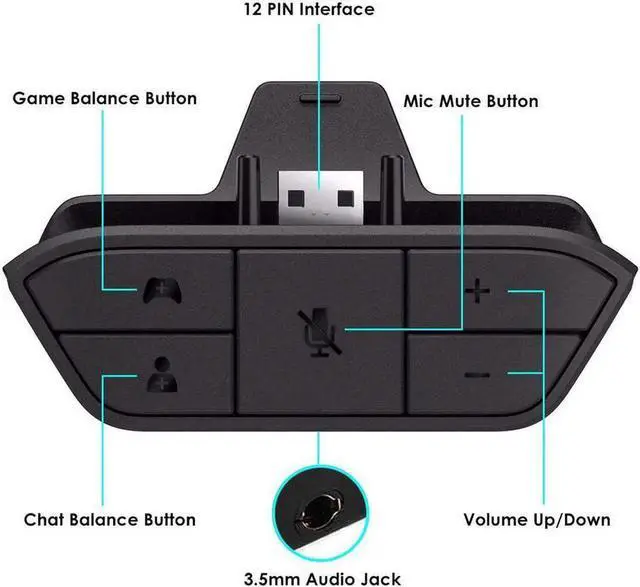
Mic Mute: Press to turn off the microphone, press again to turn it back on (LED will glow when muted).
Game Balance Button: Press to emphasize game audio.
Chat Balance Button: Press to emphasize chatting audio.
Volume Up: Press to increase overall game and chat volume.
Volume Down: Press to lower overall game and chat volume. 12 PIN Interface: Plug into your Xbox One controller. 3.5 mm
Audio Jack: To connect any 3.5 mm headset.
Package includes:
1* Xbox One Stereo Headset Adapter
Warranty & Returns
Warranty, Returns, And Additional Information
Warranty
- Please contact the Seller directly for warranty information. Warranty information may also be found on the Manufacturer's website.
- CONTACT
Return Policies
- Return for refund within: 45 days
- Return for replacement within: 30 days
- This item is covered by LumiNova Tech Return Policy
Manufacturer Contact Info
- For a directory of all our manufacturers, please click below.
- Manufacturers Directory
LOADING...