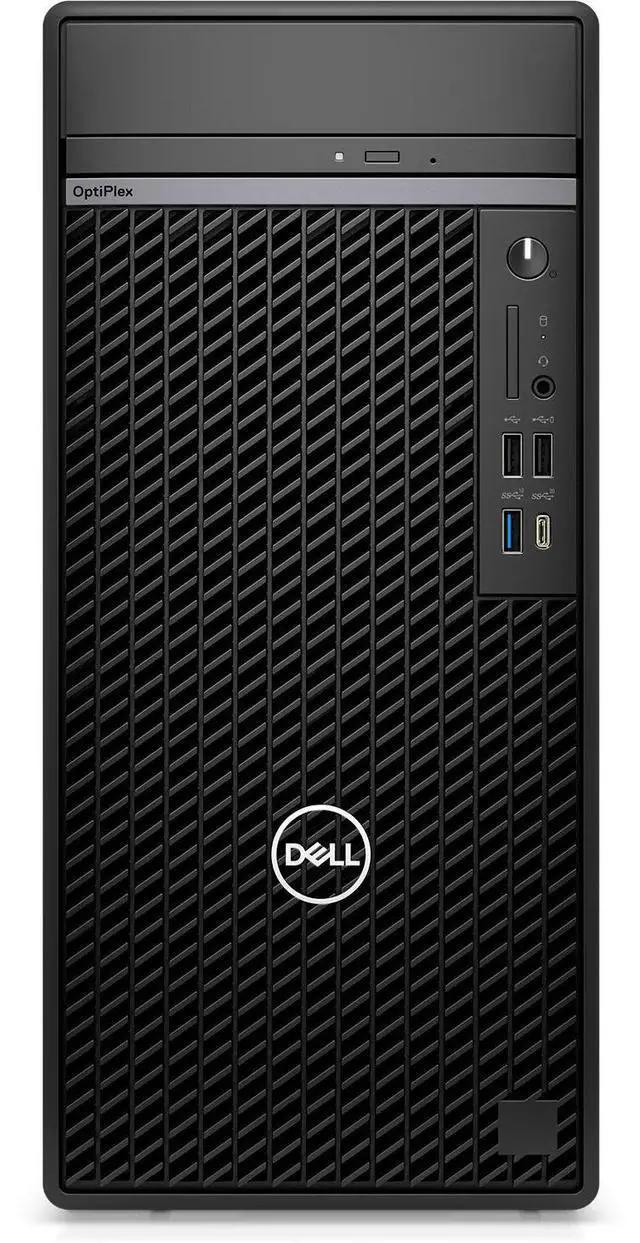
Streamline your workload with the Dell OptiPlex 7020 Desktop Computer. The OptiPlex offers vast connectivity options and ample power to run management software and other IT-related applications and fits within various business and home environments. At the heart of the OptiPlex is an Intel Core i9-14900 vPro processor, with multiple P- and E-cores that deliver a max operating frequency of 5.4 and 4.3 GHz, respectively, enhancing throughput across your entire system. With 64GB of DDR5 RAM, you can experience quick multitasking capabilities. Store your essential documents and enhance application load times with the 1TB M.
2 PCIe NVMe SSD. Integrated Intel UHD graphics provides you with clear and smooth visuals across multiple displays with HDMI and DisplayPort video outputs. An array of ports allows you to connect devices like the included mouse and keyboard with USB 2.0 and 3.2 Gen 1 ports. You can also use Bluetooth technology to connect your wireless peripherals for a true cable-free experience. A Gigabit Ethernet port allows you to quickly upload and download important assets. The OptiPlex comes with Windows 11 Pro preinstalled. The OptiPlex gives you access to several USB ports, including USB-A and USB-C 3.2 Gen 1 ports which offer up to 5 Gb/s data transfer speeds, suitable for storage drives and other powered items.
USB 2.0 ports support devices such as the included mouse and keyboard set. OptiPlex makes it easier for IT admins to manage numerous devices. OptiPlex offers one BIOS for All-in-Ones, and one BIOS across Towers, Small Form Factors, and Micro Form Factors. Rigorous, state-of-the-art supply chain controls and Dell Secured Component Verification reduce the risk of product tampering. Indicators of Attack, an early-alert feature offered only by Dell, scans for behavior-based threats before they can do damage. The Intel vPro platform delivers built-in features for performance, security, manageability, and stability.
Get business-class performance and power productivity right out of the box. Intel vPro also provides hardware-enhanced security features with technologies to help protect against cyberthreats, plus platform stability. Additional features, such as remote management with Intel Active Management Technology, require activation and IT administration. Microsoft simplified the design and user experience with Windows 11. It has a modern, clean design with a new Start Menu position. Snap Layouts, Groups, and Desktops allow you to multitask with ease. Microsoft has also integrated some of their apps, such as Microsoft Teams.
The redesigned Microsoft Store makes it easier to look for supported apps. The Pro version of Windows 11 includes all the features that Windows 11 Home offers plus many designed specifically for business users, including Hyper-V virtualization, BitLocker disk encryption, and remote desktop