• $3,194.00
  • Free 30-day Returns
  • Price alert
    Shop it at NeweggBusiness.

    Meet Your Seller

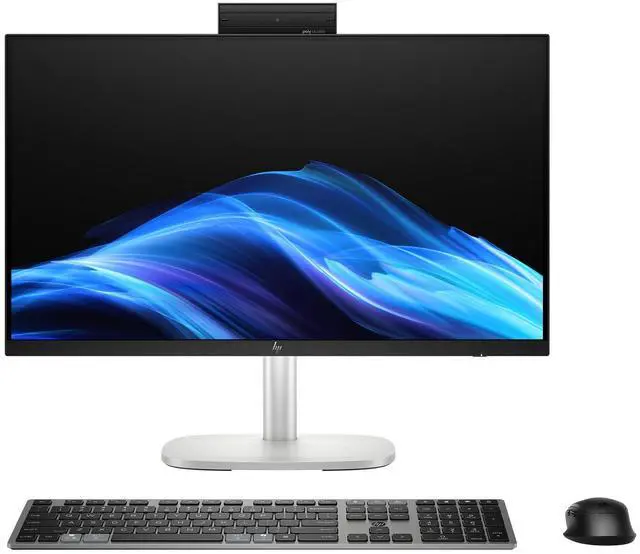
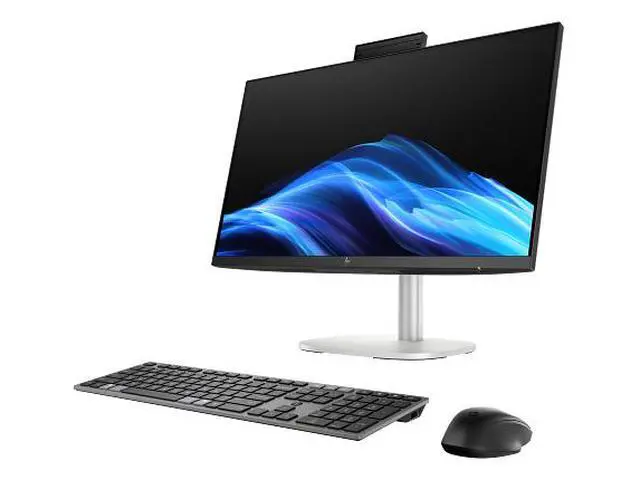
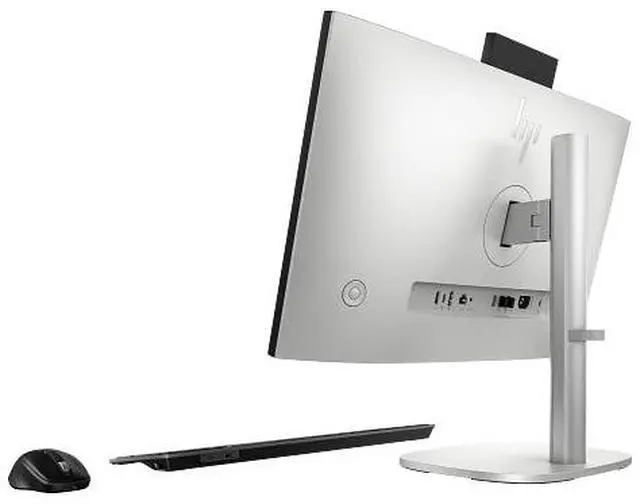
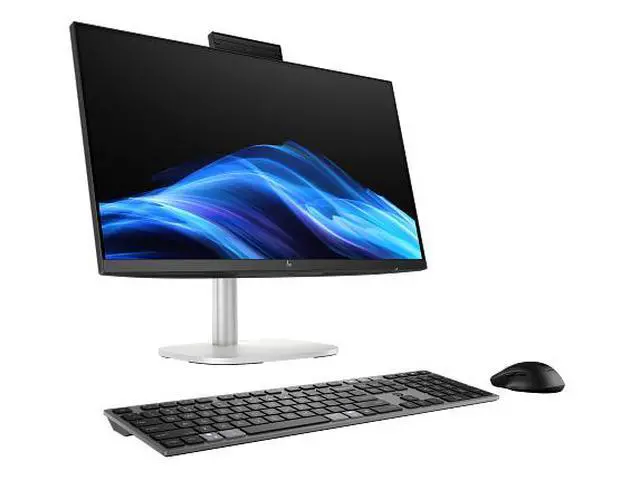
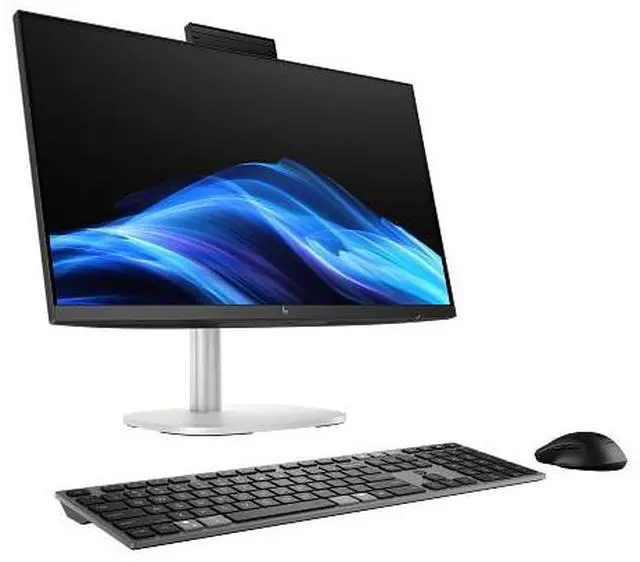
    HP EliteStudio All-in-One Computer 23.8" FHD Intel Core Ultra 7, 32 GB;1 TB SSD

    • Processor: Intel® Core Ultra 7 265 (up to 5.3 GHz with Intel® Turbo Boost Technology, 30 MB L3 cache, 20 cores, 20 threads)
    • Memory: 32 GB DDR5-5600 MT/s (2 x 16 GB)
    • Graphics: Integrated: Intel® Graphics
    • Display: 23.8" diagonal, FHD (1920 x 1080), touch, IPS, anti-glare, TUV Rhineland Low Blue Light, 300 nits, 72% NTSC
    +
    +
    Overview
    Specs
    Reviews
    See all Q & A

    Any questions? Ask CelesteSM will help you find out quickly.

    OverviewFeaturing AI-enhanced performance with the latest Intel Core Ultra processor and an up to 13 TOPS NPU. The HP EliteStudio 8 AiO G1i AI PC offers advanced security, up to 4 TB of M. 2 storage, and a sensational design, making it ideal for modern workspaces. FeaturesHP Recommends Windows 11 ProSummarize and rewrite content, get relevant recommendations, and stay organized with Microsoft Copilot. Intel® powers AI PCsFree up time to focus on what matters with the latest Intel® Core Ultra processor with an up to 13 TOPS NPU. Sophisticated designEnjoy a sleek design of this flexible AiO with portrait and landscape orientations.

    Designed with purposeThis PC is ENERGY STAR® certified and EPEAT® Climate+ Gold registered. Software includedHP Notifications; HP PC Hardware Diagnostics UEFI; HP PC Hardware Diagnostics WindowsDisclaimers Not all features are available in all editions or versions of Windows. Systems may require upgraded and/or separately purchased hardware, drivers, software or BIOS update to take full advantage of Windows functionality. Windows 11 is automatically updated, which is always enabled. High speed internet and Microsoft account required. ISP fees may apply and additional requirements may apply over time for updates.
    See http: //www. windows. com. Multicore is designed to improve performance of certain software products. Not all customers or software applications will necessarily benefit from use of this technology. Performance and clock frequency will vary depending on application workload and your hardware and software configurations. Intels numbering, branding and/or naming is not a measurement of higher performance. Features and software that require an NPU may require software purchase, subscription or enablement by a software or platform provider, and third-party software may have specific configuration or compatibility requirements. Performance varies by use, configuration, and other factors. Optional feature must be configured at the time of purchase. EPEAT registered where applicable, tier levels may vary by country. See www. epeat. net for registration status and tier levels by country. Not all features are available in all editions or versions of Windows. Systems may require upgraded and/or separately purchased hardware, drivers, software or BIOS update to take full advantage of Windows functionality. Windows 11 is automatically updated, which is always enabled. ISP fees may apply and additional requirements may apply over time for updates.

    See http: //www. windows. com. Microsoft Copilot requires Windows 11. Some features require an NPU. Timing and availability will be dependent on Microsoft and varies by market and device. Requires Microsoft account to log in. Where Copilot is not available, the Copilot key will lead to the Bing search engine.
    See http: //aka. ms/WindowsAIFeatures. Multicore is designed to improve performance of certain software products. Not all customers or software applications will necessarily benefit from use of this technology. Performance and clock frequency will vary depending on application workload and your hardware and software configurations. Intels numbering, branding and/or naming is not a measurement of higher performance. Features and software that require an NPU may require software purchase, subscription or enablement by a software or platform provider, and third-party software may have specific configuration or compatibility requirements. Performance varies by use, configuration, and other factors. Poly software planned to be available Summer 2024. Requires Windows OS. Optional feature must be configured at the time of purchase. Wireless access point and Internet service required and sold separately. Availability of public wireless access points limited. Wi-Fi 7 (802

    Warranty & Returns

    Warranty, Returns, And Additional Information

    Warranty

    • Please contact the Seller directly for warranty information. Warranty information may also be found on the Manufacturer's website.
    • Read full details
    • CONTACT

    Return Policies

    Manufacturer Contact Info

    LOADING...

    The HP EliteStudio All-in-One is a Windows 11 Pro desktop with an Intel Core Ultra 7 265, 32 GB of DDR5 memory, and a 1 TB SSD, suited to professionals who want strong everyday multitasking in a single-display setup.

    Recommended For

    • Office-based professionals who want a fixed, tidy workstation for email, documents, spreadsheets, and frequent video meetings, without setting up a separate desktop tower and monitor.
    • Business users who keep many browser tabs and office applications open at once and prefer a desktop setup with 32 GB of memory, Windows 11 Pro, and business-oriented vPro support.
    • Reception, consultation, or shared-office teams that benefit from a touch-enabled screen for occasional on-screen navigation while keeping the computer and display in one stationary setup.
    • IT-managed offices seeking a business-class all-in-one with Windows 11 Pro and Intel vPro features for deployment and management in a fixed workstation environment.

    Real-World Use Scenarios

    • For a typical office workday, users can keep business apps, browser tabs, email, and spreadsheets open together; the 32 GB of memory is suited to this kind of multitasking without needing a separate desktop tower.
    • For hybrid-work video meetings, users can make calls from the desk using the built-in camera and microphones; HP lists camera framing and background features through Poly Camera Pro, with availability depending on software setup.
    • In a small office or business workspace, staff can use it as a Windows 11 Pro desktop for everyday work while IT teams use its vPro and HP management features to support and manage the device.
    • At a shared workstation, users can tap the touchscreen to interact with on-screen controls or navigate compatible apps; it can make some tasks more direct, though it does not replace a keyboard and mouse for every workflow.
    • When a compatible HP notebook is also used at the desk, users can connect it through Thunderbolt and, where the optional Device Switch feature is configured, share the all-in-one’s display, camera, audio, and peripherals between systems.