




 here!
I’m your shopping assistant for PC builds, upgrades, and everything tech.
Got questions? Ask away!
Start a conversation
here!
I’m your shopping assistant for PC builds, upgrades, and everything tech.
Got questions? Ask away!
Start a conversation






Any questions? Ask CelesteSM will help you find out quickly.
We sell new,unused computers,the original Seal is opened for upgrade ONLY. If you've selected a custom-configured computer, our professional technicians will carefully open the original manufacturer's box and professionally install the upgrades to achieve the advertised specifications.
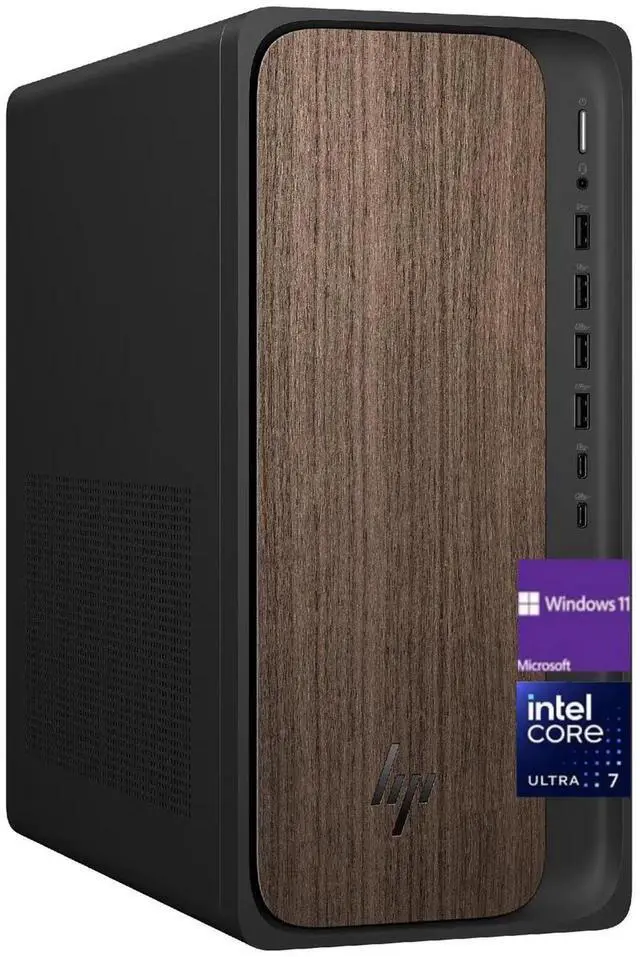
CPU:Intel Core Ultra 7 265 (up to 5.3 GHz with Intel Turbo Boost Technology, 30 MB L3 cache, 20 cores, 20 threads)+Intel AI Boost (13 NPU TOPS)
Display:NO
Memory:up to 64 GB DDR5 RAM
Hard Drive:up to 2 TB PCIe NVMe M.2 SSD
Operating System:Windows 11 Home/Pro
Graphics:Intel Arc Graphics
Ports:
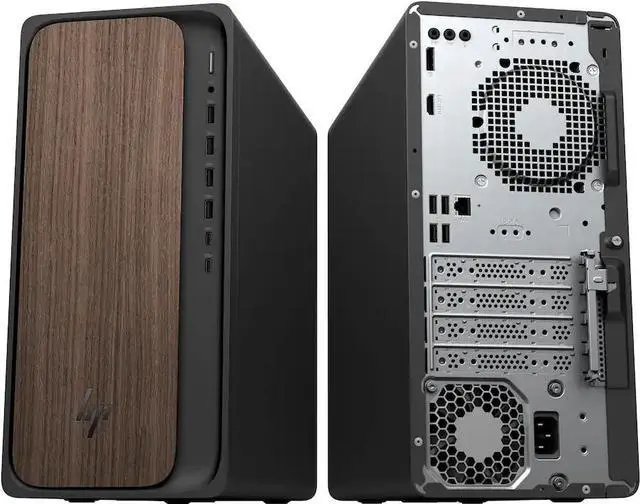
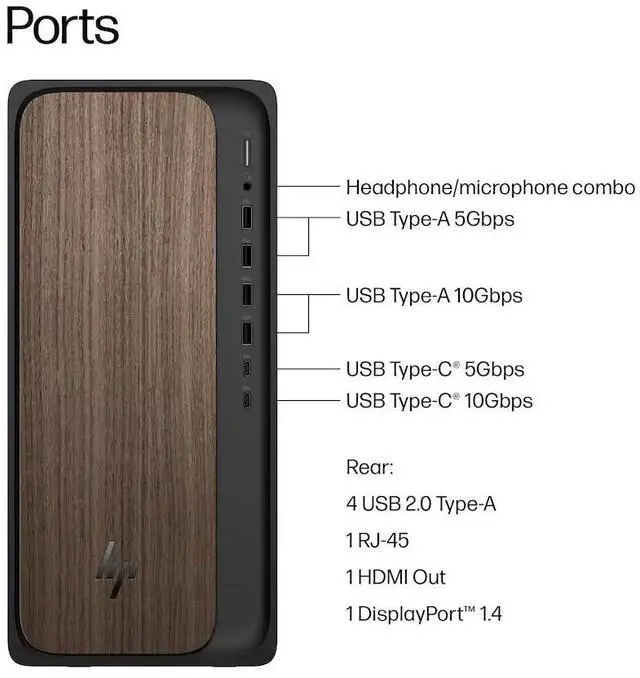
Front : 1 USB Type-C 10Gbps signaling rate; 1 USB Type-C 5Gbps signaling rate; 2 USB Type-A 10Gbps signaling rate; 2 USB Type-A 5Gbps signaling rate; 1 headphone/microphone combo
Rear : 4 USB 2.0 Type-A; 1 RJ-45; 3 3.5 mm audio jack combo
Keyboard and mouse: HP 125 USB Black Wired Keyboard and Mouse
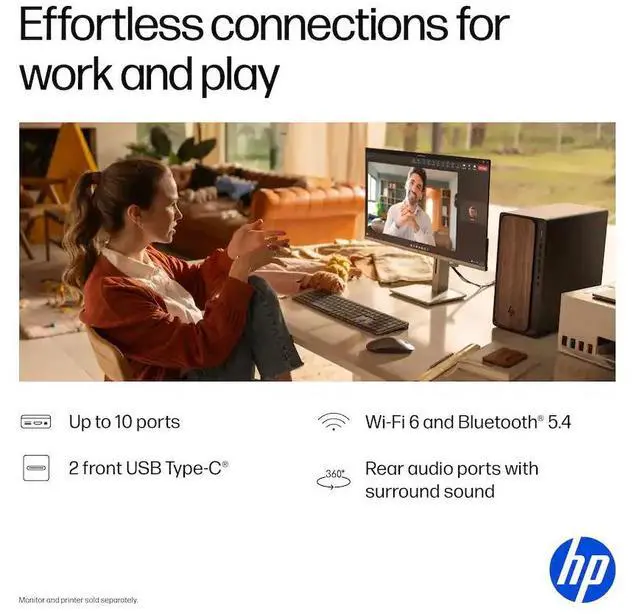
Wireless Connectivity:Intel Wi-Fi 6 (2x2) Gig and Bluetooth 5.4
Chassis Power supply:Chassis Jack Black Plastic and 400 W 80 Plus Platinum certified power supply
Color:Dark Wood
Dimensions:13.27 x 6.10 x 12.40 in,11.78 lb
The HP OmniDesk M03-0000t is a Windows 11 desktop with an Intel Core Ultra 7 265 processor, Intel Arc Graphics, 16GB DDR5 memory, and a 1TB SSD, suited to home and office users who want responsive everyday computing and multitasking.
| Attribute | Value |
|---|---|
| Best For | Desktop computing with Windows 11 and AI-ready capabilities |
| Processor | Intel Core Ultra 7 265 |
| Graphics | Intel Arc Graphics |
| Memory And Storage | 16GB DDR5 memory and 1TB SSD storage |
| Networking | Wi-Fi 6 and Bluetooth 5.4 |
| Keyboard And Mouse | Wired keyboard and wired mouse |
| Model Identifiers | HP Omni series, model M03-0000t |
Q: HP OmniDesk Core Ultra 7 265 or Core Ultra 5 225: which configuration should I choose?
A: Choose the HP OmniDesk with Core Ultra 7 265 when you want more CPU cores for multitasking or processor-intensive work: it has 20 cores and 20 threads, compared with 10 cores and 10 threads in the Core Ultra 5 225 option. Both processors include Intel AI Boost rated at 13 NPU TOPS, so the choice is primarily about CPU configuration.
Q: Should I get this HP OmniDesk with 16GB RAM and a 1TB SSD, or the 32GB/2TB configuration?
A: Choose this 16GB/1TB configuration for a balanced amount of memory and storage for everyday computing and multitasking. Choose an HP OmniDesk configuration with 32GB RAM and a 2TB SSD when you want more room for concurrent applications and locally stored files. Both options can be configured with the Core Ultra 7 265 processor.
Q: How does this HP OmniDesk with Core Ultra 7 265 compare with the HP OmniDesk M02-0000t with Core i3-14100?
A: The M03-0000t configuration in this listing pairs a 20-core, 20-thread Core Ultra 7 265 with Intel AI Boost, 16GB RAM, and a 1TB SSD. HP lists the M02-0000t with a 4-core, 8-thread Core i3-14100, 8GB RAM, and a 256GB SSD. Choose this M03 configuration when you want the higher listed processor, memory, and storage specifications in an HP OmniDesk desktop.
Q: Is this desktop suitable for home-office and everyday work?
A: Yes. Its Intel Core Ultra 7 265 processor, 16 GB of DDR5 memory, 1 TB SSD, and Windows 11 Home make it suitable for typical office tasks, web browsing, and multitasking. A monitor is not included, so you will need to provide one.
Q: Does it include a monitor?
A: No. The product information says a display is not included, so you will need to connect a separate monitor.
Q: Can I connect it to Wi-Fi without an Ethernet cable?
A: Yes. Wi-Fi 6 is listed, so it can connect to a compatible wireless network without an Ethernet cable. Bluetooth 5.4 is also included for compatible wireless accessories.
Q: Can I upgrade the memory later?
A: The listed configuration includes 16 GB of DDR5 memory, but the available information does not specify the number of memory slots or the maximum supported capacity. Check the exact model’s upgrade specifications before buying memory.
Q: Is this configuration suitable for Fusion 360 and 3D-printer slicers?
A: It may suit basic slicing and lighter Fusion 360 work, but its 16 GB of RAM and integrated Intel Arc graphics are trade-offs for complex 3D projects. A Reddit discussion about an OmniDesk with the same Core Ultra 7 265 and 16 GB RAM asks about this use; it does not establish performance results for this exact SKU.
Q: Is this a good choice for office work and multitasking across multiple monitors?
A: Its Core Ultra 7 processor and 1 TB SSD make it a plausible fit for office workloads, but this listing has 16 GB RAM, less than the 32 GB OmniDesk discussed in the related Reddit thread. The display is not included, and the supplied product details do not specify display outputs, so check the ports and monitor requirements before buying.
Q: Is this OmniDesk a good choice for modern gaming?
A: It is not the strongest choice for demanding modern games because this configuration uses integrated Intel Arc graphics rather than a dedicated graphics card. A Reddit discussion about an OmniDesk with Intel graphics raises the same gaming limitation; check requirements for the specific games you play.


