




 here!
I’m your shopping assistant for PC builds, upgrades, and everything tech.
Got questions? Ask away!
Start a conversation
here!
I’m your shopping assistant for PC builds, upgrades, and everything tech.
Got questions? Ask away!
Start a conversation





Any questions? Ask CelesteSM will help you find out quickly.
We sell new,unused computers,the original Seal is opened for upgrade ONLY. If you've selected a custom-configured computer, our professional technicians will carefully open the original manufacturer's box and professionally install the upgrades to achieve the advertised specifications.
CPU:Intel Core Ultra 7 265 (up to 5.3 GHz with Intel Turbo Boost Technology, 30 MB L3 cache, 20 cores, 20 threads)+Intel AI Boost (13 NPU TOPS)
Display:NO
Memory:up to 64 GB DDR5 RAM
Hard Drive:up to 2 TB PCIe NVMe M.2 SSD
Operating System:Windows 11 Home/Pro
Graphics:Intel Arc Graphics
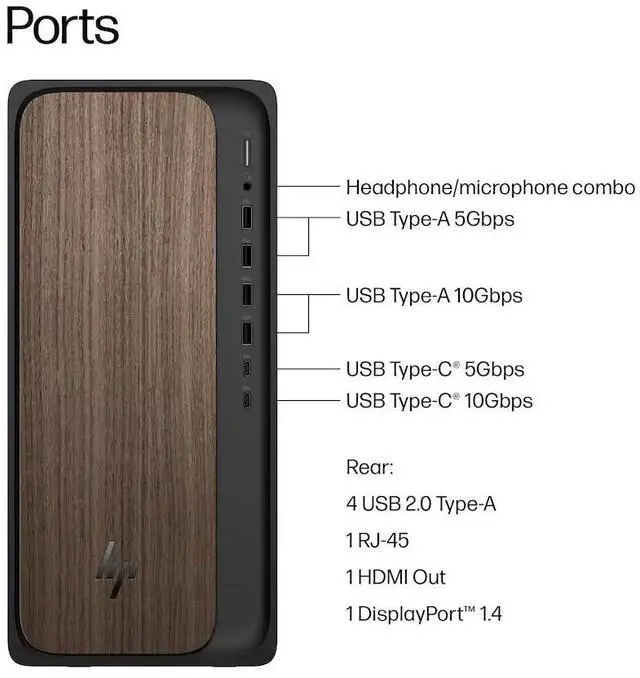
Ports:
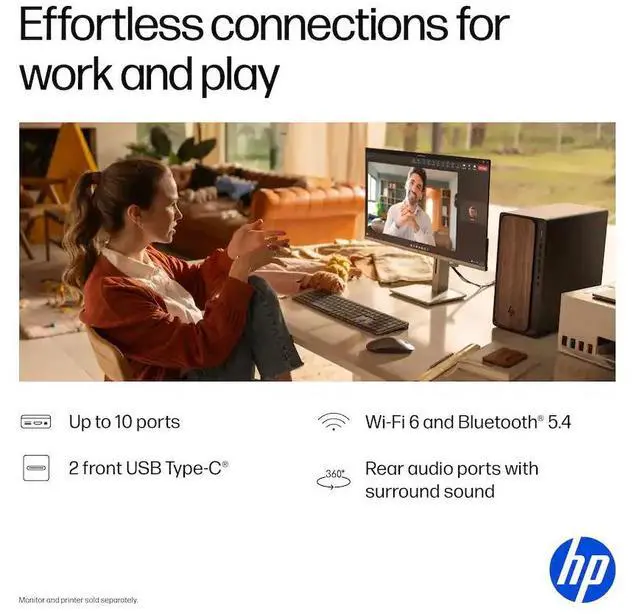
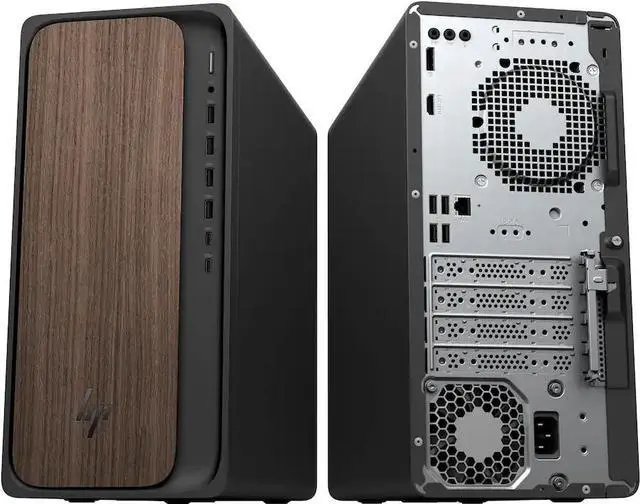
Front : 1 USB Type-C 10Gbps signaling rate; 1 USB Type-C 5Gbps signaling rate; 2 USB Type-A 10Gbps signaling rate; 2 USB Type-A 5Gbps signaling rate; 1 headphone/microphone combo
Rear : 4 USB 2.0 Type-A; 1 RJ-45; 3 3.5 mm audio jack combo
Keyboard and mouse: HP 125 USB Black Wired Keyboard and Mouse
Wireless Connectivity:Intel Wi-Fi 6 (2x2) Gig and Bluetooth 5.4
Chassis Power supply:Chassis Jack Black Plastic and 400 W 80 Plus Platinum certified power supply
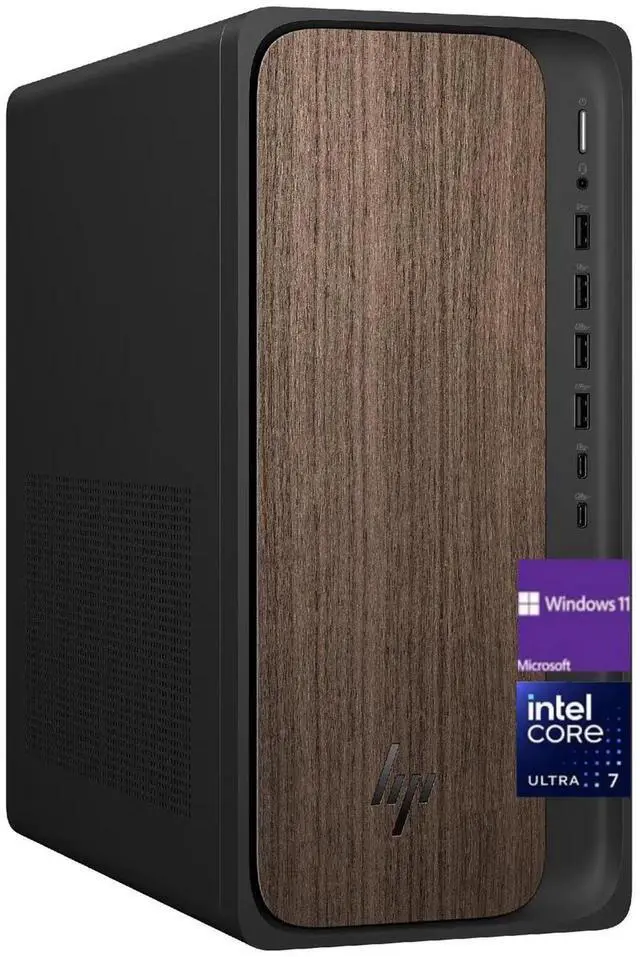
Color:Dark Wood
Dimensions:13.27 x 6.10 x 12.40 in,11.78 lb
The HP OmniDesk M03-0000t is a Windows 11 Pro desktop with an Intel Core Ultra 7 265 processor, Intel Arc Graphics, 32GB DDR5 memory, and a 512GB PCIe NVMe SSD, suited to professionals and home users who want a capable PC for everyday productivity and multitasking.
| Attribute | Value |
|---|---|
| Best For | AI-ready desktop computing and multitasking, with 32GB of DDR5 memory and a 512GB SSD |
| Processor And Graphics | Intel Core Ultra 7 265 processor with Intel Arc Graphics |
| Memory And Storage | 32GB DDR5 memory and a 512GB SSD |
| Operating System | Windows 11 Pro |
| Wireless Connectivity | Wi-Fi 6 and Bluetooth 5.4 |
| Included Peripherals | Wired keyboard and wired mouse |
| Model Identifiers | HP Omni series, model M03-0000t |
Q: HP OmniDesk Core Ultra 7 265 vs. Core Ultra 5 225: which configuration should I choose?
A: Choose this Core Ultra 7 265 model for a processor-focused setup with 32 GB of RAM and Windows 11 Pro. HP lists the Ultra 7 265 with 20 cores and 20 threads, compared with 10 cores and 10 threads for the OmniDesk’s Ultra 5 225 option. The Ultra 5 configuration is a lower-tier processor option; the Ultra 7 is the fit for heavier multitasking and processor-intensive work.
Q: Should I choose this HP OmniDesk with integrated graphics or an OmniDesk configuration with an RTX 5060?
A: Choose this configuration for CPU-focused productivity and everyday desktop use, with 32 GB of RAM and Intel Arc integrated graphics. Choose the HP OmniDesk configuration with an NVIDIA GeForce RTX 5060 and 8 GB of dedicated graphics memory when your intended applications are more graphics-focused. The main distinction is integrated versus dedicated graphics.
Q: HP OmniDesk with a 512 GB SSD vs. the 1 TB version: which one should I get?
A: Choose this 512 GB model if its 32 GB of RAM and Windows 11 Pro configuration match your priorities and your typical files fit within that storage capacity. Choose the 1 TB OmniDesk configuration if you want more room for locally stored applications and files. HP offers both SSD capacities for the M03-0000t.
Q: Is this desktop suitable for office work and video meetings?
A: Yes. Its Intel Core Ultra 7 265 processor and 32 GB of DDR5 memory are suited to office applications and multitasking. A monitor is not included, and the listed specifications do not identify a webcam or microphone, so plan to provide the meeting equipment you need.
Q: Can this desktop play games?
A: It may suit lighter or less demanding games, but it has Intel Arc graphics and no discrete graphics card is listed. For demanding games or high graphics settings, check each game's requirements; this is not specified as a dedicated gaming PC.
Q: Does it come with a monitor?
A: No. The product information says a display is not included, so you will need to connect or purchase a monitor separately.
Q: Is 512 GB of storage enough?
A: The 512 GB PCIe SSD should suit basic computing and everyday files, but large game libraries, video projects, or media collections can use the space quickly. The product information does not confirm additional storage expansion options.
Q: Is this OmniDesk suitable for everyday office and work-from-home use?
A: Its Core Ultra 7 265 processor and 32 GB of RAM make it a reasonable fit for office applications, browsing, and multitasking. It is a desktop, so it is not a portable replacement for work that requires frequent travel. The Reddit discussion concerns a related OmniDesk configuration, not necessarily this exact SKU.
Q: Is it a good choice for gaming or graphics-heavy 3D work?
A: It has integrated Intel Arc graphics rather than a listed dedicated graphics card. That is a trade-off for modern games, demanding 3D animation, or GPU-heavy rendering; consider a model with a discrete GPU for those workloads. Reddit discussions about related OmniDesk configurations raise similar questions about graphics and 3D use.
Q: Will the 32 GB RAM make it feel fast in everyday use?
A: The 32 GB configuration provides more memory headroom than the 16 GB OmniDesk models discussed in one Reddit troubleshooting thread, where memory use was reported near capacity. That comparison does not guarantee overall speed: performance also depends on software, setup, and the specific workload.


