




 here!
I’m your shopping assistant for PC builds, upgrades, and everything tech.
Got questions? Ask away!
Start a conversation
here!
I’m your shopping assistant for PC builds, upgrades, and everything tech.
Got questions? Ask away!
Start a conversation




Any questions? Ask CelesteSM will help you find out quickly.
We sell new,unused computers,the original Seal is opened for upgrade ONLY. If you've selected a custom-configured computer, our professional technicians will carefully open the original manufacturer's box and professionally install the upgrades to achieve the advertised specifications.
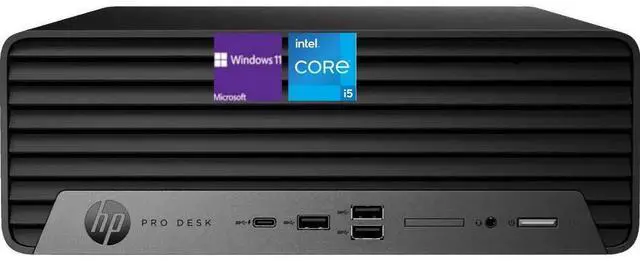
CPU:Intel Core i5-14500 Processor
Graphics:Intel UHD Graphics
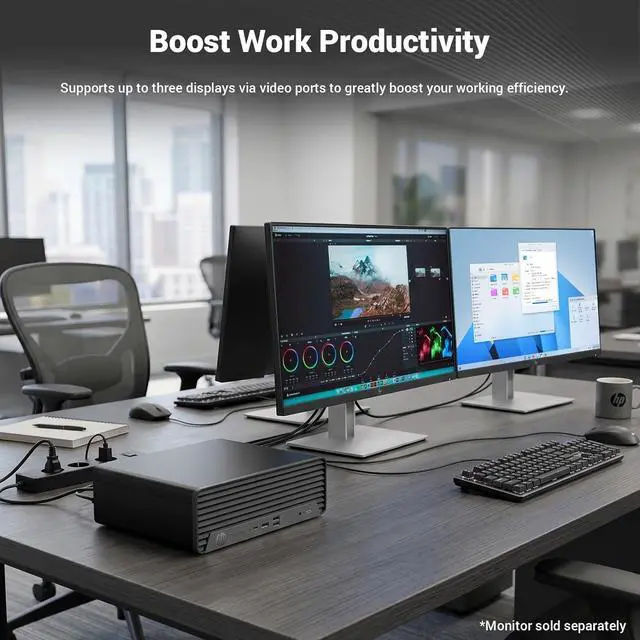
Display:NO Display
Memory:up to 64 GB DDR5 RAM
Hard Drive:up to 2 TB PCIe NVMe M.2 SSD
Operating System:Windows 11 Home/Pro
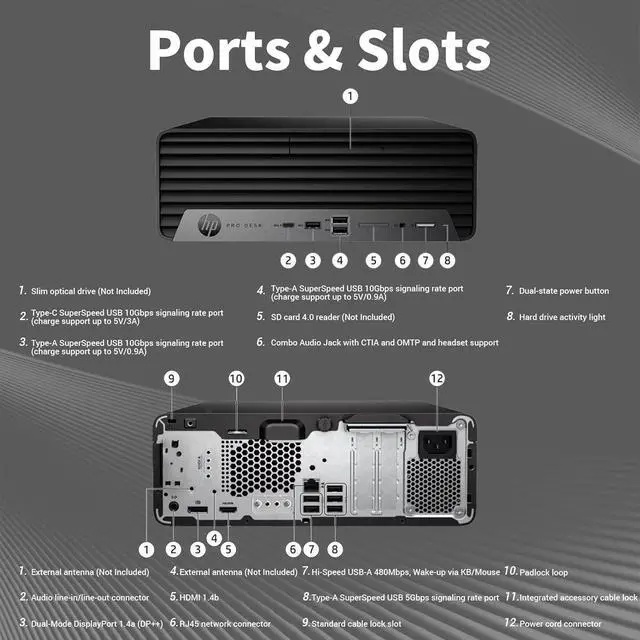
Keyboard and mouse:USB Keyboard & USB Mouse
Wireless Connectivity:Wi-Fi 6 and Bluetooth
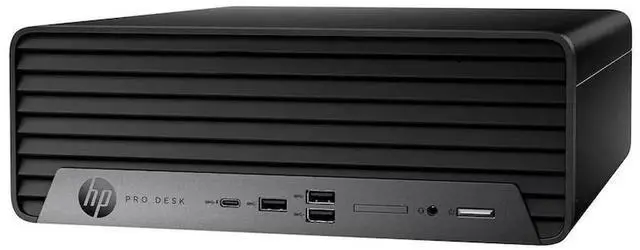
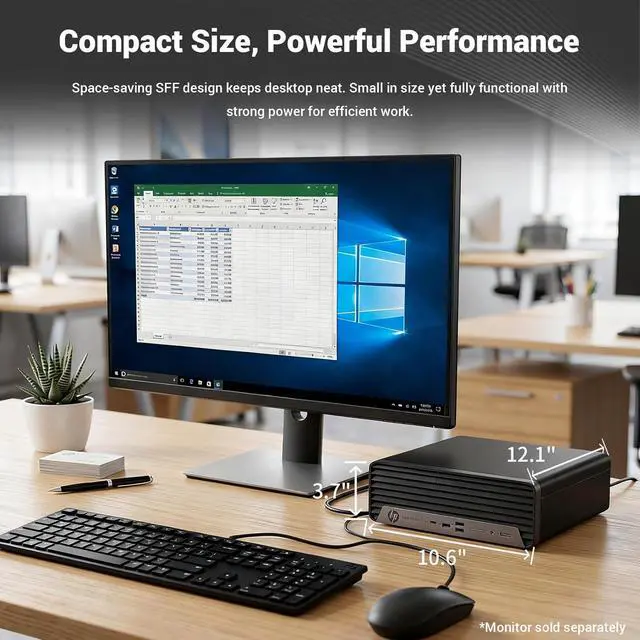
Dimensions:10.6" x 3.7" x 12.1"in,9.25 lb
Color:Black
The HP Pro 400 G9 SFF is a compact business desktop with an Intel Core i5-14500, 32GB DDR5 memory, a 1TB SSD, and Windows 11 Pro, suited to office work and multitasking where a small-footprint PC is preferred.
| Attribute | Value |
|---|---|
| Best For | Business desktop use with multitasking, local file storage, and wired keyboard-and-mouse control |
| Processor And Graphics | Intel Core i5-14500 processor with Intel UHD Graphics |
| Memory And Storage | 32GB DDR5 memory and 1TB SSD storage |
| Networking | Wi-Fi 6 and Bluetooth connectivity |
| Operating System | Windows 11 Pro |
| Chassis And Color | Slim/Small Form Factor desktop PC in black |
| Keyboard And Mouse | USB keyboard and USB mouse |
| Brand | HP |
Q: HP Pro 400 G9 i5-14500 vs i3-14100: which configuration should I choose?
A: Choose this i5-14500 configuration for heavier multitasking and a larger ready-to-use memory and storage setup: it includes 32GB RAM and a 1TB SSD. HP lists the i5-14500 with 14 cores and the i3-14100 with 4 cores, making the i5 option a fit for workloads that can use more CPU cores. ([support.hp.com](https://support.hp.com/lv-en/document/ish_6181913-6182025-16?utm_source=openai))
Q: Is the 32GB RAM and 1TB SSD version worth choosing over the HP Pro 400 G9 i5 with 16GB and 512GB?
A: Choose the Newegg 32GB/1TB configuration when you want more memory for running several applications and more capacity for local files. Compared with HP’s listed 16GB/512GB i5-14500 configuration, it doubles both memory and SSD capacity while keeping the same processor model. ([hp.com](https://www.hp.com/us-en/shop/pdp/hp-pro-small-form-factor-400-g9-desktop-pc-p-aj5b4ua-aba-1?utm_source=openai))
Q: Should I get the HP Pro 400 G9 with i5-14500 or step up to the i7-14700?
A: Choose this i5-14500 model for business productivity and multitasking with 32GB RAM and a 1TB SSD. Consider an HP Pro SFF 400 G9 i7-14700 configuration when your regular workloads can benefit from more CPU cores: HP lists 14 cores for the i5-14500 and 20 for the i7-14700. ([support.hp.com](https://support.hp.com/lv-en/document/ish_6181913-6182025-16?utm_source=openai))
Q: HP Pro 400 G9 SFF vs HP Pro Mini 400 G9: which fits a compact office setup?
A: Choose the Pro Mini 400 G9 when minimizing the computer’s footprint is the priority; HP lists it at about 6.97 × 6.89 × 1.35 inches and 2.75 lb. Choose this Pro 400 G9 SFF configuration for a conventional small-form-factor desktop setup with 32GB RAM and a 1TB SSD. ([support.hp.com](https://support.hp.com/us-en/document/ish_6181857-6182018-16?utm_source=openai))
Q: Is this desktop suitable for office work and multitasking?
A: Yes. Its Core i5-14500 processor, 32 GB of DDR5 memory, 1 TB SSD, and Windows 11 Pro make it suitable for typical business and office work, including running multiple applications. It uses integrated Intel UHD Graphics, so it is not configured for demanding graphics workloads.
Q: Does it come with a monitor?
A: No. The product listing specifies that no display is included, so you will need a separate monitor. A wired keyboard and mouse are included.
Q: Can it connect to Wi-Fi and Bluetooth devices?
A: Yes. The listed configuration includes Wi-Fi 6 and Bluetooth, so it can connect to a wireless network and compatible Bluetooth devices.
Q: Is it a good choice for demanding gaming or graphics work?
A: It is better suited to everyday computing and office tasks than demanding gaming or graphics work. It has integrated Intel UHD Graphics and no dedicated graphics card listed, which may limit performance in graphics-intensive applications and games.
Q: Can I add a graphics card to the HP Pro 400 G9 SFF for gaming?
A: This configuration lists Intel UHD Graphics, not a dedicated graphics card, so it is not configured for graphics-intensive gaming out of the box. Reddit discussions about GPU upgrades in the G9 SFF raise fit, power, and cooling concerns. Check compatibility with the exact system and card before buying for an upgrade.
Q: Can the HP Pro 400 G9 SFF work as a home server with extra drives?
A: The listed 1TB SSD provides storage to start with, but the product information does not specify the included drive mounts or additional-drive configuration. Reddit discussion of a Pro SFF 400 G9 home-server setup raises drive mounting and power-cable questions. Verify the exact unit’s bays, mounts, and cables if you plan to add drives.
Q: Have users reported boot or BIOS-update problems with the HP Pro 400 G9 SFF?
A: One Reddit owner reported boot and firmware-update problems on 2 of 15 14th-generation ProDesk 400 G9 systems. This is an individual report, not evidence of how commonly the issue occurs. If uninterrupted operation is important, check the seller’s warranty and return terms.


