




 here!
I’m your shopping assistant for PC builds, upgrades, and everything tech.
Got questions? Ask away!
Start a conversation
here!
I’m your shopping assistant for PC builds, upgrades, and everything tech.
Got questions? Ask away!
Start a conversation







Any questions? Ask CelesteSM will help you find out quickly.
Key Features and Benefits:
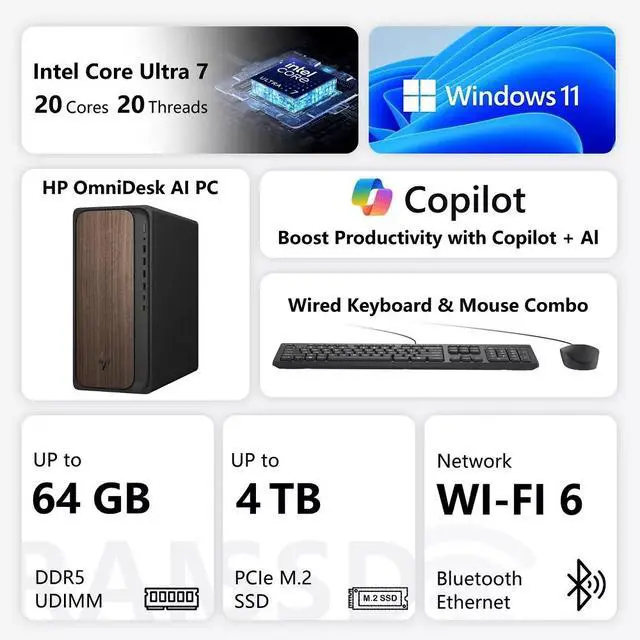
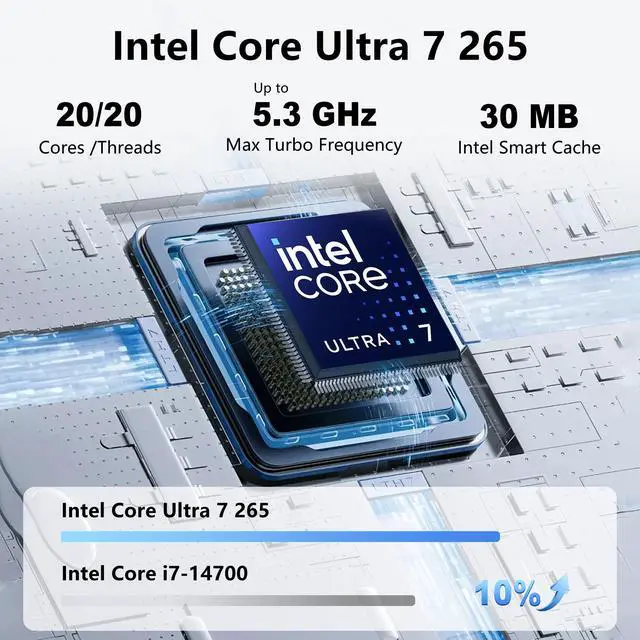
CPU: Intel Core Ultra 7 265 Processor (20 Cores, 20 Threads, 30MB L3 Cache, Base Speed: 3.9GHz, Turbo Speed: 5.3GHz)
Memory: Up to 64GB DDR5 UDIMM RAM
Hard Drive: Up to 4TB PCIe M.2 SSD
Operating System: Windows 11 Pro
Graphics: Intel Graphics
Ports:
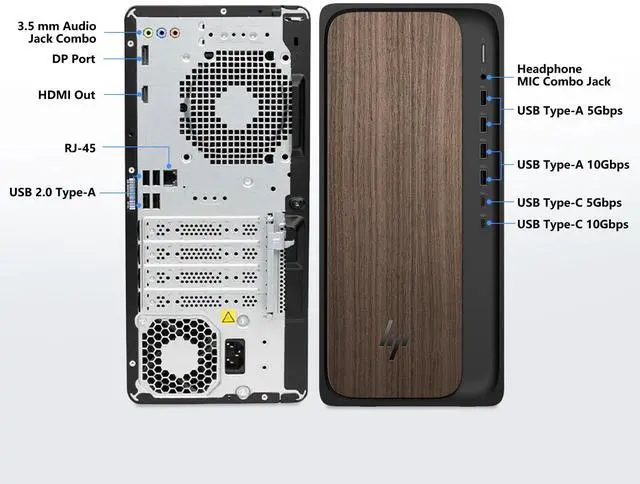
4 x USB 3.0 Type-A
2 x USB Type-C
4 x USB 2.0 Type-A
1 x HDMI
4 x headphone/microphone combo
1 x Full Size DP Port
1 x Ethernet Port
Optical Drive: None
Media Card Reader: None
Keyboard & Mouse: US Wired Keyboard & Wired Mouse
Wireless Connectivity: Wi-Fi 6 & Bluetooth Available
Dimensions: 13.27 x 6.10 x 21.85 inchs
Weight: 11.78 lbs
Color: Black
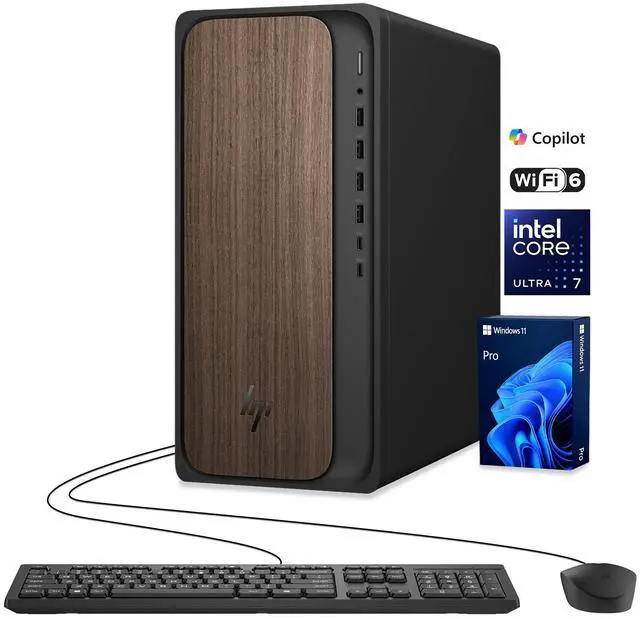
The HP OmniDesk M03 is a Windows 11 Pro business tower with an Intel Core Ultra 7 265 processor, 64GB DDR5 memory and a 2TB SSD, suited to professionals who need responsive multitasking, office productivity and ample storage for large work files.
| Attribute | Value |
|---|---|
| Best For | Business productivity and content-creation workloads |
| Processor And Core Count | Intel Core Ultra 7 265, 20-core, 64-bit processor |
| Clock Speeds And Cache | 2.40GHz base frequency, up to 5.30GHz turbo, with 30MB L3 cache |
| Graphics | Integrated Intel Graphics |
| Memory Configuration | 64GB DDR5-4800 memory; 2 of 2 slots available, with support for up to 128GB |
| Storage | 2TB SSD |
| Operating System | Windows 11 Pro |
| Ports And Connectivity | 1 DisplayPort, 1 HDMI, 1 RJ45 Ethernet port, and 4 front audio ports |
| Wired And Wireless Networking | Wi-Fi 6 (802.11ax), Bluetooth, and integrated Gigabit Ethernet |
| Audio Setup | Integrated audio chipset |
| Keyboard And Mouse | Wired keyboard and wired mouse |
| Cooling | Air cooling |
| Physical Dimensions And Weight | 13.27 × 6.10 × 21.85 inches; 11.78 lb |
| Model Identifiers | HP OmniDesk |
Q: HP OmniDesk M03 with 64GB RAM and 2TB SSD vs 16GB and 512GB: which configuration should I choose?
A: Choose the 64GB/2TB configuration for more memory headroom when running many applications or working with larger files, and more built-in SSD space for projects and media. Both configurations use the Intel Core Ultra 7 265 processor, so the main difference is memory and storage capacity.
Q: HP OmniDesk M03 with 64GB/2TB vs 32GB/1TB: is the larger configuration worth choosing?
A: Choose 64GB/2TB if your work benefits from keeping more applications or larger files available locally; choose 32GB/1TB for a more moderate memory and storage configuration. HP also lists an M03 configuration with a Core Ultra 7 265, 32GB memory, and 1TB SSD, making capacity the key distinction between these options.
Q: HP OmniDesk M03 vs the previous-generation HP OmniDesk M02: which is the newer platform?
A: Choose the M03 for its Intel Core Ultra 7 265 platform, which HP lists with 20 cores and Intel AI Boost at 13 NPU TOPS. HP’s M02 lineup includes 14th-generation Intel Core i7 configurations, so the M03 is the option to consider when you want the newer Core Ultra platform and its integrated NPU.
Q: HP OmniDesk M03 with 64GB/2TB vs an M03 configuration with RTX 5060: which fits a work-focused desktop?
A: The 64GB/2TB configuration prioritizes system memory and SSD capacity for multitasking and storing larger work files. An M03 configuration with an RTX 5060 adds dedicated graphics, which is relevant for applications and games that use GPU acceleration; choose based on whether memory/storage capacity or discrete graphics better matches your workload.
Q: Is this desktop suitable for business and office multitasking?
A: Yes. Its Intel Core Ultra 7 processor, 64GB of DDR5 memory, 2TB SSD, and Windows 11 Pro make it well suited to office work and running multiple applications. A webcam or headset may be needed for video meetings; the listing does not specify a built-in webcam.
Q: Can I connect two monitors to this desktop?
A: The listing specifies one HDMI port and one DisplayPort, so the desktop has two listed video outputs for compatible monitors. Check each monitor’s input and cable requirements; the listing does not specify supported resolutions or refresh rates.
Q: Is this desktop a good choice for gaming or graphics-intensive creative work?
A: It may suit everyday productivity and lighter creative tasks, but it is not the best fit for demanding gaming or GPU-intensive work: the listing specifies integrated Intel Graphics and does not list a dedicated graphics card. Check the requirements of the specific games or creative applications you plan to use.
Q: How is warranty coverage handled after the memory and storage upgrades?
A: The listing says the original seal is opened for the upgrades. It specifies one year of PCOnline US coverage for upgraded RAM, SSD, or HDD, and the original one-year manufacturer warranty for the remaining components. Confirm coverage and service procedures with the seller before purchase.
Q: Is this OmniDesk suitable for office work and multitasking?
A: Its Core Ultra 7 265, 64GB of DDR5 memory, and 2TB SSD make it a well-specified option for office work, many open tabs, and moderate video editing. A Reddit comparison discussion describes similar business and multitasking needs, but does not provide performance testing of this exact configuration.
Q: Is this OmniDesk a good choice for gaming?
A: This listing specifies Intel integrated graphics, not a dedicated graphics card. It is better suited to general productivity than graphics-intensive gaming; Reddit discussions about OmniDesk gaming also raise concerns about integrated graphics and upgrade limitations. Those discussions cover other configurations, so check the exact model’s graphics and upgrade options before buying for games.
Q: Can I add another internal drive to an OmniDesk M03?
A: An OmniDesk M03 owner reported adding a 3.5-inch drive using a compatible HP power cable. That does not confirm compatibility with this exact configuration; verify the available bay, connector, and power requirements before purchasing an additional drive. This listing already includes a 2TB SSD.
Q: Will this handle Fusion 360 and 3D-printer slicing?
A: The processor and 64GB RAM are substantial for general modeling and slicing workflows, but this configuration lists integrated Intel Graphics rather than a dedicated GPU. A Reddit question about Fusion 360 and slicing concerned a different OmniDesk configuration and did not establish its performance, so suitability for complex 3D work should be checked against the software’s graphics requirements.


