here!
here!
I’m your shopping assistant for PC builds, upgrades, and everything tech.
Got questions? Ask away!
Start a conversation
here!
I’m your shopping assistant for PC builds, upgrades, and everything tech.
Got questions? Ask away!
Start a conversation



Any questions? Ask CelesteSM will help you find out quickly.
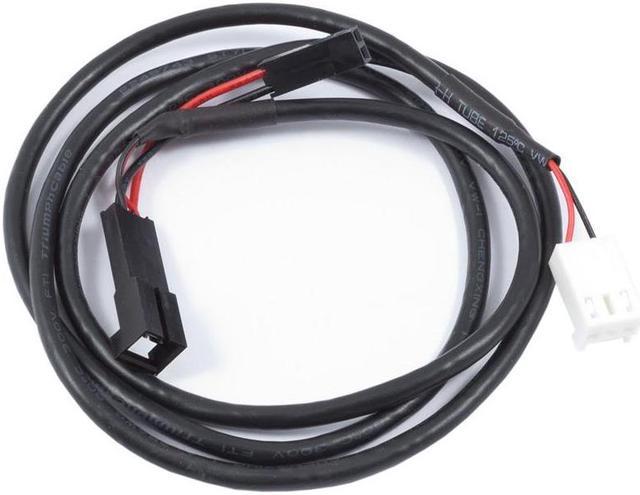
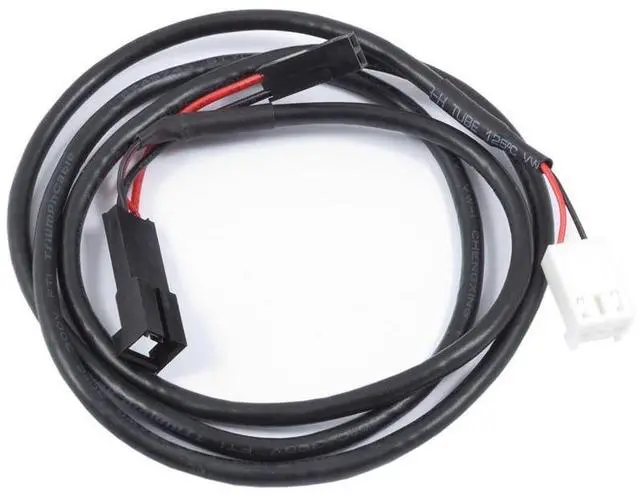
The Aquacomputer Connection Cable Alarm Header (Fan Plug) to Motherboard Power Switch Header (53217) is an emergency shutdown cable, approx. 70 cm in total length. It links the alarm header of an aquastream ULTIMATE or an mps family device (mps flow, mps pressure) to the power switch header of a computer motherboard.
The cable can be used for an emergency shutdown: it allows the PC to be switched off by the power switch input when the pump or sensor raises an alarm condition. It is connected in between the motherboard and the power switch of the PC case, so that switch remains operational as before.
Before you connect anything, make sure the device's RPM/alarm header is configured correctly. This is done in the aquasuite Software:
After connecting, test the setup by deliberately creating an alarm condition. If the PC stays on, the cable header on the motherboard must be rotated by 180 degrees, and the test repeated.
Aquacomputer's product information names one device as compatible:
These devices are not on that list: aqualis XT, aquainlet XT and the D5 pump with USB and aquabus interface. Nor are the pump adapter/pump module for aqualis with fill level sensor and the flow sensor high flow USB. The poweradjust 3 USB is not on it either.