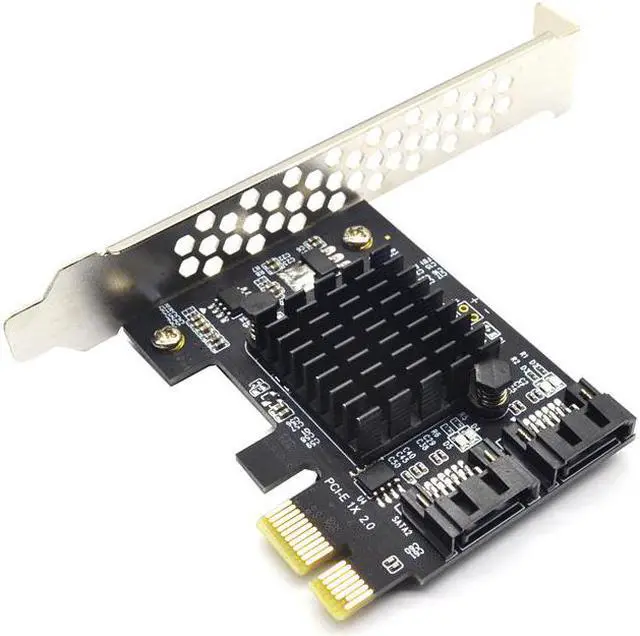
Certification:NONE
Origin:CN(Origin)
Package:Yes
Model Number:AC4321
Type:Add On Cards
Interface Type:PCI Express
Main Chips:Marvell 88SE9125
SATA Port Quality:2-Port SATA3.0
Bus Type:PCI Express X1
Feature:with large heatsink cooling
SATA1:controller sata 3
SATA2:pci-e sata
SATA3:pcie sata
SATA4:sata controller
SATA5:sata
SATA6:sata3 pcie
SATA7:sata card
SATA8:pci express sata
SATA9:sata 3 pcie
SATA10:sata expansion
SATA11:pcie sata 3
SATA12:sata multiplier
SATA13:sata pcie
QINDIAN Add On Card Controller SATA 3 PCIE SATA3 PCIE/PCI-E SATA Card/Expansion/Multiplier PCI Express SATA Marvell 88SE9125
About Description:
Specification:
Meets Serial ATA 3.0 specification, backward compatible with SATA2.0 SATA1.0
Compliant with PCI-Express v2.0 specification, backward compatible with PCI-Express v1.0.
Supports communication speeds of 6.0 Gbps, 3.0 Gbps, and 1.5 Gbps
Support Gen 1i, Gen 1x, Gen 2i, Gen 2m, Gen 2x, and Gen 3i.
Supports Four SATA
Support AHCI1.0 mode and IDE mode
Support native command queue (NCQ)
Supports FIS based on port multiplier switches or command switches.
Hot-swappable and hot-swappable.
Compatible with SATA6G, 3G and 1.5G Hard Drives
Bus interface: PCI-Express x1 slot(Compatible PCI-E X2 X4 X8 X16 )
Extension ports: 2 Port SATA3.0 interfaces
Feature: with large heat sink for long time safe working
Main Chips: Marvell 88SE9125
System Requirements:
Windows 10/8/7 (32/64 bit) / Vista (32/64 bit) / XP/2003/2008/linux
System disk and PCIE to SATA3.0 adapter card connection conditions and solutions:
1. PCIE to SATA3.0 SATA interface mode is AHCI mode, if you want to insert the system disk in our card, the premise is that your system disk installed on the motherboard must be AHCI mode installation, otherwise it can not pass Our card adapter card boot system.
2. If it is determined that the system disk is inserted in the AHCI mode of the SATA interface mounting system on the mainboard, then the hard disk can be directly inserted into our card, and then the mainboard BIOS is set to start the system disk as the first boot.
3. the above two conditions are available, if you still can not start, or repeatedly restart, then the motherboard hard drive interface and our adapter card conflict, the solution is to enter the motherboard BIOS, the motherboard's hard disk interface options set to Disabled, save and restart to boot the system
Attention: Don't Support as System
You'll receive:
1 x PCI-E TO 2 SATA Expansion Card
1 x Low Profile Bracket
Please check pictures for more details.





 here!
here!